

You can keep every cord tidy by using built‑in trays that slide under the desk, snap‑on magnetic covers that hide stray wires, and pass‑through channels that let cables run through the frame without snagging. Fold‑down panels let you add or swap wires quickly, while quick‑install four‑screw systems secure everything in minutes. Choose a size with integrated channels for larger surfaces, and opt for eco‑knit or recycled‑plastic materials for a greener workspace. More details await if you keep exploring.
How to Keep Cables Neat When You Switch Between Sitting and Standing
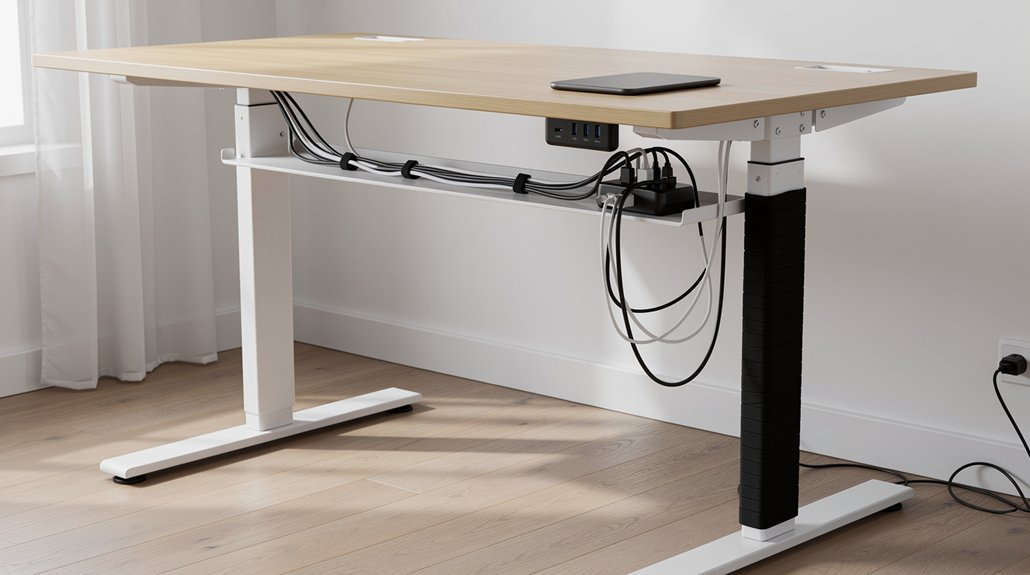
Ever wonder how to keep your cables tidy while you shift from sitting to standing? With a standing desk, you can rely on Desk Cable Management that stays out of sight during height changes. Install an Under-desk cable management tray under the tabletop; it clamps securely, keeping power strips and USB hubs hidden as you rise. Use a fold-down cable management panel on the side—open it to add a new wire, then fold it back for a clean look. Built‑in pass‑throughs let cords slide through the desk frame without snagging. Snap‑On or magnetic covers around the base column conceal any stray cords, letting you adjust the setup tool‑free. These tricks keep your workspace sleek and functional, no matter how often you switch positions.
Choosing the Right Desk Size for Seamless Cable Management
Wondering how desk size impacts cable organization? You’ll find that a Desk size with integrated cable channels and under‑desk trays instantly hides power strips and keeps cords tidy. Larger surfaces give you room to spread devices, preventing overload on single cable runs, while bottom thru holes and power box mounting plates let you route wires from the surface to outlets without clutter.
| Desk Size | Integrated Cable Channels | Under‑Desk Trays |
|---|---|---|
| Compact | Minimal, suitable for 1‑2 devices | Small, limited capacity |
| Standard | Moderate, fits most setups | Medium, holds a power strip |
| Executive | Extensive, supports multiple monitors | Large, accommodates several trays |
Pick the size that matches your gear, and your cable management will stay seamless.
Fold‑Down Cable Trays: Quick Adjustments Without Tangles
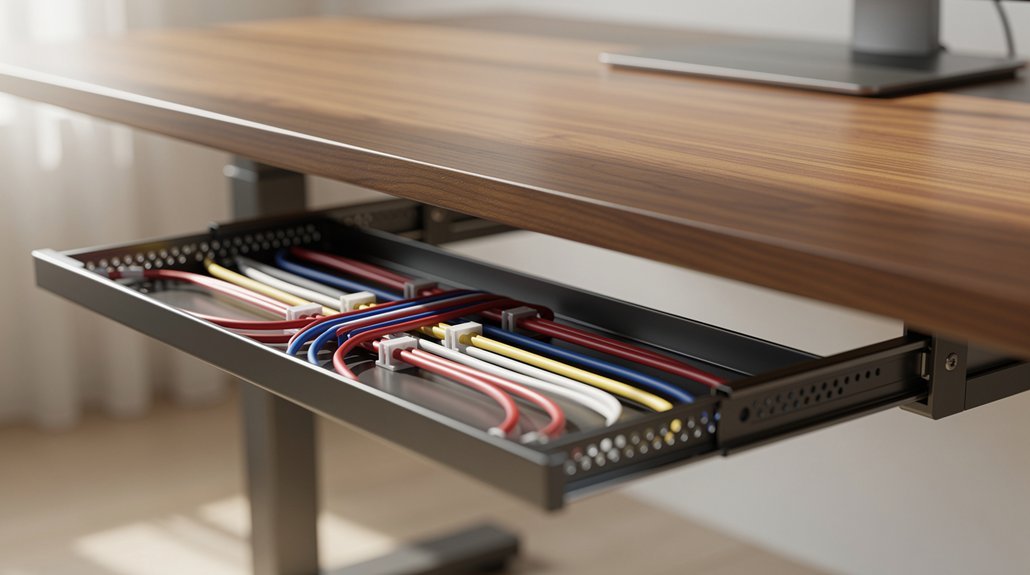
How can you keep cables tidy while still being able to reconfigure your setup in seconds? Fold‑down cable trays give you that freedom. When you pull the tray out from under‑desk you expose hidden wiring, then you can add, swap, or route new cords without wrestling tangled bundles. Internal strapping secures each component, so quick adjustments stay neat and safe. After you finish, simply fold the tray back up; the sleek, streamlined look returns instantly, hiding everything from view. The mechanism works with any sit‑stand desk height, so you stay organized whether you’re seated or standing. By integrating fold‑down cable trays into your cable management plan, you eliminate clutter, protect connections, and keep your workspace looking professional.
Built‑In Pass‑Through Reveals for Easy Routing and Immediate Access
Why settle for a tangled mess when you can route cables cleanly through a built‑in pass‑through reveal? This cable management feature lets you drop power and data cords straight into a dedicated channel, keeping your desk surface clear and your organized workspace tidy. The pass‑through reveals stay visible, so you can grab a plug or re‑route a wire without disassembling the desk. It works hand‑in‑hand with under‑desk cable routing, giving you a discreet yet accessible path for every connection.
- A rectangular opening cut into the tabletop
- A reinforced sleeve that guides cables down
- Snap‑in clips that hold the sleeve in place
- A smooth interior surface that prevents snagging
- Easy access from the desk’s underside for quick adjustments
Installing a Cable‑Friendly Desk in Minutes With Four Screws
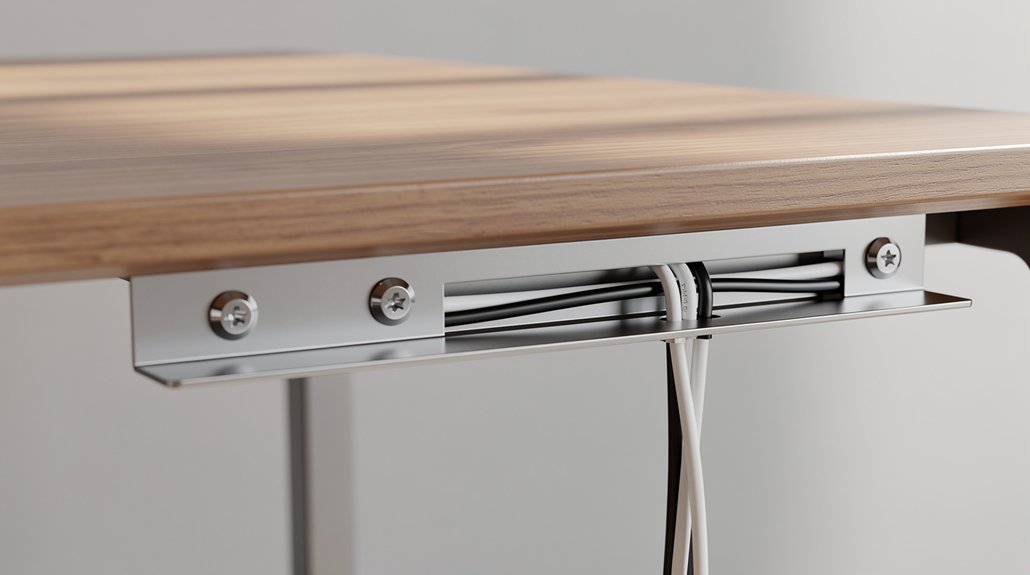
You’ll have a cable‑friendly desk ready in minutes with just four screws, and the compact design keeps your workspace tidy.
The tool‑free setup means you won’t need a wrench or drill—just align the brackets and tighten.
Once installed, the desk’s built‑in channels hide cables neatly without taking up extra space.
Four‑Screw Quick Install
Ever wondered how you can set up a cable‑friendly desk in just minutes? The four‑screw quick install lets you mount a desk with four simple screws, delivering solid stability and clean cable management. You’ll appreciate the under‑desk cable routing that stays hidden yet accessible, while the integrated cable management system keeps cords organized without extra accessories. This method works with most Desky setups, ensuring a tidy workspace fast.
- Align the desk brackets with pre‑drilled holes.
- Insert the four screws, tightening just enough for a firm hold.
- Clip the under‑desk cable tray into the built‑in groove.
- Feed power and data cords through the integrated channels.
- Verify stability, then enjoy a clutter‑free surface.
Compact, Tool‑Free Setup
The desk’s magnetic and snap‑on wire covers let you create a cable‑friendly workspace in minutes, using just four screws and no extra tools. You’ll notice how the magnetic wire management covers cling to metal square columns, while the snap‑on version slides onto 2‑inch and 3‑inch round or oval posts. This tool‑free setup hides power cords and data lines along the column, delivering sleek under‑desk organization without a cluttered look.
Because the system works on both stand‑alone and sit‑stand tables, you shift between sitting and standing while the cables stay concealed. The plug‑and‑play design lets you add, remove, or rearrange covers on the fly, keeping your workspace tidy and professional.
Durable Materials and Finishes That Complement Ergonomic Aesthetics
Wondering how to keep your workspace both sturdy and stylish? You’ll notice that high‑quality, durable materials replace flimsy plastic, and finishes like Eco Knit, breathable mesh, and leather boost ergonomic aesthetics while standing up to daily wear.
- Eco Knit fabric panels hide cables and add a soft, tactile surface.
- Powder‑coat magnetic covers snap on instantly, fitting 2” or 3” columns without tools.
- All‑welded power boxes conceal cords from desk top to floor, perfect for presentations.
- Under‑desk channels and trays glide smoothly, reducing cable strain.
- Leather‑trimmed cable trays provide a sleek, professional look while protecting wires.
These choices give you a cohesive, resilient setup that feels as good as it looks, supporting both function and form.
Eco‑Knit and Other Sustainable Options for a Greener Desk
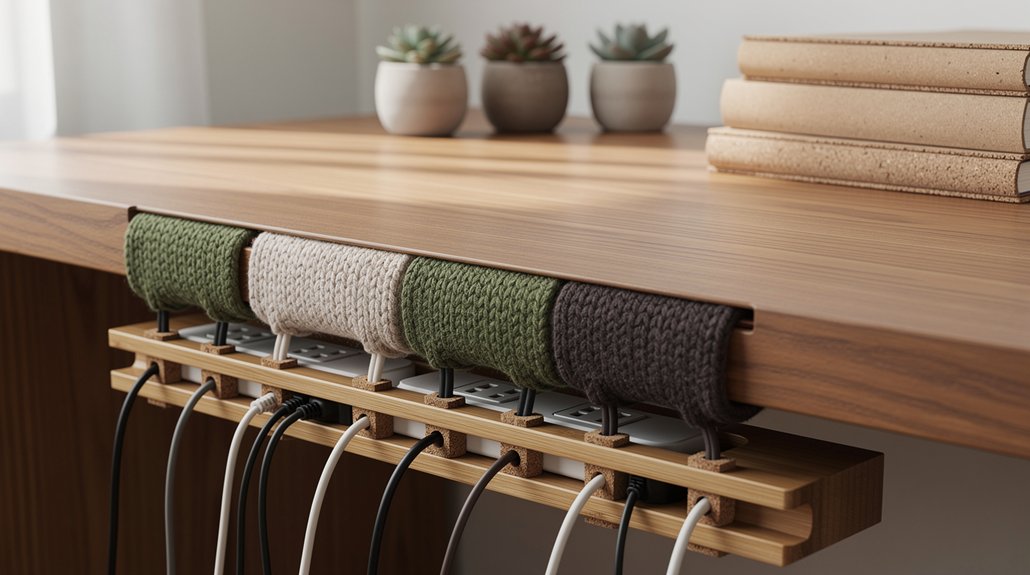
Often you’ll find Eco‑Knit cable panels made from recycled plastic bottles, with the larger version incorporating the material from 34 bottles. This sustainable choice lets you tidy cords while supporting a zero‑waste manufacturing process.
The Eco Knit desk finish blends seamlessly with modern aesthetics, so your workspace looks sleek and feels responsible. Because the material is verified by third‑party audits, you trust that each panel truly reduces waste. You’ll notice the same durability as traditional finishes, but with a lighter carbon footprint.
What Real Users Say About Cable‑Friendly Desks
Ever wondered how a cable‑friendly desk feels in everyday use? You’ll notice instant tidiness; cords disappear, and your workspace looks sleek. Users rave that the integrated cable management makes set‑up and re‑arranging tools effortless, thanks to snap‑on covers and Magnetic Cable Management that click into place without tools.
- Mini Cable & Power Tray hides power strips while keeping ports reachable.
- Under‑desk channels route HDMI, USB, and power cords neatly beneath the surface.
- Magnetic Cable Management lets you attach or detach cables in seconds.
- The Desk’s built‑in power box consolidates outlets, reducing clutter.
- Reviews highlight professional, efficient vibes and high value for the price.
You’ll feel the difference the first time you plug in, and the organized look boosts productivity and confidence.
Our Planet‑Positive Practices: Transparency, Verification, and Ongoing Impact

Because you care about the planet, Desky makes its sustainability data transparent, verified by third‑party audits, and continuously updated. You’ll see that transparency isn’t a buzzword; it’s backed by third‑party verification that checks carbon, energy, and water footprints.
The company’s Planet‑Positive Practices program reports measurable sustainability impact, so you can track progress from zero‑waste manufacturing to global initiatives. Eco‑conscious materials like the Eco Knit option turn 34 recycled plastic bottles into a sturdy large‑size desk, reinforcing your commitment to greener choices.
Regular audits ensure claims stay accurate, while ongoing reporting lets you see how each product improves environmental outcomes. This clear, accountable approach lets you purchase confidently, knowing your workspace supports a healthier planet.
Frequently Asked Questions
What Is the Best Cable Organizer?
You’ll find the Mini Cable & Power Tray the best organizer—compact, sturdy, and rated 4.8/5. It fits under desks, holds multiple cords, and keeps everything tidy without extra tools.
How to Organize Cable Management?
You should start by routing cables through under‑desk channels, snap‑on or magnetic covers, and bottom holes, then secure them with clips, grommets, and a tray, keeping power boxes hidden yet reachable.
How to Do Cable Management for Your Desk?
You’ll start by routing cords through under‑desk trays or grommets, secure them with snap‑on or magnetic clips, attach a power strip to the desk’s underside, and use cable ties or Velcro straps to keep everything tidy.
What Does the Cable Manager Help Organize?
You organize power cords, data cables, adapters, and charging leads, keeping them hidden in trays, channels, or magnetic covers so they stay tidy, accessible, and free from accidental unplugging.
In Summary
By picking a desk that blends smart trays, built‑in pass‑throughs, and sustainable finishes, you’ll keep cables tidy whether you sit or stand. The quick‑install options let you set up in minutes, while durable materials hold up to daily use. Real users rave about the clutter‑free workspace, and the eco‑friendly choices let you feel good about your setup. Stay organized, stay ergonomic, and enjoy a cleaner, greener desk.



