
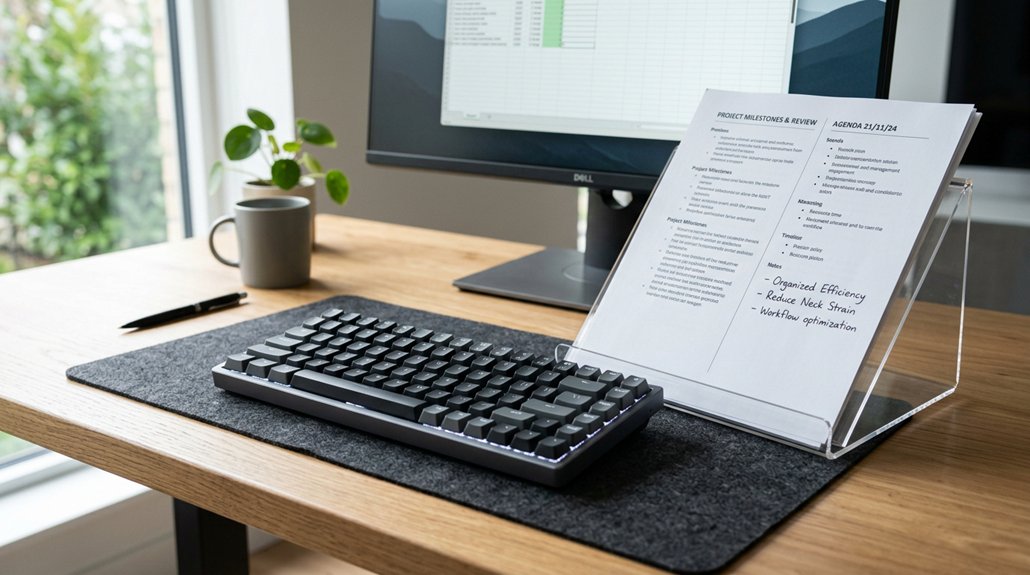
Aligning your document holder and keyboard helps you maintain a neutral posture, reducing neck, eye, and shoulder strain. When they’re properly positioned, you avoid awkward twisting and micro-movements that can cause discomfort and fatigue over time. This setup also improves workflow and productivity by making it easier to switch between documents and keyboard. Keep optimizing your workspace, and you’ll discover simple ways to achieve long-lasting ergonomic comfort and efficiency.
Why Proper Document and Keyboard Alignment Matters
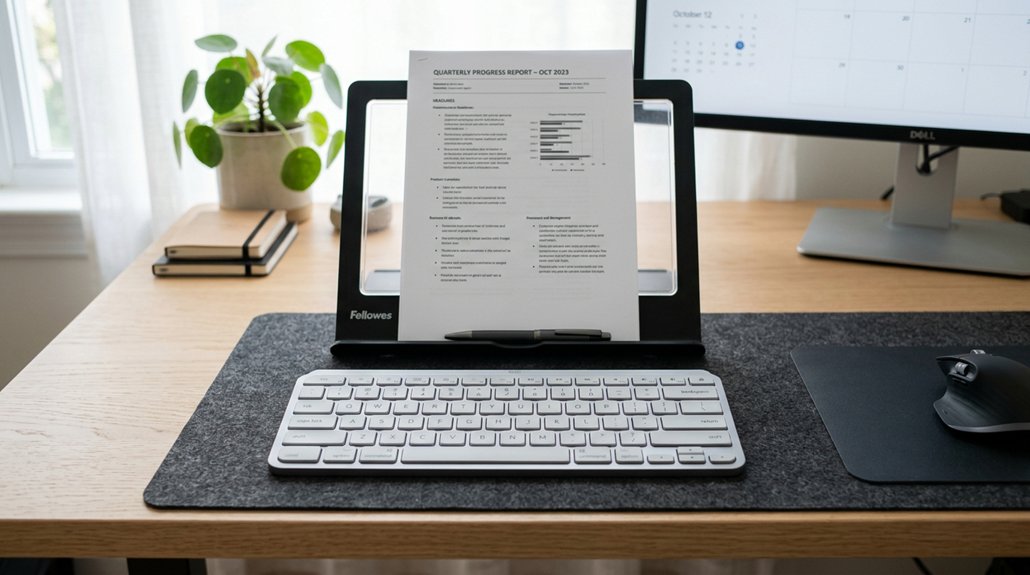
Proper alignment of your document holder and keyboard is essential because it helps you maintain a neutral posture, reducing the need for twisting your neck or making awkward head movements. When your documents are aligned correctly, you avoid excessive neck and eye strain, creating a more comfortable workspace. Additionally, ergonomic support features like adjustable heights and angles ensure your setup promotes ergonomic posture, minimizing muscle fatigue and discomfort over time. Using a well-positioned document holder guarantees your documents are in the same vertical plane as your keyboard, encouraging smooth eye movements and improving typing efficiency. Misaligned document holders force you to reach or assume uncomfortable postures, which can cause muscle fatigue, tendon inflammation, and discomfort over time.
Consistent alignment keeps your work at the proper ergonomic distance, lowering eye strain and helping you stay productive during long work sessions. Proper setup truly supports your overall comfort and health.
How Misalignment Causes Neck and Eye Strain
When your document holder isn’t aligned with your keyboard, you’re forced to turn your neck repeatedly, causing muscle fatigue and discomfort.
Constantly shifting your gaze between misaligned documents and your screen also strains your eyes, leading to headaches. These awkward positions can quickly add up, increasing your risk of ongoing neck pain and eye fatigue.
Increased Neck Rotation
Have you ever noticed how constantly twisting your neck to view documents off to the side can cause discomfort? When your document holder isn’t aligned with your keyboard, you’re forced to frequently turn your neck sideways. This increased neck rotation puts strain on your cervical muscles, tendons, and nerves. Incorporating lumbar support mechanisms into your workspace can help support your overall posture, reducing the likelihood of strain throughout your spine. Over time, this repetitive twisting can lead to muscle fatigue, soreness, and even more serious issues like tendon sheath inflammation. The constant micro-movements required to see off-center documents make your neck work harder, resulting in both acute and chronic pain.
Proper alignment, where your documents and keyboard sit in the same plane, minimizes unnecessary neck rotation. Keeping your workspace aligned helps maintain a neutral head position, reducing strain and promoting comfort during long hours of work.
Eyestrain From Unaligned View
Misalignment between your document holder and keyboard forces your eyes to constantly shift focus between different angles and distances, which can lead to significant eyestrain. When your viewing angles are off, your eyes struggle to adapt quickly, causing visual discomfort and headaches from prolonged focusing. A proper setup with monitor compatibility can help prevent these issues by ensuring that your screen and documents are positioned optimally.
This misalignment disrupts smooth shifts between your screen and documents, increasing eye muscle fatigue. Constantly adjusting your gaze also causes neck twisting, promoting awkward postures that worsen eye strain over time.
Maintaining proper alignment helps your eyes focus comfortably on a single plane, reducing repetitive micro-movements. By keeping your document holder and keyboard aligned, you minimize unnecessary strain, making it easier for your eyes and neck to stay relaxed throughout your workday.
The Ergonomic Benefits of Proper Setup
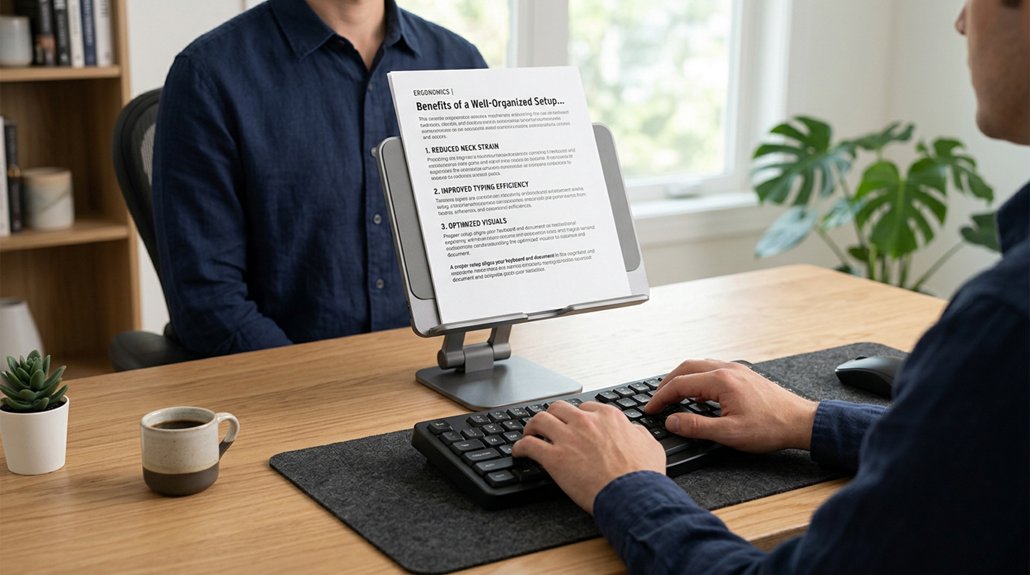
Properly aligning your document holder and keyboard offers significant ergonomic benefits by promoting a neutral posture and reducing physical strain. When your document holder is in the same vertical plane as your keyboard, you avoid awkward neck twisting and head tilting, which can cause neck and shoulder fatigue.
Maintaining this alignment also keeps viewing distances consistent between your screen, documents, and keyboard, helping to minimize eye strain and headaches from frequent refocusing. Positioning the document holder close and aligned with your keyboard encourages a natural, straight-spined posture, preventing forward bending. This setup enables smooth gaze and hand shifts, increasing your typing efficiency and comfort. Ensuring your setup includes adjustable tilt and stable support can further optimize wrist pain relief and overall ergonomic health.
Tips for Positioning Your Document Holder Correctly
Would you like to minimize neck strain during your workday? Properly positioning your document, in-line document holder, and keyboard is key. Place your document holder directly between the keyboard and monitor at a 45°-60° angle, aligning it with your natural line of sight. This reduces twisting and improves comfort.
Match the height of the document holder with your monitor so both appear at the same eye level, preventing awkward head postures. Keep the holder close to the keyboard to allow easy viewing and smooth eye movement from documents to typing. Adjust the angle and distance until you can read comfortably without bending or twisting your neck.
Use a stable, sloped surface to prevent papers from sliding and support proper arm and wrist positioning during work.
How Your Document Holder’s Angle Affects Comfort
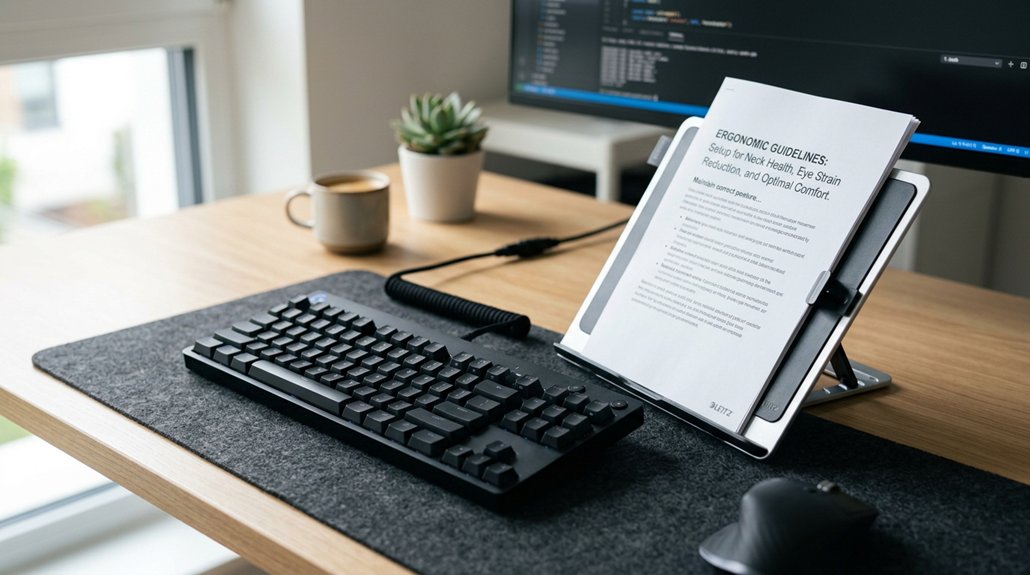
Adjusting your document holder’s angle plays a significant role in boosting comfort while working. An ideal angle, around 45°-60°, minimizes neck strain by reducing the need to bend or twist your head to view the document.
Adjust your document holder to 45°–60° for better comfort and reduced neck strain.
Here’s how it helps:
- It supports natural eye movement, aligning your view with the monitor and making reading easier.
- A proper angle promotes balanced head and neck posture, preventing shoulder discomfort.
- It encourages maintaining an upright spine, reducing fatigue during long reading or typing sessions.
- Correct positioning improves work efficiency by aligning your visual workspace with your physical typing area.
- Utilizing adjustable angles with lock points ensures you can find and maintain the most comfortable and ergonomic position for extended periods.
Choosing the Right Document Holder for Your Workspace
Choosing the right document holder depends on your specific workspace needs, the types of documents you handle, and your existing equipment.
For lightweight papers or frequently referenced materials, a monitor-mounted or inline document holder works well—these are rated highly for ergonomics and keep your documents close to your screen. If you handle heavier or larger documents, a free-standing holder provides stability and height adjustability, though it takes more desk space.
When selecting, consider the adjustment features to ensure smooth repositioning and optimal ergonomic alignment.
Consider your setup’s layout and your ergonomic priorities when selecting a document holder. If you use a height-adjustable monitor or keyboard tray, an inline model can minimize head movement. Screen-mounted options align documents with your monitor, reducing neck strain.
Ultimately, choose an ergonomic-rated, well-built document holder that complements your workflow for maximum comfort and productivity.
Key Features to Look for in an In-line Document Holder
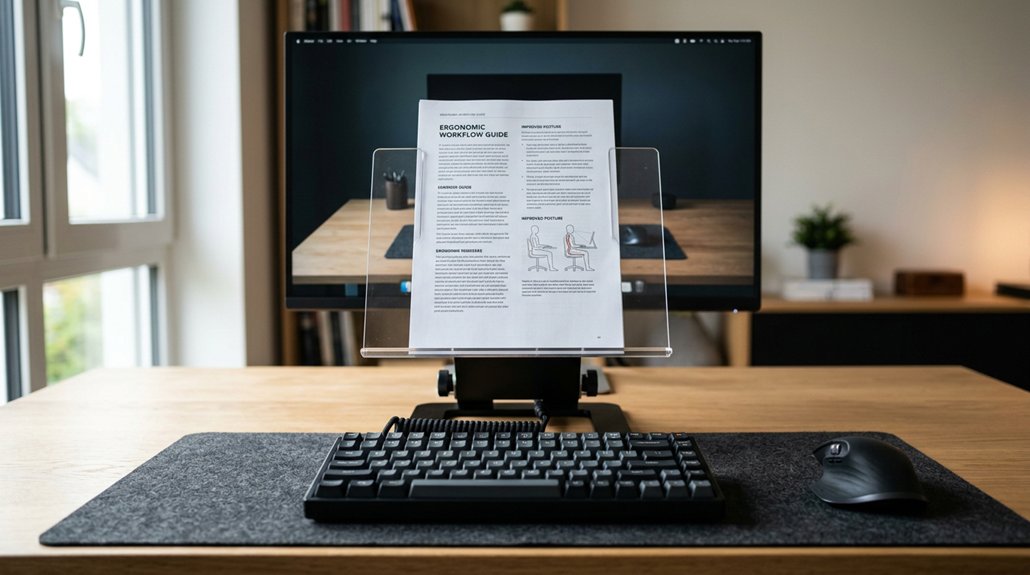
When choosing an in-line document holder, make certain it has a sturdy construction to support your documents securely throughout the day. Look for adjustable angles that let you customize the tilt for comfortable, strain-free viewing. Additionally, selecting a holder with full motion adjustability allows for seamless repositioning and better ergonomic alignment. A high-capacity holder that can accommodate multiple or thicker documents adds extra convenience and functionality.
Sturdy Construction and Capacity
A sturdy in-line document holder is essential for providing reliable support and maintaining an organized workspace. It can support multiple documents, thick books, and binders without bending or collapsing, ensuring stability.
Look for a holder with high capacity to accommodate items like post-it notes and mobile phones, which helps keep your workspace tidy.
When choosing, consider these features:
- Strong construction to prevent shifting, reducing or eliminating risk factors linked to awkward head and neck postures.
- Durable materials that withstand daily office use, ensuring long-term reliability.
- Capacity to support a paper document and slide smoothly below desk level without obstructing your monitor or screen.
- Ability to promote good posture at computer workstations, helping prevent neck pain and muscle fatigue during prolonged use.
- Ensure compatibility with monitor arms that provide ergonomic flexibility and proper monitor positioning to support healthy viewing habits.
Adjustable Angles for Comfort
Adjustable angles in an inline document holder allow you to fine-tune your workspace for maximum comfort. When you can easily tilt your holder, documents stay at a 45°-60° incline, supporting natural eye movement and reducing neck strain. A well-designed ergonomic height adjustment feature helps you position your documents at the perfect eye level, further preventing neck fatigue. Proper angle adjustments keep your documents readable without forcing you to look down excessively, easing neck and shoulder fatigue. The ability to tilt the holder also supports different document types and tasks, making your workspace more ergonomic.
Maintaining a consistent viewing distance with the monitor and documents minimizes eye strain and headaches caused by frequent focusing shifts. Look for an inline document holder with adjustable angles to customize your setup, ensuring optimal comfort during extended typing or writing sessions.
Benefits of Screen-Mounted and Free-Standing Holders
Both screen-mounted and free-standing document holders offer distinct benefits that enhance your workspace ergonomics. Screen-mounted holders align documents with your monitor plane, reducing neck bending and supporting a neutral head position. They’re perfect for desktops and laptops but may have limited weight capacity and cause slight neck rotation if off-center. A well-designed height-adjustable riser can further optimize positioning, improving overall comfort.
Screen-mounted holders align documents with your monitor, reducing neck strain for improved ergonomic comfort.
Free-standing holders provide strong support for heavier or multiple documents, offering greater stability and versatility, though they require more desk space.
Consider these benefits:
- Ergonomic alignment: Minimize neck strain by keeping documents at eye level.
- Stability: Free-standing holders securely support thick books and binders.
- Versatility: Free-standing options accommodate various document sizes and weights.
- Consistent viewing: Both types maintain a steady viewing distance, reducing eye strain.
How Proper Alignment Boosts Productivity and Focus

When your document holder and keyboard are properly aligned, it becomes easier to stay focused and work efficiently. This setup keeps documents at eye level, reducing neck twisting and maintaining your focus on tasks. Aligning the document holder with your keyboard and monitor creates a consistent visual distance, minimizing eye strain and supporting sustained attention. When you place documents in line with the keyboard, referencing becomes smoother, leading to fewer breaks and higher typing speed. Proper alignment also reduces awkward head and shoulder movements, decreasing muscle fatigue and discomfort that distracts you. Studies show ergonomic setups, including aligned document holders and keyboards, can boost comfort and productivity by around 10%.
| Benefit | Effect |
|---|---|
| Reduces neck twisting | Maintains focus on tasks |
| Minimizes eye strain | Supports sustained attention |
| Guarantees smooth referencing | Fewer breaks, faster typing |
| Less muscle fatigue | Increased comfort and efficiency |
Common Setup Mistakes and How to Avoid Them
One common mistake is misaligning the document holder and keyboard, which can cause you to twist your neck or lean forward repeatedly.
Ignoring ergonomic height standards also leads to awkward postures that strain your muscles over time. To avoid these issues, make certain your document holder and keyboard are properly aligned and set to ergonomic heights for a comfortable, natural setup.
Misaligned Document and Keyboard
Have you ever experienced neck strain while working? Misaligned document holders can cause this by forcing you to twist your neck or adopt awkward head postures, leading to muscle fatigue.
When your documents aren’t aligned with your keyboard and monitor, you tend to bend or rotate your spine, which can cause poor posture and long-term spinal issues. Off-center placement also results in repetitive micro-movements, increasing strain and lowering productivity.
To prevent this, make sure to:
- Keep your document holder vertically aligned with your keyboard and monitor.
- Position documents at eye level for a natural viewing angle.
- Maintain a neutral head position without turning or tilting.
- Avoid unnecessary twisting or bending of your neck and spine.
Aligning your workspace reduces eye and neck strain, promoting better posture and comfort while working.
Ignoring Ergonomic Height Standards
Ignoring ergonomic height standards can lead to misaligned document holders and keyboards, forcing you into awkward postures that cause discomfort and fatigue.
When the document holder sits too low or far from the keyboard, you may tilt or twist your head excessively, risking muscle strain and tendinitis. Small keyboard trays often require reaching or elevating your arms, which adds to muscular stress and increases injury risk.
Proper height alignment keeps your documents, keyboard, and monitor on the same vertical plane, reducing eye strain and preventing poor postural habits like forward bending or hunching.
Simple Adjustments for an Ergonomic Office Setup
Wouldn’t you agree that small adjustments can make a big difference in creating a more ergonomic workspace? Simple tweaks can greatly improve comfort and reduce strain.
To start:
- Position your document holder directly in line with your keyboard to avoid neck twisting and muscle strain.
- Tilt the document holder at a 45°-60° angle between the monitor and keyboard, keeping documents at the same ergonomic distance as your screen.
- Place the document holder between your keyboard and monitor to prevent forward bending and promote a straight spine.
- Keep the keyboard and document holder on the same vertical plane for balanced body alignment.
These small changes support neutral head posture, reduce discomfort, and boost productivity by minimizing eye fatigue and muscular tension during work.
How Your Workspace Components Support Good Alignment
When your workspace components are aligned properly, you create a foundation for maintaining good posture and reducing strain. Keeping your document holder and keyboard in the same vertical plane minimizes the need to twist your neck and torso, easing muscle tension.
Proper alignment guarantees your gaze and hand movements shift smoothly between documents and keyboard, boosting efficiency and comfort. It also encourages a neutral posture, preventing your shoulders and wrists from lifting or bending unnecessarily.
Positioning your document holder close and at the same distance as your keyboard helps keep your body balanced, supporting overall ergonomics. When these components work in harmony, you reduce repetitive micro-movements that can lead to neck and shoulder fatigue, making your workspace more ergonomic and comfortable.
Reassess Your Setup Regularly for Lasting Comfort
Regularly checking and adjusting your workspace guarantees continued comfort and proper alignment. Keep an eye on your monitor and document holder height, making tweaks as needed to prevent strain.
Frequent ergonomic checks help you stay comfortable and maintain productivity over time.
Monitor Height Adjustments
To maintain ergonomic comfort, it’s important to periodically reassess the height of your monitor. Proper positioning prevents awkward head tilting that causes neck and shoulder fatigue. Your monitor should be at eye level to keep your head in a neutral posture and reduce muscle strain.
Regular adjustments help keep your document holder and keyboard aligned on the same vertical plane, maximizing ergonomic benefits. Remember, changes in chair height, keyboard trays, or desk setup might require re-evaluating your monitor height.
To guarantee lasting comfort, consider these steps:
- Check if your monitor is at eye level when seated comfortably.
- Adjust the monitor to eliminate glare and reflections.
- Reassess after any workspace changes.
- Make small, frequent tweaks to maintain ideal positioning.
Document Placement Optimization
Maintaining ideal document placement is essential for ergonomic comfort and workflow efficiency; it requires ongoing adjustments to accommodate your changing work habits and workspace conditions. Aligning your document holder with the keyboard in the same vertical plane reduces neck twisting and encourages a neutral head posture, helping prevent strain.
Proper placement keeps documents at the same distance and angle as your monitor, reducing eye strain and the need for frequent refocusing. Positioning the document holder at a 45°-60° angle between the keyboard and monitor supports smooth eye movement and promotes efficient workflow, decreasing muscle fatigue.
Regularly reassessing and adjusting your setup guarantees that changing task demands, monitor height, and keyboard position continue to support ergonomic benefits, preventing discomfort during prolonged work sessions.
Regular Ergonomic Checks
Periodic ergonomic checks help guarantee that your document holder and keyboard stay properly aligned, which is essential for minimizing awkward neck and wrist positions over time.
Regularly reassessing your setup helps maintain consistent viewing distances between your monitor, documents, and keyboard, reducing eye strain and muscle fatigue. It also allows you to make adjustments when tasks change or new equipment is introduced, preventing the buildup of repetitive strain injuries.
Routine checks support a neutral posture by keeping documents and your keyboard within easy reach, avoiding excessive reaching or head twisting.
To maintain ongoing comfort, you should:
- Verify that your document holder and keyboard remain aligned at the same vertical level.
- Adjust positioning when workspace or tasks change.
- Check the viewing distances regularly.
- Make quick corrections to stay ergonomically optimized.
Tips for Maintaining an Ergonomic Home Office
Ensuring your document holder and keyboard are properly aligned plays a crucial role in maintaining an ergonomic home office. Position your document holder directly between your keyboard and monitor at a 45°-60° angle to reduce neck twisting and keep a consistent visual distance.
Keep frequently used items, like your keyboard and documents, within easy reach to avoid unnecessary arm and shoulder strain. Use a keyboard tray or an adjustable desk setup to keep your wrists straight and at a comfortable height relative to your monitor and document holder.
Make sure your chair offers proper support, with feet flat on the floor and your back well-supported. Finally, take regular five-minute breaks each hour to stretch and move, preventing muscle fatigue from static postures.
Frequently Asked Questions
Where Should a Document Holder Be Positioned?
You should position your document holder close to your monitor, aligned at eye level, directly between your keyboard and screen at a 45°–60° angle, to minimize neck twisting and promote comfortable, efficient viewing.
Why Is It Important to Use a Document Holder When Typing?
You should use a document holder when typing because it keeps your documents at eye level, reduces neck and eye strain, boosts efficiency, and helps maintain a neutral, comfortable posture, preventing fatigue and discomfort during long typing sessions.
Why Is Proper Posture Important While Typing?
Proper posture while typing keeps your neck, shoulders, and wrists in neutral positions, reducing strain and fatigue. It helps prevent injuries, improves circulation, and enhances comfort and efficiency, ensuring you stay productive without discomfort or long-term damage.
When Should You Consider Using a Document Holder?
You should consider using a document holder when you frequently reference papers, experience neck or eye strain, or need to view multiple documents alongside your screen. It helps reduce awkward movements and improves your workspace efficiency.



