

To prevent shoulder strain, look for an ergonomic phone stand that’s adjustable, stable, and supports your device at eye level. It should have a wobble-free base, cushioned joints, and allow you to set the perfect tilt and height. This helps maintain neutral spine posture and keeps your shoulders relaxed. Choosing the right stand can transform your comfort during long uses—keep going to discover how to pick the best one for you.
Why Using a Phone Stand Can Relieve Shoulder Strain

Using a phone stand can greatly reduce shoulder strain by positioning your device at eye level. When you elevate your phone, you avoid leaning forward or hunching, which keeps your spine in a neutral, relaxed position. A sturdy and adjustable book stand design can provide added stability and customizable angles for optimal ergonomic support. Phone stands prevent the need to crane your neck or grip your device tightly, reducing muscle tension and discomfort in your shoulders. Adjustable-angle phone stands let you customize the height and tilt, ensuring ergonomic posture during long calls or scrolling. Hands-free use decreases repetitive gripping and minimizes fatigue, lowering overuse injury risk. Constantly using a phone stand encourages better posture habits and diminishes the cumulative tension in neck and shoulder muscles. Overall, phone stands serve as a simple but effective tool to promote musculoskeletal health during prolonged device use.
Key Features to Look for in an Ergonomic Phone Stand
When choosing an ergonomic phone stand, look for one with adjustable height and tilt angles to keep your screen at eye level.
Make sure it has a stable, non-wobbling base for hands-free use and added support.
A compact, lightweight design allows you to use it comfortably in any environment without sacrificing portability.
Additionally, selecting a stand with anti-slip silicone pads ensures enhanced stability on various surfaces while protecting your device and desk.
Adjustability for Comfort
Adjustability is essential for ensuring your phone stand offers maximum comfort and reduces strain during use. Look for stands with adjustable angles, especially those with at least a 180° tilt range, so you can personalize your device’s position. This flexibility helps keep your phone at eye level, which minimizes neck and shoulder tension.
Height adjustability and swivel features also contribute to maintaining a neutral spine and relaxed shoulders, preventing forward-leaning postures. Additionally, padded or cushioned joints with at least 8 mm foam can reduce pressure points on your arms and shoulders during extended use. A stand with dual-anchor support distributes weight evenly and stabilizes your device, further preventing overreaching or hunching, both of which cause shoulder strain.
Adjustability is essential for ensuring your phone stand offers maximum comfort and reduces strain during use. Look for stands with adjustable angles, especially those with at least a 180° tilt range, so you can personalize your device’s position. This flexibility helps keep your phone at eye level, which minimizes neck and shoulder tension.
Height adjustability and swivel features also contribute to maintaining a neutral spine and relaxed shoulders, preventing forward-leaning postures. Additionally, padded or cushioned joints with at least 8 mm foam can reduce pressure points on your arms and shoulders during extended use. A stand with dual-anchor support distributes weight evenly and stabilizes your device, further preventing overreaching or hunching, both of which cause shoulder strain.
Stable Support Design
A stable support design is essential for maintaining your phone’s position and preventing unwanted movements that can cause shoulder discomfort. When your device stays steady at eye level, you won’t need to hunch or lean forward, which helps preserve a neutral shoulder posture. Incorporating adjustable height and angle features into your stand enhances customization for optimal comfort. Look for stands with a wobble-free base and durable materials that offer solid stability during typing or video calls. These stands often feature a low center of gravity, ensuring they don’t shift unexpectedly. Padding at contact points or surface grips reduces slipping and makes adjustments easier without extra effort, minimizing shoulder muscle tension. A well-designed, stable stand keeps your device at eye level comfortably, helping you avoid the strain caused by unstable or poorly supported setups.
Compact, Portable Size
Choosing a phone stand that’s compact and portable makes it easy to stay ergonomic on the go. Using a stand that’s lightweight and folds down fits easily into your bag or pocket, so you can carry it everywhere. A sturdy design with non-slip pads or rubber grips ensures stability on various surfaces without adding discomfort. Telescoping components or the ability to collapse flat allow for quick setup and storage, preserving ergonomic benefits wherever you are. Being aware of adjustable angle tilt options guarantees proper eye-level positioning, helping you maintain neutral neck posture and avoid shoulder strain. The right portable stand makes it simple to practice good posture throughout your busy day.
How to Choose the Best Phone Stand for Your Needs
Ever wonder how to pick a phone stand that actually helps prevent shoulder strain? Finding the right one involves considering adjustments for angle and height so your device stays at eye level, which supports good posture and reduces neck and shoulder tension.
Look for a phone stand with a stable, wobble-free base that securely holds your phone during use, allowing hands-free operation and less awkward positioning. Prioritize lightweight, portable designs with easy setup so you’re encouraged to use it across different environments like desks, sofas, or kitchens, promoting better habits.
Also, choose stands made with cushioned or non-slip materials to prevent discomfort when handling your device. Finally, make certain your phone stand is compatible with your phone size and case, so your device stays secure without forcing unnatural angles that could cause muscle tension.
The Benefits of Adjustable and Stable Phone Stands
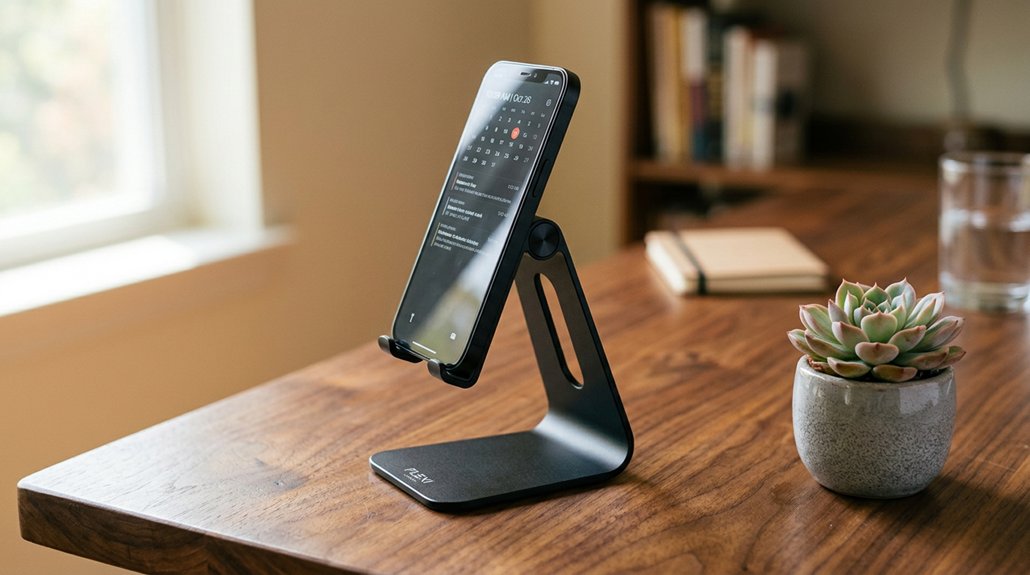
Adjustable and stable phone stands play an essential role in enhancing your posture during extended device use. By raising your phone to eye level, they reduce forward head tilt, which lessens strain on your neck and shoulders.
A wobble-free base keeps the screen in a consistent position, helping you maintain a neutral spine and relaxed shoulders. Multiple tilt settings allow you to tailor the stand to your specific environment, preventing muscle imbalance and discomfort.
Using a stable phone stand also encourages hands-free usage, so you avoid hunching over or cradling your device between your shoulder and ear, which can create tension. Studies show that elevating your phone during long video calls or streaming promotes better posture habits, decreasing the cumulative musculoskeletal load on your neck and shoulders. Incorporating ergonomic height adjustability into your setup maximizes these benefits by ensuring optimal positioning.
Where and How to Place Your Phone for Better Posture
To promote better posture, place your phone at eye level using a stable stand, so you avoid tilting your head forward. This helps keep your neck in a neutral position and prevents unnecessary strain.
Use adjustable stands with wobble-free bases to guarantee your device stays steady during long calls or browsing sessions. Position the phone directly in front of you, so your shoulders remain relaxed and your body stays aligned. Elevating the device on a desk or table prevents you from bending your neck downward, reducing tension in your neck and shoulders.
Remember to take regular breaks, change your posture, and stretch to prevent muscle imbalance and discomfort, especially during extended phone use. Proper placement is key to minimizing strain on your neck. Incorporating ergonomic support and adjustability features can further enhance your posture and comfort during prolonged device use.
Top Types of Phone Stands for Neck and Shoulder Comfort
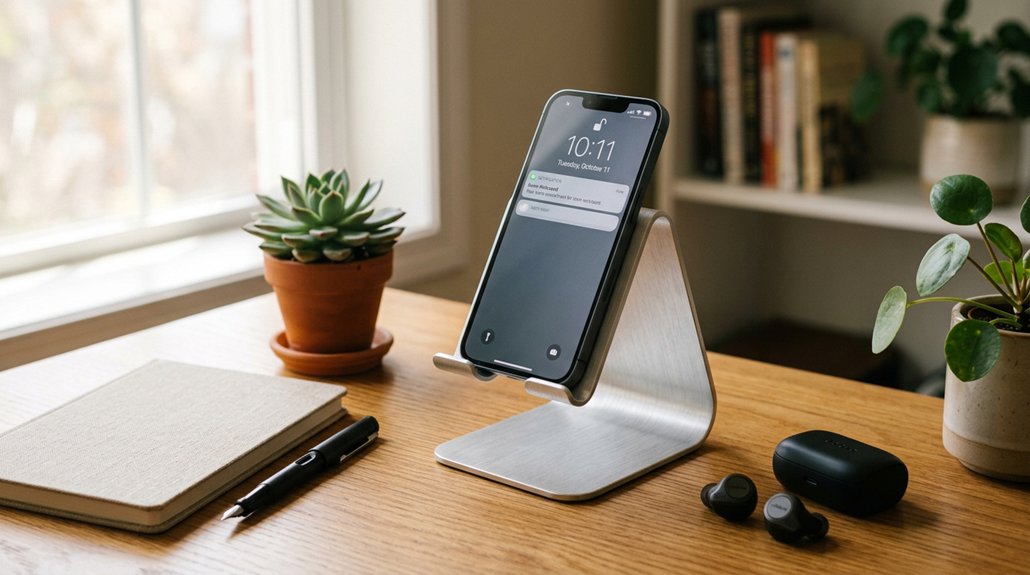
Choosing the right type of phone stand can greatly enhance your neck and shoulder comfort during prolonged use. Adjustable stands that elevate your phone to eye level help prevent forward neck tilt, reducing text neck and shoulder strain. Using a stand with ergonomic adjustability ensures you can position your phone at the optimal height and angle for comfort. Stable, wobble-free bases allow for hands-free use, so you don’t have to hold your phone and cause repetitive muscle tension. Desk-friendly stands with tilt and swivel features let you customize positioning, easing the load on your neck and upper back during long sessions. Using these stands during extended video calls or scrolling helps keep your shoulders relaxed and minimizes hunching, a common cause of text neck. Lightweight, portable options encourage regular breaks and posture adjustments, further preventing discomfort and supporting overall neck and shoulder health.
How a Phone Stand Supports Long-Term Comfort at Work and Play
Long-term comfort at work and play greatly depends on how well you position your phone during extended use. Using a phone stand that elevates your device to eye level helps maintain a neutral spine and reduces the tendency to tilt your head forward.
Adjustable angle stands let you customize the height and tilt, promoting relaxed shoulders and less postural fatigue. A stable, wobble-free stand supports hands-free viewing, so you don’t need to crane your neck or hunch over, which can cause strain.
When you use a stand during long video calls or streaming, the load on your shoulders gets distributed more evenly. Regularly keeping your phone elevated encourages natural posture, making it easier to tilt your head comfortably and sustain long-term ergonomic health. Additionally, choosing a stand with motor noise considerations ensures a quieter experience during prolonged use.
Common Mistakes to Avoid When Using a Phone Stand
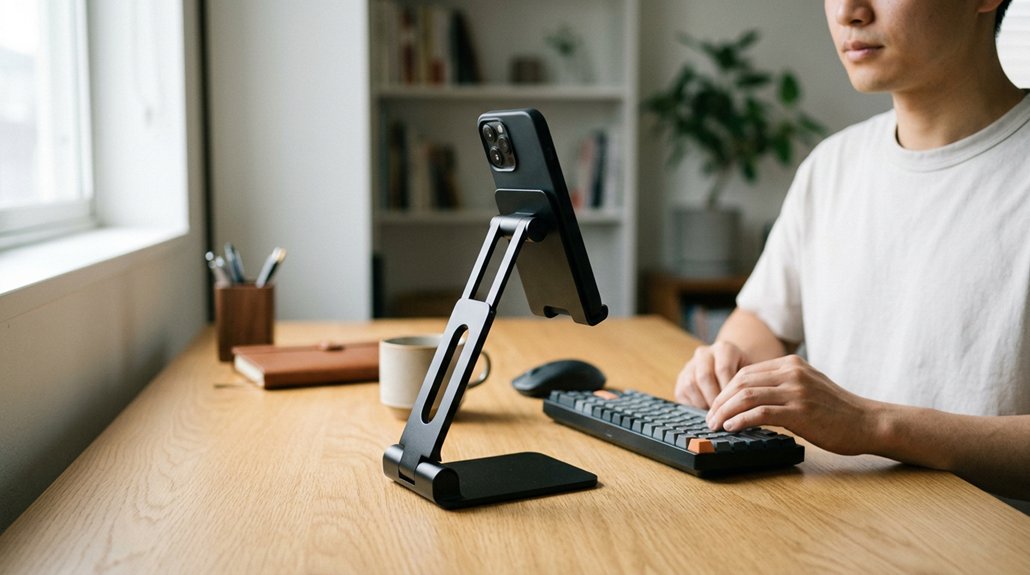
Using a phone stand thoughtfully is key to maximizing its ergonomic benefits, but common mistakes can undermine your efforts and lead to discomfort.
When doing video calls, avoid placing the stand too low, which causes forward neck bending and shoulder strain. Make sure your stand is stable; wobbling or unsteady stands lead to frequent adjustments, encouraging poor posture.
Don’t forget to adjust the stand’s angle so the screen stays at eye level; ignoring this can cause prolonged neck flexion and discomfort. Limit continuous phone use by taking regular breaks to prevent muscle fatigue.
Additionally, choose a stand with proper padding and ergonomic design—using one without these features can make you lean or hunch, negating the stand’s benefits. Incorporate adjustable height features into your setup to ensure the phone remains at a comfortable eye level. Avoid these mistakes to stay comfortable during long video calls.
Tips for Maintaining Proper Posture With Your Phone Accessories
To maintain proper posture with your phone accessories, start by selecting an adjustable stand that elevates your device to eye level, which helps reduce strain on your neck and shoulders. Choose stands with a stable, wobble-free base to keep your device steady and avoid frequent repositioning.
Use stands that enable hands-free viewing, preventing awkward arm and shoulder positions from holding your phone too long. Guarantee the stand promotes a neutral spine alignment by raising the screen and encouraging you to sit or stand upright comfortably.
- Visualize your phone at eye level, reducing forward neck tilt
- Feel the stability under your device, eliminating wobbling
- Picture hands-free use, freeing your arms from holding the phone
- Imagine sitting upright, with your shoulders relaxed and back straight
- Select supports with non-slip bases to ensure reliable grip during use
Frequently Asked Questions
Can Holding an iPhone Cause Shoulder Pain?
Holding an iPhone can cause shoulder pain if you keep it low or use it for extended periods, leading to poor posture and muscle strain. Using a phone stand at eye level helps prevent this discomfort by reducing strain.
What Vitamins Help Shoulder Recovery?
You should focus on vitamin D, C, omega-3s, B vitamins, and magnesium. These nutrients support bone health, reduce inflammation, improve nerve function, and relax muscles, all essential for effective shoulder recovery and reducing discomfort during healing.
How to Hold a Phone Without Strain?
To hold a phone without strain, use a sturdy stand at eye level, support with both hands, take frequent breaks, and switch to voice commands. Avoid cradling the phone to prevent shoulder tension and fatigue.
How to Prevent Shoulder Strains?
To prevent shoulder strains, use an ergonomic phone stand that lifts your device to eye level, offers adjustable angles, and remains stable. Take regular breaks, stretch your shoulders, and keep correct arm and posture alignment throughout use.



