
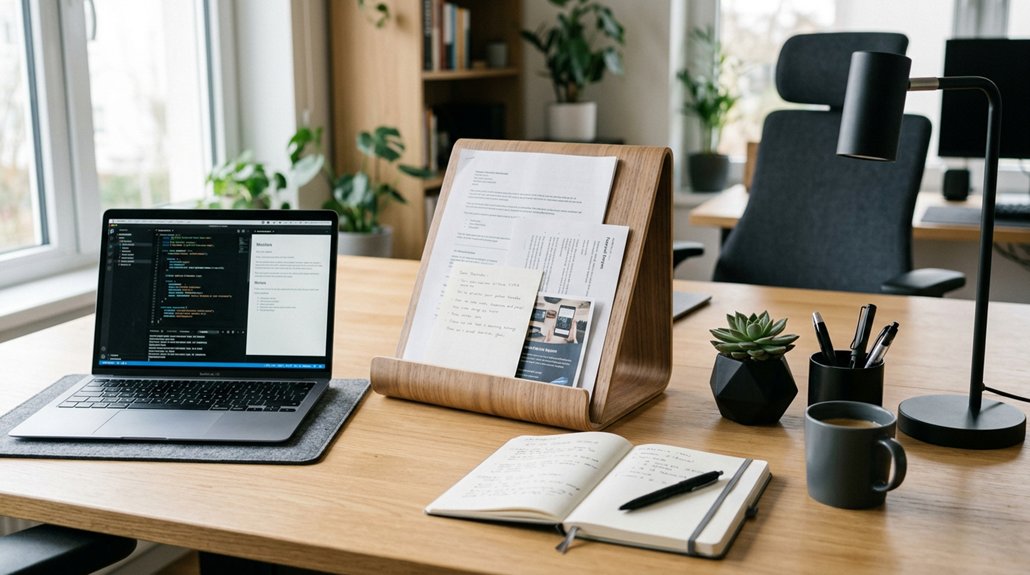
To improve your desk posture, choose a document holder that’s adjustable in height and angle, allowing you to position your documents at eye level and close to your monitor. Look for one with stability features like clips or clamps to keep pages secure. Proper placement of the holder reduces neck and shoulder strain, boosting comfort and productivity. Keep exploring to discover how the right setup can make a real difference in your workday.
Why a Document Holder Is Key to Posture and Comfort
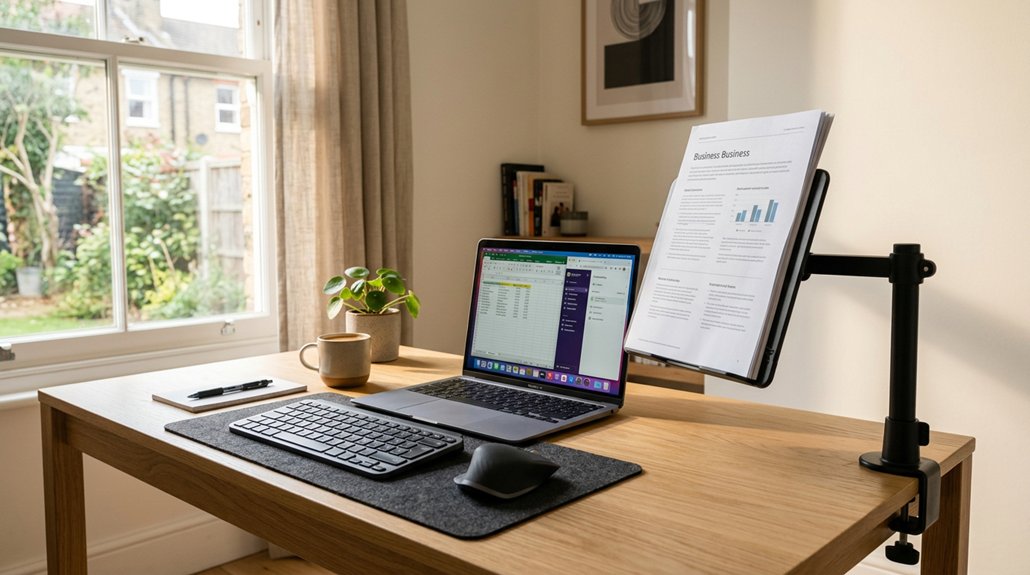
Using a document holder is essential for maintaining proper posture and comfort while working at your desk. It keeps printed materials at eye level, which helps prevent excessive neck flexion.
When documents are aligned with your monitor and keyboard, you avoid awkward twisting and bending, promoting neutral spinal alignment. This position reduces muscle fatigue and minimizes the risk of long-term neck and shoulder injuries.
A well-designed, adjustable document holder guarantees your documents stay stable and accessible, so you won’t need to stretch or reach repeatedly. Correct placement supports healthy neck positioning, decreasing strain during long reading or typing sessions.
An adjustable document holder keeps files stable and accessible, reducing unnecessary stretching and supporting healthy neck posture.
Additionally, many modern document holders feature ergonomic support and adjustable angles that can be customized to fit your specific workspace needs. Ergonomic support and adjustability are key factors in reducing discomfort and preventing strain.
Ultimately, a document holder enhances comfort, boosts productivity, and protects your neck from the strain caused by poor ergonomic habits.
How Proper Placement of Documents Reduces Neck and Shoulder Strain
Proper placement of your documents plays a crucial role in reducing neck and shoulder strain during work. Using a document holder aligned with your monitor’s height and distance helps minimize repetitive neck flexion and rotation.
Positioning the document holder directly below or beside your screen prevents awkward head tilting and encourages a neutral spine posture. Keeping documents at eye level prevents sustained downward neck bending, reducing cervical spine load and muscle fatigue.
An adjustable, securely clamped document holder supports comfortable viewing and promotes line tracking, decreasing the need for excessive head and eye movements. By aligning your documents ergonomically with your monitor and keyboard, you avoid reaching and twisting, which can cause overuse injuries. Proper placement with the right document holder ultimately promotes a healthier, more comfortable workspace, especially when using ergonomic accessories like adjustable book stands.
What Features Make a Document Holder Ergonomic and Effective
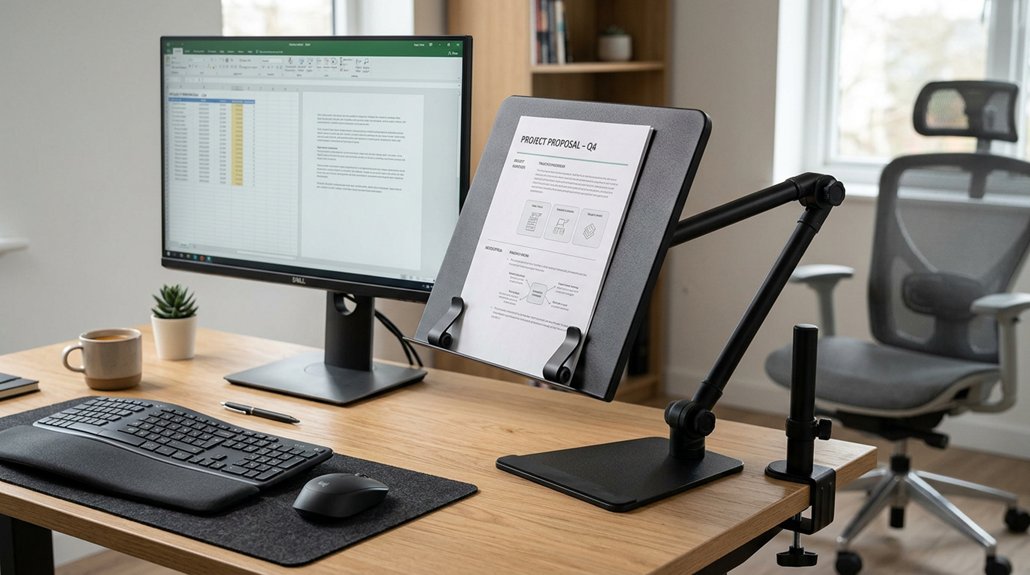
What features make a document holder truly ergonomic and effective? First, adjustable height and angle settings are essential. They let you align documents with your monitor and keep them at a comfortable reading distance, reducing neck and eye strain.
Stability features like top clamps and bottom clips keep pages secure, guaranteeing smooth line tracking and minimizing repetitive head movements. The surface should be slanted at a readable angle and large enough for A4 documents, supporting typing, reading, and writing without awkward postures.
Additionally, lightweight, foldable, and portable designs make it easy to use in different environments, while durable materials like stainless steel and high-quality trays assure long-term support, even under heavy loads. Incorporating ergonomic height adjustability ensures the document holder can be perfectly aligned for various setups, enhancing comfort and reducing fatigue in daily use. These features collectively make document holders ergonomic and effective.
How Adjustable Height and Angle Improve Your Work Comfort
Adjustable height and angle features on a document holder directly enhance your work comfort by allowing you to customize its position to match your eye level and preferred viewing angle. With adjustable height document holders, you can align your documents with your monitor’s eye level, reducing downward neck flexion and supporting neutral spinal alignment. The ability to change angles lets you set a comfortable slant for reading or writing, which minimizes eye strain and prevents awkward head and neck postures. Proper height and angle adjustments also reduce repetitive neck nodding and visual shifting between the document and screen, lowering muscle fatigue in your neck and shoulders. These ergonomic features help you maintain a consistent head and torso position, preventing hunching and forward drifting during long sessions at your desk. Additionally, selecting a document holder with adjustable mounting options ensures compatibility with various desk setups, further optimizing your ergonomic workspace.
Tips for Perfect Document Placement to Maximize Ergonomics
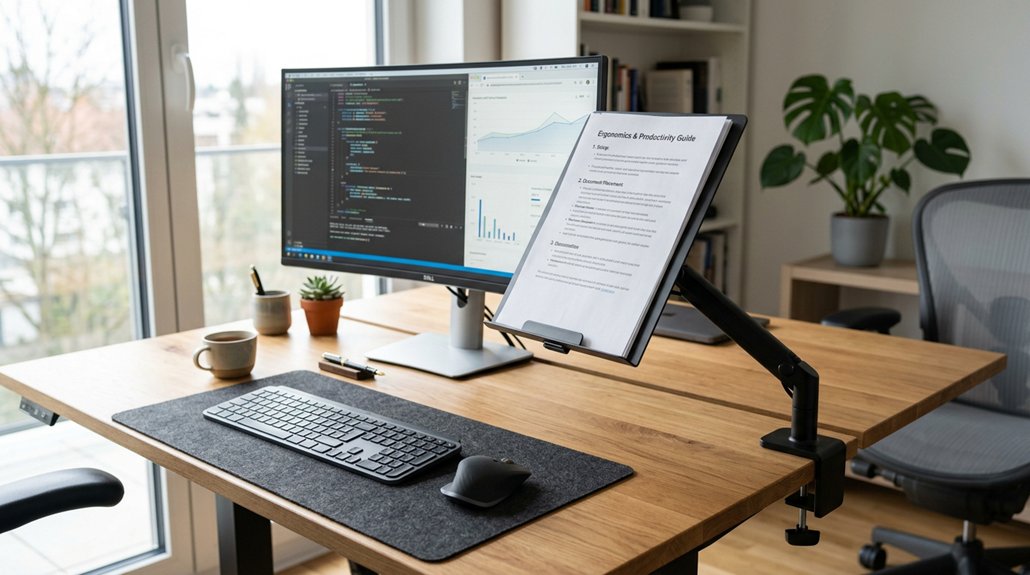
To maximize ergonomics, position your document holder so that documents are at the same height and close enough to see comfortably without straining. Keep your papers aligned with your monitor and within your natural line of sight to reduce awkward head movements. Using an adjustable holder guarantees your setup remains comfortable and promotes good posture throughout your work. Properly adjustable monitor arms can help achieve the ideal height and reach for both monitors and documents, ensuring a seamless ergonomic workspace.
Optimal Height Alignment
Achieving ideal height alignment for your document holder is essential for maintaining a comfortable and ergonomic workflow. Keep documents closer to eye level to reduce neck flexion and strain.
Position the holder directly below or slightly beside your monitor, supporting a neutral head posture and minimizing the need to nod or turn your head frequently. Use a height-adjustable holder to customize your setup, ensuring the documents are at the same ergonomic distance as your monitor. This prevents you from leaning forward or twisting awkwardly.
Proper height alignment allows you to view your documents comfortably without excessive stretching or reaching, promoting better spine alignment during reading, writing, and typing. Incorporating a stable and adjustable document holder can further enhance your ergonomic setup. Overall, the right height setup makes your workspace more ergonomic and reduces discomfort over long periods.
Clear Viewing Distance
Placing your documents at the right viewing distance guarantees a natural, comfortable reading position that reduces eye and neck strain. Achieving a clear viewing distance means positioning your documents so they’re equal to the monitor’s distance, promoting a neutral neck posture without awkward head tilting.
When your documents are directly below the screen and aligned with your keyboard, you minimize repetitive neck movements and eye refocusing. This setup assures paperwork is within easy reach, reducing the need to bend or twist during desk tasks.
Maintaining a clear, unobstructed viewing distance helps prevent forward head posture and supports comfortable, long-term desk work. Proper document placement with the right clear viewing distance helps you work more efficiently while protecting your neck and eyes from unnecessary strain.
How a Document Holder Supports Your Eye Health and Reduces Fatigue
Using a document holder places your papers at eye level, preventing you from leaning forward and straining your eyes. It helps you maintain a comfortable viewing angle, reducing the need for frequent eye and neck movements. A well-positioned document reduces the chances of eye strain and supports better posture during extended work sessions. When your documents are aligned correctly, you’ll experience less fatigue and enjoy clearer, more relaxed vision during work.
Aligns Documents at Eye Level
When your documents are raised to eye level with a document holder, it helps keep your neck in a more neutral position. This ergonomic alignment prevents you from constantly looking down, reducing strain on your cervical spine.
Properly positioned documents also help maintain a natural head posture, which minimizes unnecessary muscle tension. To highlight the benefits:
- The document aligns with your monitor, reducing repetitive head movement.
- You avoid awkward neck bending, promoting better spinal alignment.
- Less frequent visual shifting decreases eye strain and fatigue.
- Using a document holder with adjustable positioning can further customize your workspace for optimal comfort.
With the document at eye level, you can work more comfortably and efficiently. This simple adjustment guarantees your eyes have less effort focusing and your neck stays relaxed—key factors for a healthier, more ergonomic workspace.
Minimizes Neck and Eye Strain
Positioning your documents at eye level not only keeps your neck in a neutral posture but also greatly reduces eye fatigue. When papers are aligned with your monitor, you avoid frequent shifting between the screen and documents, which strains your eyes and causes discomfort.
A good document holder supports a healthy viewing angle, helping you maintain a straight gaze, reducing unnecessary neck movement. This alignment decreases the need to nod or tilt your head downward, minimizing tension in your neck and shoulders.
Adjustable holders with secure clips keep pages stable, allowing you to read line by line without repetitive movement. As a result, you experience less muscle fatigue and visual strain, supporting better posture and long-term eye comfort during extended desk work. Incorporating adjustable ergonomic accessories can further enhance your workspace setup for optimal comfort.
Promotes Comfortable Viewing Angles
A document holder elevates your papers to eye level, which helps maintain a neutral neck and spine position. This positioning promotes comfortable viewing angles, reducing unnecessary movement and eye strain during long tasks.
Properly adjusted, a document holder guarantees your documents stay aligned with your monitor, lessening the need to shift focus and causing less neck strain.
Here are three key benefits:
- Adjustable angles allow personalized viewing positions.
- Keeping documents inline with the monitor minimizes head and eye movement.
- A natural head posture decreases muscle tension in your neck and shoulders.
- Selecting a model with a compact footprint ensures it fits well within small workspace areas.
Integrating a Document Holder With Your Workspace Setup for Better Posture
To improve your posture at work, integrating a document holder into your desk setup is essential. Position it directly between your monitor and keyboard at eye level to align document height with the screen, reducing neck strain. Use a height-adjustable holder to support a neutral neck position, avoiding repetitive downward nodding. A slanted surface with page clamps stabilizes documents for easy reading and tracking, minimizing head movements. This setup allows you to keep your external keyboard and mouse accessible without unnecessary reaching or twisting, maintaining neutral wrist and arm positions. Proper placement of the document holder, combined with your monitor and keyboard, minimizes muscle strain and eye fatigue. Here’s a visual overview:
| Idea | Benefit |
|---|---|
| Position between monitor and keyboard | Reduces neck and head posture issues |
| Height-adjustable holder | Promotes neutral neck posture |
| Slanted surface with page clamps | Facilitates easy reading and tracking |
| Keeps keyboard and mouse accessible | Preserves wrist and arm alignment |
| Aligns document with screen | Lessens muscle strain and eye fatigue |
Common Mistakes That Undermine Your Ergonomic Setup
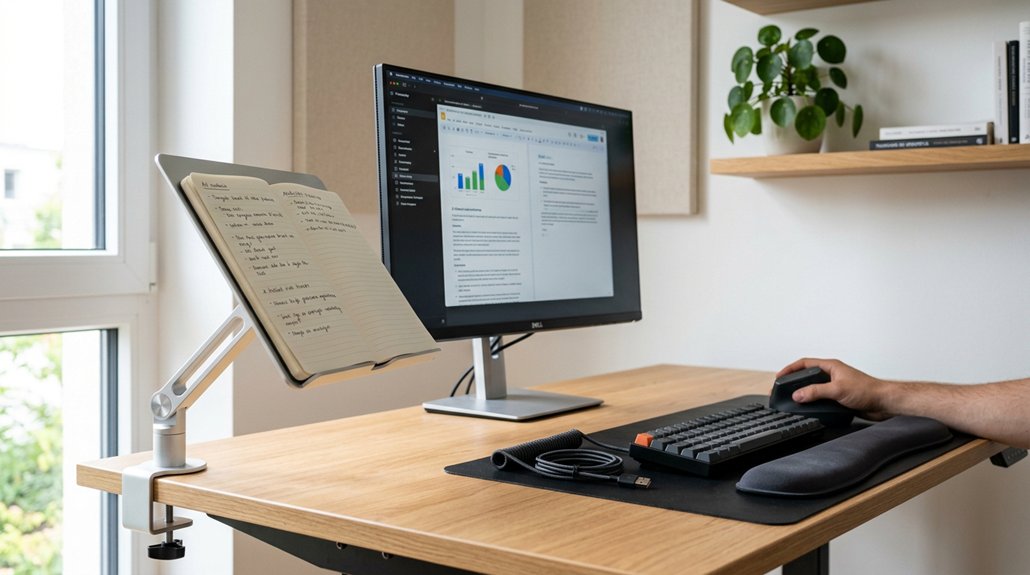
Many common mistakes can undermine your ergonomic setup and lead to discomfort or injury. First, placing documents flat on the desk or to the side forces you to bend or twist your neck often, hurting your arm position.
Second, using non-adjustable document holders can cause awkward neck angles, negating ergonomic benefits.
Third, failing to align the document holder’s height and distance with your monitor makes you nod or lean repeatedly, straining your neck, shoulders, and arms.
Additionally, overcrowding your workspace by placing the document holder too far from the keyboard increases reaching, which impacts your arm position and causes fatigue.
Neglecting external ergonomic tools like keyboards or monitor risers worsens overall posture issues. Avoid these mistakes for a healthier, more comfortable workspace.
Different Types of Document Holders: Which One Is Right for You?
Choosing the right document holder depends on your specific work habits and ergonomic needs. Adjustable options, like the Microdesk™ Document Holder, allow you to set height and angle, helping you eliminate risk factors by promoting a neutral neck posture and aligning documents with your monitor.
Choose an adjustable document holder to promote proper neck posture and improve ergonomic comfort.
Heavy-duty ergonomic desktop stands provide stability and support multiple pages, ideal if you handle extensive paper work. Simpler, slanted plastic holders sized for A4 sheets offer basic neck strain relief by positioning materials upright but lack adjustability for personalized comfort.
For focused reading, models with tracking clips and page clamps help reduce eye strain by enabling line-by-line reading without excessive head movement.
Portable, foldable holders suit dynamic workspaces but may sacrifice sturdiness and advanced ergonomic features. Choose based on your workspace and document handling needs.
Setting Up Your Desk to Align Documents and Monitors Properly
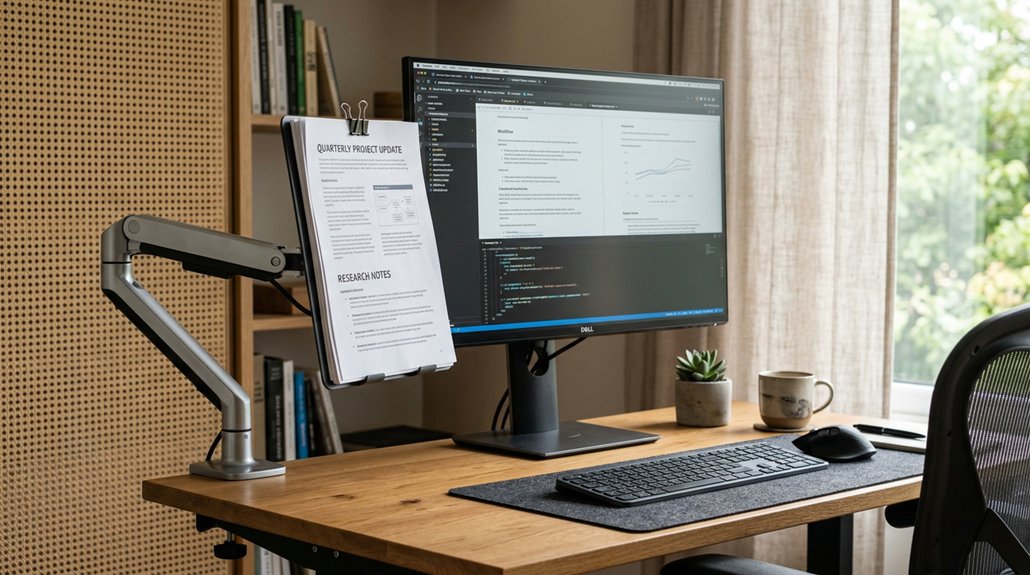
Start by positioning your document holder so that documents are at the same height and distance as your monitor, keeping your neck neutral. Keep it directly beside or below the screen at an adjustable angle to prevent repetitive nodding.
Adjust your chair and desk height to guarantee your eyes stay level with your monitor and paperwork, reducing unnecessary strain.
Align Documents With Monitor
To maintain proper neck and eye alignment, it’s important to position your documents close to your monitor at a matching height. This helps reduce downward neck strain and prevents awkward head postures.
To effectively align documents with your monitor, consider these steps:
- Use a document holder that elevates your papers to match the monitor’s height.
- Place documents directly below or near the monitor’s base to prevent visual shifting.
- Make certain your document holder is slanted at a readable angle and adjustable to match your eye level.
Centering your paperwork behind your keyboard and monitor maximizes desk space while maintaining ergonomic benefits.
Properly aligned documents support healthier posture and minimize muscle fatigue during work tasks.
Adjust Desk and Chair
Adjusting your desk and chair guarantees your monitor, document holder, and workspace are all aligned for peak comfort. By positioning your document holder at eye level and in line with your monitor, you reduce or eliminate risk of awkward neck bending and maintain a neutral head posture.
Make sure the height and distance match your monitor, minimizing repetitive neck movements and eye strain. Adjust your chair so your feet rest flat on the floor, with knees slightly below hips, supporting a stable and healthy upper body alignment.
Keep frequently used items, including the document holder, within easy reach to avoid excessive reaching or twisting. Aligning your keyboard, monitor, and document holder creates a seamless work zone, further reducing strain and promoting a balanced, injury-free workspace.
How Using a Document Holder Can Boost Your Productivity and Reduce Discomfort
Using a document holder can greatly boost your productivity by keeping printed materials at eye level, which reduces neck strain and allows you to read or reference documents comfortably without awkward head tilting.
A document holder boosts productivity by reducing neck strain and enabling comfortable, hands-free reference.
By aligning documents with your monitor, it promotes a neutral head and neck position, decreasing muscle fatigue. This setup minimizes repetitive nodding and visual shifts, helping you stay focused and work more efficiently.
Here are three key benefits:
- Keeps printed materials at eye level for comfortable reading.
- Prevents awkward head and neck postures, reducing strain.
- Offers a stable surface that keeps papers secure and accessible.
Frees up desk space, encourages continuous keyboard use, and minimizes discomfort in your head and neck, ultimately enhancing your productivity during prolonged tasks.
Frequently Asked Questions
What Is the Best Desk Setup for Good Posture?
The best desk setup for good posture involves positioning your monitor at eye level, using an adjustable document holder at the same height, elevating your laptop with a stand, and incorporating an external keyboard and mouse. Adjust your chair for comfort too.
What Are the Benefits of Using a Document Holder?
Using a document holder reduces neck strain, improves posture, and minimizes muscle fatigue by aligning documents with your monitor. It keeps paperwork easily accessible, enhances desk space, and promotes comfort during long hours of work or study.
How to Choose the Right Document Holder?
Choose a document holder that elevates materials to eye level, is adjustable and stable, matches your monitor height, fits your desk, and is durable; this helps you maintain proper posture and reduces neck strain during work.
Why Might Someone Use a Paper Stand at Their Workstation?
You might use a paper stand at your workstation to reduce neck and shoulder strain, improve your posture, increase comfort, and boost productivity by ensuring documents are easily visible and quickly accessible without awkward movements.




Leave a Reply