
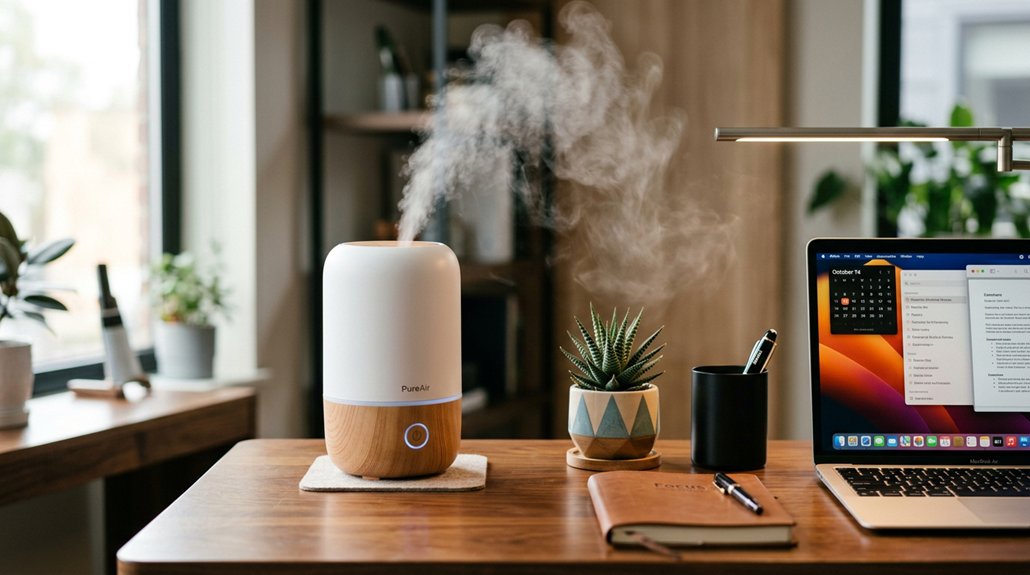
If you’re looking to combat dry office air, ultrasonic desk humidifiers are a great choice because they produce quiet, cool mist that won’t disrupt your work. They’re easy to position, direct mist away from electronics, and help keep your skin, eyes, and respiratory passages moist. Make sure to choose a model with adjustable nozzles, a safe shutoff feature, and a water tank size that fits your space. Keep going to discover more tips for selecting and maintaining the ideal humidifier for your workspace.
Why Office Air Gets Dry and How It Affects You

During the winter months, your office air becomes dry mainly because heating systems lower indoor humidity levels below 20%, causing moisture from your skin and mucous membranes to evaporate quickly. This dry air, or low indoor humidity, makes it harder for your body to stay hydrated and comfortable.
Using a humidifier with auto shut-off and humidity sensors ensures safe operation and maintains optimal moisture levels without constantly monitoring it yourself. Cold outdoor air holds less moisture, and heating it indoors only reduces humidity further. Electronics like printers and computers generate heat, which accelerates moisture loss around your workstation.
As a result, you may experience eye irritation, dry throat, skin cracking, and static shocks. Low humidity also helps respiratory viruses survive longer and spread more easily. Using a Desk Humidifier can help restore proper moisture levels, alleviating these issues and improving your office comfort.
How a Desk Humidifier Can Improve Your Office Comfort
A desk humidifier can make your workspace more comfortable by adding targeted moisture, easing dry nose, throat, and skin issues caused by heating systems. With adjustable mist settings and quiet operation, you can customize the humidity without risking damage to electronics. Regular use helps balance office humidity, reducing static and improving your overall comfort and focus. Additionally, maintaining proper humidity levels can enhance personal space heater efficiency by preventing overly dry air from reducing warmth effectiveness.
Enhances Personal Comfort Levels
If your office air feels dry and uncomfortable, a desk humidifier can make a noticeable difference by creating a more pleasant personal environment. It raises the relative humidity, typically maintaining levels between 40-60%, which helps reduce dry eyes, scratchy throats, and static shocks.
With models that have adjustable 360° nozzles, you can direct moisture exactly where you need it, protecting your electronics while hydrating your workspace. Compact ultrasonic humidifiers with quiet operation seamlessly fit on your desk, providing consistent moisture without disrupting meetings.
Here are three ways it improves comfort:
- Regulates moisture to the air, easing dry skin and nasal congestion.
- Enhances focus by maintaining a balanced environment.
- Prevents static shocks, keeping you comfortable and productive.
- Using a humidifier can also help maintain optimal humidity levels, reducing the likelihood of mold growth and airborne bacteria.
Reduces Dryness Symptoms
Dry office air often leads to discomfort and irritation, but a desk humidifier can effectively reduce these symptoms by increasing local humidity levels. When humidity levels stay within the 40-60% range, you’ll notice fewer dry skin issues, less itchiness, and relief from scratchy throats.
A small ultrasonic desk humidifier creates a personal moisture bubble, easing discomfort during long hours of screen use and heating. Its adjustable mist nozzles target specific areas, while quiet operation prevents distraction.
Regular use helps keep your skin and mucous membranes moist, reducing vulnerability to colds and infections. By maintaining proper humidity levels locally, a desk humidifier directly combats the symptoms caused by dry office air, enhancing your overall comfort without affecting the entire workspace. Bias lighting kits can also mitigate eye strain caused by harsh lighting and screen glare, further improving your workspace environment.
Balances Office Humidity
Balancing humidity levels at your desk can greatly boost your comfort and productivity. A desk humidifier with a 2 to 8-liter tank adds moisture effectively, raising the humidity level from below 30% to the ideal 40-60%. This helps keep your workspace comfortable and prevents dry skin or irritated eyes. Here are some benefits: 1. Ultrasonic humidifiers operate quietly around 23-28 dB, so they add moisture without disrupting meetings or calls. 2. Adjustable mist nozzles, especially 360° swivel types, let you direct humidity precisely, avoiding dampening electronics or paper. 3. Longer runtimes of 8 to 72 hours mean fewer refills, ensuring consistent moisture to prevent static shocks and throat irritation during long work sessions. Additionally, choosing models with ultrasonic operation can optimize quietness and efficiency for your workspace.
Measuring Your Desk’s Humidity Levels
To effectively monitor your desk’s humidity levels, you should use a reliable hygrometer to take regular measurements throughout the day. This device helps you track the relative humidity (RH) and identify when dryness becomes uncomfortable. Ideally, keep humidity between 40-60% RH to prevent dry air symptoms, as levels below 30% can cause discomfort. Using a high CRI light source can improve visual clarity when reading your hygrometer, making it easier to detect subtle changes in humidity levels. Measure at different times to see how indoor factors like HVAC, heat from electronics, and ventilation influence humidity. Recording these readings over several days allows you to notice patterns and make informed adjustments. Use your hygrometer to prevent over-humidifying, which can harm sensitive office equipment. Accurate measurements help maintain a comfortable, balanced environment and guarantee that your desk humidifier provides relief without creating excess moisture.
Choosing Between Ultrasonic, Evaporative, and Warm Mist Desk Humidifiers

When choosing the right desk humidifier, understanding the differences between ultrasonic, evaporative, and warm mist models helps you pick what’s best for your workspace.
- Ultrasonic desk humidifiers use high-frequency vibrations to create a whisper-quiet cool mist, perfect for focused work without noise distraction. They often feature adjustable nozzles and large tanks for long-lasting operation.
- Evaporative models rely on a fan blowing air through a wick filter, naturally regulating humidity but producing more noise and requiring regular filter changes.
- Warm mist humidifiers heat water to produce steam, slightly raising room temperature and consuming more energy, making them less ideal for quiet office environments.
- To ensure consistent performance, selecting models with durability and safety features like high-quality components and certification standards can contribute to a safer and more reliable workspace.
Choosing based on noise level, energy use, and maintenance needs will guarantee a comfortable workspace.
Key Factors to Consider When Picking a Desk Humidifier
Selecting the right desk humidifier involves considering several practical factors that impact daily use and effectiveness. First, choose a model with a tank capacity between 200-400 ml or larger (up to 6-8L) to balance long runtime and less frequent refilling for your desk use. Look for ultrasonic models operating quietly around 23-28 dB to prevent disruptions during meetings. Adjustable mist nozzles, ideally 360° swivel, help direct moisture away from electronics and prevent grime or dampness on sensitive equipment. Essential features include auto shutoff to guarantee safety when water runs low, easy top-fill designs, visible water levels, and simple cleaning access. Proper humidity control, via built-in humidistats or hygrometers, helps maintain the ideal 40%-60% range, avoiding humidity drops that cause discomfort. Additionally, selecting a humidification system that minimizes microbial growth and ensures clean moisture output is beneficial for maintaining a healthy workspace.
Finding the Best Spot for Your Desk Humidifier
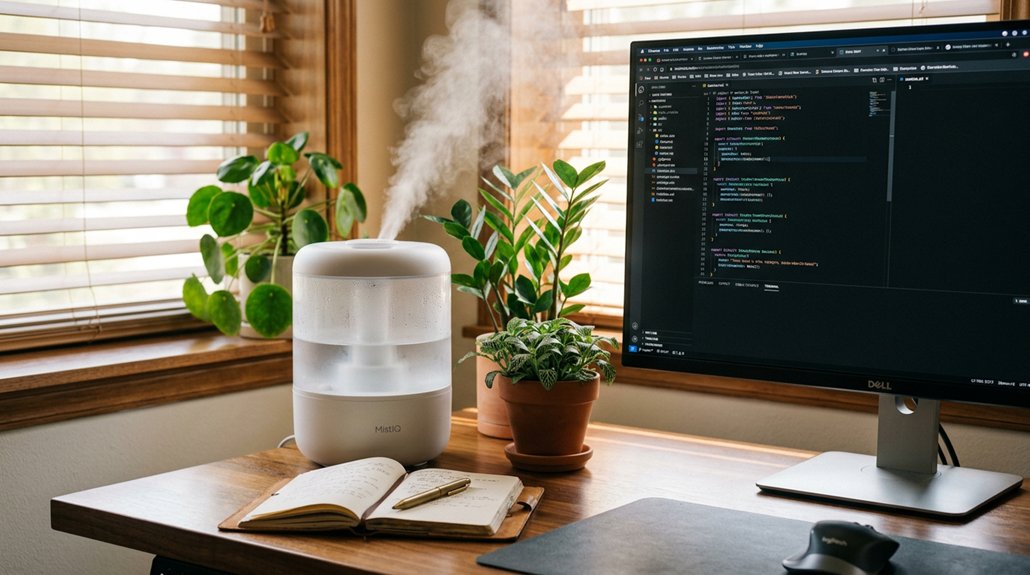
Have you considered the best spot for your desk humidifier to work effectively and safely? Proper placement guarantees the right moisture levels and keeps the air in your office comfortable.
To maximize your desk humidifier’s performance, keep these tips in mind:
- Place it at least 12 inches away from electronics like monitors, keyboards, and printers to prevent moisture damage.
- Position the humidifier on the far side of your desk, away from paper, shelves, and vents to avoid oversaturation.
- Use adjustable nozzles or rotating heads to direct mist away from coworkers and sensitive equipment, guaranteeing everyone stays comfortable.
- Consider ambient humidity levels when choosing a location, as proper placement helps maintain consistent moisture without over-humidifying your workspace.
Choose a flat, stable surface at desk height so moisture disperses evenly without puddling or dampening your workspace. Regularly check for moisture buildup to maintain peak humidity and device efficiency.
Maintaining and Cleaning Your Desk Humidifier for Optimal Performance
To keep your desk humidifier working efficiently, regular maintenance and cleaning are essential. You should clean the water tank and base 2-3 times weekly by rinsing and wiping to prevent slimy buildup and bacterial growth. Descale mineral deposits at least once a week using a vinegar solution or manufacturer’s recommended descaling product. This helps maintain mist quality and prevents clogging. Additionally, inspecting the Blue Light Blocking features of your monitor overlays can reduce eye strain during prolonged use.
Always empty and refill the water tank daily with fresh distilled water to avoid contamination and white dust. Place your humidifier at least 12 inches from electronics and surfaces to prevent moisture damage. Additionally, check seals, caps, filters, or wicks monthly for wear or clogging to guarantee it functions at its best, reducing leaks and maintaining consistent mist output.
Using Your Desk Humidifier Considerately in the Office

To use your desk humidifier considerately, make sure to place it at least 12 inches away from electronics and paperwork to prevent damage.
Keep the tank small, monitor humidity levels with a hygrometer, and refill with distilled water daily. Adjust the mist direction and choose a quiet model to minimize disruptions in your shared workspace.
Proper Placement Techniques
Proper placement of your desk humidifier is key to maximizing comfort and preventing disruptions.
Correct positioning helps improve indoor air quality and addresses the dry environment without causing inconvenience.
To do this effectively:
- Keep the humidifier at least 12 inches from electronics like monitors and keyboards to prevent moisture damage or grime buildup.
- Place it on the far side of your desk, away from paper, vents, or shelves, so mist doesn’t drift and disturb coworkers or clutter your workspace.
- Use adjustable 360° nozzles to direct mist toward your breathing zone, ensuring localized humidity without oversaturating the air.
Follow these tips to maintain a comfortable, dry environment while respecting your coworkers’ space and air quality needs.
Maintenance and Safety Tips
Maintaining your desk humidifier safely in the office requires regular care and attention to prevent damage and guarantee peak performance. Use distilled water to avoid mineral deposits and white dust, and clean the humidifier weekly to keep it running smoothly. Empty and refill the water tank daily with fresh water to reduce bacterial growth, and rinse accessible parts 2-3 times per week to prevent slime buildup. Always monitor humidity levels with a hygrometer, keeping them within the ideal 40-60%. Place your humidifier at least 12 inches from electronics and paperwork to avoid moisture damage. Enable features like auto shutoff to prevent leaks and adjust mist direction to avoid mist drifting. Proper maintenance guarantees your humidifier’s effectiveness and office safety.
| Tip | Benefit |
|---|---|
| Use distilled water | Prevents residue and white dust |
| Monitor humidity levels | Confirms a comfortable, healthy environment |
| Regular cleaning | Maintains peak performance |
Alternatives to Desk Humidifiers for Improving Office Humidity
When looking for alternatives to desk humidifiers, you can consider integrating larger-scale solutions like bypass or power humidifiers connected to your office’s HVAC system, which can add significant moisture—up to 17-18 gallons daily—to a wide area.
These systems effectively combat low humidity by adding moisture, ensuring a comfortable environment throughout the office all day.
Consider these options:
- Installing a central humidifier linked to your HVAC to boost humidity across the space.
- Adding indoor plants like snake plants, which naturally increase moisture through transpiration while enhancing air quality.
- Turning off unused electronic devices to reduce excess heat, helping maintain better indoor humidity levels.
These alternatives help keep the air moist enough, supporting your comfort without relying solely on desk humidifiers.
Frequently Asked Questions
How to Combat Dry Air in an Office?
You combat dry office air by using a personal USB desk humidifier, positioning it properly, and refilling it regularly with distilled water. Also, stay hydrated, take breaks, and use moisturizers to keep your skin, eyes, and throat comfortable.
What Kind of Humidifier Helps With Dry Air?
You should choose ultrasonic cool mist humidifiers with adjustable nozzles, large tanks, and automatic shutoff. They efficiently add moisture to your workspace, reducing dryness, eye irritation, and static shocks, while allowing you to direct mist precisely away from electronics.
Is It Good to Have a Humidifier on Your Desk?
Yes, having a humidifier on your desk is beneficial. It helps reduce dry nose, throat, and skin discomfort, eases eye irritation, minimizes static shocks, and creates a more comfortable, healthier workspace, especially in dry indoor environments.
Should I Use a Humidifier if I Have COPD?
Yes, you should consider using a desk humidifier if you have COPD, but only after consulting your healthcare provider. It can help soothe your dry air symptoms, guarantee proper humidity levels, and prevent exacerbations when used safely and maintained properly.



