
To relieve desk neck pain, try performing chin tucks to reset your head position, gently tilt your head toward each shoulder, and do neck rotations to stretch the sides. Shoulder shrugs and scapular retractions help loosen tight muscles, while pectoral stretches open up your chest. Incorporate quick movements like shoulder rolls and short walks to boost circulation. Keep an eye on your posture during these stretches, and if you continue exploring, you’ll discover even more effective ways to stay comfortable.
Why Regular Breaks Are Essential for Neck Health
Regular breaks are essential for maintaining neck health because sitting at a desk without interruption places continuous strain on your neck muscles and joints. When you prolong sitting, muscle stiffness and joint compression can develop, leading to discomfort and poor posture.
Taking regular breaks every 30 minutes helps prevent these issues by encouraging movement. During these breaks, performing neck stretches and shoulder mobilization boosts blood circulation, relieves tension, and maintains flexibility.
Incorporating quick neck exercises like chin tucks and neck rotations prevents the buildup of muscle tension and supports better posture. Following this routine aligns with CDC guidelines to “move more and sit less,” reducing the risk of musculoskeletal problems associated with prolonged sitting.
Small, consistent breaks make a significant difference for long-term neck health.
How to Set Up a Neck-Friendly Home Office Workspace
To prevent neck pain, set up your workspace with your monitor at eye level and about 40-50 cm away, so you don’t strain your neck from looking up or down. Use an ergonomic chair with adjustable height and good lumbar support to keep your spine aligned comfortably. Keep your shoulders relaxed, elbows close to your body at 90 degrees, and take regular breaks to stretch and change positions. Incorporating adjustable lumbar cushions can further support your lower back and promote better posture throughout the day.
Ergonomic Desk Arrangement
Setting up an ergonomic home office workspace is essential for reducing neck strain during long work hours. Position your computer screen at eye level and about an arm’s length away to maintain proper posture and prevent forward head posture, which often causes neck pain.
An adjustable chair with lumbar support encourages an upright posture, keeping your shoulders relaxed and feet flat on the floor. Make sure your keyboard and mouse are positioned so your elbows stay close to your body at a 90-degree angle to avoid tension in your shoulders and neck.
Consider using a sit-stand desk or changing between sitting and standing every 30-60 minutes to prevent static neck positions. Proper lighting and minimized glare further help reduce unnecessary neck movements, promoting comfort and better posture.
Incorporating multi-directional movements into your workspace setup, such as adjustable monitor arms and armrests, can further support healthy neck alignment and reduce strain.
Proper Chair Support
Choosing the right chair is essential for creating a neck-friendly home office workspace, as it directly influences your posture and comfort during long hours. An ergonomic chair with adjustable height and lumbar support helps maintain a natural spine curve and reduces neck strain.
Make sure the backrest supports your entire back, especially the upper back, to prevent slouching that can cause neck and shoulder pain. Position your chair so your feet rest flat on the floor or a footrest, keeping hips and knees at about 90 degrees for good posture.
Adjust armrests to keep your shoulders relaxed and elbows close to your body. Select a chair with a headrest that supports your neck’s natural curve, especially when leaning back, to lessen neck muscle fatigue throughout the workday.
- Supportive backrest that covers your entire back
- Adjustable height for proper leg positioning
- Comfortable headrest aligning with neck’s natural curve
- Armrests positioned to keep shoulders relaxed
- Foot placement that maintains a 90-degree angle
In addition, consider chairs with adjustable support features that can modify the firmness and height to better suit your individual needs.
Monitor Eye Level
A well-arranged monitor is key to maintaining a neck-friendly workspace. Position the top of your monitor at or just below eye level to keep your neck in a neutral posture and reduce strain.
Keep the monitor about an arm’s length away, around 20-30 inches, to avoid leaning forward or squinting, which can cause neck discomfort. Use adjustable stands or risers to achieve proper eye height, preventing you from tilting your head up or down, which stresses neck muscles.
Make sure the center of the screen is directly in front of you to avoid unnecessary neck rotation or twisting. Additionally, guarantee your workspace lighting minimizes glare, reducing eye strain and discouraging awkward neck positions for better visibility. Choosing a monitor riser with ergonomic benefits can further support a healthier posture.
Proper monitor placement supports healthier posture and lessens neck pain.
Easy Tips to Schedule Effective Micro-Breaks During Your Day
Setting timers or using apps can remind you to take regular micro-breaks, making it easier to stay active throughout the day.
During these breaks, try simple neck and shoulder stretches or short walks to ease muscle tension. Incorporating quick movements like chin tucks also helps prevent stiffness and keeps you focused. Ensuring your workspace is ergonomically arranged, including proper desk plant placement, can further support comfort and posture.
Set Timed Reminders
Taking regular micro-breaks is essential to reduce neck discomfort during long hours at your desk. By set timer reminders every 30 to 60 minutes, you’ll build a habit of taking timely breaks throughout your workday. Use your smartphone alarms, computer notifications, or dedicated apps to stay consistent.
These prompts will remind you to perform simple neck stretches like chin tucks and upper trapezius stretches, helping to ease muscle tension. Incorporating these into your daily routine prevents stiffness and promotes better circulation. Additionally, using adjustable posture correctors can further support proper alignment and reduce strain during extended periods of sitting.
Visualize the alerts popping up, signaling a quick break to step away from your screen. This small adjustment supports focus, reduces fatigue, and makes maintaining good posture easier. Regularly scheduled reminders are key to making micro-breaks a natural part of your workday.
Incorporate Active Movements
Incorporating active movements into your micro-breaks can greatly enhance neck mobility and reduce discomfort during long work hours. Neck exercises like chin tucks and gentle rotations are effective stretch breaks that loosen tight muscles and improve cervical flexibility.
During micro-breaks, include shoulder shrugs and scapular retractions to prevent stiffness and maintain proper posture. Setting timers prompts you to take standing or walking breaks, boosting circulation and focus.
These active micro-breaks not only relieve muscle tension but also reduce strain caused by prolonged sitting and screen time. Regularly engaging in movement helps break the cycle of stiffness, keeps your neck muscles flexible, and supports overall comfort throughout your workday. Simple, consistent neck exercises make a noticeable difference, especially when combining ergonomic support with regular movement.
Simple Desk Stretches to Relieve Neck and Shoulder Tension
To quickly ease tension from long hours at your desk, try these simple stretches designed to relieve neck and shoulder tightness. Since neck and shoulder pain is common, these shoulder stretches can bring immediate relief.
Relieve neck and shoulder tension with simple, effective stretches you can do at your desk.
Start by interlacing your fingers and raising your arms overhead for 15 seconds, stretching your shoulders and upper back. Next, tilt your head forward, then gently roll it to each side, holding each position for 10 seconds to boost neck mobility.
Use the upper trapezius stretch by sitting on one hand, tilting your head toward the opposite shoulder, and pulling gently for 10-15 seconds. You can also do shoulder blade pinches by pulling your shoulder blades together for 4-5 seconds.
Finish with regular chin tucks, holding each for 10-15 seconds to activate deep neck muscles. Incorporating ergonomic support features such as adjustable wrist straps and proper glove fit can further reduce fatigue and discomfort during long working hours.
How to Incorporate Movement Breaks Seamlessly Into Your Workday
To fit movement breaks into your workday easily, set timers or reminders to prompt regular stretches and walks. Using a standing desk or switching positions helps reduce strain and keep your muscles active. A wearable posture corrector can also serve as a gentle reminder to maintain proper alignment during long periods of sitting. Incorporating gentle movements like neck rotations or shoulder rolls keeps you refreshed and prevents stiffness.
Set Timers Regularly
Setting timers to remind yourself to stretch or move every 30 to 60 minutes makes it easier to break up long periods of sitting. By doing this, you prevent muscle stiffness and reduce neck pain caused by prolonged static posture. Incorporating ergonomic adjustments can further enhance your comfort and support proper alignment during work. When your timer goes off, take a moment to perform gentle neck stretches like chin tucks or neck rotations, easing tension. Imagine these simple actions:
- Stretching your neck side to side
- Repeating shoulder blade squeezes
- Doing slow head turns
- Standing briefly to walk around
- Taking a deep breath while stretching
Setting hourly reminders guarantees you consistently incorporate movement, making neck pain relief effortless. These small breaks boost circulation and keep your muscles loose, creating a more comfortable, focused workday.
Use Standing Desks
Incorporating a standing desk into your routine makes it easier to move regularly and reduce the risks of neck stiffness from prolonged sitting. Using standing desks encourages less sitting time and promotes frequent movement, helping to relieve neck pain. To maximize benefits, take movement breaks every 30 to 60 minutes. Walking during phone calls or meetings is a simple way to add movement without disrupting your workflow. Alternating between sitting and standing lessens neck muscle strain from static postures, supporting long-term comfort.
| Feel More Energized | Reduce Stiffness | Stay Focused |
|---|---|---|
| Less neck pain | Better circulation | Improved mood |
| Fewer aches | Enhanced flexibility | Increased productivity |
| Greater comfort | Less muscle tension | Clearer thinking |
Incorporate Gentle Movements
Seamlessly integrating gentle movements into your workday can make a significant difference in relieving neck tension and maintaining focus. Regularly set a timer for every 30 to 60 minutes to encourage brief stretching or walking breaks.
During computer work, perform simple neck and shoulder stretches like chin tucks, neck rotations, and shoulder blade pinches to reduce muscle tension and boost your range of motion. Use phone calls or virtual meetings as moments to stand up, move around, and improve circulation.
Alternating between sitting and standing desks helps vary the load on your neck muscles and encourages natural movement. Pair movement breaks with ergonomic adjustments, such as proper screen height and supportive chairs, to maximize neck pain relief.
- Stretch your neck gently while seated
- Roll shoulders back and forth
- Perform slow neck rotations
- Pinch shoulder blades together
- Stand periodically for a quick walk
Top Ergonomic Tips for a Comfortable, Neck-Promoting Setup
Creating a comfortable, neck-friendly workspace involves attention to ergonomic details that support proper posture. Start by positioning your computer screen at eye level and about 20-30 inches away, reducing neck strain from looking up or down.
Use an ergonomic chair that supports the natural curves of your spine, encouraging correct posture and easing neck and upper back tension. Keep your shoulders relaxed, with arms close to your body and elbows bent at 90 degrees, to prevent unnecessary tension in your neck muscles.
Incorporate adjustable desks or standing options to vary your position throughout the day, and set reminders to take regular movement breaks. Simple adjustments like these can greatly reduce neck discomfort and promote overall comfort during long desk hours.
The Best Stretches to Prevent Neck Pain During Long Desk Hours
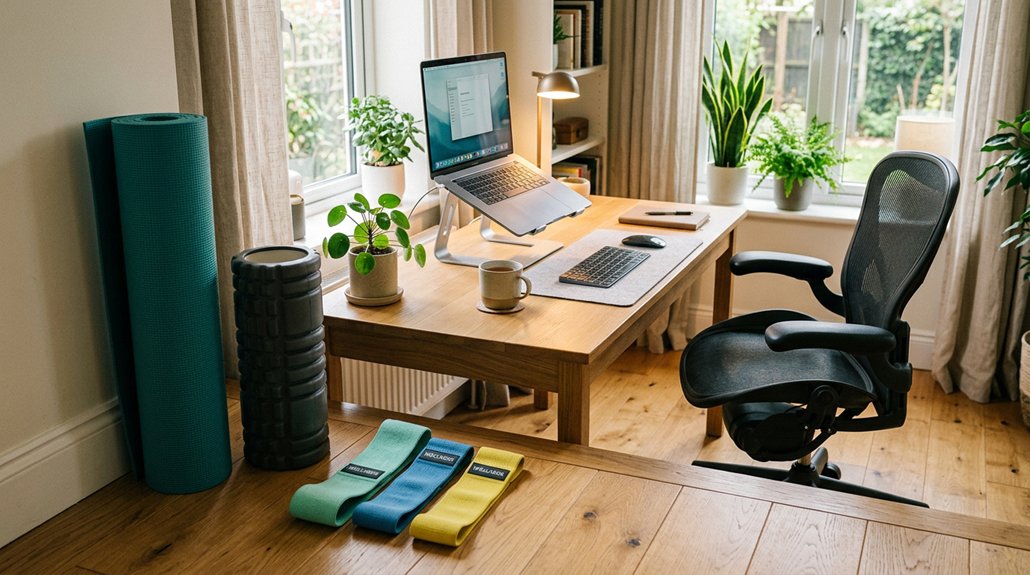
Maintaining ergonomic posture and incorporating specific stretches can make a big difference during long desk hours.
Simple routines like chin tucks, shoulder shrugs, and the “smelling your armpit” stretch target key muscles to reduce tension and prevent pain. These effective exercises can help you stay comfortable and protect your neck throughout the day.
Ergonomic Posture Tips
To prevent neck pain during long hours at your desk, adopting proper ergonomic postures is essential. Maintaining a good ergonomic posture supports neck alignment, reducing strain.
Keep your screens at eye level so you don’t have to chin back or crane your neck. Sit with your feet flat on the floor and shoulders relaxed.
To counteract muscle tension, incorporate upper trapezius stretches by tilting your head to the side and holding for 10-15 seconds. Focus on strengthening your upper trapezius and keeping your head upright.
Avoid slouching or leaning forward, which can cause forward shoulder posture. Practice shoulder blade pinches by pulling your shoulder blades together and holding for 4-5 seconds.
These simple tips help maintain a healthy, ergonomic posture during long desk sessions.
Effective Stretching Routines
Incorporating targeted stretches into your hourly routine can greatly prevent neck pain caused by prolonged sitting at your desk. Focus on stretches that address your neck and upper back.
Chin tucks, holding each for 10-15 seconds for 5-10 reps, help reset your head position and activate deep cervical flexors, easing tension. Upper trapezius stretches involve tilting your head toward each shoulder and holding for 15-20 seconds, reducing muscle tightness and stiffness.
Add shoulder shrugs in sets of 10-15 reps to loosen neck and shoulder muscles. Combining scapular retractions with neck rotations during short breaks enhances cervical mobility.
Don’t forget pec stretches like doorway holds for 20-30 seconds, which counteract tight chest muscles contributing to poor posture and discomfort during long desk hours.
How to Perform the “Double Chin” Neck Stretch Correctly and Safely
Performing the “Double Chin” neck stretch correctly and safely involves a simple, controlled movement to target the muscles at the back of your neck.
Stand with your lower back against a wall and feet about 40 cm away. Gently retract your chin straight back, avoiding tilting your head forward or extending your neck. Keep your gaze forward and maintain a neutral spine.
Hold the double chin position for 10-15 seconds to activate the muscles at the back of the head. Repeat this 10 times to help reduce neck discomfort.
Using a towel behind your neck can provide extra support if your upper back feels stiff during the stretch.
Recognizing Early Signs of Neck Strain Before Pain Develops
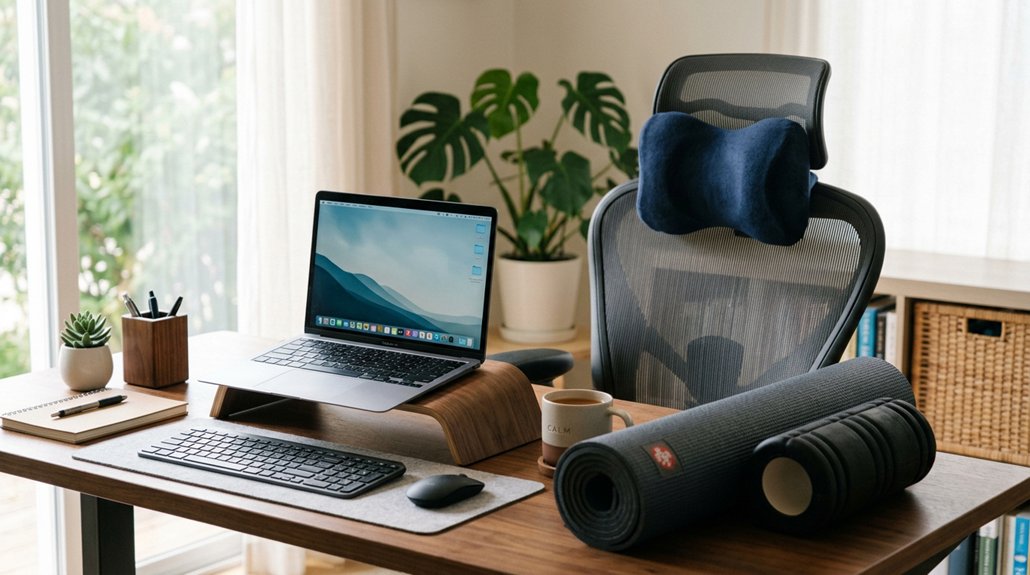
Being able to recognize early signs of neck strain is essential, especially when you spend long hours at a desk. Pay attention to subtle symptoms like stiffness, limited neck mobility, or a persistent feeling of tightness in your neck and shoulders. These clues often appear before actual neck pain sets in. You might notice tension headaches or difficulty maintaining proper upper body posture. If you experience minor discomfort or fatigue after extended screen time, it’s a sign to take action. Regularly monitor your neck and upper body every 30 minutes to catch strain early. Preventative stretches, such as chin tucks and shoulder rolls, can help. Recognizing these warning signs allows you to address issues before they develop into chronic neck pain.
| Symptom | Indicator | Time to Monitor |
|---|---|---|
| Neck stiffness | Reduced mobility | Every 30 minutes |
| Shoulder tightness | Upper body tension | During long work sessions |
| Head tension | Early tension headaches | When feeling fatigued |
Combining Stretching With Strengthening Exercises for Long-Term Neck Relief
Addressing early signs of neck strain with stretching is a great start, but combining these stretches with targeted strengthening exercises amplifies their benefits.
When you include exercises like rows and overhead presses, you support your cervical muscles, which helps improve posture and reduces long-term pain. Focus on progressively strengthening deep cervical flexors and upper back muscles to build endurance, making it easier to maintain proper head alignment during long desk sessions. Incorporate mobility exercises such as thoracic extensions to correct postural imbalances.
- Visualize yourself pullingyour shoulders back with rows
- Imagine liftingyour arms overhead during presses
- Feel your core engageas you perform neck flexion exercises
- See your spine lengthenas you stretch and strengthen
- Sense your posture improvewith every repetition
Using Timers and Visual Cues to Remind You to Take Breaks
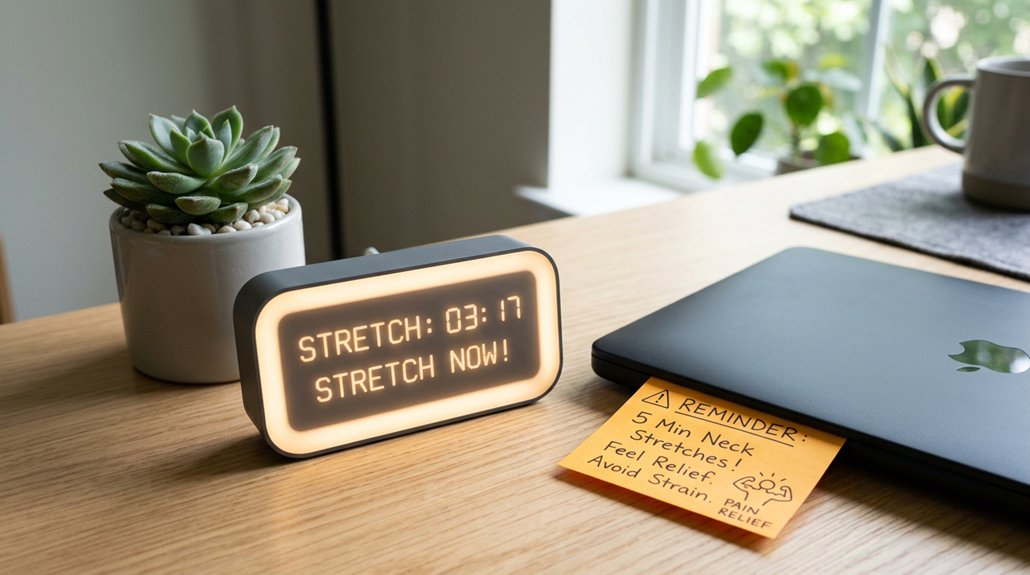
Using timers and visual cues can effectively remind you to take regular breaks during your workday. Setting alarms every 30 to 60 minutes encourages you to stretch and move throughout your schedule, reducing neck and shoulder tension caused by prolonged sitting. Visual cues, like sticky notes on your monitor or phone alarms, prompt you to perform helpful stretches such as chin tucks or upper trapezius stretches. Consistent reminders help you incorporate neck mobility exercises, improving posture and easing muscle tension during the day. To emphasize, here’s how reminders support your routine:
| Reminder Type | Benefit |
|---|---|
| Timers | Prompt regular movement, prevent stiffness |
| Visual cues | Trigger stretches, maintain awareness |
| Alarms | Reinforce break schedule |
| Sticky notes | Serve as visual prompts throughout the day |
Incorporating Dynamic Movements to Prevent Stiffness at Your Desk
Incorporating dynamic movements into your routine is an effective way to prevent stiffness and discomfort during long hours at your desk. These quick stretches keep blood flowing, maintain cervical spine mobility, and reduce neck pain caused by prolonged sitting and screen time.
Every 30 to 60 minutes, try some shoulder shrugs, neck rotations, or scapular retractions to keep muscles relaxed. Imagine lifting your shoulders toward your ears, then releasing tension; gently turning your head side to side; drawing your shoulder blades together; or doing chin tucks to improve alignment.
These simple movements can make a big difference in minimizing stiffness and eliminating tension buildup. Regularly incorporating these stretches encourages better posture and relieves neck discomfort, helping you work more comfortably and efficiently.
How Good Posture Enhances the Effectiveness of Your Stretch Breaks
Good posture plays a critical role in maximizing the benefits of your stretch breaks, ensuring that your muscles are properly aligned and tension is effectively released. When your posture throughout the day is correct, stretches target the right muscles, especially in the neck and shoulders, helping to alleviate neck pain more effectively.
An ergonomic setup promotes natural spinal curves, reducing strain and preventing compensatory movements that limit stretch range. Proper posture also supports consistent activation of deep cervical muscles during exercises like chin tucks, strengthening and stabilizing your neck.
Incorporating good posture alongside regular stretch breaks every 30 minutes improves blood flow and nerve function, reduces muscle stiffness, and enhances overall relief from tension and discomfort. This combined approach makes each stretch more effective and keeps your neck healthier.
Modifying Neck Stretches for Different Levels of Flexibility
Adjusting neck stretches based on your flexibility level helps you avoid overstretching and discomfort. If you experience neck pain or limited mobility, modify your stretches to match your comfort.
Beginners should start with gentle exercises like chin tucks or side neck stretches, holding each for 10-15 seconds. Those with moderate flexibility can progress to neck rotation or upper trapezius stretches, doing 2-3 reps per side with controlled breathing.
For limited flexibility, use supports like towels or chairs and reduce the range of motion to prevent overextension. Regularly practicing and gradually increasing stretch duration from 10 to 30 seconds can boost neck mobility safely.
- Imagine gentle slopes instead of steep hills.
- Picture a light, supportive cushion under your neck.
- Visualize small, controlled movements.
- Think of easing into a warm bath.
- Envision balancing on a narrow ledge without overreaching.
Expert Tips for Maintaining Healthy Neck and Shoulders While Working Remotely
To stay healthy and comfortable while working remotely, it’s essential to incorporate simple habits that support neck and shoulder health. Regularly performing chin tucks and upper trapezius stretches can help reduce neck pain and loosen tight muscles from long hours at your desk.
Taking stretch breaks every 30 minutes, including neck rotation and scapular retraction exercises, keeps your shoulder blades together and maintains mobility. Incorporate pectoral stretches, like doorway stretches held for 20-30 seconds twice daily, to counteract rounded shoulders caused by poor posture.
Maintaining proper ergonomic alignment and using tools like foam rollers or resistance bands improves upper back mobility and postural support. These practices can greatly lower discomfort and help prevent musculoskeletal issues during extended remote work.
Frequently Asked Questions
How to Stop Neck From Hurting When Sitting at Desk?
To stop neck pain when sitting at your desk, regularly do chin tucks, neck stretches, and take movement breaks. Make sure your workstation supports proper posture, and incorporate postural exercises to strengthen muscles and alleviate tension during work hours.
Should I Stretch My Neck if I Have Neck Pain?
Yes, you should stretch your neck if you have pain, but do so gently and within comfort. Avoid overstretching, breathe steadily, and consider consulting a physical therapist to guarantee safe, effective movements tailored to your needs.
Can Neck Exercises Help Sleep Apnea?
Yes, neck exercises can help sleep apnea by strengthening supporting muscles, improving posture, and promoting relaxation. Regular routines may reduce airway obstruction, but for effective management, combine them with your medical treatments and consult a healthcare professional.
What Is Desk Neck Syndrome?
Desk Neck Syndrome is a condition caused by prolonged sitting and poor posture, leading to muscle tension, stiffness, and discomfort. You experience neck soreness, limited movement, and headaches from sustained forward head posture and inadequate breaks.



