
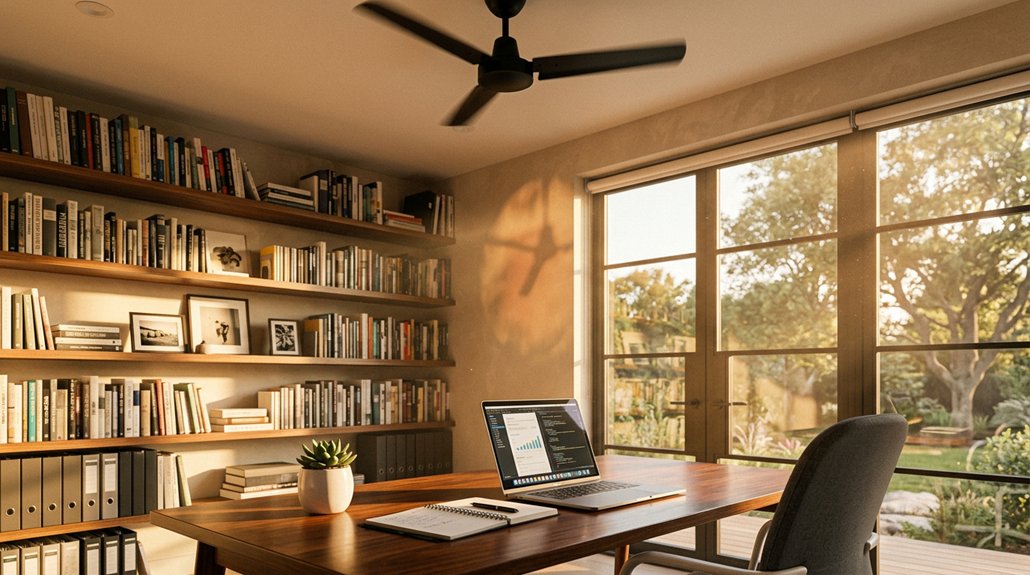
Your home office gets hot mainly because electronics like computers, monitors, and printers generate a lot of heat, especially if they stay plugged in or are high-performance. Sunlight through windows, poor insulation, and drafts also let warm air in and trap heat. Limited ventilation and bad airflow can worsen the problem. If you want to understand how to keep your space cooler, you’ll find useful tips and solutions as you explore further.
Why Does My Home Office Get So Hot?
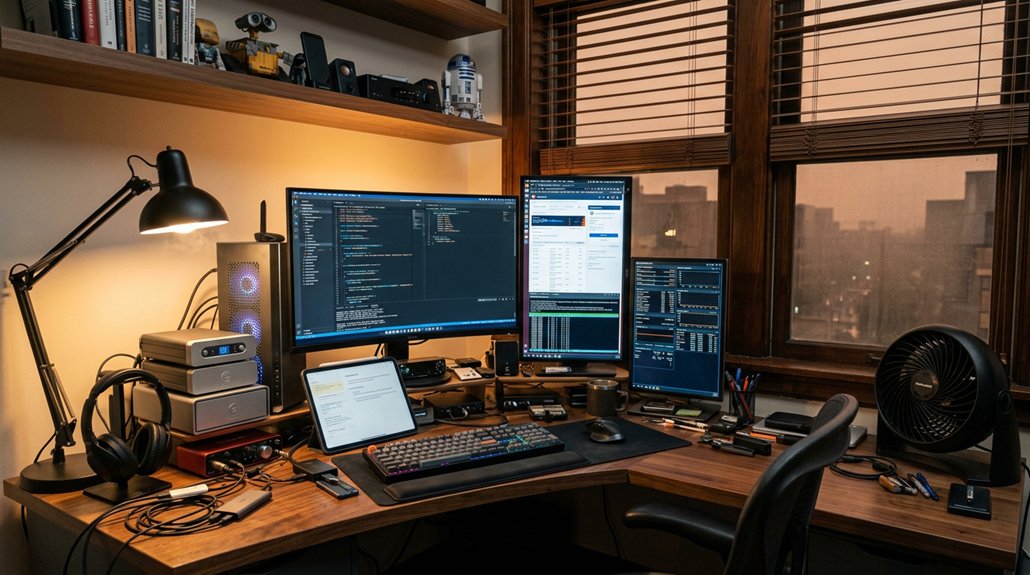
Have you ever wondered why your home office feels warmer than the rest of your house? The main reason is the heat generated by electronics like laptops, screens, servers, and printers. These devices can raise the temperature by around 10°F, trapping heat in the room.
Limited airflow and missing return air vents make it harder for warm air to escape, causing heat buildup. South- or west-facing windows let in intense sunlight, increasing solar heat gain and sharply raising indoor temperatures during peak hours.
Poor ventilation and closed doors trap this heat further, keeping the room much warmer than your house’s thermostat setting. Gaps around windows and doors, along with insufficient insulation, also prevent effective cooling, making your home office especially hotter.
What Are the Main Causes of Heat Buildup in Your Workspace?
Ever wonder why your workspace gets so hot? The main causes of heat buildup involve heat generated from electronics like laptops, monitors, printers, and servers, which can raise indoor heat by about 10°F.
Electronics like laptops and servers can increase indoor heat by around 10°F.
Limited airflow and poor ventilation trap this heat in small, enclosed spaces, making things even worse. Direct sunlight through south- or west-facing windows adds to thermal gain, especially if you don’t use blinds or reflective films.
Gaps around windows, doors, and walls also let external heat seep inside, trapping warmth. Additionally, in small rooms with restricted airflow, the combined heat from multiple electronics and structural leaks greatly increases indoor heat, reducing comfort and ramping up cooling needs.
These factors all contribute to why your home office feels so hot.
How Does Equipment Heat Raise Indoor Temperatures?
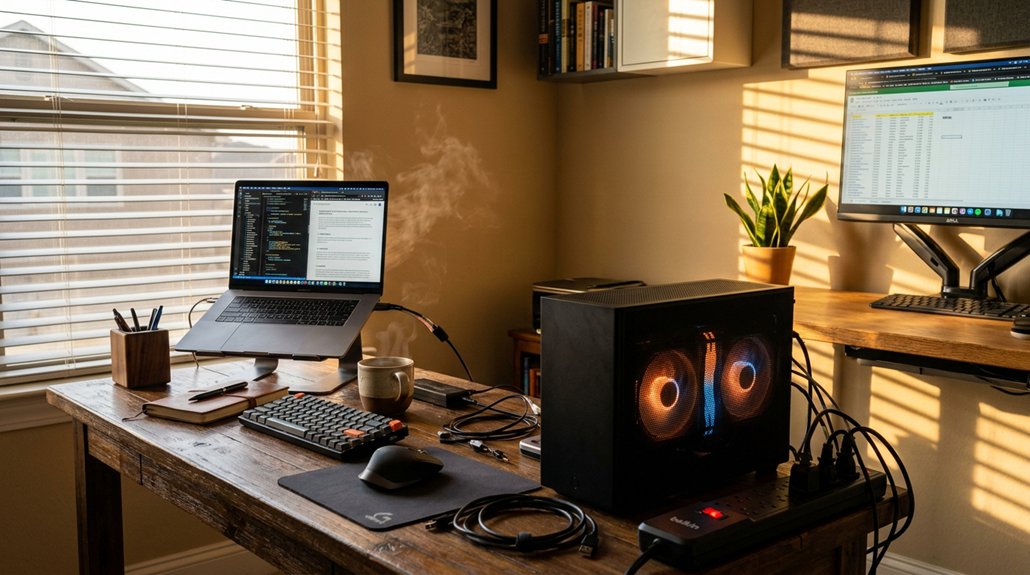
The heat produced by electronic equipment in your home office directly impacts indoor temperatures. Equipment heat from devices like servers, switches, and gaming PCs can generate nearly 1,000 Watts, or about 3,000 BTU/hr, which considerably raises room temperature. A high-quality air purifier with sufficient coverage area and proper airflow can help mitigate these temperature increases by improving air circulation and removing excess heat and pollutants. As these devices operate, their heat adds to the ambient air, often causing indoor temperatures to rise around 10°F higher than the rest of your home. This creates localized hot spots, especially in small, poorly ventilated rooms. The more power your equipment consumes—like an 800W gaming desktop or servers at 150W—the more heat it produces, reducing cooling effectiveness. Without proper ventilation, the warm exhaust mixes with conditioned air, further elevating indoor temperatures and making your home office uncomfortably hot.
How Can Sunlight and Window Orientation Contribute to the Heat?
Your home office’s temperature can spike based on how sunlight hits your windows and their orientation. South- and west-facing windows get the most intense sunlight, especially during peak hours, quickly raising indoor heat.
Choosing the right window treatments can greatly reduce this heat gain and keep your workspace cooler.
Sunlight Intensity and Duration
Have you noticed how your home office gets uncomfortably warm when the sun is shining directly through the windows? The intensity and duration of sunlight play a big role in this heat entering your space. South- and west-facing windows get the most prolonged and intense sunlight, which greatly raises indoor temperatures. Direct sunlight through untreated or single-pane windows causes rapid solar heat gain, making your office uncomfortable. Large, uncovered windows let in excess sunlight, creating hot spots near your workspace. Plus, prolonged sun exposure increases glare on screens, reducing your productivity. To control this, you can use heat-blocking window films, blackout curtains, or reflective blinds—these can reduce heat gain from sunlight by up to 77%, helping your air conditioning system work more efficiently and keep your office cooler. Incorporating soundproofing curtains with thermal insulation properties can further improve temperature regulation and reduce heat transfer.
Window Facing and Heat Gain
Ever wondered why certain spots in your home office feel hotter than others? It largely depends on window facing and how much heat gain they cause. South- and west-facing windows directly face the sun, especially during peak hours, leading to significant solar heat gain.
When sunlight streams through untreated or single-pane windows, it quickly raises indoor temperatures, creating hot spots near these windows. Large, uncovered windows allow excessive sunlight, causing overheating and glare that hampers your screen visibility and adds discomfort.
This heat gain can also accelerate fading and deterioration of furniture and flooring. To combat this, installing reflective window films or high-performance double-glazed glass can reduce heat transfer, cutting down on solar heat gain while still letting in natural light. Additionally, using anti-glare screen protectors can help minimize screen glare caused by sunlight, improving visibility and comfort.
Are Insulation and Air Leaks Making Your Home Office Unbearable?
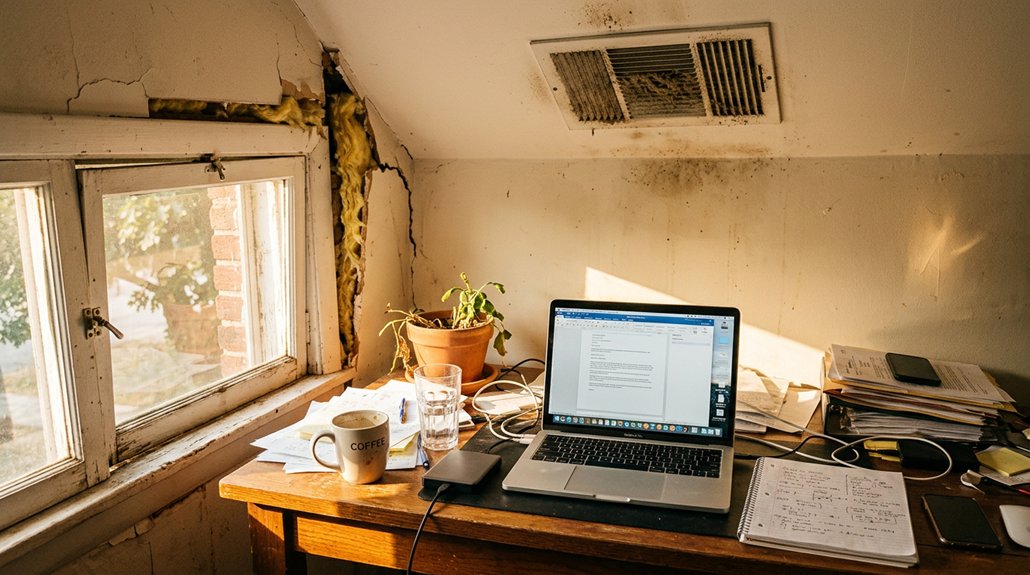
Insulation and air leaks are often behind the stubborn heat that makes your home office unbearable. Poor insulation allows warm outdoor air to seep in and cooled indoor air to escape, pushing up the temperature inside.
Insulation gaps and air leaks trap heat, making your home office uncomfortably hot.
Gaps around walls, ceiling, window frames, and door edges create air leaks that let hot air infiltrate, reducing HVAC efficiency. These gaps also draw in dust and warm air through door gaps, increasing discomfort and forcing your cooling systems to work harder.
When insulation is insufficient and weather stripping is lacking, heat gets trapped inside, especially during hot, sunny days. Restricted airflow due to inadequate sealing worsens the situation, making your home office uncomfortably hot despite your cooling efforts. Proper sealing and insulation can significantly improve airflow and temperature control within your workspace.
Addressing these issues is key to creating a more comfortable workspace.
Is Your HVAC System Sized Correctly for Your Home Office?
If your HVAC system isn’t properly sized, it can lead to uneven cooling or constant cycling that keeps your home office uncomfortably hot. Proper unit sizing, zoning, and good airflow are key to maintaining a consistent temperature. Make sure your system accounts for heat from electronics and has well-placed sensors and return vents for peak performance. Additionally, incorporating automatic thermostats can enhance energy efficiency and temperature stability in your workspace.
Proper Unit Sizing
Ensuring your HVAC system is properly sized is essential for maintaining a comfortable home office environment. An improperly sized air conditioner can cause rapid short cycling or struggle to handle the heat generated by electronics, leading to increased energy usage. Oversized systems cycle frequently, causing uneven temperatures and humidity issues, while undersized units run continuously, wasting energy and failing to cool effectively. Correct sizing considers the heat load from office equipment—about 100 CFM per 250 watts. To illustrate, consider the table below:
| System Size | Effect |
|---|---|
| Oversized | Short cycling, uneven comfort, increased energy |
| Properly sized | Consistent temperature, energy efficiency |
| Undersized | Overworking, high energy consumption |
| Slightly off | Reduced comfort, inefficient cooling |
Zoning and Airflow
Have you considered how your home’s zoning and airflow might be affecting your home office’s temperature? Poor zoning or inadequate airflow can cause uneven cooling, making your office uncomfortably hot.
An improperly sized HVAC system may cycle on and off too quickly if oversized or struggle to cool effectively if undersized, leading to temperature inconsistencies. Missing or poorly placed return vents—like in an equipment closet—restrict airflow and cause heat buildup.
Using monitor calibration tools with ambient-light sensors can help optimize indoor lighting and reduce unnecessary heat generated by high screen brightness. Improving zoning by relocating thermostats away from sunlight and adjusting dampers helps, along with keeping vents unobstructed and sealing ducts.
These steps optimize airflow, ensuring consistent, comfortable cooling in your home office.
What Hidden Indoor Heat Sources Should You Watch Out For?
Many hidden indoor heat sources quietly contribute to raising your home office temperature without you noticing. Electronics like laptops, monitors, printers, and servers produce significant heat—often raising the room temperature by about 10°F. Power supplies and high-performance components can dissipate hundreds of watts as heat; a 1,000W load generates roughly 3,000 BTU/hr. Traditional incandescent bulbs add as much heat as light, so switching to LED or CFL bulbs helps reduce heat buildup. Unused chargers, appliances, and electronics left plugged in also emit heat continuously, increasing cooling demands. Additionally, poor ventilation and the lack of return air in equipment closets trap heat around devices, creating localized hot spots. Being aware of these hidden heat sources can help you manage indoor temperatures more effectively. Proper use of cooling pads and effective workspace ventilation are essential strategies to improve comfort and prevent overheating.
How Can You Manage Electronic Devices to Keep Cooler?
Wondering how to keep your home office cooler? Managing electronic devices is key. These devices, like laptops, servers, and networking gear, generate a lot of heat—around 3,000 BTU/hr for a 1,000 Watt load—and can raise your room temperature by about 10°F.
To reduce heat, unplug devices like printers, chargers, and appliances when you’re not using them, which lowers unnecessary heat output and eases your cooling system’s workload. Switch off monitors and lighting during idle times, and swap out incandescent bulbs for energy-efficient LEDs to minimize heat from lighting.
Implementing device cooling strategies such as adding external fans or improving airflow around equipment can further help keep your space cooler. Using power monitoring tools can help you track device energy use, so you can identify high-heat sources and take action. Moving hot equipment into ventilated areas also keeps the main workspace cooler.
What Are the Best Window Treatments to Reduce Solar Gain?
Reflective window films and blackout curtains are some of the most effective options for reducing solar gain in your home office. Films are easy to install and let you keep natural light, while blackout curtains block up to 77% of heat during peak sun hours.
Choosing the right treatment can make a big difference in keeping your space cool and comfortable.
Reflective Window Films
Window treatments like reflective films are an effective way to combat solar heat gain without sacrificing natural light. These films block heat while preserving outdoor views, making your home office more comfortable. Reflective windows add thermal resistance, reflecting up to 77% of solar radiation, which greatly improves energy efficiency. They’re easy to install as a DIY project, especially on single-pane or untreated glass. Installing reflective window films on south- and west-facing windows minimizes afternoon heat buildup and hot spots near your workspace. Their reflective properties not only reduce indoor temperatures but also help lower cooling costs, promoting a more energy-efficient environment.
| Window Type | Benefit |
|---|---|
| Reflective Window | Reflects heat, blocks solar radiation |
| Untreated Window | Allows heat transfer, less efficient |
| Double-pane | Adds thermal insulation |
| Blackout Curtains | Block light, reduce heat |
| Solar Screens | Reduce glare and heat gain |
Blackout Curtains
Blackout curtains are one of the most effective window treatments for reducing solar gain and keeping your home office cooler. They block up to 77% of solar heat during peak sunlight hours, preventing direct solar radiation from raising indoor temperatures.
With blackout curtains, you’ll also enjoy a significant reduction in glare on screens, improving your focus. Opting for curtains with light-colored or reflective backings can reflect more heat away, boosting their cooling effectiveness.
Compared to standard blinds or sheer curtains, blackout curtains offer superior thermal resistance by creating a thick barrier that limits heat transfer. Using them during the hottest parts of the day helps maintain indoor temperatures in the low twenties Celsius, enhancing comfort and concentration while reducing the burden on cooling systems.
How Do Gaps and Vent Openings Affect Indoor Temperatures?
Have you ever noticed how heat seems to sneak into your home office through tiny gaps and openings? These air leaks around walls, ceilings, and window frames let warm outdoor air in and cooled indoor air out, raising indoor temperatures. Door gaps also bring in warm air and dust, making it harder for your AC to work efficiently. Poorly sealed vent openings disrupt airflow, creating stagnant hot spots and reducing ventilation effectiveness. To visualize:
| Gaps & Openings | Effect on Temperature | Solution |
|---|---|---|
| Wall & window gaps | Warm air enters | Weather stripping |
| Door gaps | Heat buildup | Sealed doors |
| Vent openings | Poor airflow | Proper sealing and insulation |
Sealing these gaps helps maintain stability, comfort, and energy efficiency indoors.
How Can Proper Ventilation and Cross-Breezes Cool Your Space?
Opening windows early and creating cross-breezes by opening interior doors or opposite windows helps improve airflow and lower temperatures.
Using ceiling fans in the right direction spreads cooler air and enhances evaporative cooling on your skin.
Ensuring open interior doors and installing vents or louvers can also boost ventilation throughout your home office.
Maximizing Natural Airflow
Maximizing natural airflow is one of the most effective ways to keep your home office cool without relying solely on air conditioning. You can do this by opening windows early in the morning and creating cross ventilation through doors or opposite windows. Cross breezes help replace hot, stagnant indoor air with cooler outdoor air, reducing heat buildup caused by electronics and limited insulation.
Keep interior doors open between rooms to promote consistent air circulation, allowing conditioned air to spread evenly and preventing hot spots near windows or equipment closets. Additionally, strategic placement of windows and vents for unobstructed pathways maximizes airflow velocity, further enhancing comfort.
Using ceiling fans in a counterclockwise direction pushes air downward, helping to distribute the cool air more efficiently through the office space.
Strategic Window Placement
How can you use window placement to enhance natural cooling in your home office? Properly positioned windows on opposite or adjacent walls enable cross ventilation, allowing cooler outdoor air to flow through and push out hot indoor air.
Opening windows early in the morning takes advantage of lower outdoor temperatures, reducing indoor heat buildup. Combining window placement with door openings boosts airflow, letting cool air penetrate deeper into the space.
Creating a pressure difference with strategically placed louvers or vent openings helps exhaust hot air and draws in cooler fresh air, supporting natural convection cooling. Avoid placing ventilation openings directly in the path of intense sunlight—particularly on south- and west-facing windows—to prevent additional heat gain.
Using Ceiling Fans Effectively
When you run your ceiling fans in reverse (counterclockwise), they push air downward, creating a cooling breeze that makes your home office feel more comfortable without using extra energy. Properly positioned ceiling fans work by circulating air efficiently, helping you stay cool while reducing reliance on air conditioning.
To maximize airflow, create cross-ventilation by opening windows or doors on opposite sides of your space; this allows ceiling fans to move cooler air through the room more effectively. The increased air movement around your skin speeds up evaporation, naturally cooling your body.
What Passive Cooling Techniques Work Best in a Home Office?
Have you ever noticed how simply closing your blinds during the hottest part of the day can considerably lower your home office temperature? Blocking direct sunlight prevents heat from entering, helping to keep your space cool.
To maximize passive cooling, consider these techniques:
- Use light-colored window coverings with plastic backings to reflect solar radiation.
- Install reflective window film or blackout curtains to add thermal resistance while maintaining natural light.
- Position your desk away from direct sunlight so you stay cool and avoid hotspots.
- Open windows early in the morning to promote cross ventilation and dissipate heat.
- Keep blinds or curtains closed during peak sunlight hours to prevent heat buildup.
These methods are simple, energy-efficient ways to stay cooler without relying on mechanical cooling.
How Upgrading Insulation and Sealing Drafts Improves Temperature Control?
Upgrading insulation and sealing drafts are key steps in maintaining a comfortable home office temperature, especially during hot weather. Proper insulation in your walls, ceilings, and floors blocks unwanted heat entry, helping keep indoor temperatures cooler. It also improves energy efficiency by reducing the load on your cooling system, preventing unnecessary fluctuations.
Sealing drafts around windows, doors, and walls stops warm outside air from infiltrating and cooled indoor air from escaping. Weatherstripping and insulated doors further reduce heat leakage, limit dust entry, and enhance HVAC performance. Together, these measures minimize the workload on your air conditioning, preventing overheating and creating a more stable, comfortable environment in your home office. Proper insulation and sealing drafts truly make a significant difference in temperature control.
Are Smart Thermostats and Zoning Systems Effective for Your Office?
Are smart thermostats and zoning systems truly effective for controlling temperature in your home office? They can help, but their success depends on proper setup and airflow.
A smart thermostat with office sensors might inadvertently overcool other home areas, causing discomfort elsewhere. Zoning systems improve control by separating the office HVAC from the rest of the house, preventing heat from skewing readings. However, without proper return vents and airflow balance, even the best smart thermostat struggles to maintain consistent temperatures.
Adequate air circulation and correct sensor placement are essential.
- Proper airflow and return vents speed up smart thermostat responsiveness
- Zoning systems isolate the office for more precise control
- Sensor placement impacts thermostat accuracy
- Insufficient airflow can reduce effectiveness
- Calibration enhances temperature stability
When Should You Consider Installing Air Conditioning for Ultimate Comfort?
When your home office becomes uncomfortably hot despite smart controls and proper airflow, it’s time to think about installing an AC unit. If temperatures often exceed 70°F, your focus, productivity, and comfort decline. Additionally, when heat from devices and limited ventilation raise your office temperature around 10°F above the rest of your house, cooling becomes essential. Passive strategies may fall short, especially in small or sun-exposed rooms, making an AC system a smart investment. Wall-mounted split systems with inverter technology offer quiet, efficient cooling and heating, maintaining stable temperatures.
| Situation | Recommended Action |
|---|---|
| Heat exceeds 70°F frequently | Install AC unit for comfort |
| Office temperature >10°F above house | Add cooling system |
| Limited airflow, sunlight exposure | Use energy-efficient AC |
| Electronics overheating | Protect with proper cooling |
Frequently Asked Questions
Why Is My Home Office so Hot?
Your home office gets so hot because electronics produce heat, sunlight heats the room through windows, and poor ventilation traps warm air. Without proper insulation or airflow, temperatures rise, making it uncomfortable even with cooling systems running.
How to Keep Your Home Office Cool?
To keep your home office cool, close blinds during peak sunlight, unplug unused electronics, open windows early for cross ventilation, switch to LED lights, and run ceiling fans counterclockwise to circulate air efficiently without extra cost.
What to Do if Your Office Is Too Hot?
If your office’s too hot, open windows early to boost airflow, close blinds or add reflective films on sunny windows, turn off unused electronics, and consider portable fans or mini-split units for efficient cooling.
Is 78 Degrees Too Hot for an Office?
Yes, 78°F is a bit too hot for an office. It can cause discomfort and reduce your focus. Aim to lower the temperature below 75°F to stay comfortable and maintain peak productivity throughout your workday.



