
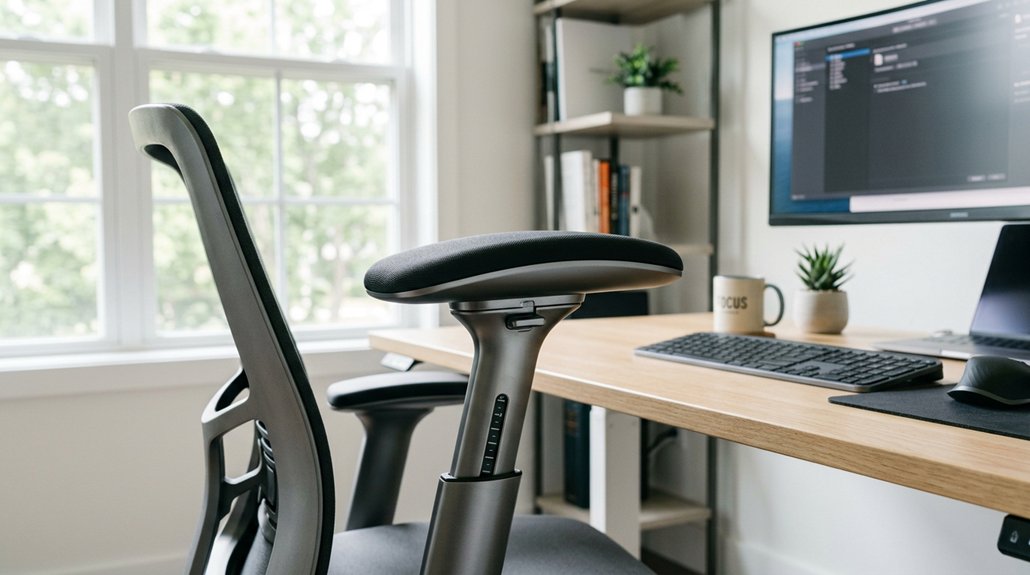
Easy height adjustment is essential for maintaining proper arm positioning and preventing musculoskeletal strain. When you can quickly change your monitor height, you stay aligned with your eyes and keep your arms near your mid-heart level. This helps reduce muscle fatigue and shoulder tension during long work sessions. Consistent adjustments support better posture and overall comfort. Keep exploring how flexible setups can protect your health with simple, effective changes throughout your day.
Why Monitor Height Is Critical for Ergonomic Comfort
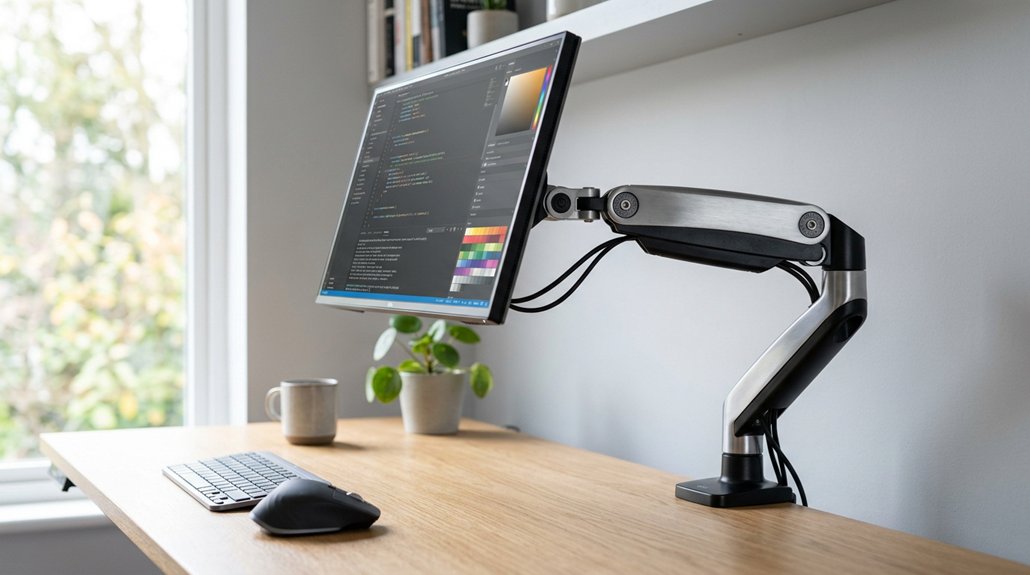
Proper monitor height is essential for maintaining ergonomic comfort because it helps keep your head aligned over your spine without requiring constant effort.
Adjusting your monitor height supports ergonomic alignment and reduces strain during long work sessions.
When you use an adjustable monitor, you can set the screen so that the upper third is just below eye level, encouraging a natural downward gaze. This minimizes neck bending and helps prevent strain over time.
Incorrect monitor height causes subtle forward head posture or neck extension, which can lead to muscle tension and discomfort.
By adjusting your monitor to eye level, you support a neutral head and neck position, reducing the risk of long-term issues.
An adjustable monitor accommodates natural posture shifts during extended periods of work, helping you maintain comfort and prevent static postures that cause muscle fatigue. Additionally, selecting a stand with height adjustment capabilities ensures you can find the optimal position for your unique workspace and body proportions.
How Improper Monitor Height Causes Neck and Eye Strain
When your monitor isn’t at the right height, you may find yourself constantly adjusting your head and eyes, which can cause discomfort over time. If the screen is too high, you’ll extend your neck, leading to muscle tension; if it’s too low, you create poor posture that strains your eyes and neck. Small, frequent height adjustments help keep your head and eyes relaxed, reducing strain during long hours of work. Using a monitor riser that offers height adjustability options ensures you can finely tune the screen to your ideal eye level.
Neck Extension and Tension
Ever notice how looking at your monitor for long periods can strain your neck and eyes? When your monitor is set too high, you tend to tilt or extend your neck upward, causing muscle tension in your neck and shoulders. This sustained effort keeps your muscles engaged and fatigued. An improper monitor position forces your arm to compensate, straining your arm muscles and forcing you into awkward arm positions. The table below visualizes this:
| Proper Position | Poor Position |
|---|---|
| Top of monitor just below eye level | Monitor too high, requiring upward tilt |
| Natural downward gaze | Extended neck, muscle fatigue |
| Neutral arm position | Arm elevated or stretching unnaturally |
| Easy arm adjustment | Constant muscular compensation |
Aligning your monitor to eye level reduces neck extension and tension, keeping your muscles relaxed during long work sessions. Additionally, choosing calibration tools that support ergonomic and eye-friendly settings can enhance overall comfort.
Eye Strain From Poor Alignment
Misaligned monitor height not only strains your neck but also leads to increased eye fatigue. An improper monitor setup causes you to sit upright with your arm and neck in awkward positions, forcing your eyes to strain to see clearly.
When the top of your screen is above eye level, you bend your neck forward and downward, which adds tension and makes your eyes work harder to focus. A monitor positioned slightly below eye level encourages a natural downward gaze, reducing eye strain and muscle fatigue.
To maintain optimal comfort, adjustable monitor arms that support height adjustment range are essential, enabling you to find the perfect position for your workspace. Fixed monitor setups that don’t allow height adjustment can cause subtle misalignments that worsen over time, leading to discomfort. Ensuring your monitor height supports a proper arm and neck posture helps you sit upright and eases eye strain during long work hours.
Benefits of Adjustable Monitor Arms for Maintaining Comfort
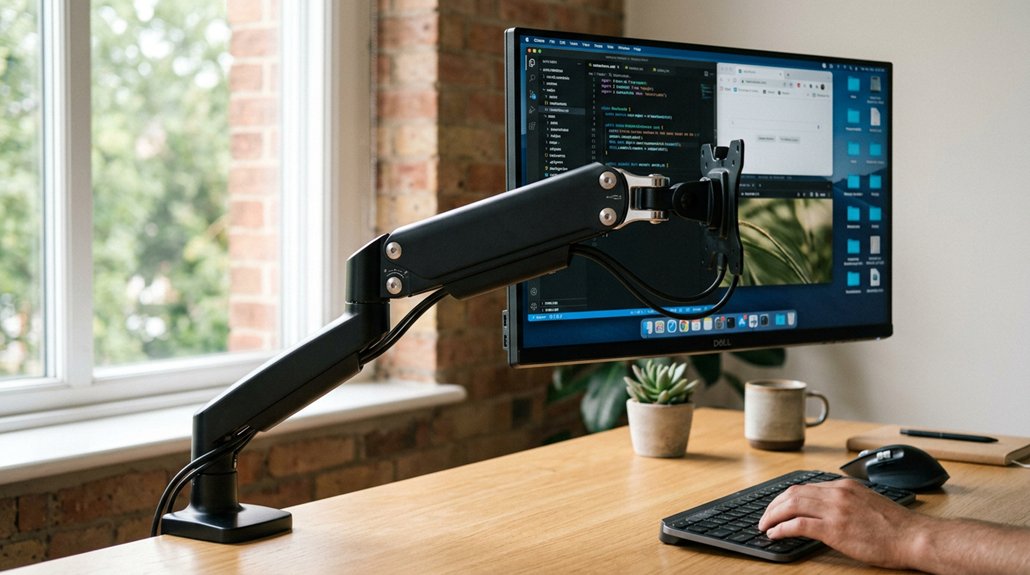
Adjustable monitor arms play a crucial role in maintaining comfort by allowing you to make frequent, small height adjustments throughout the day. When your monitor is flat on the floor or positioned too high, it can cause unnecessary strain on your neck and shoulders.
With a flexible arm, you can easily fine-tune the height so the top of the screen is at or just below eye level, promoting a natural downward gaze. This helps keep your head and neck aligned, reducing muscle tension and fatigue.
As you shift position or adjust your posture, the arm makes it simple to maintain proper ergonomics. You’re supported in building healthier habits, ensuring your workstation remains comfortable, even during long hours, with feet flat on the floor and your monitor perfectly positioned. Range of motion in your monitor arm further enhances your ability to find the ideal ergonomic setup.
How to Find the Right Monitor Height for Your Body
Finding the right monitor height involves aligning the screen so the top third is just below your eye level, encouraging a gentle downward gaze that reduces neck strain.
Align your monitor so the top third is just below your eye level to promote a gentle downward gaze and reduce neck strain.
To achieve this, focus on your posture and viewing distance. Here’s how:
- Position the top of your monitor below eye level so your gaze naturally drops, minimizing neck tension.
- Maintain an arm’s length distance—about 18 to 28 inches—to balance comfort and visual clarity.
- Ensure your head stays balanced over your spine without effort, avoiding muscle tension.
- Adjust the height throughout the day to reflect posture changes and minimize static muscle stress.
Using adjustable arms or mounts makes fine-tuning easier, keeping your monitor aligned with your natural eye level.
Why Monitor Distance Matters for Good Posture
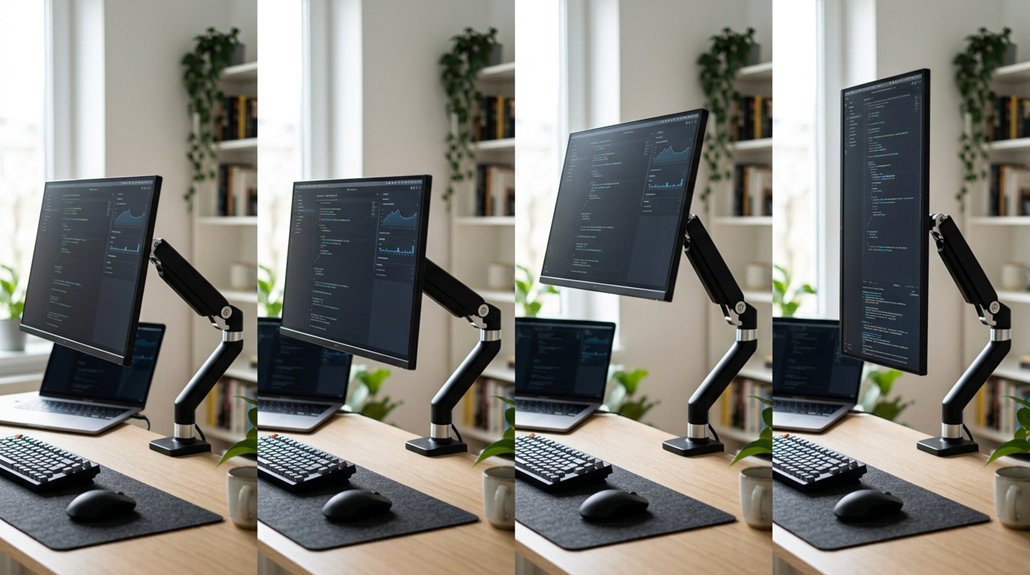
Have you ever realized how close or far your monitor is can greatly impact your posture and comfort? The ideal distance is roughly an arm’s length, between 18 to 28 inches (45 to 71 cm). Ensuring your monitor is positioned correctly can also help maximize the effectiveness of monitor accessories, such as monitor hoods, which help reduce glare and eye strain. Keeping your screen at this distance creates ergonomic balance, reducing eye strain and preventing you from leaning forward or backward. It supports a neutral spine, easing neck and shoulder tension. Plus, the right distance allows for a comfortable viewing angle, reducing unnecessary head and eye movements during long tasks. If you use an adjustable monitor arm, you can fine-tune the position throughout the day, adapting to your posture shifts. Consistently maintaining the proper distance encourages good posture, minimizes muscular strain, and enhances overall comfort and productivity.
Common Setup Mistakes That Lead to Discomfort: and How to Fix Them
Many common setup mistakes can cause discomfort over time, especially if you don’t regularly reassess and tweak your monitor height.
First, setting the monitor too high or low leads to neck extension or forward head posture, causing muscle strain. Second, visually centering the screen without aligning it to eye level forces continuous muscular adjustments, increasing tension.
Third, a one-time height fix ignores natural posture shifts, allowing discomfort to build unnoticed. Fourth, fixed desks and difficult adjustment mechanisms discourage frequent tweaks, trapping you in poor positioning.
To fix this, make certain your monitor aligns with your eye level, use adjustable stands, regularly reevaluate your setup, and avoid fixed components blocking easy height changes. Proper adjustments and multi-directional movements support in adjustable armrests can also help maintain comfort throughout long work sessions.
Tips to Keep Your Monitor Ergonomically Aligned All Day
Ever wonder how to keep your monitor aligned and comfortable all day long? The key is maintaining the top of your screen just below eye level, which encourages a natural downward gaze that reduces neck muscle tension.
Adjustable monitor arms let you make quick, small height tweaks to match your changing posture, preventing strain from static positions. Keep your screen at arm’s length, around 18 to 28 inches, to optimize comfort and minimize eye strain.
Fixed setups often lead to discomfort over time as alignment drifts, so easy height adjustments are essential. Regularly tweaking your monitor height based on how you feel encourages better posture habits and helps prevent neck and shoulder pain during long work sessions.
Small adjustments throughout the day make a significant difference, especially when monitor mounts support smooth and effortless repositioning.
Choosing the Best Monitor Arm for Easy and Safe Adjustments
Choosing the best monitor arm involves selecting a model that offers smooth and effortless adjustments, so you can easily maintain ideal arm and neck alignment throughout your workday. Look for arms with mechanisms that allow easy height, tilt, and distance customization, enabling effortless small changes that reduce muscle tension.
Consider these key points:
- Make certain the arm provides seamless, effortless movement for frequent adjustments.
- Verify the durability of clamps or mounts for stability, avoiding sudden shifts.
- Confirm compatibility with your desk setup and monitor weight for safety.
- Opt for arms that support multiple adjustments—height, tilt, and distance—to find your perfect position.
This approach guarantees ergonomic support, comfort, and safe, efficient adjustments across your work hours.
How Adjustable Mounts Prevent Posture-Related Pain
Adjustable mounts help you keep your spine properly aligned, reducing strain on your back and neck. They let you make quick posture changes throughout the day, preventing discomfort from staying in one position too long.
Promotes Proper Spinal Alignment
Proper spinal alignment is essential for avoiding neck and back pain, and adjustable mounts play a crucial role in achieving this.
When you can easily adjust the height of your monitor and arm, you’ll position them at mid-heart and eye level, supporting natural spine curvature. This helps prevent forced neck extension or forward head posture, which can cause discomfort.
- Small, frequent adjustments maintain natural head balance.
- Proper arm support reduces unnecessary muscle engagement.
- Aligning the top edge of your screen below eye level encourages a gentle gaze.
- Regular, easy height changes prevent posture drift during long periods of sitting.
Allows Quick Posture Changes
Because your body benefits from frequent posture changes, being able to quickly adjust your monitor and arm position is essential for reducing muscle tension. Adjustable mounts let you easily shift your arm and screen height, preventing the buildup of neck and shoulder strain during long hours of work.
Small, frequent adjustments keep your arms near mid-heart level, which is key for accurate blood pressure readings and minimizing posture errors. Quick shifts also help your arms stay naturally aligned, reducing the need for muscular compensations that cause discomfort and fatigue.
Reduces Muscle Strain Risks
Frequent posture adjustments supported by flexible mounts directly help reduce muscle strain by keeping your neck and shoulders aligned naturally. When your screen stays at or just below eye level, you avoid unnecessary neck extension or forward head posture that can cause chronic tension.
Small, regular height tweaks prevent muscles from overcompensating, reducing discomfort over time. Adjustable mounts diminish the need for constant muscle engagement to maintain eye contact with a fixed height, lessening fatigue.
Proper arm and screen height alignment through easy adjustments also minimizes the risk of musculoskeletal issues and muscle fatigue.
Here’s why it matters:
- Keeps neck and shoulders in a neutral position
- Prevents prolonged muscle tension
- Stops muscular compensation patterns
- Supports ergonomic posture throughout the day
Simple Steps to Maintain Optimal Monitor Position Throughout Your Workday
Keeping your monitor at the right height is essential for comfort and productivity, so make small adjustments throughout your day. Use an adjustable monitor arm to easily tweak the height, ensuring the top of the screen stays at or slightly below your eye level. This position supports a natural, downward gaze that reduces neck and upper body tension.
Maintain an arm’s length distance—about 18 to 28 inches—with your monitor to enhance ergonomic balance and decrease eye strain. Regularly fine-tune the height as your posture shifts during work, helping to keep your spine aligned and avoid discomfort.
Prioritize comfort as your guide for monitor positioning, which encourages healthy habits and sustains musculoskeletal health over the long term.
Frequently Asked Questions
What Is the Relationship Between Height and Arm Span?
Your arm span is usually about your height, so adjusting your workspace height to fit both helps keep your arms supported and comfortable. It reduces strain by allowing natural elbow angles for better posture and task accuracy.
Why Must Correct Cuff Size and Arm Positioning Matter?
You must use the correct cuff size and support your arm properly because inaccurate sizing or unsupported placement can lead to false blood pressure readings, which might cause misdiagnosis or inappropriate treatment, affecting your health outcomes.
How Long Should Your Arms Be Relative to Your Height?
Your arms should be about 40-45% of your total height, meaning from shoulder to fingertip, to guarantee proper ergonomic support. This helps you maintain comfort, reduce strain, and optimize your workspace for productivity.
What Does It Mean if Your Arm Span Is Bigger Than Your Height?
If your arm span is bigger than your height, it means you likely have longer limbs, which can give you a reach advantage in sports and require ergonomic adjustments, like higher desk or monitor placement, for comfortable, strain-free positioning.



