
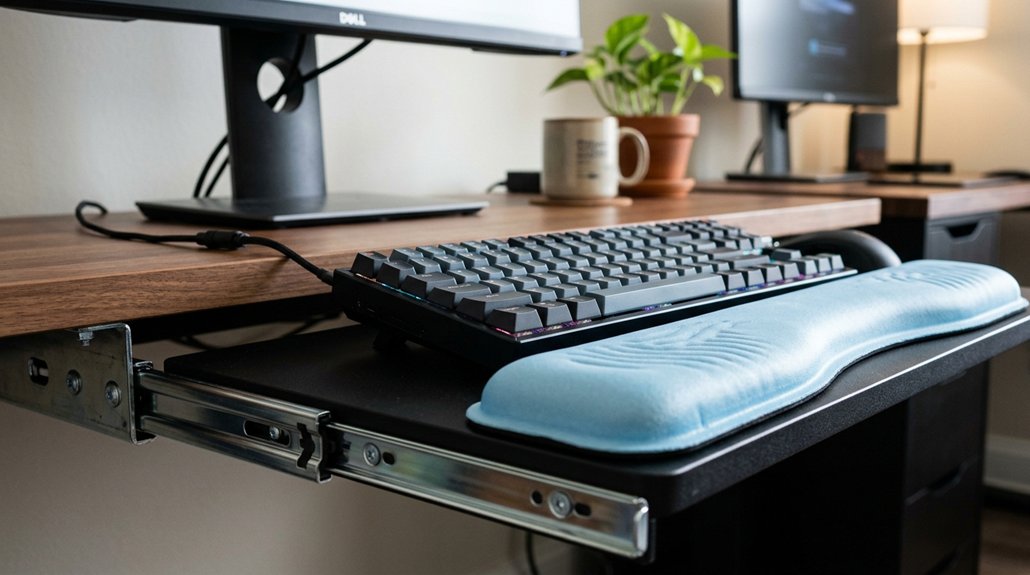
To support your wrists properly, start by positioning your wrist rest so its top aligns with your keyboard’s front edge, keeping your wrists straight and neutral. Adjust your keyboard tray height so your elbows stay at a 90-degree angle, allowing your forearms to remain parallel to the floor. Use the wrist rest only during short breaks and keep your hands slightly elevated for comfort. Want to learn more tips to guarantee your wrist support stays ergonomic? Keep exploring for all the details.
Evaluate Your Desk and Keyboard Setup for Comfortable Support

Have you checked whether your desk and keyboard setup support comfortable wrist positioning? Start by evaluating your keyboard tray height; it should allow your forearms to be parallel to the floor with elbows at 90 degrees, promoting a neutral wrist position. Utilizing an appropriately shaped wrist rest can further enhance ergonomic support and reduce strain. Align the wrist rest flush with the keyboard front edge to support your palms during typing breaks, preventing unnecessary wrist bending. Guarantee the wrist rest is soft, rounded, and about 1.5 inches deep to maintain wrist comfort and reduce contact stress. Avoid placing it too high or low, as this can cause wrist extension or flexion, leading to strain. Make sure your setup allows your hands to hover slightly above the wrist rest, keeping wrists elevated and free to move. This foundation helps minimize discomfort and encourages ergonomic support.
How to Adjust Your Wrist Rest for Ergonomic Comfort?
Are you positioning your wrist rest correctly to maximize ergonomic comfort? First, align the top edge of the wrist rest with the front edge of your keyboard so your palms hover just above the keys during typing.
Keep your wrists in a neutral wrist position by adjusting the height so they aren’t bent up or down, ensuring they’re straight with your forearms. Use a wrist rest that fits your keyboard’s width and depth, with a soft, rounded surface at least 1.5 inches deep for proper palm heel support.
During typing, lift your wrists off the rest, using it only during brief pauses to support the base of your palms without applying pressure. Regularly modify the overall keyboard tray height and tilt to keep elbows at 90 degrees and forearms parallel to the floor, supporting ideal wrist postures.
Easy Tips to Reduce Wrist Strain and Protect Your Health
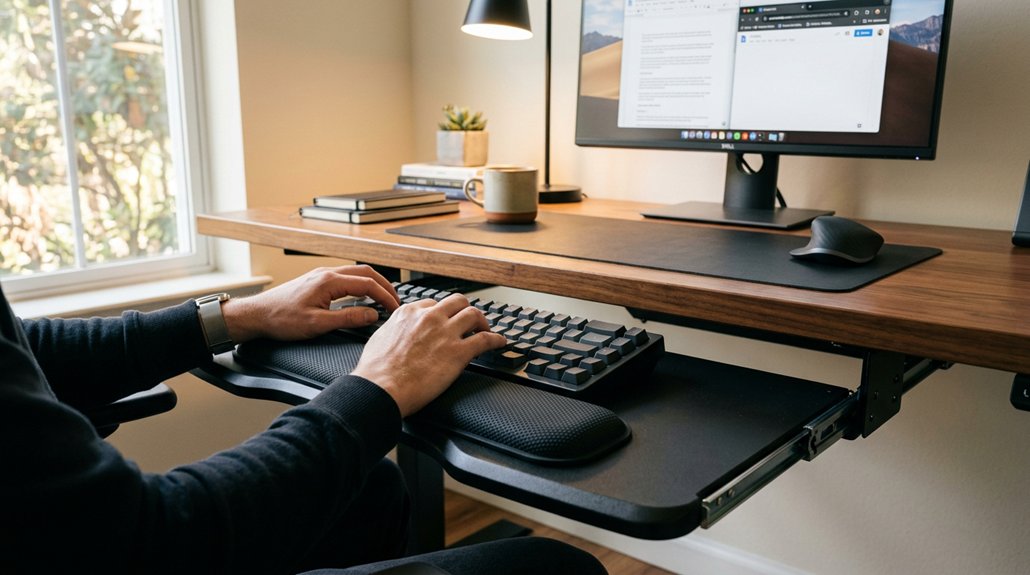
To reduce wrist strain and protect your health while working, it’s essential to adopt simple yet effective habits. Use your wrist rest to support your palms during pauses, keeping your wrists in a neutral position without bending upward or downward. Choose a soft, rounded keyboard wrist rest about 1.5 inches deep that matches your keyboard width to minimize contact stress and promote straight wrists. Additionally, ensure your workspace setup includes ergonomic height adjustment features to maintain proper wrist and arm alignment. Keep your wrists elevated and hands moving above the support while typing, avoiding awkward bends. Adjust your chair and keyboard tray so your forearms are parallel to the floor, with elbows at about 90 degrees, supporting a straight line from forearms through wrists to fingers. Taking frequent breaks to rest on your wrist support helps maintain reducing strain, protecting your overall health and minimizing injury risks.
Frequently Asked Questions
Do Keyboard Wrist Rests Actually Help?
Yes, keyboard wrist rests help by supporting your palms during breaks, reducing wrist extension and discomfort. Just make sure you use them correctly—light contact, matching your keyboard size, and maintaining an ergonomic setup for maximum benefit.
How to Position Keyboard Wrist Rest?
You position your wrist rest flush against the keyboard’s front edge, align it in width and height, keep your palms slightly above it, and adjust its height for neutral, straight wrists, ensuring comfort without continuous contact while typing.
What Is the Best Wrist Support for a Keyboard?
The best wrist support for a keyboard matches its size, with a soft, rounded surface that maintains a neutral wrist posture. Choose memory foam or gel supports, placed flush against the keyboard edge for comfort and ergonomic wrist alignment.
What Is the Best Height of a Keyboard Pad for Wrist Support?
You should position your keyboard pad so its top is flush with the keyboard’s front edge, about 1.5 inches deep, soft, and rounded, keeping your wrists straight and elevated for comfortable, strain-free typing during long hours.




Leave a Reply