
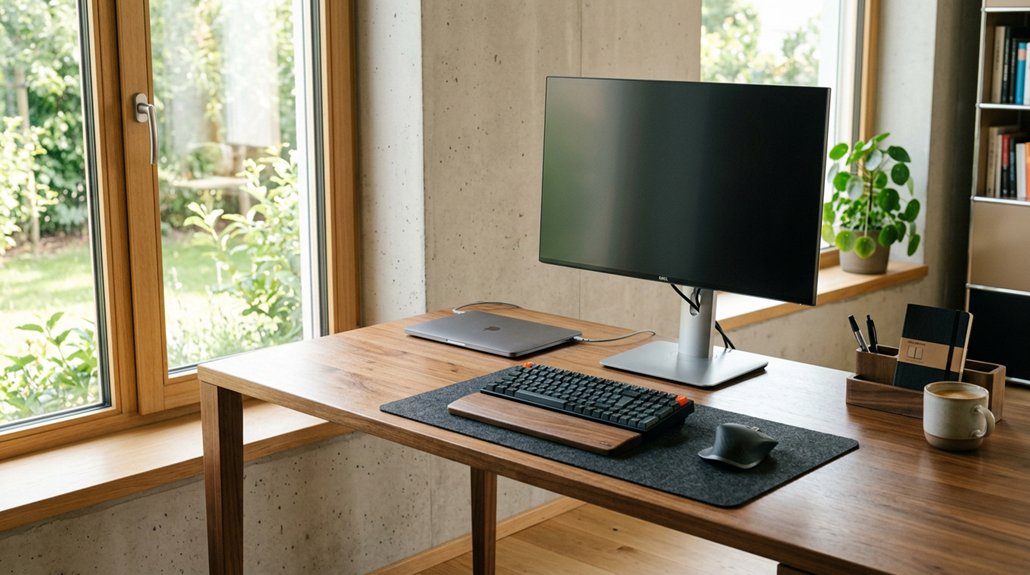
To find the right desk height for your posture, start by measuring your elbow-to-floor distance with your arms bent at 90°, keeping your back straight and feet flat. Aim for a desk height that allows your elbows to bend between 90° and 110°, supporting neutral wrist and shoulder positions. Adjusting your desk and chair accordingly helps prevent strain and discomfort. Keep exploring to discover how to personalize your workspace for maximum comfort and productivity.
Why Your Desk Height Can Make or Break Your Comfort
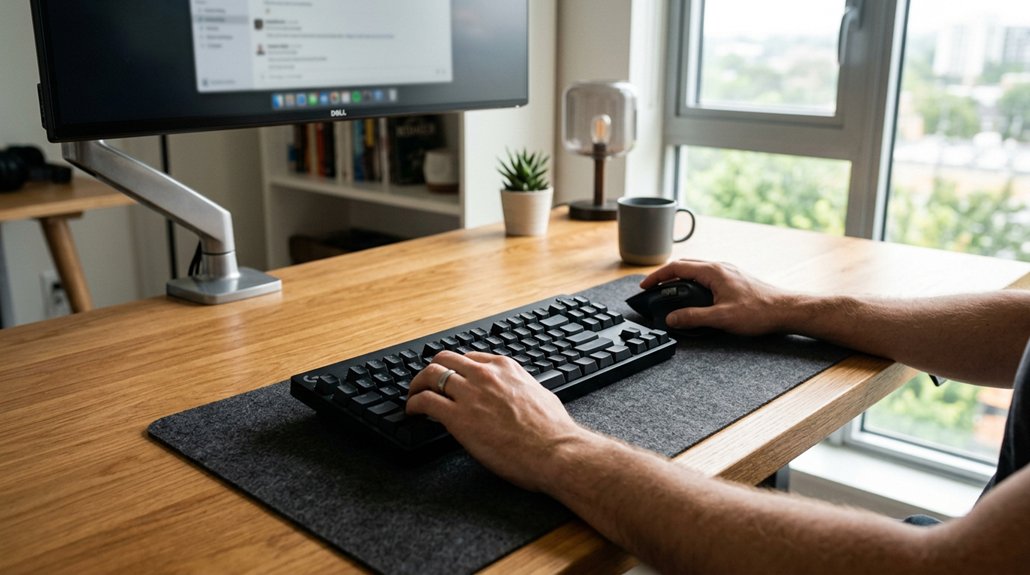
Your desk height plays a crucial role in your comfort and overall posture at work. When your desk is the right height, your elbows bend comfortably at 90°-110°, reducing strain on your wrists and shoulders.
Proper desk height ensures comfortable elbows and supports overall good posture at work.
An ergonomic setup, especially with an adjustable standing desk, allows you to find the ideal height for your body. For most people, a standing desk height between 40.5 to 43.5 inches provides proper alignment and helps prevent back pain.
If your desk is too low or too high, it can lead to poor posture, neck tension, and chronic musculoskeletal issues. Keeping your thighs parallel to the floor and shoulders relaxed enhances comfort and focus.
Proper desk height supports a neutral wrist and elbow position, promoting good posture and long-term back health. Selecting a desk converter with a wide height range ensures adaptability for different users and workspace constraints.
How Your Body Proportions Influence Ideal Desk Height
Your body proportions play a key role in setting the right desk height, ensuring your elbows bend comfortably at 90° to 110° while keeping your wrists neutral. A properly adjusted desk can also help prevent common issues such as wobble during use, especially when using stable lift mechanisms. Differences in arm length and leg measurements can mean you need to adjust your desk to stay aligned and comfortable. By considering these factors, you can fine-tune your setup for ideal posture and reduced strain.
Body Proportions Affect Comfort
When determining the ideal desk height, body proportions play a crucial role in ensuring comfort and reducing strain. Your arm length and elbow-to-floor distance directly influence the ideal desk height you need for ergonomic work. A monitor stand or mount that allows height adjustment can help tailor the workspace to your specific proportions, promoting better posture during extended periods of use. Measuring your elbow height while seated or standing gives a personalized reference point, helping you set the correct height of a desk. Generic desk heights often don’t suit individual differences, making adjustable desks a smart choice. Your body proportions also determine whether you need footrests or chair adjustments to keep feet flat and knees slightly below hips. Taller individuals usually require higher desk settings, while shorter people benefit from lower heights. Proper alignment of your arm length and shoulder width prevents reaching or hunching, ensuring your workspace supports natural posture.
Arm Length Variations Matter
Arm length variations greatly influence the ideal desk height because they directly affect how your elbows and forearms position when seated or standing. A longer arm radius may require a slightly higher desk to maintain proper ergonomic angles, while shorter arms benefit from a lower setup. Since arm length impacts the elbow-to-floor distance, measuring this distance directly is essential for an accurate adjustment. Proper ergonomic setup is crucial to prevent strain and discomfort, emphasizing the importance of customizing your workspace based on body proportions. Using adjustable desks or chairs allows you to fine-tune your setup, helping you find the ergonomic sweet spot where arm and wrist angles promote comfort and prevent injury.
Leg and Knee Alignment
Proper leg and knee alignment are essential for maintaining comfort and preventing strain during prolonged sitting.
When setting your desk height, aim for a position that allows your thighs and lower legs to form a 90°-110° angle, with your feet flat on the floor or on a footrest. This setup helps keep your knees slightly below hip level, reducing lumbar pressure and supporting your lower back.
The right chair height, usually between 16.5 and 18 inches, guarantees proper leg clearance and aligns your knees correctly with the desk height. Adjusting your chair and desk together promotes ergonomic leg and knee positioning, which is crucial for comfort and productivity during extended work sessions.
Securing correct alignment minimizes strain and enhances overall posture. Proper lumbar support mechanisms can further maintain this alignment by reducing back muscle strain and ensuring natural spine positioning.
The Best Elbow and Wrist Angles for Comfortable Work
To work comfortably, your elbows should be bent between 90° and 110°, keeping your forearms parallel or slightly angled downward. Your wrists should hover just above the keyboard, avoiding bending up or down, to maintain proper alignment. Using an ergonomic setup with adjustable tilt, optimal wrist positioning can be achieved, further reducing strain during long typing sessions.
Optimal Elbow Bend Angle
Achieving a comfortable and ergonomic workspace hinges on maintaining the right elbow bend angle, ideally between 90° and 110°. This range allows your forearms to be parallel to the ground, supporting neutral wrist positioning and reducing strain.
To enhance your standing desk, you need to adjust the height so your elbows stay close to your body and bent within this range. Proper adjustments also involve using armrests effectively, providing additional support.
The correct elbow angle helps maintain good desk posture and prevents muscle fatigue. Remember, keeping wrists straight and relaxed complements a proper elbow bend.
Small tweaks to your chair height, desk height, and armrest position can make a significant difference for long-term comfort and injury prevention. For optimal comfort, choosing ergonomically designed armrests can further support healthy posture and reduce discomfort during prolonged work sessions.
- Adjust the stool or chair to keep elbows within the ideal range
- Use armrests to support your arms when necessary
- Set the best standing desk height for your body
- Keep elbows close to your sides when working
- Check that your wrists align with your elbows in a neutral position
Neutral Wrist Position
Have you ever wondered how your wrist position affects comfort and injury prevention during work? Achieving a neutral wrist position is key to ergonomic alignment and reducing strain.
When your desk height is correct, your elbows sit at about 90°, keeping your forearms horizontal or slightly downward. This setup allows your wrists to stay straight, aligned with your forearms, without bending up or down. Maintaining proper wrist posture means your wrists hover above the keyboard comfortably, without resting on the desk or bending excessively.
This position minimizes muscle fatigue and lowers the risk of repetitive strain injuries like carpal tunnel syndrome. Adjusting your desk height to support these angles guarantees both long-term joint health and greater comfort during extended work sessions. Choosing the right height-adjustable keyboard stand can significantly enhance ergonomic posture and wrist alignment throughout your workday.
How to Measure Your Elbow Height in Simple Steps
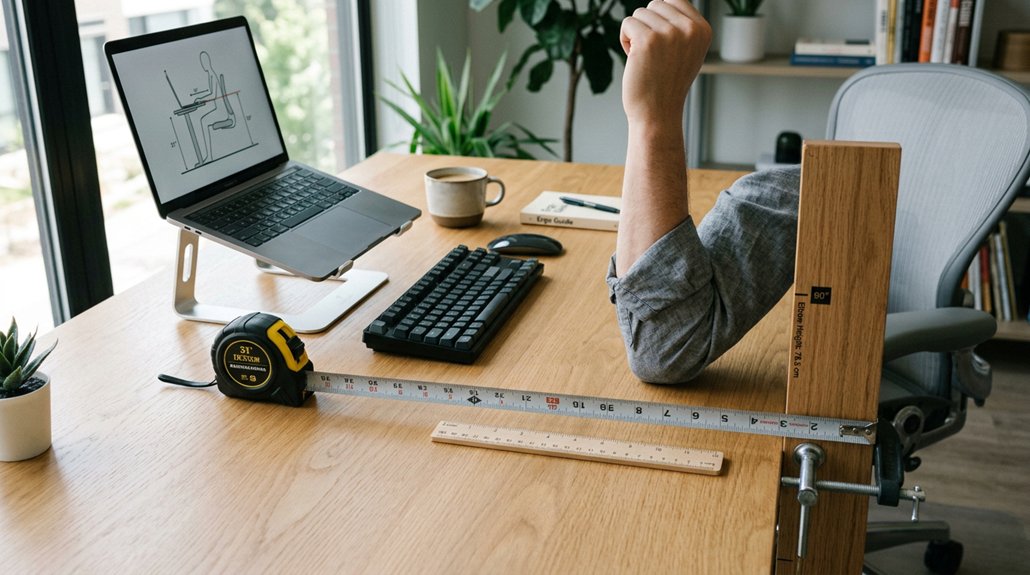
Measuring your elbow height is a straightforward process that helps you find the right desk height for better posture.
Measuring your elbow height ensures a comfortable, ergonomic desk setup for better posture and reduced strain.
To do this, follow these steps:
- Sit or stand comfortably with feet flat on the floor.
- Relax your arms at your sides and bend your elbows to a 90-degree angle.
- Keep your back straight for accurate height measurement.
- Use a tape measure to find the distance from the floor to the bottom of your elbow.
- Record this measurement to adjust your desk height so your forearms stay parallel to the floor, supporting proper posture.
This elbow height measurement is essential for maintaining a neutral arm position, reducing strain, and promoting ergonomic comfort while working.
Formulas to Find Your Perfect Desk Height
Using formulas is a straightforward way to estimate your ideal desk height based on your height, but personal adjustments often improve comfort.
You can start with the minimum and maximum calculations to set a range and then refine it with reference measurements like elbow-to-floor distance. Fine-tuning your desk height guarantees your elbows stay at a neutral 90°-110° angle, reducing strain and boosting comfort.
Calculation Formulas Overview
To find your ideal desk height, you can start with simple calculation formulas that tailor measurements to your stature. These formulas offer a personalized height range based on your height in inches, primarily measured while wearing desk-appropriate footwear.
The minimum height can be estimated with 0.4739 × your height minus 6.678, while the maximum uses 0.5538 × your height minus 9.4270. A basic starting point is dividing your height by 2, then fine-tuning for ergonomic adjustment.
Using a height-based desk height calculator helps you determine the best fit. Remember, a desk should support optimal posture alignment and comfort, especially with a height-adjustable desk, ensuring flexible ergonomic adjustment for long-term health. Proper calculation is key to a healthy workspace.
Adjusting for Personal Variability
Adjusting your desk height for personal variability involves more than just calculations; it requires direct measurement of your body in your typical working posture. To find your ideal adjustable desk height, measure your elbow-to-floor distance while seated or standing comfortably. This measurement helps tailor the height to your unique arm length and movement needs.
Use the formulas: minimum desk height = 0.4739 × height (in inches) – 6.678, and maximum = 0.5538 × height – 9.4270, to determine a suitable range. Start within this range—say, around 40.5 to 43.5 inches for a 5-foot-7-inch person—and tweak for comfort, maintaining a 90°-110° elbow angle. Guarantee your feet rest flat, thighs stay parallel, and your lumbar support remains effective for optimal posture.
Using Reference Measurements
Ever wonder how to determine the perfect standing desk height tailored to your body? Using reference measurements can help you find your ideal standing desk height with accuracy.
Start by applying formulas based on your full height (including footwear):
- Minimum desk height: 0.4739 × height (in inches) − 6.678
- Maximum desk height: 0.5538 × height (in inches) − 9.4270
These formulas give a range to guide your setup. For example, someone 5 ft 7 in tall should aim for about 40.5 to 43.5 inches.
Begin by dividing your height in inches by two as a quick estimate, then fine-tune to guarantee your elbows bend at about 90° and wrists stay neutral.
With an adjustable desk, you can optimize your office ergonomics easily. This method guarantees a comfortable, health-conscious workspace.
Adjusting Your Desk for Sitting and Standing Comfort
Ensuring your desk is set at the right height is key to maintaining comfort and good posture whether you’re sitting or standing. For sitting, aim for a desk height between 25-30 inches so your elbows form a 90°-110° angle, with wrists and forearms neutral.
When standing, adjust your desk to about 40.5-43.5 inches if you’re around 5’7″ with shoes, tailoring as needed. Use an ergonomic chair for seated work to keep thighs parallel to the floor and feet supported.
For standing, consider an adjustable office desk or desk risers to switch positions easily. Regularly measure your elbow-to-floor distance in both postures to fine-tune your setup and reduce strain on your wrists, arms, and shoulders.
Choosing the Right Chair Height to Support Your Desk
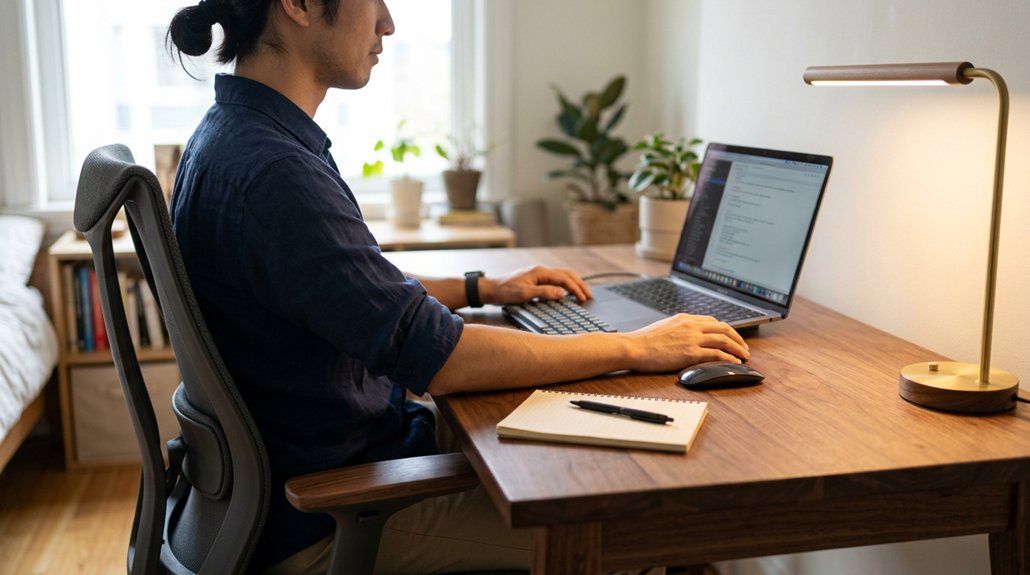
Choosing the right chair height plays a vital role in supporting your desk setup and maintaining proper posture. To achieve this, you need an ideal chair that allows you to adjust the chair height easily.
When set correctly, your feet should be flat on the floor, and your knees slightly below your hips, providing lumbar support naturally. Adjust chair height so your elbows form a 90°-110° angle while resting on the desk, keeping your back in alignment.
Proper positioning guarantees your thighs are parallel to the floor and your feet are fully supported, preventing circulation issues. Additionally, armrests should be aligned with the desk surface and support your forearms comfortably with elbows bent about 90°, reducing shoulder strain.
- Use adjustable chairs with lumbar support and seat depth controls
- Ensure feet are flat on the floor
- Adjust armrests to match desk height
- Maintain 90°-110° elbow bends
- Keep thighs parallel to the floor
How to Set Your Monitor Height for Less Neck Strain
To reduce neck strain, position the top third of your monitor at eye level so you can look straight ahead comfortably. Keep the monitor about an arm’s length away, and tilt it downward 10-20° to match your natural line of sight.
Adjust these settings regularly to find the most comfortable, strain-free viewing angle.
Eye Level Alignment
Adjusting your monitor to the right eye level is key to reducing neck strain during long hours at your desk.
When your monitor is at the correct height, the top third of the screen should be just below your eye level, so you look straight ahead without tilting your neck. Make certain your monitor height allows you to maintain good posture and avoid neck pain.
Keep your eyes about an arm’s length from the screen for peak comfort. Slightly tilt your monitor between 10° and 20° to match your natural line of sight and reduce glare.
Proper eye level alignment helps you sit comfortably, minimizes shoulder and neck discomfort, and promotes better overall posture.
- Top third of screen at eye level
- Keep monitor at arm’s length
- Slight tilt for natural viewing
- Use stands or arms for correct height
- Maintain head over spine when viewing
Optimal Viewing Distance
Ever wondered how close your monitor should be to prevent neck strain? The ideal viewing distance is about an arm’s length, roughly 20-30 inches from your eyes. Position the monitor so that the top third is at or slightly below eye level, allowing you to look straight ahead without tilting your head up or down. This distance helps reduce eye strain and supports natural neck posture.
To further enhance comfort, tilt the monitor between 10° to 20° backward, minimizing glare and encouraging a more relaxed head position. Make certain your monitor is centered to avoid excessive neck turning, especially if you use dual screens. Correctly setting your monitor’s distance and height creates a more comfortable workspace and helps maintain good posture throughout your workday.
Monitor Tilt Angle
Setting your monitor’s tilt angle correctly is essential for reducing neck strain and enhancing comfort during long work hours. Your monitor should be tilted about 10-20° to optimize viewing comfort and minimize glare.
Keep the top third of your monitor screen at eye level when looking straight ahead, maintaining a neutral position that prevents neck tilting. Using adjustable monitor arms lets you customize both height and tilt, so your monitor aligns perfectly with your eye level.
To improve ergonomics, remember:
- Adjust tilt so the screen isn’t glare-prone
- Keep your monitor at eye level to prevent neck strain
- Maintain an arm’s length distance from your eyes
- Set your screen in a neutral position to avoid tilting your head
- Use adjustable monitor arms for personalized positioning
Signs Your Desk Height Might Be Off (Wrist, Neck, Back Discomfort)
Have you been experiencing discomfort while working at your desk? If your wrists feel sore or numb when typing, your desk height might be incorrect, causing wrists to bend instead of staying neutral.
Neck strain and frequent headaches can stem from a monitor positioned too high or low, forcing you to tilt your head excessively.
Persistent back discomfort, especially in the lower back, signals that your desk might be too high or too low, upsetting your posture and arm angles.
If your elbows are bent considerably more or less than 90°, it indicates poor desk height, straining your shoulders and forearms.
Tingling or numbness in your hands and fingers also suggests bad wrist positioning due to an improper desk height, raising your risk of repetitive strain injuries.
Must-Have Accessories and Tools for an Ergonomic Setup
To create an ergonomic workspace, investing in key accessories and tools is essential, as they help you maintain proper posture and reduce strain. Adjustable components allow you to fine-tune your desk and office chair to achieve ideal height setting, ensuring elbows stay at about 90° and wrists remain neutral.
Monitor arms or stands help position the top third of your screen at eye level, preventing neck strain. Footrests support your feet when your chair is raised, preventing dangling legs and improving circulation.
Cable management tools like wire clips and baskets keep your workspace organized and clutter-free, supporting ergonomic efficiency. Additionally, task lighting reduces glare and eye strain, making your setup more comfortable.
These accessories are vital for customizing your workspace to promote better posture and comfort.
Common Mistakes When Setting Up Your Desk and Chair
Many common mistakes in office setup can lead to discomfort and long-term health issues. One major error is incorrect desk height. Setting the desk too high forces your elbows to bend more than a 90° angle, causing shoulder strain. Conversely, a low desk makes elbows bend less than 90°, leading to poor wrist posture.
Adjusting chair heights without considering lumbar support or failing to maintain feet flat on the floor can worsen back pain and circulation issues. Avoid lowering the chair to compensate for a high desk, as it reduces lumbar support. Also, neglecting to keep elbows at a 90° angle with relaxed shoulders can cause tension.
Proper ergonomic setup involves ensuring your desk height allows your arms to rest comfortably and your feet stay flat on the floor, preventing strain and discomfort.
Moving From Sitting to Standing: Tips for a Smooth Transition
Shifting from sitting to standing at your desk should be gradual to prevent strain and discomfort. Start by setting your standing desk at the recommended height—about 40.5 to 43.5 inches for someone around 5’7”, adjusting proportionally for your height.
Begin with under 15-minute standing sessions, then slowly increase to about an hour as your body adapts. Keep your elbows bent at roughly 90 degrees and wrists neutral for ergonomic posture. Use anti-fatigue mats to reduce discomfort and switch between sitting and standing throughout the day.
Additionally, fine-tune your monitor height so the top of the screen is at eye level, about an arm’s length away, for ideal visual ergonomics. These tips will help make your adjustment safe and comfortable.
How to Personalize Your Desk Setup for Maximum Comfort
Personalizing your desk setup begins with adjusting its height to match your body’s unique measurements. Measure your elbow-to-floor distance while sitting or standing to find a starting point close to the ergonomic standard desk height. Then, adjust your desk so your elbows bend at roughly a 90° angle with relaxed shoulders and forearms resting comfortably, promoting neutral wrist positions. Use a footrest if necessary to keep your feet flat and thighs parallel to the floor, ensuring proper lower limb posture.
| Factor | Adjustment Tip |
|---|---|
| Standard desk height | Match with your elbow-to-floor distance |
| Adjustable desks | Use for personalized height settings |
| Chair height | Align to support ergonomic arm placement |
| Monitor placement | Position at eye level to reduce neck strain |
| Foot positioning | Keep feet flat with footrest if needed |
Maintaining Ergonomic Alignment Throughout Your Workday
To maintain ergonomic alignment throughout your workday, it’s essential to regularly adjust your workspace to keep your body in a neutral position. This involves setting your desk height so your elbows are bent at a 90° to 110° angle, with forearms parallel to the floor.
Maintain ergonomic neutrality by regularly adjusting your workspace for proper elbow, arm, and body positioning.
Also, guarantee your feet remain flat on the floor or a footrest, and your thighs form a 90°-110° angle. Keep the monitor’s top at eye level with a slight tilt, positioned about an arm’s length away.
Regularly fine-tune your desk, chair, and monitor heights to sustain proper posture.
- Adjust your desk height for standing and sitting positions
- Keep your monitor at eye level
- Maintain feet flat on the floor
- Keep elbows bent at 90°-110°
- Ensure thighs and lower legs are at a 90°-110° angle
FAQs: Finding and Adjusting Your Ideal Desk Height
Are you unsure how to determine the right desk height for your body? Start by measuring from the floor to your elbows when sitting or standing comfortably to find your ideal desk height.
At this height, your elbows should be bent at about a 90-degree angle, with your shoulders relaxed and forearms parallel to the desk. Adjust desk height as needed to guarantee ergonomic comfort and proper posture.
Keep your wrists neutral and your feet flat on the floor or on a footrest, maintaining a 90°–110° angle between your thighs and lower legs. For standing desks, a common starting point is around 40.5 to 43.5 inches for someone 5 ft 7 in tall, but individual adjustments are necessary for peak comfort and to reduce strain.
Frequently Asked Questions
What Is the 20/8-2 Rule?
The 20/8-2 rule guides you to sit for 20 minutes, then stand for 8, and move for 2 minutes. It encourages regular movement, reduces strain, and improves circulation by balancing sitting, standing, and walking throughout your workday.
Is 32 Inches Too High for a Desk?
Yes, 32 inches is generally too high for sitting comfortably. You might need to raise your chair and use a footrest to avoid shoulder strain and maintain good posture, especially if you’re sitting for prolonged periods.
How Tall Should My Desk Be if I’m 5’7″?
If you’re 5’7″, your standing desk should be around 40.5 to 43.5 inches high, while a seated desk typically needs to be about 25 to 27.5 inches. Adjust for comfort and personal measurements for ideal ergonomics.
What Are Signs of a Desk Being Too Low?
You notice your elbows bend more than 90°, wrists bend uncomfortably, or you lean forward often. Your feet don’t rest flat, and your shoulders hunch, causing tension or discomfort, indicating your desk is too low for proper ergonomics.



