

To prevent carpal tunnel syndrome at home, focus on maintaining proper wrist posture by keeping your wrists neutral and avoiding extreme bending. Use ergonomic tools like split keyboards and supportive mouse designs, and adjust your desk and chair to keep your arms and wrists aligned. Take regular breaks to stretch and rest your hands, and watch for early signs like tingling or numbness. Continuing to follow these tips can help protect your wrists and improve comfort over time.
Why Wrist Position Matters for Preventing Carpal Tunnel
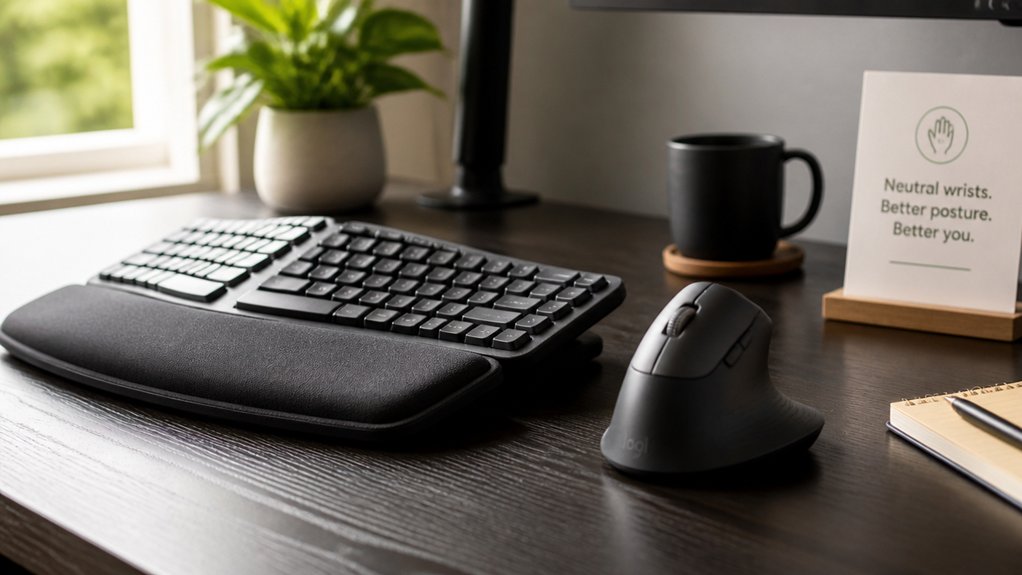
Wrist position plays a essential role in preventing carpal tunnel syndrome because it directly influences the pressure on the median nerve. When your wrist stays in a neutral position—neither bent up nor down—you reduce stress on the nerve, lowering the risk of compression. Using ergonomic keyboards with adjustable tilt and split layouts helps maintain a neutral wrist posture, further decreasing strain. Avoiding extreme wrist flexion or extension during typing or gripping minimizes repetitive strain that can lead to nerve irritation. Wearing wrist splints at night helps keep your wrist aligned neutrally, preventing flexion that worsens symptoms. An ergonomic keyboard and mouse setup supports a relaxed, straight wrist, decreasing pressure on the median nerve. Regular breaks and wrist stretches also help reset your wrist position, improve circulation, and reduce strain, playing a critical role in preventing carpal tunnel syndrome over time.
How to Choose Ergonomic Tools for Your Home Office
Choosing the right ergonomic tools for your home office can greatly reduce strain and help prevent carpal tunnel syndrome. Focus on ergonomic adjustments that promote a neutral wrist position, minimizing stress on the median nerve. Using adjustable angles on your mouse or trackball ensures your wrist remains in a comfortable, natural posture, further reducing strain.
Opt for a keyboard that’s split or curved to support a natural wrist alignment, reducing repetitive hand movements. Select a mouse designed to keep your wrist straight, such as a vertical or trackball style, to lessen twisting and pressure.
Use wrist rests made of cushioned, non-slip material to support your wrists during prolonged typing and mouse use. Guarantee your desk and chair height allow your forearms to stay parallel to the floor, keeping your wrists relaxed. Prioritizing adjustable tools with comfortable grips helps reduce unnecessary exertion and prevents repetitive stress.
Adjust Your Desk and Chair for Better Wrist Alignment

Adjusting your chair so your elbows are close to your sides and bent at a 90-degree angle helps keep your wrists straight. When you set your desk height, make sure your forearms are parallel to the floor and your wrists stay aligned with them. Using an ergonomic keyboard and wrist supports can further reduce strain and keep your wrists in a neutral, comfortable position. Incorporating supportive wrist rests can enhance comfort and promote proper wrist alignment during long periods of work.
Proper Chair Height
To promote proper wrist alignment, you need to set your chair height so that your elbows form a 90-degree angle and your forearms stay parallel to the floor. This proper chair height supports ergonomic posture and helps prevent carpal tunnel syndrome by reducing strain on your wrist during work. A multidimensional adjustment feature, such as 5D armrests, can further help fine-tune your positioning for optimal comfort. When your wrists are in a neutral position, there’s less pressure on the carpal tunnel, lowering injury risk. Make sure your desk height allows your wrists to remain straight, avoiding upward or downward bending while typing or using a mouse. Also, sit close enough to your desk to prevent overreaching, which can cause wrist extension. Use an adjustable chair with lumbar support to maintain overall body alignment. Proper chair height is essential for ideal wrist positioning and long-term comfort.
Ergonomic Keyboard Placement
Proper keyboard placement is essential for maintaining a neutral wrist position and preventing strain. An ergonomic keyboard setup helps keep your wrists in a straight, neutral alignment, reducing pressure on your carpal tunnel. Using a keyboard tray or adjustable desk allows you to bring the keyboard closer, preventing overreaching. Make sure the keyboard is centered in front of you to avoid twisting your wrists or forearms. Additionally, selecting a height-adjustable stand that suits your ergonomic needs can optimize your posture and further reduce strain. These adjustments promote proper alignment and help prevent long-term wrist strain and discomfort.
Wrist Support Usage
Ensuring your desk and chair support your wrists properly can greatly reduce strain and prevent Carpal Tunnel Syndrome. Wrist splints are a helpful tool; wearing a splint keeps your wrists straight and immobilized, especially at night, to reduce pressure on the median nerve. Proper ergonomic positioning involves adjusting your chair height so your elbows stay close to your sides, with forearms parallel to the floor, encouraging neutral wrist alignment. Position your keyboard and mouse at the same height, and use wrist rests to minimize bending or extension of your wrists during typing or mouse use. Using adjustable armrests can also support your elbows and wrists, maintaining ergonomic alignment throughout your workday. Regular breaks are essential—rest your wrists and avoid prolonged flexing. By supporting your hand and wrist correctly with splints and ergonomic setup, you decrease nerve compression risks and keep your wrists in a healthy, neutral position.
Create an Ergonomic Workspace at Home

Creating an ergonomic workspace at home involves making simple adjustments that can greatly reduce strain on your wrists and prevent carpal tunnel syndrome. Start by positioning your keyboard and mouse so your wrists stay in a neutral, straight position, which minimizes nerve compression.
Adjust your desk and chair height to keep your elbows close to your sides, with wrists aligned with your forearms, ensuring proper ergonomic support. Use accessories like wrist rests, curved keyboards, or vertical mice to reduce wrist strain.
Also, keep your monitor at eye level to promote good posture and prevent unnecessary bending or twisting of your wrists. Remember to take regular breaks every 20-30 minutes to stretch and relax your hands and wrists, helping to prevent repetitive strain injuries.
Take Regular Breaks to Rest and Stretch Your Hands
Taking regular breaks every 15 to 30 minutes is essential for preventing carpal tunnel syndrome. When you take frequent breaks, you give your hand and wrist a chance to rest, reducing nerve irritation caused by repetitive motions.
During these breaks, performing simple exercises like wrist flexor and extensor stretches improves blood flow and alleviates pressure within the carpal tunnel. Shaking out your hands or doing nerve gliding stretches can also help decrease numbness and tingling. These quick activities prevent prolonged wrist flexion or extension that can lead to inflammation and nerve compression.
Incorporating hand and finger stretches during your breaks supports flexibility, reduces muscle fatigue, and can greatly lower your risk of developing carpal tunnel syndrome. Using ergonomic support such as a memory foam neck pillow or headrest attachment can also promote proper wrist and arm posture, further reducing strain. Resting and stretching regularly keep your hands healthy and safe.
Stretch Your Wrists and Perform Nerve Gliding Exercises
Regularly stretching your wrists can improve flexibility and reduce nerve pressure, so try extending your arm and gently bending your wrist in opposite directions for 15-30 seconds. A triangular grip design can also help maintain a relaxed hold during extended writing or stretching exercises. Nerve gliding exercises help the median nerve move smoothly through your carpal tunnel, so aim to perform these movements 5-10 times, several times a day. Incorporating exercises like the “Prayer Stretch” into your routine can keep muscles and nerves mobilized, lowering your risk of developing carpal tunnel issues.
Wrist Stretch Techniques
Stretching your wrists and practicing nerve gliding exercises can substantially reduce tension and improve flexibility, helping to prevent or alleviate carpal tunnel syndrome.
To do this effectively, incorporate these wrist stretch techniques into your routine:
- Wrist Flexor Stretch: Extend your arm with the palm facing up, gently pull back your fingers with your opposite hand for 15-30 seconds.
- Wrist Extensor Stretch: Extend your arm with the palm down and use your other hand to press the fingers downward and inward for 15-30 seconds.
- Nerve Gliding Exercises: Move your wrist and fingers through specific positions, like making a hook fist and extending fingers, to promote median nerve mobility.
Repeat each stretch or exercise 5 to 10 times daily to enhance flexibility and reduce nerve compression.
Nerve Glide Movements
Nerve glide movements are an effective way to maintain the mobility of the median nerve within your carpal tunnel, helping to reduce pressure and discomfort. These nerve gliding exercises involve gentle wrist extension and flexion combined with finger and thumb movements to help relieve nerve compression and reduce symptoms. Performing these movements regularly, several times a day, can prevent stiffness and improve circulation around your wrist, aiding in carpal tunnel release. By helping to free the median nerve from pinching, they help relieve pain and numbness. Consistency and gentle progression are key to avoiding irritation and maximizing benefits. Use the following table for visual ideas:
| Movement | Description |
|---|---|
| Wrist Extension | Extend wrist back gently |
| Finger Movements | Open and close fingers slowly |
| Median Nerve Glide | Extend arm, bend wrist, move fingers |
Strengthen Your Hands and Wrists Safely
Building strength in your hands and wrists is essential for preventing carpal tunnel syndrome, but it’s important to do so safely. Focus on gentle, controlled movements to support wrist health and hand function.
- Perform wrist stretches regularly, gently bending your wrist back and forth, and hold each stretch for 15-30 seconds. This improves flexibility and relieves tension.
- Use a stress ball or hand gripper for gradual strengthening, starting with low repetitions and increasing as your muscles adapt—this supports the median nerve by providing better muscle support.
- Incorporate nerve gliding exercises to help maintain median nerve mobility, reducing compression in the carpal tunnel and easing symptoms.
Consistent, careful strengthening can help prevent injury and enhance hand and wrist resilience.
Use Wrist Splints Effectively During Repetitive Tasks
To protect your wrists during repetitive tasks, wearing a well-fitted wrist splint can make a significant difference. Wrist splints keep your wrist in a neutral position, minimizing bending and reducing pressure on the median nerve.
When you wear a snug splint during activities like typing or using tools, it prevents harmful wrist flexion and extension that often trigger carpal tunnel symptoms. Consistent use during repetitive tasks helps alleviate numbness, tingling, and pain associated with early carpal tunnel syndrome.
Nighttime splinting is safe and effective, maintaining proper wrist alignment during sleep and preventing symptoms from worsening. Be sure to select a splint that immobilizes your wrist without restricting finger movement, maximizing comfort while protecting your nerve and reducing discomfort during daily activities.
Keep Good Posture to Ease Wrist Discomfort
Keeping good posture is essential for reducing wrist discomfort and preventing carpal tunnel syndrome. When your posture supports proper alignment, it helps keep your wrists in a neutral position, reducing pressure on the median nerve.
Good posture maintains wrist alignment, reducing pressure and protecting against discomfort and carpal tunnel syndrome.
To optimize your posture:
- Keep your elbows close to your body and wrists straight while sitting or standing to minimize wrist strain.
- Adjust your chair and desk height so your wrists stay in a neutral position during tasks, avoiding excessive bending or extension.
- Position your computer screen at eye level to prevent leaning forward or awkward wrist bending, which can add to wrist compression.
Reduce Inflammation With Cold Therapy and Rest
Reducing inflammation is essential for managing carpal tunnel syndrome symptoms, and cold therapy combined with rest is highly effective. Applying cold packs to your wrist for 15-20 minutes multiple times a day helps reduce inflammation and numb pain caused by the median nerve compression.
Taking regular rest breaks from repetitive hand activities prevents worsening of nerve irritation by reducing continuous pressure. During rest periods, use a splint to immobilize your wrist in a neutral position, especially at night, to minimize nerve compression.
Avoid bending your wrist or gripping forcefully during rest, as these actions can increase swelling within the carpal tunnel. Consistent cold therapy paired with planned rest can help ease mild to moderate symptoms without medication, supporting your recovery and preventing further nerve damage.
Move Often to Boost Circulation and Prevent Stiffness
Moving often during repetitive hand activities can considerably help prevent stiffness and promote better circulation.
Regular movement during repetitive hand tasks prevents stiffness and enhances circulation for better wrist health.
To do this effectively:
- Take breaks every 15-30 minutes, giving your hands a chance to rest and restore blood flow.
- Perform hand stretches and wrist rotations to loosen muscles and encourage nerve gliding movements.
- Reposition your hands frequently, and include gentle nerve gliding exercises to enhance nerve mobility within the carpal tunnel.
These simple actions help prevent stiffness by reducing prolonged strain and swelling.
Incorporating regular movement, like shaking your hands or doing wrist rotations, guarantees your muscles stay flexible and your circulation stays boosted. Consistent, mindful movement is key to reducing the risk of nerve compression and maintaining wrist health.
How to Recognize Early Signs of Wrist Strain?
You might notice tingling or numbness in your thumb, index, and middle fingers during or after gripping tasks, which signals early wrist strain.
Discomfort that worsens at night or when you wake up can also indicate nerve irritation. Pay attention to difficulty with small movements, like buttoning clothes, as these are early warning signs.
Initial Symptoms and Changes
Recognizing the early signs of wrist strain is essential for preventing the progression of carpal tunnel syndrome. Initial symptoms often include tingling or numbness in the thumb, index, and middle fingers, especially during or after repetitive hand activities.
You might notice hand weakness or difficulty gripping objects, which signals median nerve compression. Wrist pain can also appear, sometimes triggered by bending or tapping the wrist.
These symptoms typically worsen at night or upon waking, with shaking your hand providing temporary relief. Early changes may also feel like swelling or stiffness in your fingers without visible swelling.
Paying attention to these signs helps you identify nerve irritation early, so you can take steps to prevent more serious symptoms and protect your wrist health.
Common Activities Causing Strain
Many daily activities that involve repetitive hand movements can put your wrists at risk for strain, especially if early warning signs are ignored. Repetitive tasks like typing, using a mouse, gripping tools, or playing musical instruments create constant pressure on the median nerve in your wrist.
This pressure can lead to wrist injuries, causing tingling or numbness in your thumb, fingers, and palm, especially during or after activity. You might also notice wrist stiffness, weakness in your grip, or a swollen feeling without visible swelling. Nighttime symptoms, like waking up with numbness or tingling, are signs that your wrist may be developing issues.
Pain and inflammation during repetitive motions are signals to pause activities and assess your ergonomics before more serious injury occurs.
Monitoring ‘Warning’ Feelings
Early signs of wrist strain can be subtle but important to notice. Pay attention when you experience symptoms such as numbness or weakness, tingling in your fingers, or a “pins and needles” sensation. These early warning signs often occur during or after repetitive hand activities and indicate median nerve irritation.
Be alert if symptoms get worse at night or upon waking, since this may signal worsening wrist strain. Also, note if you have difficulty gripping objects, or if your fingers feel swollen despite no visible swelling.
To recognize these early signs, watch for:
- Tingling or numbness in your thumb, index, and middle fingers.
- Symptoms that worsen with wrist bending or gripping.
- Hand discomfort or weakness during daily tasks.
Identifying these warning feelings early can help you take action before carpal tunnel develops.
Develop Daily Habits for Healthy Wrist and Hand Care
Developing daily habits to care for your wrists and hands can greatly reduce your risk of carpal tunnel syndrome. Take breaks every 20-30 minutes during repetitive hand tasks to rest and stretch your wrists and fingers, preventing nerve compression.
Perform daily stretching exercises like wrist flexor and extensor stretches, along with nerve gliding routines to keep your nerves flexible and improve circulation. Wearing a snug wrist splint at night helps maintain proper wrist alignment and prevents symptoms from worsening.
Avoid sustained or extreme wrist flexion by maintaining good ergonomic posture and using supportive tools. Incorporate hand-strengthening exercises with a stress ball or hand gripper, doing gradual repetitions to boost wrist stability and function.
Consistently practicing these habits supports healthy wrists and reduces your chances of developing carpal tunnel syndrome.
Stay Informed About Safe Repetitive Movements and Ergonomics
To prevent carpal tunnel symptoms, you need to pay attention to your workspace setup and movement habits. Keep your keyboard and mouse in a neutral position and take regular breaks to avoid overuse.
Staying informed about proper ergonomics helps you maintain healthy wrists during repetitive tasks.
Proper Keyboard Positioning
Maintaining proper keyboard positioning is essential for reducing strain on your wrists and preventing carpal tunnel syndrome. When you set up your workspace correctly, you help keep your wrists in a neutral, straight line, reducing median nerve pressure.
Make certain your keyboard is at or just below elbow height to minimize wrist extension and flexion. Using a keyboard with a negative tilt or adjustable tray allows for a flat or slightly declined angle, promoting better wrist posture. Additionally, arrange keys within easy reach to avoid overstretching.
Incorporate wrist rests to support your forearms gently without applying pressure on the carpal tunnel. Remember, proper keyboard positioning involves maintaining alignment, reducing unnecessary movements, and supporting your wrists throughout your work.
Avoid Overuse and Rest
In addition to proper positioning, giving your wrists regular breaks from repetitive tasks helps prevent overuse injuries like carpal tunnel syndrome. To avoid overuse, it’s essential to rest your wrists frequently, ideally every 20-30 minutes, to reduce strain on your wrist and the median nerve.
During breaks, take time to perform wrist stretches and nerve gliding exercises, which maintain flexibility and blood flow. Avoid wrist positions involving extreme bending or flexion by keeping your wrists neutral when working.
Use ergonomic tools like supportive keyboards, mice, and wrist rests designed to minimize pressure and awkward postures. Alternating hands and rotating tasks also help prevent continuous stress on the same muscles, promoting healthier wrist habits and reducing the risk of strain.
Track Your Symptoms and Adjust Your Habits Over Time
Tracking your symptoms regularly helps you identify patterns and triggers that worsen carpal tunnel syndrome. By keeping a detailed log, you can understand when numbness, tingling, or pain happen and what activities might cause them.
Monitoring the severity and duration, especially during the night or upon waking, gives insight into nerve impacts. Pay attention to changes in hand strength and dexterity, noticing if gripping or fine motor tasks become harder.
Use this information to make adjustments:
- Incorporate more frequent breaks and rest periods to reduce nerve strain.
- Alter hand and wrist techniques during activities to minimize overuse.
- Rotate tasks if possible, avoiding repetitive motions that trigger symptoms.
Tracking your symptoms enables better self-care and helps your healthcare provider tailor effective treatments.
Frequently Asked Questions
How to Prevent Carpal Tunnel at Home?
To prevent carpal tunnel at home, take regular breaks, wear a wrist splint at night, stretch and perform nerve gliding exercises, set up an ergonomic workspace, and avoid forceful gripping or repetitive wrist movements to reduce strain.
Does Vicks Vapor Rub Help Carpal Tunnel?
Vicks Vapor Rub doesn’t help with carpal tunnel symptoms because it doesn’t reduce nerve compression or inflammation. While it might soothe your skin temporarily, it won’t relieve numbness, tingling, or nerve issues. Seek medical treatments instead.
Can You Stop the Carpal Tunnel Once It Starts?
Once carpal tunnel starts, you can’t fully stop it, but early intervention like rest, ergonomic changes, splinting, and exercises can prevent it from worsening. Severe cases might require medical treatments or surgery for significant relief.
What Fruit Helps With Carpal Tunnel?
Eating cherries, blueberries, oranges, and pineapples helps support your nerve health and reduce inflammation. These fruits provide antioxidants, vitamin C, and bromelain, which may ease symptoms and promote overall wrist and nerve function.



