
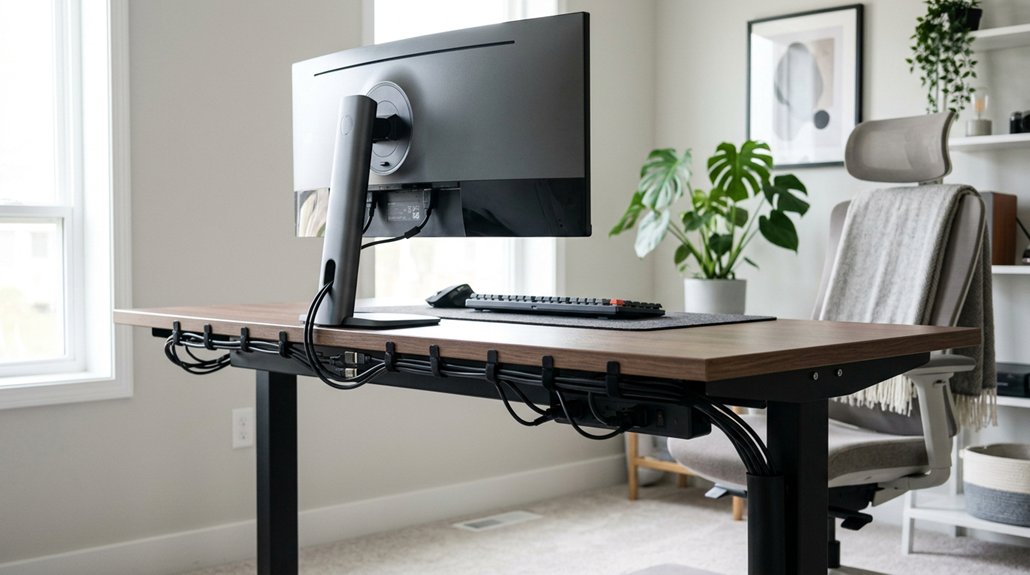
Proper cable management clears clutter, making your workspace look more professional and less stressful. It prevents cables from tangling and wearing out prematurely, which keeps your devices running smoothly longer. By organizing cables neatly, you reduce trip hazards and improve safety, especially around foot traffic. Plus, well-managed cables allow for quick adjustments and troubleshooting, saving you time and effort. Keep exploring to discover simple steps that will boost your workspace’s efficiency even further.
How to Organize Your Cables Behind the Desk for a Tidy Workspace
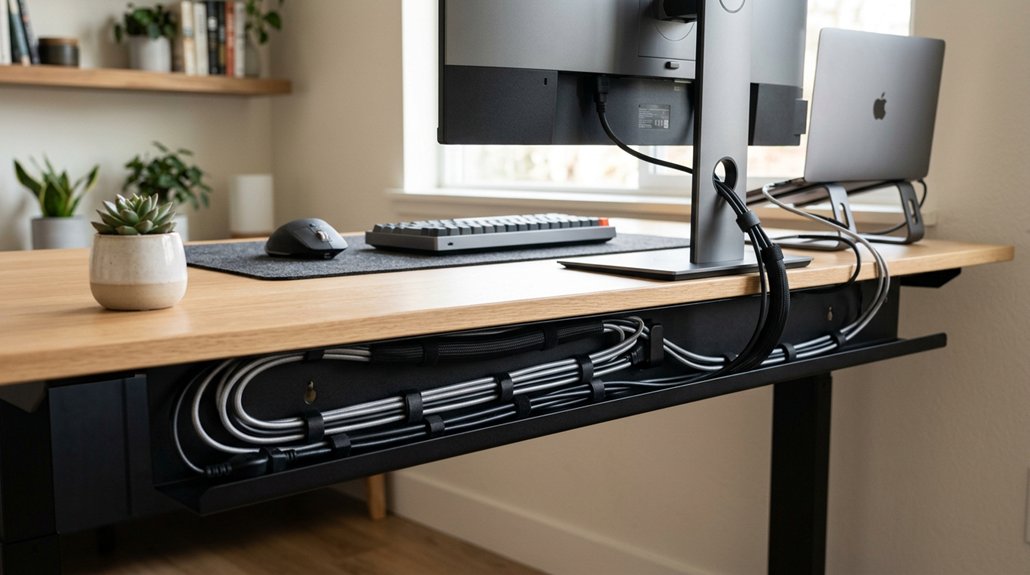
Ever wonder how to keep those countless cables neatly tucked away behind your desk? The secret is using effective cable management solutions like horizontal cable managers or under-desk trays. These tools help you route cables along the desk underside, preventing tangles and clutter. A variety of cable management kits are available, offering options from simple adhesive strips to comprehensive bundles with sleeves, ties, and raceways. Secure cables with Velcro straps to bundle wires together; this makes identification and adjustments simple without hassle. Label both ends of your cables to speed up maintenance and troubleshooting, saving you time. Leave some slack in cable troughs or loops to allow for device movement, especially with sit-stand desks, preventing strain or disconnections. Finally, attach cables to vertical channels or clips along your desk legs to keep wires elevated, reducing trip hazards and creating a safer, more organized workspace.
Common Cable Clutter Problems and How They Affect Your Productivity
Have you noticed how tangled charging cords or messy cables disrupt your workflow and increase frustration? Tangled cords slow you down and break your focus, leading to wasted time during tasks.
Tangled cords disrupt your workflow and increase frustration, wasting precious time during tasks.
Overloaded power strips and unorganized cables create visual clutter, which can cause mental fatigue and make your workspace feel chaotic. Cables stretched across walking paths are trip hazards, risking injury and interrupting your productivity.
Dust and damage from cluttered cables can reduce device performance and cause unexpected malfunctions. Additionally, cluttered cables limit your movement, especially at standing desks, making ergonomic adjustments difficult and lowering efficiency.
Using cable clips and organizers can help keep your workspace tidy, prevent tangles, and enhance overall productivity. These solutions not only improve aesthetics but also promote safety and ease of use.
Essential Tools for Effective Cable Management at Home and in the Office
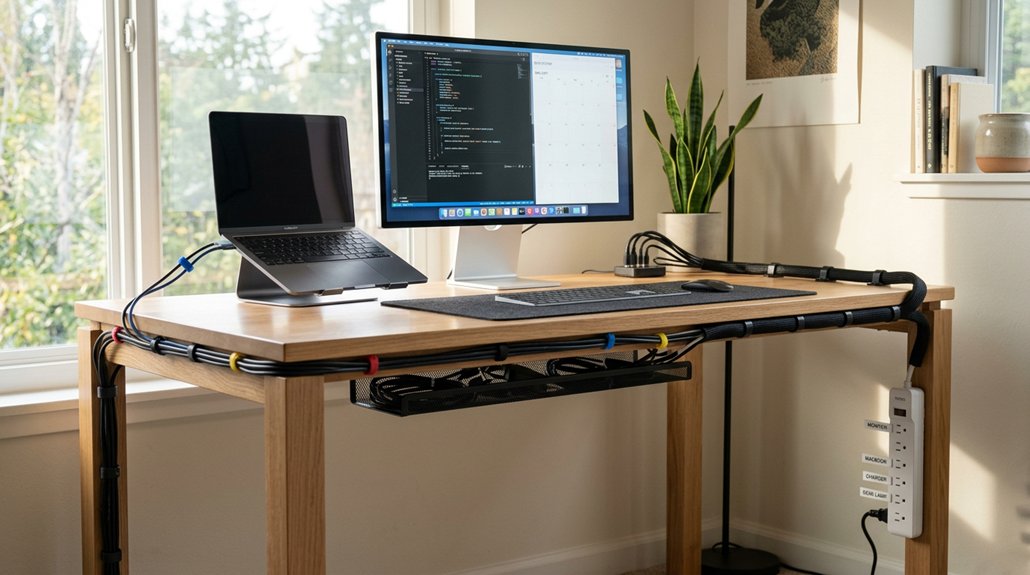
Managing cables effectively is key to maintaining a tidy and efficient workspace. The right tools make all the difference in organizing your cables and reducing clutter. A fire-resistant material in sleeves can increase safety by preventing fire hazards around cables. 1. Cable ties and Velcro straps help bundle cables securely and allow quick reconfiguration when your setup changes. 2. Cable clips and adhesive mounts attach cables to desks or walls, preventing tangling and boosting accessibility. 3. Cable sleeves group multiple wires into a neat, protective cover, reducing wear and extending cable lifespan. 4. Cable trays hide power bricks and long cables under your desk, minimizing trip hazards and clutter. Using these tools, you’ll enjoy a cleaner, more organized environment, making it easier to locate and troubleshoot devices, saving you time and frustration.
Step-by-Step: How to Hide and Manage Cables Behind Your Desk
To effectively hide and manage cables behind your desk, start by unplugging all devices and clearing away any existing clutter to get a clear view of your wiring needs. This initial step helps you assess the best cable management approach and creates an organized workspace. Using ergonomic hub placement strategies, such as positioning hubs within easy reach and utilizing vertical or triangular designs, can further reduce cable chaos and improve accessibility. Use adhesive cable clips to secure cables neatly along the back and underside of your desk, preventing tangles and accidents. Bundle excess cable length with Velcro straps for a tidy appearance. Employ plastic wire grommets or cable sleeves to guide cables through desk holes, protecting them from wear. Finally, install under-desk cable trays or raceways to conceal power strips and spare cords, maintaining a clean look. Label each cable’s ends for quick identification and troubleshooting, ensuring your workspace stays efficient and clutter-free.
Best Ways to Keep Cables on Top of Your Desk Neat and Accessible
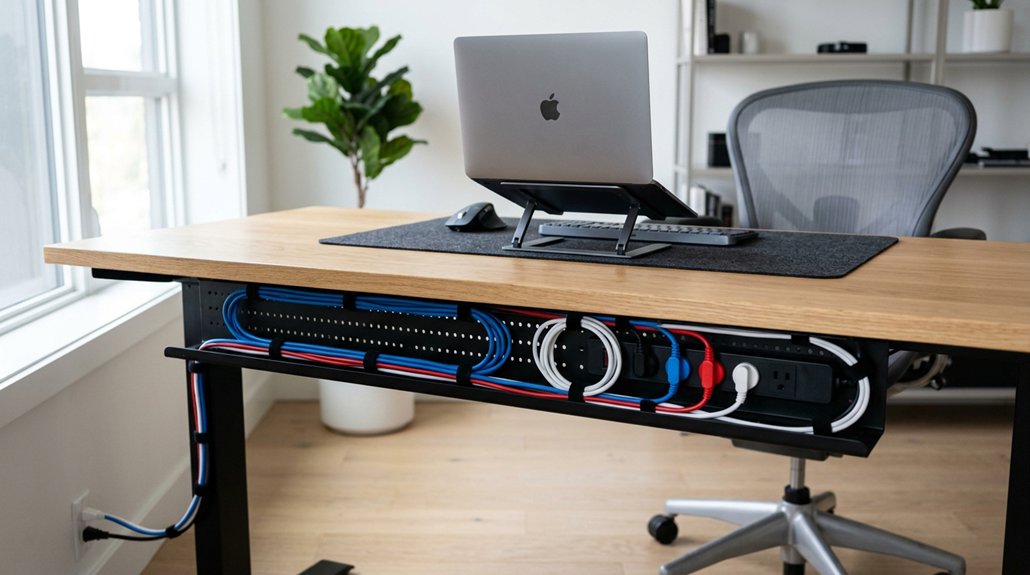
Keeping cables neat and accessible on your desk is essential for an organized workspace and efficient workflow. Here are the best ways to achieve this:
- Use cable clips and adhesive mounts to secure cables along the desk edges, preventing tangling and making them easy to reach.
- Bundle several cables with cable sleeves or tubes, creating a clean, consolidated look on top of your desk.
- Group frequently used cables with Velcro straps or reusable ties for quick adjustments and to avoid excess slack.
- Label cables at both ends using color-coded tags or markers, simplifying identification and maintenance while keeping your workspace tidy.
- Choose cable management channels integrated into your monitor mounts to route cables neatly along the arms and prevent clutter.
Under-Desk Cable Routing: Tips for Concealing and Securing Wires
Organizing cables beneath your desk not only creates a cleaner look but also improves safety and accessibility. Use under-desk cable trays to route wires neatly along the underside, preventing tangles and clutter. Secure cables with adhesive cable clips to keep them fixed in place, reducing movement and accidental unplugging.
A sturdy cable management system should be compatible with your mounting and tray options to ensure durability and ease of setup. Labeling cables at both ends before routing makes troubleshooting quick and straightforward. Leave sufficient slack in cables stored within trays or bundles to allow sit-stand desk adjustments without pulling or disconnecting wires. Use Velcro straps or reusable cable ties to bundle related cables securely, making future reconfigurations easier.
Position power strips and surge protectors in cable trays or under the desk edge to centralize power sources, minimize trip hazards, and keep your workspace tidy and functional.
How Proper Cable Management Helps Your Devices Stay Cool and Last Longer
Proper cable management allows airflow around your devices, helping them stay cool and operate efficiently.
When cables are organized, there’s less heat buildup, which reduces the risk of overheating. Keeping cables tidy also lessens physical stress on cords, extending their lifespan and ensuring your devices stay reliable longer.
Improved Airflow Circulation
When cables are tangled or scattered, airflow around your devices becomes obstructed, causing heat to build up more quickly. Proper cable management makes it easier for your devices to stay cool by ensuring vents and fans are clear. A modular expansion of cable pathways and organizing accessories can further enhance airflow efficiency. Improving airflow benefits your setup in several ways:
- It helps maintain ideal device cooling, preventing overheating.
- A well-organized cable system supports efficient cooling, reducing thermal throttling.
- Clear pathways minimize dust buildup near air intakes, boosting ventilation.
- Proper layout decreases physical stress on wires, supporting insulation and thermal dissipation.
Reduced Overheating Risks
Effective cable management plays a crucial role in preventing overheating by ensuring that vents and air pathways remain unobstructed. When cables are organized, airflow around your devices improves, helping heat dissipate more efficiently. Organized cables reduce clutter, which can trap heat and increase the risk of device failure. By maintaining clear pathways for air circulation, you boost cooling efficiency in your computer or workstation. This also prevents cable tangling and stress that can damage wires, reducing overheating caused by short circuits. Using cable trays or sleeves minimizes excess cable length, limiting heat buildup. Proper cable management not only keeps your workspace tidy but also safeguards your devices’ longevity. Additionally, employing techniques like fire-resistant housing materials from trusted brands can further reduce safety hazards.
Extended Device Lifespan
Organized cables not only keep your workspace tidy but also play a vital role in extending your devices’ lifespan. When cables are routed properly, they help maintain better airflow around devices, preventing overheating and reducing wear and tear.
This means your hardware stays cooler and runs efficiently longer. To enjoy these benefits:
- Keep cables organized to improve airflow and lower overheating risks.
- Minimize strain and bending on cords to prevent internal wire damage.
- Reduce clutter to lower chances of accidental unplugging or damage.
- Use protective sleeves or grommets to avoid sharp bends, extending cable durability.
How Organized Cables Make Your Office Look More Professional and Spacious
When your cables are neat and well-organized, your office instantly looks more professional and inviting. It creates a clean, uncluttered space that feels bigger and more open.
This polished appearance not only enhances your workspace but also leaves a positive impression on clients and visitors.
Enhanced Visual Appeal
Neatly arranged cables instantly elevate the look of your office, making it appear more polished and professional. An organized system eliminates cable clutter, creating a clean, refined environment.
Here are ways it boosts visual appeal:
- It projects a professional image by removing chaotic, tangled cords from desks and surfaces.
- It opens up space, making your workspace feel more expansive and less cramped.
- Cable management tools like clips, trays, and sleeves create hidden pathways that improve overall aesthetics.
- Properly routed and bundled cables contribute to a sleek, modern design, reducing unsightly cable sprawl.
Space Optimization
Effective cable management frees up valuable desk and storage space, making your workspace look larger and more open. When you implement an organized system, cables stay neatly bundled and routed out of sight, reducing clutter. This not only enhances the professional appearance of your office but also maximizes usable surface area for monitors, documents, and accessories. Hiding wires with cable trays, clips, and under-desk organizers creates a clean, minimalist look, giving your office a tidy, efficient vibe. With clear cable routes, visual distractions fade, fostering focus and productivity.
| Cable Management Component | Benefits |
|---|---|
| Cable Trays | Hides wires, frees desk surface |
| Cable Clips | Organizes cords, prevents tangling |
| Under-Desk Organizers | Keeps cables out of sight, accessible |
| Routed Cables | Maintains clean, professional look |
| Clutter-Free Desk | Looks more spacious and inviting |
Label Your Cables: Simplify Troubleshooting and Maintenance
Labeling your cables at both ends allows you to quickly identify connections without disconnecting multiple wires, making troubleshooting faster and more straightforward.
Clear cable labels help you:
- Quickly identify problematic cables during troubleshooting, saving time.
- Reduce maintenance downtime by instantly locating and replacing faulty cables or devices.
- Minimize human error during upgrades or reconfigurations, preventing accidental disconnections.
- Facilitate faster diagnostics of network and workstation issues, improving overall workflow.
Supporting Ergonomic and Standing Desk Setups With Flexible Cable Solutions
Supporting ergonomic and standing desk setups relies heavily on flexible cable management systems that adapt seamlessly to movement and height adjustments. These systems, such as adjustable routing options, slack, and cable sleeves, prevent cable strain and disconnections during frequent height changes.
Using ventilated cable trays and sleeves keeps cables secure and off the floor, reducing trip hazards and making ergonomic adjustments easier. Cable anchors and reusable fasteners help maintain a tidy, tangle-free workspace around sit-stand stations, guaranteeing cables move smoothly with desk elevation.
Properly managed cables support a clutter-free surface, facilitating the repositioning of monitors, keyboards, and peripherals. Incorporating these flexible cable solutions guarantees your standing desk remains ergonomic, functional, and safe, ultimately boosting your workspace efficiency.
Installing Safe and Secure Cable Systems to Prevent Trips and Damage
To keep your workspace safe, you need to secure your cables properly with trays, clips, or sleeves to prevent tripping hazards.
Using floor covers and cable ties helps protect wiring from damage and keeps cords organized. Make sure to avoid sharp bends that could damage cables or cause electrical issues down the line.
Securing Cables Properly
Ensuring cables are properly secured is essential for creating a safe and efficient workspace. Cable Management Matters because it prevents accidents and damage.
To secure your cables effectively, consider these steps:
- Use cable clips to keep wires along desks or walls, reducing clutter.
- Apply adhesive mounts or floor cord covers to keep cables stable and protected from foot traffic.
- Route cables through trays or grommets to avoid crushing or sharp bends, extending their lifespan.
- Bundle and label cables for quick identification and maintenance, minimizing downtime.
Using Floor Covers
Installing floor covers is an effective way to create a safe, organized workspace by protecting cables from foot traffic and equipment. Floor cord covers securely conceal cables on the ground, reduces the risk of tripping hazards, and keeps walkways clear.
Made from durable, non-slip materials, these covers prevent slips and guarantee cables stay firmly in place. They also shield cables from damage caused by chair movement, foot traffic, and heavy equipment, extending their lifespan.
Properly installed floor covers help you maintain compliance with safety regulations by minimizing electrical and physical risks. Additionally, using these covers keeps your workspace tidy and professional by eliminating visible cable clutter across walking paths.
Avoiding Sharp Bends
Avoiding sharp bends in cables is essential for maintaining both safety and peak performance in your workspace. Sharp bends can cause internal wire damage and signal degradation, reducing device efficiency.
To improve cable management and prevent issues, consider these steps:
- Use clips, grommets, or sleeves to secure cables, preventing kinks and reducing wear.
- Route cables in gentle curves rather than tight loops to avoid damaging internal wires.
- Keep cables off the floor and out of walkways to minimize tripping hazards.
- Leave slack and dedicate channels for cables to allow movement without causing strain or disconnections.
Advanced Cable Management Solutions for Data Centers and Large Setups
In large data centers, advanced cable management solutions are essential for maintaining organization and optimizing performance. An effective cable management system guarantees an organized system of cables, making maintenance faster and reducing troubleshooting time. Techniques like color-coding and detailed documentation help you identify cables quickly, streamlining workflows.
Using cable trays and vertical managers allows you to route large bundles efficiently, keeping cables tidy and preventing tangling across server racks. Proper use of cable sleeves and grommets protects cables from damage, prolonging their lifespan in high-density environments. Modular cable management tools with reusable fasteners and adjustable clips provide the flexibility needed for future expansions and upgrades.
Top Tips for Keeping Your Cables Neat and Safe Long-Term
Keeping your cables neat and safe over time starts with regular maintenance checks to catch wear or damage early.
Using proper labeling makes troubleshooting quick and prevents accidental disconnections, saving you time.
Choosing durable, high-quality materials guarantees your cables stand up to daily use and last longer in your workspace.
Regular Maintenance Checks
Regular maintenance checks are essential for guaranteeing your cables remain safe and organized over time. By regularly inspecting your cable management system, you can prevent potential hazards and keep everything running smoothly.
Here are four key steps:
- conduct cable inspections to spot wear, fraying, or loose connections before they cause malfunctions
- clean cables and surrounding areas regularly to prevent dust buildup that can impair device performance
- reassess and adjust cable length slack, especially in flexible setups, to minimize strain and accidental disconnections
- update cable labels during maintenance to facilitate quick identification and efficient troubleshooting
Additionally, verify that cable ties, clips, and trays remain secure, replacing broken accessories as needed. Consistent checks guarantee your workspace stays safe, tidy, and efficient.
Use Proper Labeling
Proper labeling is essential for maintaining an organized and safe workspace over the long term. When you label both ends of your cables clearly, troubleshooting becomes quicker, reducing downtime and frustration.
Use durable, legible labels resistant to wear, moisture, and fading to guarantee long-term visibility, especially during cable replacements. Establish a consistent label format and incorporate color-coding to create an intuitive cable system that simplifies organization and allows for rapid access.
Detailed labels with information like cable function, destination, and owner help prevent accidental disconnections and device malfunctions. Proper labeling also minimizes human errors during technology upgrades or equipment swaps, providing clear, accessible references for anyone working in the space.
Stick to these practices to keep your workspace neat, safe, and efficient.
Choose Durable Materials
Choosing the right materials plays a key role in maintaining cable organization and safety over time. Using durable materials guarantees your cable management system stays intact and effective.
- High-quality cable sleeves and plastic wire grommets prevent wear and metal contact, extending cable lifespan.
- Eco-friendly, non-toxic materials improve safety, especially in households with children or pets.
- Plastic shower curtain rings or similar protectors reduce friction and prevent damage where cables pass through tight or sharp spaces.
- Reusable Velcro ties or resilient cable wraps allow easy reconfiguration while keeping your cables secure long-term.
DIY Cable Management Hacks to Refresh Your Workspace
Ever wondered how to keep your workspace neat and cables in check? DIY cable management hacks can make a big difference. Use plastic shower curtain rings as cable guides to prevent wear and eliminate metal contact, extending cable life. Bundle cables with reusable Velcro straps or cable ties to organize and adjust easily. Install adhesive cable clips or mounts under your desk to secure cables and reduce clutter or trip hazards. Label both ends of each cable to simplify troubleshooting and swaps. Route excess cable lengths in coiled loops secured with sleeves or ties inside cable trays for a tidy, adaptable setup.
| Cable Type | Securing Method | Purpose |
|---|---|---|
| Power cords | Cable ties | Reduce wear, organize |
| Data cables | Cable clips | Prevent tangling |
| Extra length | Coiled in cable sleeves | Keep workspace clean |
Wrapping Up: Keeping Your Workspace Clean, Safe, and Efficient
Maintaining a clean and organized workspace isn’t a one-time task—it’s an ongoing process that pays off by increasing safety, efficiency, and productivity. Cable management guarantees your workspace stays safe and clutter-free while helping maintain peak workflow.
Here are some key steps:
- Regularly review and update your cable setup to support changing needs.
- Label and secure cables to streamline troubleshooting and routine maintenance, saving time.
- Use cable trays, clips, and sleeves to prevent wear and extend cable lifespan, reducing replacement costs.
- Keep cables organized to minimize trip hazards and equipment damage, greatly improving safety.
Frequently Asked Questions
What Are the Benefits of Cable Management?
Good cable management helps you save time, stay safe, and work more efficiently. You’ll find devices easier to troubleshoot, reduce tripping hazards, improve airflow, and create a cleaner, more focused workspace, boosting your overall productivity.
Does Cable Management Improve Performance?
Yes, cable management improves performance by promoting better airflow, preventing overheating, reducing signal interference, and enabling faster troubleshooting, which keeps your devices running smoothly, minimizes downtime, and guarantees a more efficient, organized workspace.
How Does Proper Cable Management Improve the Efficiency and Longevity of Network Installation?
Proper cable management improves your network’s efficiency and longevity by reducing damage, enabling quick troubleshooting, preventing signal interference, supporting future upgrades, and minimizing strain—ensuring reliable connections and smooth, long-lasting network performance.
What Are the Benefits of Using a Cable Organizer?
Using a cable organizer keeps your cables neat, making it easier to find and access them quickly. It reduces tripping risks, improves airflow, and gives your workspace a cleaner look, boosting safety, efficiency, and overall professionalism.



