
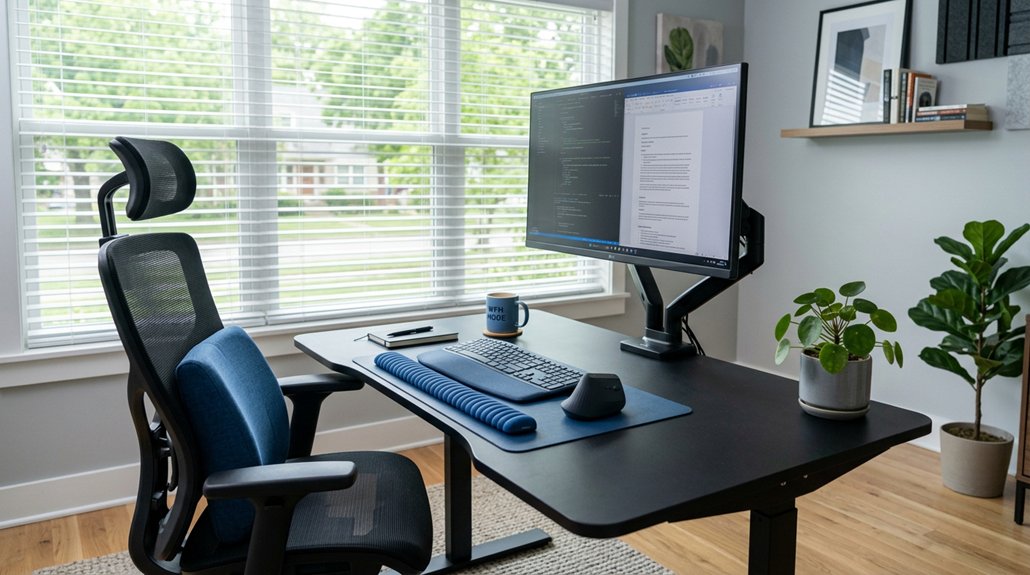
To prevent digital eye strain, set your monitor 20–28 inches away and position the top 4–5 inches below eye level for a natural gaze. Use soft, warm lighting with anti-glare filters, and avoid reflections from windows or overhead lights. Maintain good posture with ergonomic seating, take regular breaks following the 20-20-20 rule, and adjust your screen’s brightness and contrast. If these tips sound helpful, discover more ways to keep your eyes comfortable and healthy.
What Is Digital Eye Strain and Why Does It Happen?
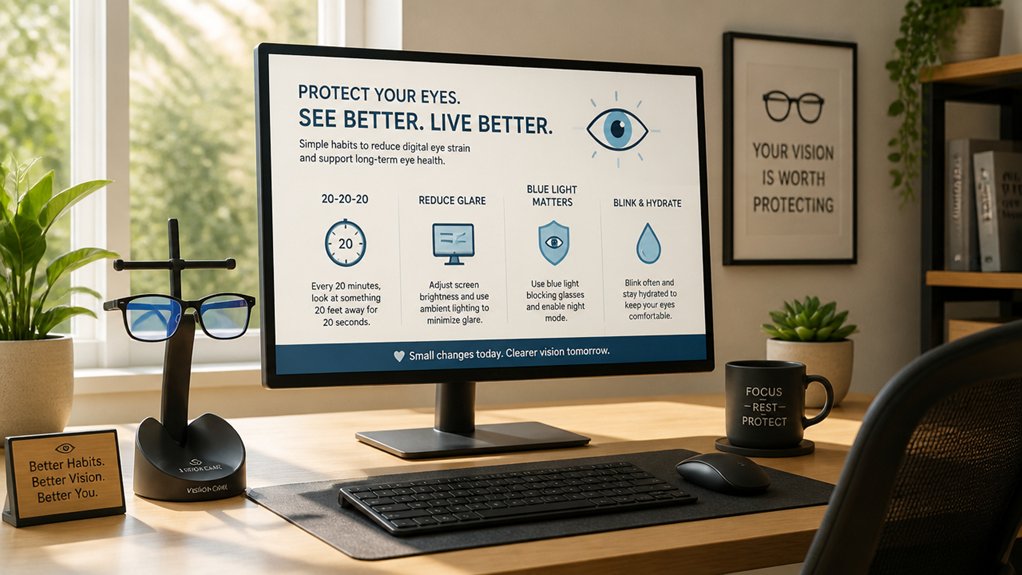
Have you ever noticed your eyes feeling tired or your head aching after hours of staring at a screen? That’s digital eye strain, which happens from prolonged screen use. It occurs because your eye muscles overwork to focus on near screens, leading to fatigue. Reduced blinking from screen time causes dry eyes and discomfort. Using bias lighting kits can help reduce eye strain by providing indirect lighting, lowering the contrast between your screen and the room.
This condition, often called computer vision syndrome, can cause blurred vision, headaches, and neck or shoulder pain. Usually, symptoms start after two or more hours of continuous use without breaks. Poor ergonomics and bad lighting make it worse.
Although digital eye strain doesn’t cause permanent damage, it can greatly affect your concentration and comfort during work or leisure. That’s why managing screen time and practicing good habits matter.
How to Recognize the Signs That You Should See an Eye Doctor
If you notice persistent vision changes or unusual eye discomfort that don’t improve with rest, it’s time to see an eye doctor.
Sudden loss of vision or ongoing blurriness should never be ignored, as they can signal serious issues. Recognizing these signs early helps guarantee your eyes stay healthy and problems are addressed promptly.
Persistent Vision Changes
Persistent changes in your vision, such as blurriness or double vision that linger beyond typical eye strain, signal that you should see an eye doctor. If you notice persistent blurry vision or experience frequent headaches, it’s a sign that your eyes may need professional evaluation.
Eye redness, excessive watering, or dryness that don’t improve with home remedies are also cues to seek an eye examination. You should also be alert to light sensitivity or eye pain during screen use, which may indicate underlying conditions.
If your ability to focus or maintain clear vision worsens over time, or if you notice any new visual disturbances, don’t delay—schedule an eye exam promptly. Addressing these signs early helps prevent further issues and guarantees your eyes stay healthy. Additionally, using proper screen protection can significantly reduce eye strain and blue-light fatigue during prolonged monitor use.
Unusual Eye Discomfort
Unusual eye discomfort during or after screen use can be a warning sign that you need to see an eye doctor. If you experience symptoms like eye pain, blurry vision, redness, watering, or light sensitivity, it’s essential to seek professional help. Persistent discomfort, headaches, or difficulty focusing that doesn’t improve with breaks may indicate underlying issues requiring further evaluation. Be alert to symptoms lasting beyond two hours of screen time or worsening despite preventive measures. Additionally, if dizziness or nausea accompany discomfort during VR or 3-D content, it suggests focusing or convergence problems needing medical attention.
| Symptom | Possible Concern | Action Needed |
|---|---|---|
| Eye pain or persistent redness | Underlying eye or health issues | Consult an eye doctor promptly |
| Blurry vision or irritation | Digital eye strain or disease | Seek professional evaluation |
| Light sensitivity | Possible inflammation | Schedule an eye exam |
| Dizziness with discomfort | Focusing or convergence issues | Get professional advice |
Sudden Visual Loss
Sudden visual loss is a serious warning sign that your eye health may be at risk and needs immediate attention. You might notice sudden blurriness, dark spots, flashing lights, or a curtain-like shadow over part of your visual field.
Accompanying symptoms such as eye pain, headache, dizziness, or nausea signal that something more serious could be happening. Rapid changes in your vision, like double vision or a loss of color perception, also require urgent evaluation.
If you experience these signs, don’t delay—seek immediate medical attention from an eye doctor. Prompt action can prevent permanent damage, so listening to your body and acting quickly is vital whenever these symptoms arise. Your vision depends on timely professional care. Proper eye care is essential to address underlying issues that may be causing sudden vision loss.
Set Up Your Home Office for Eye Comfort
To prevent digital eye strain, you need to set up your home office with ergonomics and lighting in mind. Position your monitor about 20-28 inches from your eyes with the top slightly below eye level, and adjust for minimal glare and balanced light. Use adjustable stands and guarantee your workspace promotes a natural, comfortable viewing experience. Additionally, choosing a monitor stand with excellent adjustment features can help fine-tune the height, tilt, and rotation for optimal comfort.
Optimal Monitor Positioning
Proper monitor positioning is essential for reducing eye strain during long hours at your home office. You should position your screen about 20 to 28 inches (50–70 cm) from your eyes to maintain a comfortable screen distance that supports eye health.
Set the top of your monitor slightly below eye level, about 4–5 inches (10–15 degrees) lower, to promote a natural, slightly downward gaze. Angle the screen so your line of sight falls about 15–20 degrees downward, helping reduce glare and neck strain. Use adjustable monitor stands or arms to achieve ideal height and distance.
Additionally, match your screen brightness to ambient lighting to reduce glare and enhance comfort. Proper positioning helps minimize eye fatigue and promotes better visual health during extended work sessions. Incorporating an anti-glare monitor hood can further improve viewing comfort by blocking stray light and reducing reflections.
Proper Lighting Setup
Creating an ideal lighting setup in your home office is essential for reducing eye strain and maintaining comfort during long work hours. Use soft, diffused ambient light with warm LED bulbs (2700K–3000K) to minimize glare and eye discomfort.
Position your screen perpendicular to windows to avoid direct sunlight, which can cause reflections and glare on your monitor. Employ adjustable blinds or curtains to control natural light and prevent harsh brightness fluctuations.
Avoid overhead lighting directly above your screen; instead, use task lamps placed to the side for balanced illumination. Consider using a matte screen filter or anti-glare coating on your monitor to reduce reflections from ambient and window light sources.
Proper lighting helps protect your eyes and creates a comfortable, visually balanced workspace.
Ergonomic Workspace Design
Setting up your home office with ergonomic principles in mind can greatly reduce eye strain and improve overall comfort. Position your screen about 20-28 inches from your eyes, with the top 4-5 inches below eye level, so your gaze is slightly downward.
Guarantee the screen is centered and tilted 10-15 degrees downward to lessen neck and eye fatigue. Use an ergonomic chair with lumbar support, keep your feet flat, and elbows at or below desk height to prevent tension.
Arrange your desk and lighting to minimize glare by placing your screen perpendicular to windows and utilizing soft, diffused light with adjustable blinds. Incorporate ergonomic accessories like monitor risers, external keyboards, and mouse setups, supporting sustained eye comfort and proper posture. Proper height adjustability of your monitor riser is essential for achieving optimal eye-level alignment and reducing strain.
- Keep your screen at the right distance from your eyes
- Adjust lighting to prevent glare and reflections
- Use ergonomic furniture for better posture
- Position your monitor for ideal viewing angle
How to Position Your Monitor to Reduce Eye Strain
Positioning your monitor correctly is key to reducing eye strain, especially if you spend long hours at your computer. To achieve this, you should position your monitor about 20 to 28 inches (50–70 cm) away from your eyes for a comfortable viewing distance. The top edge of the screen should be approximately 4 to 5 inches (10–15 cm) below your eye level, creating a slight downward gaze of 10 to 20 degrees. Additionally, guarantee the screen center is around 15 degrees below horizontal eye level to minimize eye and neck strain. Use adjustable stands or arms to maintain proper height and distance. Avoid placing the monitor directly in front of bright windows to prevent glare and reflections. Proper installation of privacy screens can also help reduce glare and blue light exposure, further alleviating eye fatigue.
How to Adjust Lighting to Minimize Glare and Improve Comfort

To reduce glare and improve your workspace comfort, it’s essential to manage the lighting carefully. Position your screen perpendicular to windows and avoid direct sunlight hitting the monitor to minimize glare and reflections.
Use soft, diffused overhead lighting with warm bulbs (2700K–3000K) to avoid harsh light that causes eye strain. Adjust light sources around your workspace, ensuring they don’t create reflections or glare on your screen.
Installing adjustable blinds, curtains, or window films controls natural light and reduces overall glare. Consider applying matte screen filters or anti-glare protectors on your monitor to lessen reflections and improve visual comfort.
Additionally, avoid bright, reflective surfaces near your workstation, like glossy walls or shiny desk accessories, that can increase glare and cause discomfort for your workplace eye. Incorporating flicker-free lighting solutions can further diminish eye strain caused by inconsistent brightness levels.
The Best Computer Glasses and Blue Light Filters for Digital Eye Strain
Since digital screens are now a permanent part of most work and leisure routines, choosing the right computer glasses and blue light filters can make a significant difference in reducing eye strain. Computer glasses are designed for intermediate screen distances, easing focusing effort and decreasing digital eye strain. Blue light filters help cut high-energy blue wavelengths that cause fatigue and sleep issues. Anti-fatigue lenses often feature mild magnification and anti-reflective coatings to decrease glare and visual stress during extended screen use. If you wear contacts, switching to computer glasses can alleviate dryness and discomfort. Select lenses that balance brightness and contrast, and combine them with blue light filters for peak comfort. Here’s a quick comparison:
| Feature | Focus Area | Benefits |
|---|---|---|
| Computer glasses | Intermediate distances | Reduce eye strain & fatigue |
| Blue light filters | Blue wavelength exposure | Limit eye fatigue, improve sleep |
| Anti-fatigue lenses | Glare & reflection reduction | Minimize visual stress during screen use |
Use the 20-20-20 Rule to Rest Your Eyes Effectively
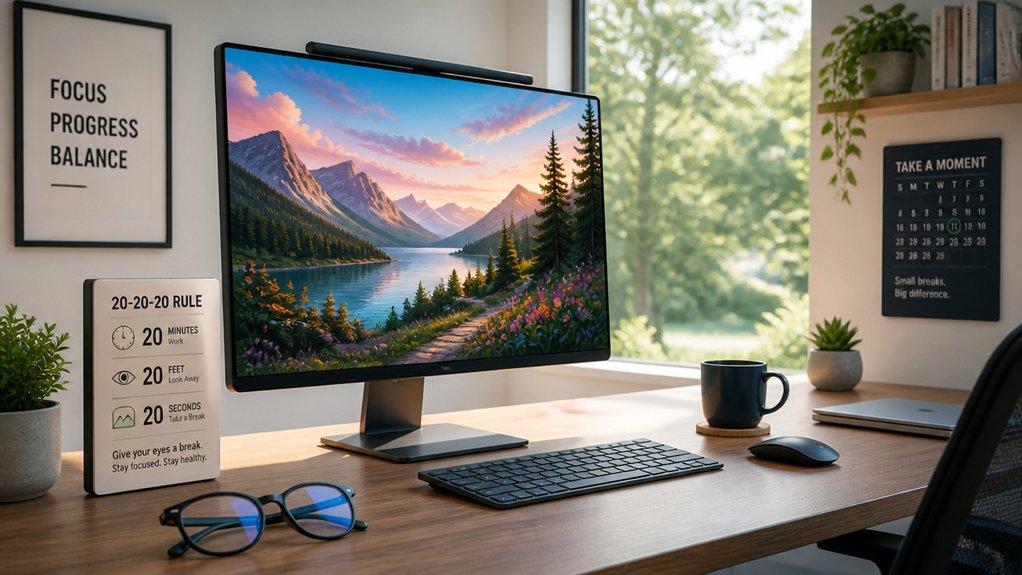
Remember to incorporate break reminders into your routine so you don’t forget to take those essential 20-second eye breaks.
During each break, do eye muscle relaxation exercises to reduce strain and improve comfort.
Following the 20-20-20 rule helps maintain your eye health during long hours at the screen.
Eye Muscle Relaxation Techniques
Eye muscle relaxation is essential for reducing digital eye strain, and the 20-20-20 rule offers an effective way to achieve this. By regularly shifting your focus from your screen to an object 20 feet away for at least 20 seconds every 20 minutes, you give your ciliary muscles a needed break.
This simple technique helps prevent eye fatigue and reduces discomfort caused by prolonged focus on digital screens. Incorporating regular breaks using the 20-20-20 rule isn’t just about relief; it supports sustained visual comfort and helps avoid blurry vision over time.
To make it easier, set a timer or reminder to prompt you for these breaks throughout your workday.
- Prevents accommodative stress on eye muscles
- Supports long-term visual comfort
- Breaks the continuous near-focus demands
- Reduces risk of digital eye strain symptoms
Incorporate Break Reminders
Incorporating break reminders into your routine guarantees you regularly follow the 20-20-20 rule, helping to prevent digital eye strain. Setting regular break reminders makes it easier to take visual breaks every 20 minutes by looking at an object 20 feet away for at least 20 seconds.
These prompts help break the cycle of eye fatigue caused by extended screen time while working from home. Visual breaks allow your ciliary muscles to reset from constant near focus, reducing symptoms like blurred vision and headaches.
Using digital timers or apps can effectively cue you to step back and rest your eyes throughout the day. Consistently following these break reminders guarantees better eye health and sustained visual comfort during your workday.
How to Improve Your Posture and Seating to Help Your Eyes
Adopting an ergonomic seating setup is essential for reducing digital eye strain. Proper posture minimizes neck and shoulder strain, improving overall comfort and eye health. Use an ergonomic chair with adjustable height and lumbar support to keep your back well-supported and promote stable eye muscle alignment during screen time.
Position your screen so that its center is about 10-15 degrees below your eye level, encouraging a slight downward gaze that eases neck and eye tension. Keep your elbows at or just below desk height with neutral wrists to maintain good posture and prevent secondary eye fatigue from tension.
Additionally, supporting your feet with a footrest and alternating between sitting and standing can reduce discomfort and prevent strain in your eyes, neck, and shoulders.
Tips for Managing Screen Brightness and Contrast
Proper posture can only do so much if the screen’s brightness and contrast are mismatched with your environment. To reduce eye strain, adjust your screen brightness to match ambient lighting, avoiding screens that are too bright or too dim.
Increasing contrast improves text clarity and lessens visual fatigue during long hours of work. During evening hours, switch to warmer color temperature settings or enable night mode to cut down blue light exposure, which can contribute to digital eye strain.
Additionally, consider matte filters or anti-glare coatings to minimize reflections that interfere with a clear view. Managing screen brightness and contrast carefully helps your eyes stay comfortable, preventing headaches and fatigue, especially during extended computer use.
What to Do If Eye Strain Persists Despite Prevention Measures
Even with all the preventive measures in place, some signs of eye strain may persist, signaling that your eyes might need professional attention. If you experience persistent symptoms like redness, blurred vision, watery eyes, or light sensitivity, consider scheduling a thorough eye exam with an optometrist.
These symptoms could indicate underlying issues such as dry eye syndrome or binocular vision problems that simple adjustments can’t fix. To address ongoing digital eye strain, ask your eye care professional about prescription computer lenses or specialized contact lenses tailored for screen use.
It’s crucial to avoid self-medicating with over-the-counter drops, as improper treatment could mask serious conditions. A professional evaluation guarantees you get accurate diagnosis and effective treatment options for lasting relief.
Additional Strategies to Maintain Eyesight and Long-Term Comfort
To maintain long-term eye comfort, incorporating practical strategies into your daily routine is essential.
First, follow the 20-20-20 rule: every 20 minutes, look at something 20 feet away and focus to relax your eye muscles. Use proper ergonomic furniture to support good posture, reducing tension that can worsen eye strain. Keep your environment comfortable by using a humidifier to add moisture, preventing dry eyes linked to digital eye strain.
Follow the 20-20-20 rule, use ergonomic furniture, and keep your environment moist to reduce eye strain.
Incorporate eye exercises like focusing on distant objects to further relax your eye muscles during long sessions. Adjust your screen’s color temperature to warmer hues (2700K–3000K) to reduce blue light exposure.
These strategies can help prevent digital eye issues and promote sustained eyesight and long-term comfort.
Frequently Asked Questions
Can Digital Eye Strain Lead to Permanent Vision Damage?
Digital eye strain generally doesn’t cause permanent vision damage, but if you ignore symptoms like pain or blurred vision, it could lead to long-term issues. Take regular breaks and practice good eye care to protect your sight.
How Often Should I Schedule Comprehensive Eye Exams?
You should schedule thorough eye exams every one to two years. Regular checkups help detect issues early, maintain eye health, and guarantee your vision remains sharp, especially if you’re frequently using digital devices for work or leisure.
Are There Specific Exercises to Relieve Eye Tension?
Yes, you can relieve eye tension with simple exercises like the 20-20-20 rule, blinking frequently, and gently rolling your eyes. Take regular breaks to stretch and focus on distant objects, reducing strain effectively.
Does Screen Time Affect Children’s Eyesight?
Yes, too much screen time can strain children’s eyesight, causing discomfort and potential issues over time. You should limit their screen use, encourage regular breaks, and promote outdoor activities to help protect their eye health effectively.
What Are the Latest Advances in Blue Light Filtering Technology?
The latest advances in blue light filtering technology include adaptive filters that adjust based on ambient light, improved screen coatings that block more harmful rays, and specialized glasses with coatings designed to reduce eye strain and enhance visual comfort.



