
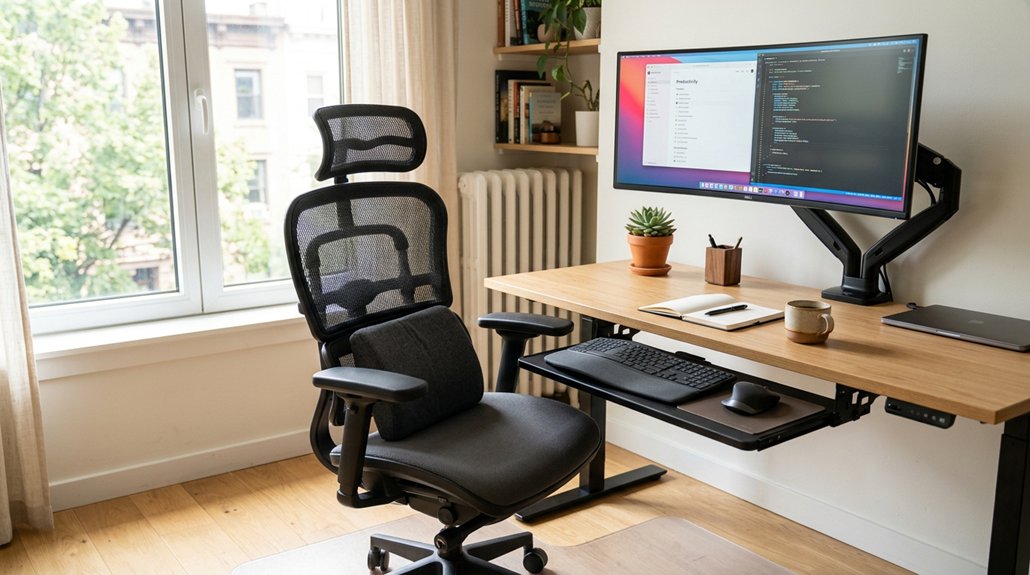
To improve your posture daily, sit fully back with lumbar support, keep your feet flat, and knees at 90°, and guarantee your screen is at eye level. Take breaks every 20-30 minutes to stretch, move, or reset your posture. Use reminders or timers to stay consistent with these habits, and incorporate simple exercises like shoulder rolls or neck stretches. Keep practicing these habits, and you’ll find it easier to maintain good posture for long-term comfort and health.
Why Good Posture Matters for Desk Workers
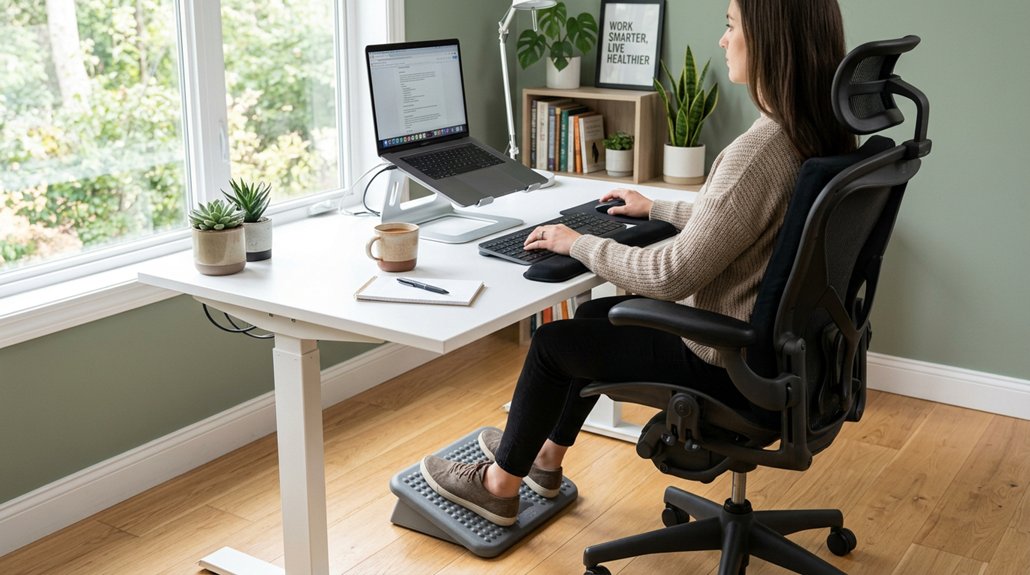
Good posture is essential for desk workers because it helps your body work efficiently and prevents discomfort. When you maintain good posture, you create a balanced distribution of body mass and keep your front and back muscles equally engaged. This alignment reduces strain on your musculoskeletal system and helps prevent back pain, neck tightness, and lower back ache, common issues in prolonged sitting. Incorporating adjustable straps and ergonomic designs can further enhance posture correction and comfort. Poor posture leads to stiffness, soreness, and increased muscle overwork, which worsen as the day goes on. By practicing proper posture, you decrease tissue compression and compensatory strain, ultimately improving your concentration and energy levels. Since over 60% of US adults sit more than six hours daily and posture-related health costs reach $190 billion annually, adopting good posture is crucial for your long-term health and comfort.
Set Up Your Ergonomic Workspace for Comfort and Support
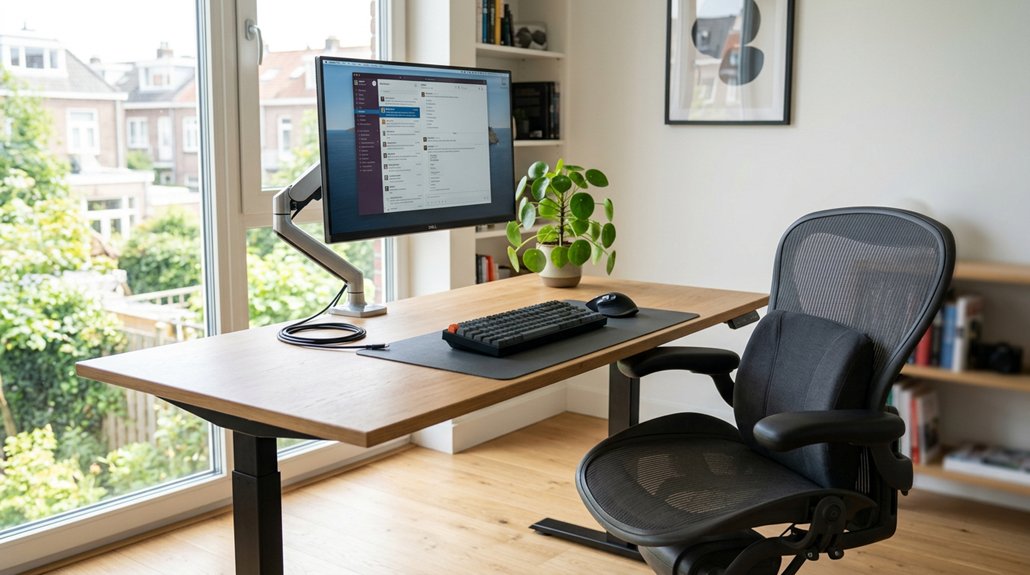
Creating an ergonomic workspace is key to maintaining comfort and supporting your posture throughout the workday. Start by adjusting your chair height so your feet are flat on the floor, with knees at a 90-degree angle and hips level or slightly above knees. This promotes proper alignment and reduces strain. Incorporate lumbar support mechanisms to maintain natural spine curves and prevent lower back pain. Your desk height should allow for your elbows to be bent between 90 and 120 degrees, keeping your upper arms close to your sides. Position your computer screen at or just below eye level, about an arm’s length away, with a slight tilt of 10-20° to lessen neck strain. Guarantee your workspace provides enough foot and leg clearance, and use a footrest if necessary to improve circulation and support. Proper setup is essential for comfort and long-term health.
How to Keep Proper Sitting Posture Throughout the Day
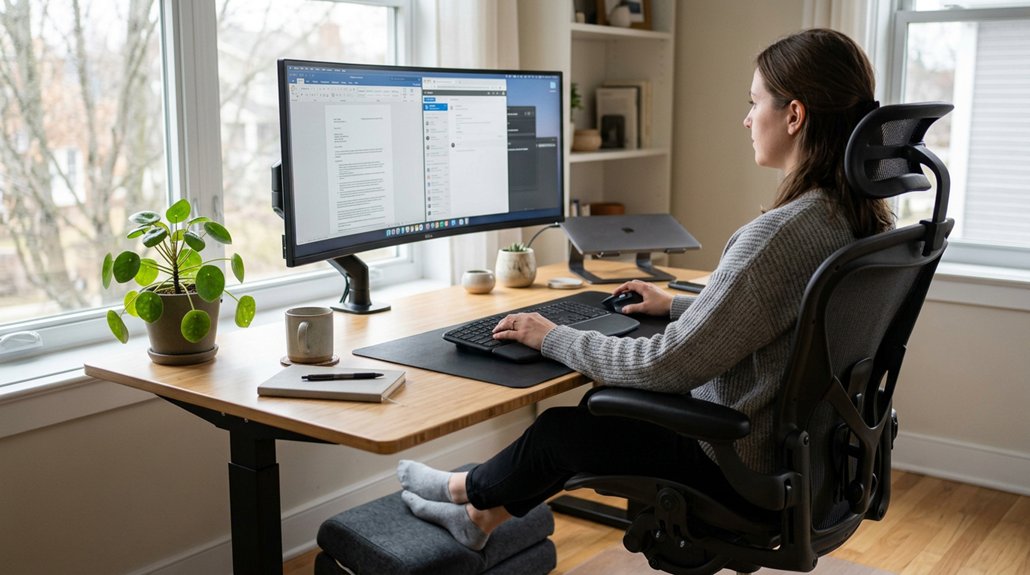
To stay comfortable and avoid strain, keep your spine in a neutral position and support your lower back. Remember to take short movement breaks every 20-30 minutes to reset your posture and reduce muscle fatigue. Staying mindful of your positioning and moving regularly helps maintain proper sitting habits all day. Incorporating ergonomic support technology like lumbar cushions with high-density memory foam can further enhance spinal alignment and comfort during long hours of sitting.
Maintain Neutral Spine Position
Maintaining a neutral spine while sitting at your desk is essential for preventing discomfort and long-term back issues. To do this, sit fully back in your chair, ensuring your lumbar support contours to your lower back’s natural curve.
Keep your feet flat on the floor or on a footrest, with knees bent at roughly 90 degrees and hips level or slightly above knee height. This position helps distribute your body weight evenly and promotes good alignment.
Keep your head stacked over your shoulders, and your ribs aligned over your pelvis to avoid forward head posture. Rest your elbows close to your sides, bent between 90-120 degrees, with relaxed shoulders and neutral wrists on the keyboard.
Regular posture resets every 20-30 minutes will also help maintain this neutral spine position throughout the day. Using adjustable armrests can support your elbows and shoulders, helping to reduce fatigue and encourage proper ergonomics.
Incorporate Regular Movement Breaks
Regular movement breaks are key to staying comfortable and avoiding stiffness throughout your workday. Taking short, walk arounds every hour helps reduce the strain on your muscles and joints, ensuring better circulation and less fatigue. Set a timer for every 20-30 minutes, and perform brief standing, stretching, or walking routines. After emails or phone calls, gently realign your head over shoulders and shoulders over hips to reset your posture. Use active movements like shoulder rolls or chin tucks during breaks to counter neck tightness and backache. Alternating between sitting and standing every 15-30 minutes with a sit-stand desk prevents rigid postures. Incorporating these habits keeps you energized and reduces discomfort throughout the day. Maintaining proper desk height range supports ergonomics and promotes better posture habits.
Key Posture Cues to Stay Aligned and Prevent Slouching
Using visual reminders, like sticky notes or phone alerts, can prompt you to check and reset your posture throughout the day. Engaging in active movements, such as shoulder rolls or standing briefly after email exchanges, helps keep your muscles engaged and aligns your body. Incorporating biofeedback mechanisms from posture devices further reinforces correct positioning by providing gentle vibrations or alerts when you slouch.
Use Visual Reminders
Visual cues act as effective anchors to help you stay mindful of your posture throughout the day. Using visual reminders like posture cue cards, stickers on monitors, or posture apps reinforces good postural habits, keeping your neck in a neutral position and reducing upper back strain. Incorporating ergonomic accessories, such as armrest pads designed for elbow relief, can also support proper arm positioning and help maintain overall postural health. These cues prompt you to reset your posture after emails, meetings, or calls, preventing slouching and early postural drift. By regularly adjusting your head over your shoulders, aligning your ribs over your pelvis, and keeping feet flat, you maintain natural spinal alignment. Gentle reminders to lift your breastbone and relax your shoulders also ease tension in your neck and upper back, minimizing discomfort. Incorporating these visual cues improves consistency, diminishes muscle strain, and prevents chronic neck pain.
Engage in Active Movement
Engaging in active movement throughout your workday is key to maintaining good posture and preventing slouching. Set a timer every 20-30 minutes for microbreaks, during which you can sit up straight and perform brief posture resets like shoulder rolls and chin tucks.
Incorporate short walks or stand at your sit-stand desk every 15-30 minutes to break prolonged sitting, avoid locked knees, and keep shoulders relaxed. Use cues tied to activities, such as after emails or meetings, to remind yourself to stack your head over shoulders and keep ribs over pelvis.
Gentle core bracing, combined with relaxed breathing, supports spinal alignment and reduces forward head posture. If needed, consult physical therapy to develop tailored movement strategies for better posture throughout your workday. Additionally, leveraging ergonomic supports such as adjustable arm rests and wrist supports can further enhance comfort and maintain proper arm and wrist positioning during extended typing or mouse use.
Simple Desk Exercises to Strengthen and Reinforce Good Posture

Incorporating simple desk exercises into your daily routine can greatly strengthen your posture and reduce discomfort. These movements help reinforce good sitting posture and prevent strain.
Start with seated spinal twists to enhance spinal mobility and relieve lower back tension through gentle rotation while staying upright.
Neck and shoulder stretches, like tilting your head toward each shoulder, can release tightness in these muscles from prolonged sitting.
Leg extensions strengthen your quadriceps and boost leg circulation, counteracting stiffness.
Shoulder rolls in circular motions (10-15 times each direction) ease upper back and shoulder tension while reinforcing active posture habits.
Set timers to perform these exercises every hour. Pairing them with hydration and brief walking breaks promotes sustained posture improvements and reduces discomfort throughout your workday.
Furthermore, maintaining an ergonomic seating position with proper lumbar and coccyx support, such as the use of coccyx seat cushions, can significantly enhance your sitting comfort and spinal alignment.
Why Regular Movement Breaks Boost Spinal Health and Circulation
Taking regular movement breaks boosts your circulatory flow and reduces muscle tension, preventing stiffness and fatigue. When you stand or walk briefly every so often, you help improve blood circulation and bring nutrients to your spinal tissues. These small pauses also reset your posture, easing strain on your neck, back, and hips. Incorporating ergonomic footrests into your workspace can further support proper leg positioning and promote subtle leg movement during breaks.
Enhances Circulatory Flow
Regular movement breaks every 30 minutes play a crucial role in maintaining healthy blood flow and supporting spinal health. Sitting for long periods causes compression of blood vessels and spinal discs, which can limit circulation and nutrient delivery. By taking movement breaks, you help prevent this stagnation, encouraging fresh blood flow to essential areas.
Standing or walking briefly every hour increases circulation and joint mobility, reducing stiffness and lowering the risk of chronic pain. Microbreaks that include gentle stretches activate postural muscles and support lymphatic drainage, further aiding circulation and reducing inflammation.
Incorporating short walks during TV breaks or using treadmill desks also boosts steps and spinal decompression, promoting overall circulatory health and minimizing postural issues common in desk work.
Reduces Muscle Tension
Frequent movement breaks are essential because they help release muscle tension that builds up from prolonged sitting. Sticking to poor desk ergonomics or maintaining the same posture for hours can cause back pain and stiffness. Moving every 20-30 minutes for 20-60 seconds relieves static muscle load and improves circulation, preventing tightness that worsens posture.
Standing and walking briefly every hour promote joint motion and keep blood flowing, reducing muscle fatigue. Simple posture resets like shoulder rolls and chin tucks 2-4 times daily help loosen tension in the neck and upper back muscles, preventing chronic tightness.
Incorporating these active breaks counters the gravitational strain that worsens muscle tension, keeping your muscles relaxed and reducing discomfort caused by prolonged sitting.
Adjust Your Chair and Monitor for Maximum Comfort
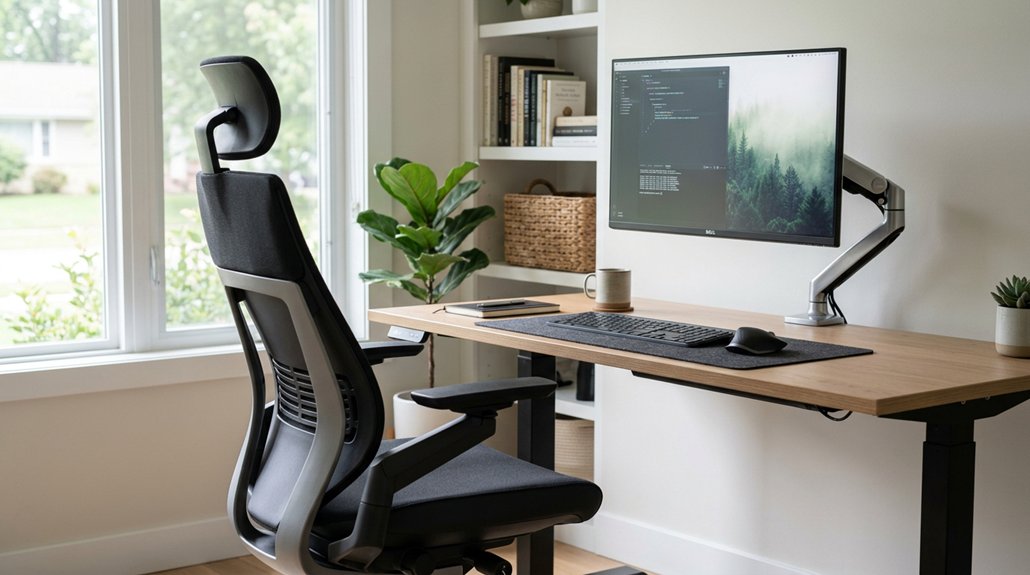
To guarantee maximum comfort while working at your desk, it’s essential to properly adjust your chair and monitor.
First, adjust your chair height so your feet are flat on the floor, with knees bent at 90 degrees, and hips level or slightly above knees. Sit fully back in your chair, using lumbar support or a lumbar roll to support the natural curve of your lower back and reduce strain.
Position your monitor directly in front of you at arm’s length, with the top of the screen at or just below eye level, to prevent neck tilting and eye strain. Confirm your desk height allows your elbows to bend between 90-120 degrees with relaxed shoulders. Use an external keyboard and laptop stand if needed to achieve proper monitor height and comfortable hand positioning.
Using Your Sit-Stand Desk Safely and Effectively
Using your sit-stand desk effectively requires starting with short standing intervals of 15 to 30 minutes and gradually increasing them as your body adjusts.
Begin with 15-30 minute standing sessions and gradually increase as your body adapts for healthier, ergonomic working habits.
To maximize ergonomic alignment and prevent fatigue, follow these steps:
- Keep subtle movement in your legs—avoid locking your knees—to boost circulation and reduce joint stiffness.
- Switch between sitting and standing frequently, using timers or cues to prompt movement breaks and avoid static postures.
- Adjust your monitor to eye level and keyboard to elbow height, ensuring proper posture at work whether sitting or standing.
Spot and Fix Common Posture Mistakes at Your Desk
Are you aware of the common posture mistakes that can subtly strain your muscles and joints throughout the day? Poor posture, especially slouching, puts unnecessary stress on your neck and back, leading to discomfort and pain.
To spot and fix these issues, keep your breastbone lifted and your head aligned over your shoulders to evenly distribute workload among postural muscles. Make sure your monitor is at eye level, about an arm’s length away, with a slight tilt to prevent chin tilting and neck tension.
Maintain your elbows at 90-120° angles, keeping upper arms close to your sides and wrists neutral. Adjust your chair so your feet rest flat, knees are at a right angle, and your lower back has lumbar support.
Take posture breaks every 20-30 minutes with simple movements to avoid stiffness and pain.
How to Develop Long-Term Posture Habits That Stick
Building long-term posture habits requires a strategic approach that integrates small, manageable changes into your daily routine. To maintain posture without rigidity, focus on consistent cues linked to daily tasks, like emails or calls, to detect early posture drift.
Incorporate microbreaks every 20-30 minutes for 20-60 seconds to reset your neutral positioning and prevent muscle fatigue. Gradually make workstation adjustments, starting with chair height and monitor placement, then add movement breaks and exercises.
Remember, avoid perfectionist “sit perfectly” mandates; instead, embrace small posture resets and flexibility. By tracking how your body responds—notice discomfort or pain—you can adapt your habits for better long-term adherence and reduce strain over time.
Professional guidance may be needed if pain persists.
When to Seek Professional Help for Persistent Posture Issues
Persistent posture issues that don’t improve despite making ergonomic adjustments and incorporating regular movement often indicate a need for professional help. If you experience ongoing pain, radiating symptoms, numbness, tingling, or frequent headaches linked to desk work, it’s time to see a specialist.
A Physical Therapist can provide an individualized assessment and tailored treatment plan to address your specific posture concerns. Pain that worsens after surgery, flares up from old injuries, or positions that normally help but now cause discomfort also signal the need for expert evaluation.
According to a 2023 study, many desk workers with low back pain find that rigid ergonomic rules worsen their condition. Seeking professional help guarantees you get the personalized care necessary to improve your posture and reduce pain effectively.
Your Daily Posture Routine: A Step-by-Step Action Plan
Establishing a consistent daily posture routine is essential for preventing discomfort and maintaining spinal health during long hours at your desk.
Consistent posture habits prevent discomfort and support spinal health during long desk hours.
To improve posture, follow these steps:
- Reset your posture every 20-30 minutes. Finish an email or call, then stack your head over shoulders and lift your breastbone to avoid muscle fatigue.
- Take brief movement breaks. Stand or walk for 1-2 minutes every 30 to 60 minutes to reduce static load and boost circulation.
- Use an adjustable chair with feet flat on the floor, knees at 90 degrees, and lumbar support.
Alternating sit and stand sessions with a sit-stand desk at 15-30 minute intervals can further enhance your posture, especially if your monitor and keyboard are properly aligned.
Frequently Asked Questions
How to Have Good Posture When Working a Desk Job?
To maintain good posture at your desk, position your monitor at eye level, sit fully back with lumbar support, keep feet flat, position elbows close, relax shoulders, and take microbreaks. Use active cues like shoulder rolls regularly.
What Is the 20/8-2 Rule for Standing Desks?
The 20/8-2 rule involves standing for 20 minutes, sitting for 8, and moving for 2 within every 30-minute period. You should alternate positions frequently, starting with 15-30 minute standing intervals, to prevent fatigue and enhance circulation.
Can Posture Affect the Vagus Nerve?
Posture can indeed affect the vagus nerve by causing mechanical stress or compression when your head is forward or shoulders are rounded. Maintaining an aligned, upright position and practicing deep breathing help reduce tension and support nerve function.
What Is the 90-90-90 Rule for Sitting?
The 90-90-90 rule for sitting means you keep your hips, knees, and ankles all bent at about 90 degrees, with hips level or slightly above knees, feet flat, and elbows between 90-120 degrees for proper support.



