

You’ll find the most comfortable wheelchair‑accessible desks fall between 27 inches and 34 inches, matching a 90‑degree elbow angle for each user type. For standard ADA‑compliant seats, aim for 28‑30 inches; adjustable‑seat wheelchairs work best at 31‑33 inches; tall users need roughly 34‑36 inches; and low‑profile or pediatric chairs fit nicely at 27‑28 inches. These heights ensure proper knee clearance and ergonomic typing, and the guide below explains how to fine‑tune each option.
How to Choose the Right Wheelchair‑Accessible Desk Height

Where can you find the perfect desk height for your wheelchair? You start by checking wheelchair-accessible desks that offer a desk height range of 28–34 inches, ensuring the surface aligns with an elbow angle of 90 degrees while typing. An adjustable desk lets you fine‑tune the height to match your seat and armrest position, keeping forearms parallel to the floor. Verify knee clearance of 8–12 inches for adequate legroom and smooth wheelchair movement. Look for ADA‑compliant desks with armrests below 26 inches so you can slide your wheelchair under without obstruction. Three‑stage designs expand the range, giving lower and higher settings for diverse wheelchair users. Prioritize these specs to achieve comfort, efficiency, and accessibility.
Optimal 28‑30‑inch Height for Standard Wheelchair Seats (ADA‑Compliant Comfort)
After confirming the desk’s overall height range and clearance, focus on the 28‑30‑inch sweet spot that matches most standard wheelchair seats. This wheelchair‑accessible, ADA‑compliant desk height aligns the forearms parallel to the ground, giving you a natural elbow angle for typing comfort. At 28–30 inches, the surface sits just above the typical 17–20‑inch seat height, leaving ample knee clearance for leg movement.
Adjustable desks let you fine‑tune the height within this range, ensuring the elbows stay at a 90‑degree angle without straining shoulders. When the desk meets these dimensions, you’ll experience smoother typing, reduced fatigue, and a workspace that respects both ergonomic and accessibility standards.
Recommended 31‑33‑inch Height for Adjustable‑Seat Wheelchairs

Wondering how to keep your elbows at a comfortable 90‑degree angle when you’re in an adjustable‑seat wheelchair? Aim for a desk height of 31–33 inches. This range delivers wheelchair accessibility while preserving knee space and meeting ADA‑compliant standards. An ergonomic height lets you type without slouching, and a height‑adjustable desk ensures you can fine‑tune the surface each time you sit.
Aim for a 31–33‑inch desk height to keep elbows at a comfortable 90‑degree angle while preserving knee space.
- Set the desk surface within 31–33 inches for suitable elbow angle.
- Use an adjustable desk to accommodate seat‑height variations.
- Verify that knee space remains clear for smooth wheelchair movement.
Ideal 34‑36‑inch Height for Tall Users and Sit‑to‑Stand Transitions
If you’ve settled on a 31–33‑inch desk for standard elbow positioning, you’ll find that taller users often need a bit more height. A 34‑inch surface gives a proper 90‑degree elbow angle while seated, keeping your arms relaxed and wrists neutral.
Choose adjustable‑height desks that reach 34 inches to stay wheelchair‑accessible and ADA‑compliant, allowing you to fine‑tune the ergonomic height for each user. Ensure sufficient knee clearance so thighs rest comfortably under the tabletop during sit‑to‑stand transitions.
The extra lift reduces bending when moving from seated to standing, supporting smoother posture changes. Pair the desk with appropriate armrests and monitor mounts to maintain a balanced posture across the full height range.
Best 27‑28‑inch Height for Low‑Profile or Pediatric Wheelchairs
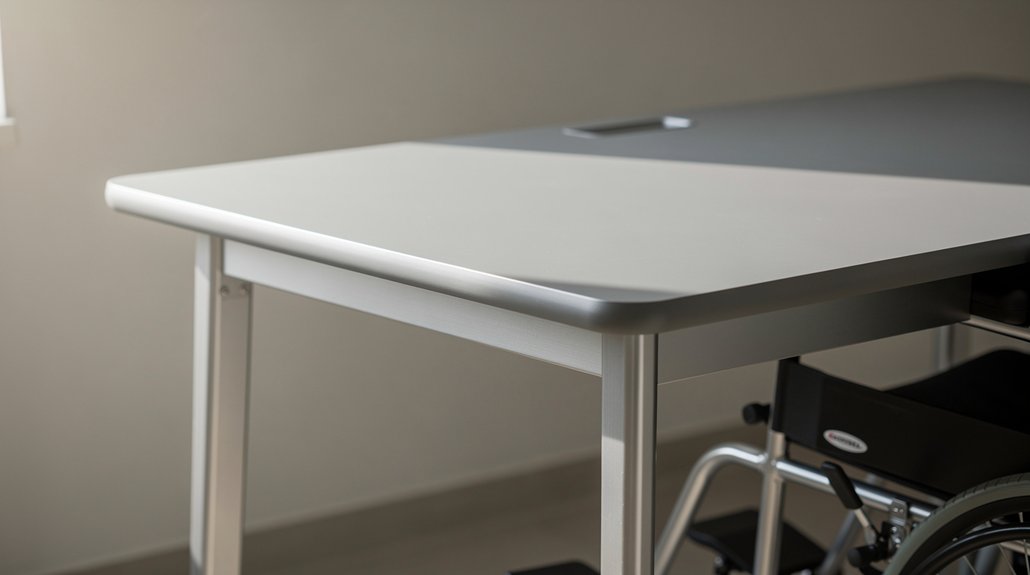
How tall should a desk be for low‑profile or pediatric wheelchairs? Aim for a wheelchair‑accessible desk height of about 27 inches. That range gives the 8–12 inches of knee clearance you need when the seat sits 17–20 inches off the floor, and it meets ADA‑compliant standards for low‑profile wheelchairs and pediatric wheelchairs alike.
- 27‑inch desk height aligns with typical knee clearance and elbow comfort.
- Adjustable desks can drop to 27 inches, ensuring compatibility with smaller wheelchair models.
- ADA‑compliant designs guarantee the underside stays clear, preventing leg obstruction.
Choosing a 27‑28‑inch height lets you keep the work surface within easy reach, supports proper posture, and provides the flexibility needed for growing children or compact wheelchair frames. This precise measurement eliminates guesswork and creates a functional, inclusive workspace.
Frequently Asked Questions
How Tall Should a Desk Be for a Wheelchair?
You should set the desk between 28 and 34 inches high, adjusting until your elbows form a 90‑degree angle and your forearms stay parallel to the floor, ensuring comfortable, ergonomic typing.
Is 29 Inches Too High for a Desk?
No, 29 inches isn’t automatically too high; it fits the typical 28‑34 inch range. If your elbows can stay at a 90‑degree angle while seated, it’s fine—otherwise adjust the desk or add a tray.
What Is the ADA Height for a Desk?
You’ll find the ADA‑recommended desk height between 27 and 34 inches, with 27 inches as the minimum for knee clearance. Aim for an adjustable range—ideally 28–34 inches—to accommodate various wheelchair users.
Is It Better for a Desk to Be Too High or Too Low?
You’ll find it’s worse to have a desk too high; it blocks knee clearance and forces shoulder strain. A slightly low desk still lets you adjust, keeping elbows near 90 degrees and reducing fatigue.
In Summary
Pick the height that matches your chair and needs, and you’ll enjoy a workspace that’s comfortable, safe, and efficient. Whether you’re using a standard seat, an adjustable one, a tall chair, or a pediatric model, the right desk height keeps you properly aligned, reduces strain, and lets you focus on what matters—getting the job done.




Leave a Reply