
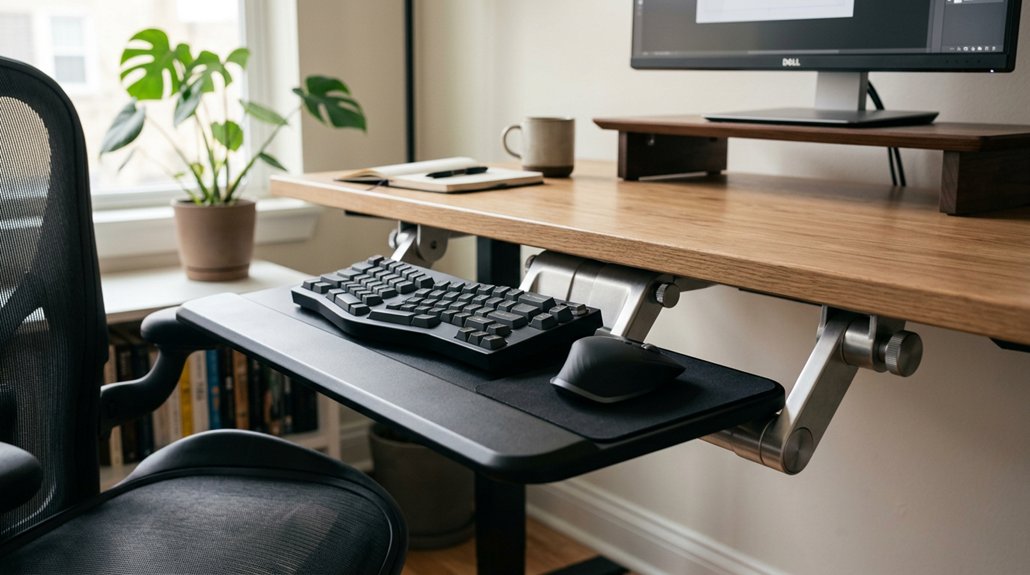
Your keyboard tray height is essential for maintaining comfortable and safe posture during long hours at your desk. If it’s too high or low, you risk wrist, shoulder, and back strain from awkward angles. The key is to keep the tray just below your elbow, with forearms parallel to the floor and wrists straight. Proper setup prevents fatigue and injury, and understanding how to optimize your tray position can make a real difference—keep going to learn more.
Why Proper Keyboard Height Matters for Comfort and Safety
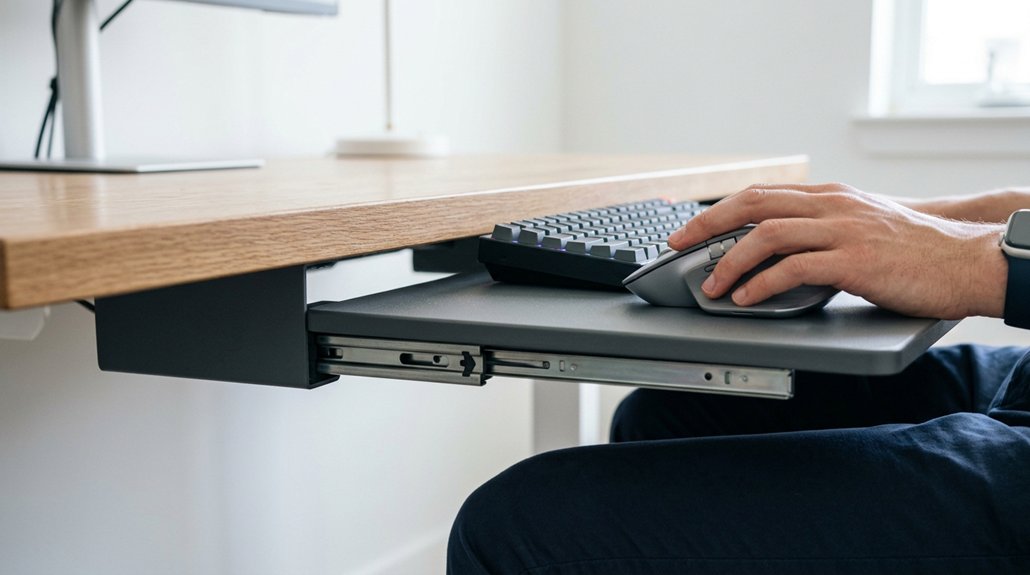
Setting your keyboard at the correct height is essential for comfort and safety because it helps maintain proper wrist and arm alignment. An ergonomic typing setup encourages your keyboard height to be just below elbow level, so your elbows bend at 90° and your forearms remain parallel to the floor.
Keeping your wrists straight and flat reduces wrist strain and helps prevent issues like carpal tunnel syndrome. If your keyboard is too high or on a desk surface, you may lift your shoulders or bend your wrists upward, causing shoulder tension and forearm fatigue. Proper adjustable trays can help accommodate your desk setup and ensure optimal positioning.
An adjustable keyboard allows you to customize your setup, promoting a neutral posture and reducing long-term injury risk. Proper keyboard height supports overall ergonomic health, keeping you comfortable and safe during extended typing sessions.
Common Mistakes That Cause Wrist and Shoulder Strain
Many common setup mistakes can lead to wrist and shoulder discomfort. When your keyboard is too high, too low, or placed too close or far, your muscles work harder, increasing strain. Using an ergonomic keyboard with adjustable tilt can help maintain a neutral wrist position and reduce pressure. Adjusting your position can help reduce fatigue and prevent injury.
Improper Keyboard Positioning
Improper keyboard positioning is a common mistake that can lead to wrist and shoulder strain. If your keyboard tray is too high or too low, your keyboard position may force your wrists into awkward angles, causing wrist pain or nerve compression.
To avoid this, you should adjust your keyboard height so your wrists stay in a neutral wrist position—neither flexed nor extended. Using tilt adjustments can help maintain a comfortable wrist angle and prevent repetitive strain. An overly positive tilt raises wrist extension, increasing the risk of carpal tunnel syndrome.
Make sure your shoulders feel relaxed and your elbows are at a comfortable angle—too close or too far from the keyboard can worsen strain. Proper positioning minimizes tension and promotes ergonomic comfort during long hours of work. Incorporating ergonomic grip features into your tools can also help reduce hand fatigue and maintain proper finger and wrist alignment.
Excessive Reach and Distance
When your keyboard is placed too far from you, it forces your arms into an overextended position, which can strain your shoulders and upper back.
An improper keyboard tray setup increases excessive reach, making it difficult to keep elbows close to your sides, disrupting proper arm alignment. This often results in your forearms not remaining parallel to the floor and causes wrist dorsiflexion or awkward angles.
The strain from reaching too far can trigger shoulder muscle tension and contribute to shoulder hunching, elevating discomfort in your neck and upper shoulders.
Adjusting your keyboard tray to guarantee the keyboard is within comfortable reach allows you to keep elbows close and maintain a neutral arm position, reducing upper back strain and preventing those painful muscle tensions. Ergonomic features help support proper positioning and prevent unnecessary strain during extended use.
How a Keyboard Tray Corrects Your Desk Setup
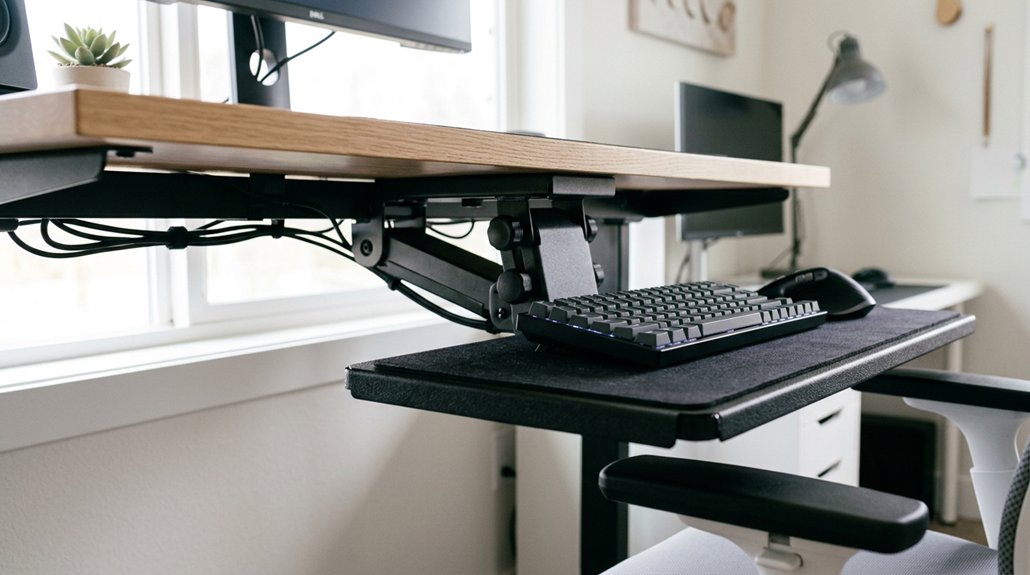
A keyboard tray helps you set up your workspace for better posture by lowering your keyboard to a comfortable height, with elbows bent at 90° and shoulders relaxed. It also creates extra space below your desk, reducing clutter and allowing easier movement. With adjustable features, a tray guarantees your wrists stay neutral and your entire setup stays ergonomic. Proper mounting stability ensures the tray remains secure during use, preventing accidents or misalignment.
Adjusts for Proper Posture
- Maintaining proper posture through ideal height adjustment
- Promoting neutral wrist positioning with negative tilt
- Reducing strain by keeping elbows relaxed and wrists straight
Creates Space Below Desk
Adjusting the keyboard height with a tray creates valuable space below your desk, helping to optimize your workstation setup. The keyboard tray provides room beneath the desk surface, offering extra space under the desk for ergonomic arm positioning. This space allows you to set the keyboard below the desk height, maintaining proper elbow angles near 90 degrees and keeping forearms parallel to the floor, which supports neutral wrist posture. Trays with slide adjustments enable easy customization of the keyboard distance and tilt, improving comfort without sacrificing leg clearance. Ensuring the desk thickness compatibility of your mounting solutions is essential for stable and secure placement.
Choosing the Best Ergonomic Keyboard Tray for Your Workspace
How do you choose the right ergonomic keyboard tray for your workspace? Start by considering key features like adjustable height and negative tilt (−5° to −15°), which promote proper posture by keeping wrists straight and elbows at 90°. A new, ergonomic design feature to look for is split-layouts, which mirror natural hand posture and enhance comfort during prolonged use. A sliding keyboard helps you position it close to your body, reducing shoulder strain. Look for options like clamp-on trays for easy installation, especially if you rent, or under-desk mounted trays for added stability. Choose a tray compatible with your desk depth and standing desk setup to guarantee proper knee clearance and fitting. Additionally, select a tray with wrist support and a mouse platform to keep arms, shoulders, and wrists comfortable during long work sessions. Prioritize these elements to optimize your ergonomic workspace.
Features to Look for in an Adjustable Ergonomic Keyboard Tray
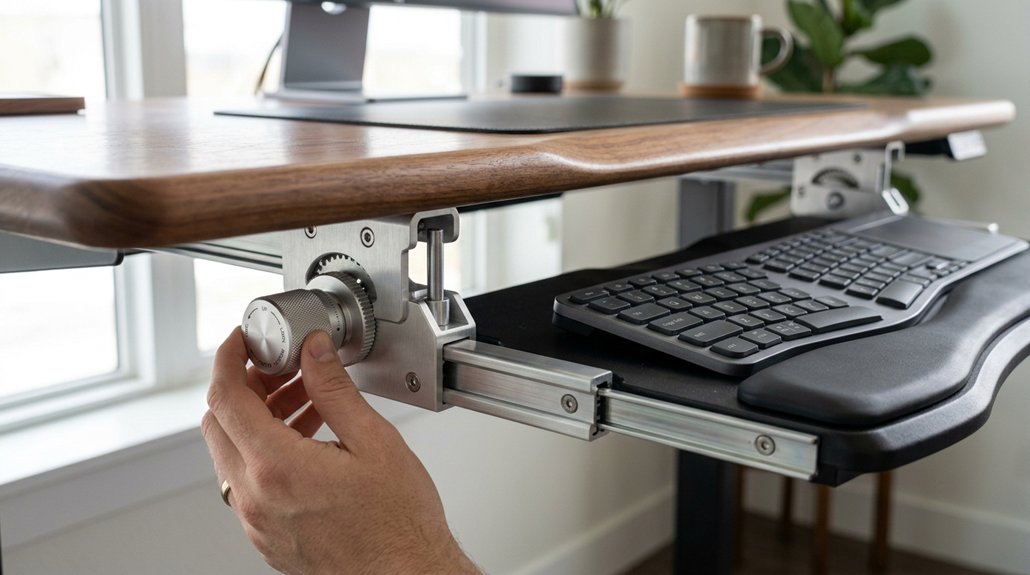
What features should you prioritize when selecting an adjustable ergonomic keyboard tray? First, make certain it offers height independently adjustments, allowing you to position the keyboard 2 to 4 inches below your desk surface. This keeps elbows bent at 90° and wrists straight. Look for a negative tilt, adjustable between −5° to −15°, to promote a neutral wrist posture. Track-mounted mechanisms provide precise control over keyboard and mouse distance, reducing arm strain and shoulder hunching. Stability and solid build prevent wobbling during typing. Compatibility with an adjustable desk or under-desk mounting options guarantees versatility. Here’s a quick comparison:
| Feature | Benefit | Consideration |
|---|---|---|
| Height adjustability | Customize to fit posture | Track-mounted mechanisms |
| Negative tilt | Supports wrist alignment | Range of −5° to −15° |
| Stability and build | Prevent wobbling | Solid, durable materials |
Additionally, ensuring the adjustability range supports your specific workspace setup and ergonomic needs will maximize comfort during prolonged use.
How to Position Your Keyboard and Tray for Comfortable Posture
To achieve a comfortable and ergonomic setup, position your keyboard tray so the keyboard sits just below your elbow height, allowing your forearms to stay parallel to the floor with elbows bent at about 90°.
This helps keep your wrists straight during typing and prevents strain.
- Choose a tray that offers a slight negative tilt (−5° to −15°) to maintain the correct height and reduce upward wrist bending.
- Keep your mouse on the same level as your keyboard on the desk to avoid reaching or awkward arm angles.
- Adjust the tray’s distance so elbows stay close to your sides, promoting a relaxed, neutral shoulder posture whether sitting or standing at your standing desk.
This positioning promotes an ergonomic setup, minimizes tension, and supports healthy wrist alignment.
Tips for Maintaining Healthy Keyboard Habits and Preventing Discomfort
Maintaining healthy keyboard habits is essential for preventing discomfort and long-term strain. Adjust your keyboard tray so your elbows stay bent at 90° with your forearms parallel to the floor. This helps keep your posture balanced and prevents pressure on the carpal tunnel.
Set the keyboard height with a slight negative tilt of −5° to −15° to keep your wrists straight and reduce repetitive stress injuries. Keep your mouse at the same height and on the same tray as your keyboard to avoid awkward arm angles.
Avoid resting your wrists on supports while typing, as they can push your keyboard away, causing reach-related discomfort. Remember to take breaks and practice gentle typing to support long-term ergonomic health.
Frequently Asked Questions
How High Should a Keyboard Tray Be?
You should position your keyboard tray just below your elbow height, so your elbows are at a 90° bend, forearms parallel to the floor, and wrists stay straight, reducing strain and preventing discomfort during both sitting and standing.
Is It Better to Have Your Keyboard Higher or Lower?
You should have your keyboard lower, just below elbow height, with elbows at 90°. This neutral position reduces strain, keeps wrists straight, and prevents discomfort, making your workspace more ergonomic and comfortable.
How Tall Should My Desk Be if I’m 5’7″?
If you’re 5’7″, aim for a desk height of about 27 to 28 inches. Adjust with a keyboard tray set 2 to 4 inches below the surface, so your elbows stay at 90 degrees and wrists remain neutral.
Is 29 Inches Too High for a Desk?
Yes, 29 inches is generally too high for a desk if you’re around 5’7″. It often causes awkward wrist and shoulder positions, leading to discomfort and strain, so lowering the desk or using a keyboard tray improves ergonomic alignment.



