
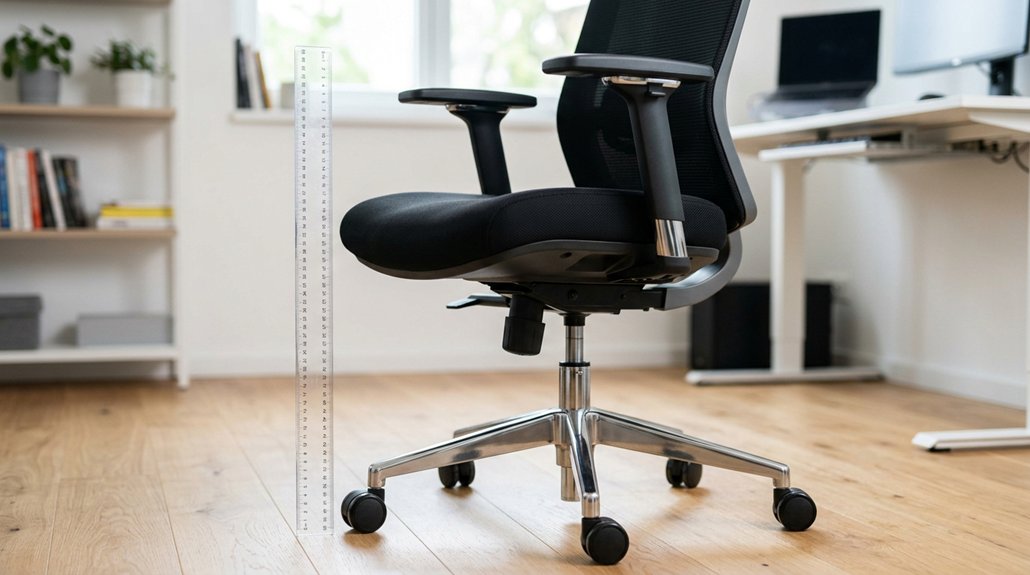
To measure your office chair height accurately, sit with your back supported and feet flat on the floor or footrest. Use a tape measure to find the distance from the floor to the top of your seat cushion, ideally just below your kneecap. Adjust the chair so your knees are at a 90° angle, with enough space behind your knees. Want to learn how to make this setup even more comfortable? Keep going for detailed tips.
Why Your Office Chair Height Matters for Health and Comfort
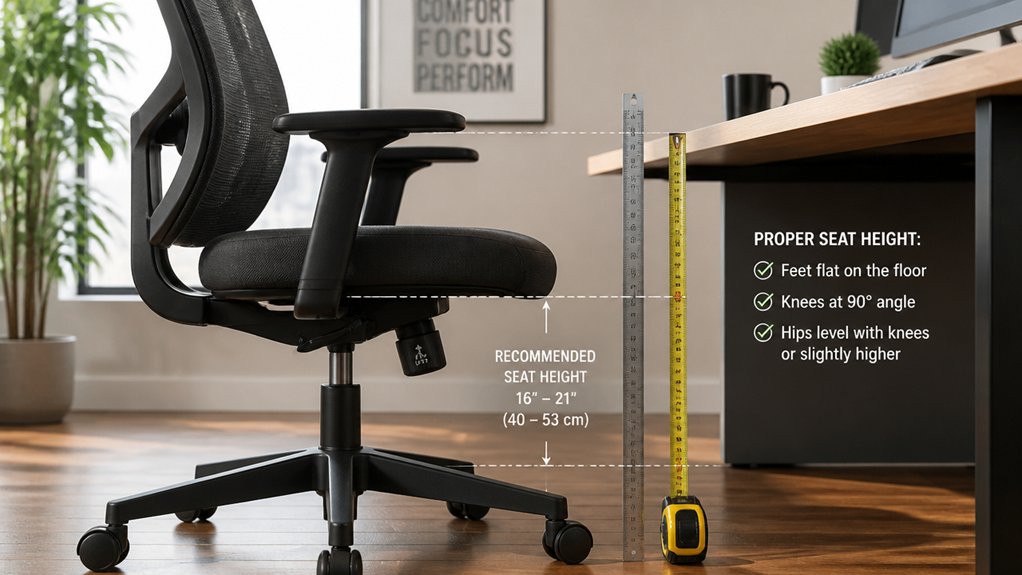
Your office chair height directly impacts your comfort and overall health while working. A proper chair position guarantees your feet are flat on the floor or footrest, with knees at about a 90-degree angle. This promotes ideal sitting, reduces back and neck pain, and encourages better posture.
An ergonomic chair that supports your lumbar region and evenly distributes weight helps prevent pressure behind your knees and improves circulation. Adjust your chair height so your knees are slightly lower than your hips, supporting the lumbar curve.
Incorrect positioning—too high or low—can cause muscle fatigue, discomfort, and poor blood flow. An adjustable chair allows you to tailor your setup, accommodating individual body differences and footwear, making every working hour more comfortable and safe. Additionally, lumbar support mechanisms play a crucial role in maintaining natural spine alignment and reducing strain during long hours of sitting.
Tools and Measurements to Find Your Perfect Chair Height
Finding the right chair height involves using practical tools and precise measurements to guarantee ergonomic comfort.
To determine the ideal height, measure your sitting knee height by sitting with feet flat and legs at a 90° angle, then note the distance from your heel to the bottom of your kneecap. Use this measurement to set your chair height typically so that your knees are slightly lower than your hips. Incorporate your most-worn shoes into the measurement for accuracy, accounting for sole or heel height.
Additionally, measure from the floor to your desk surface and subtract about 10 inches to estimate a comfortable seating posture. Employ adjustable tools or online chair height calculators for a customized fit, ensuring your ergonomic chair height supports proper circulation and comfort. Ensure your armrests provide multi-directional adjustability to fine-tune your positioning further.
How to Measure Your Current Office Chair Seat Height Correctly
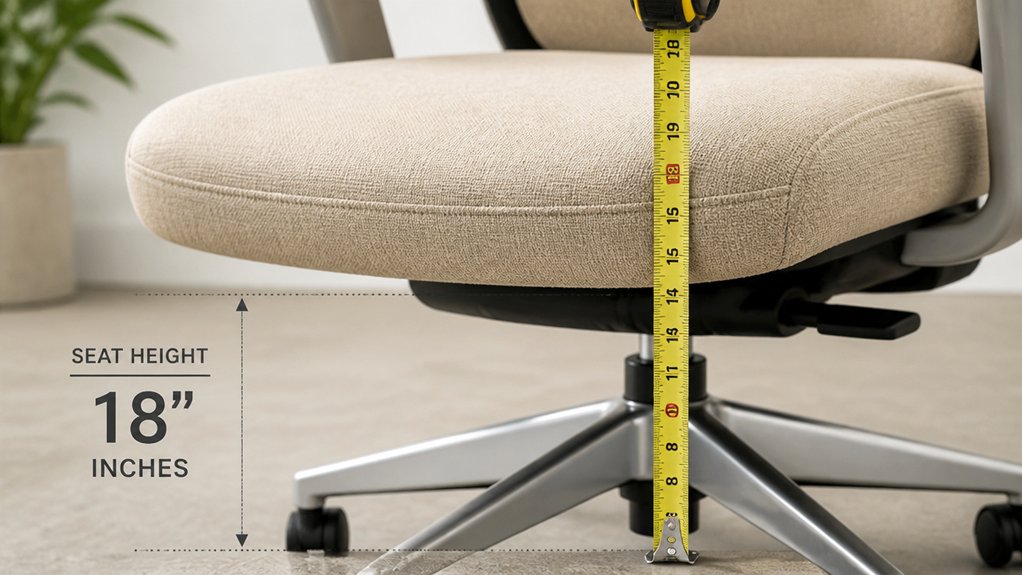
To measure your current office chair seat height accurately, sit down with your back supported and your feet flat on the floor. This guarantees you’re in a natural, comfortable position to get an accurate chair height reading.
Next, follow these steps:
- Use a measuring tape to record the distance from the floor to the top of the seat cushion.
- Position the tape just below your kneecap for the best ergonomic fit.
- Remember to wear your most common work shoes, as heel height impacts the measurement.
- Double-check the measurement by standing and measuring from the floor to the front edge of the seat for consistency.
- Ensuring the armrests are properly positioned can also influence overall ergonomic comfort, so consider armrest height when assessing your seat setup.
These steps help you determine if your seat height is suitable or needs adjustment for peak comfort and support.
How to Use a Tape Measure to Find Your Ideal Seat Height
Measuring your ideal chair height with a tape measure is straightforward when you’re seated correctly. Sit on a firm surface with your feet flat on the floor, knees at a 90° angle. Wear your typical work shoes to account for sole and heel height. Measure from the floor directly underneath your heel up to the bottom of your kneecap—this is your sitting knee height. Use this number as your baseline seat height, aiming for knees slightly lower than your hips to support a lumbar curve. Double-check your measurement standing or with help, and adjust the chair so your feet stay flat while maintaining proper posture.
| Step | Action | Goal |
|---|---|---|
| 1 | Sit with feet flat, knees at 90° | Consistent posture |
| 2 | Measure from heel to kneecap | Seat height reference |
| 3 | Keep shoes on for accuracy | Better fit |
| 4 | Adjust chair so knees are slightly lower | Healthy lumbar curve |
| 5 | Confirm feet rest flat, knees at 90° | Final measurement check |
Adjusting Your Office Chair for Your Body and Work Style
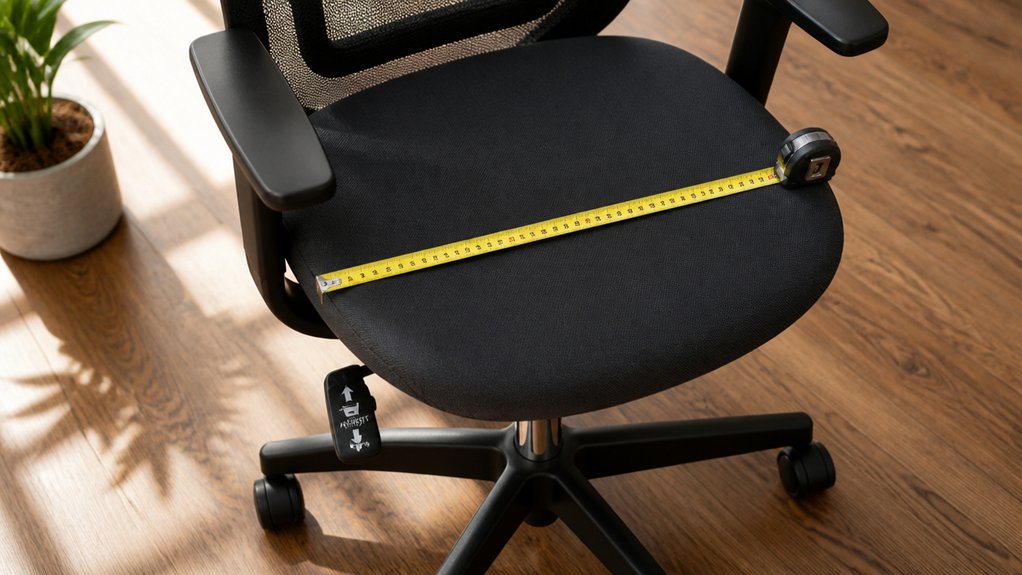
To feel comfortable and supported, you need to adjust your chair to fit your body properly. Make sure your legs are supported with a slight gap at the knees, and your armrests are positioned so your elbows stay at about 90°. Fine-tuning these settings helps reduce strain and keeps you focused during work. Additionally, considering the ergonomic design fit of your headrest and lumbar support can further enhance overall comfort and posture.
Ensure Proper Leg Support
Adjusting your office chair to support your legs properly is essential for comfort and circulation. To do this, make certain your chair height allows your knees to be bent at a 90° angle, with feet flat on the floor or on a footrest.
Keep a 1-2 inch clearance—like the two-finger rule—between the front of the seat and the back of your knees to prevent pressure and promote blood flow. Check that your seat depth provides even thigh support without pressure behind your knees.
If your chair is too high and feet don’t reach the floor, use a footrest for full support.
Proper adjustments include:
- Setting chair height so knees are bent at 90°.
- Using a footrest if needed.
- Adjusting seat depth for even thigh support.
- Ensuring feet are flat on a stable surface.
- Incorporating ergonomic footrests to enhance support and comfort.
Customize Armrest Position
Ensuring your armrests are properly positioned can make a significant difference in comfort and productivity at your workstation. Adjust the armrests so that your elbows bend at about 90 degrees, keeping your shoulders relaxed to prevent strain.
The armrests should support your forearms comfortably, with adjustable width and swivel features to suit various body types and work styles. Align the top of the armrests with or slightly below your desk surface to enable easy typing without elevating your shoulders.
Make sure the armrests don’t restrict movement or put pressure on the underside of your arms by maintaining proper clearance and adjustability. If needed, use armrest pads or ergonomic cushions for added comfort, ensuring a stable and adjustable ergonomic fit.
Common Mistakes When Measuring and Setting Your Chair Height
Many people make simple mistakes when setting their office chair height, which can lead to discomfort and poor posture throughout the day.
First, they often lower the chair to match the desk height, ignoring that you should actually adjust the seat to support your lumbar area properly.
Second, they forget to guarantee their feet are flat on the floor or a footrest, causing poor circulation and leg discomfort.
Third, setting the chair too high can put pressure behind your knees and restrict blood flow, especially if your knees aren’t 1-2 inches from the seat edge.
Ultimately, ignoring seated knee height with shoes on leads to inaccurate height adjustments, contributing to poor posture. Properly measuring and setting your chair height prevents these common mistakes.
Additionally, choosing the right ergonomic wheels can improve mobility and floor protection, ensuring your chair remains comfortable and safe to use for long periods.
Tips for Keeping Your Feet Fully Supported While Sitting
To keep your feet fully supported while sitting, focus on proper footrest placement and supportive footwear. Adjust your footrest so your feet rest flat and your knees stay at a comfortable 90° angle, preventing pressure and circulation issues. Incorporating an ergonomic footrest with adjustable height and tilt features can enhance comfort and support proper posture even during long sitting sessions.
Proper Footrest Placement
Placing your feet properly on a footrest is essential for maintaining a comfortable and healthy sitting posture. An appropriately positioned footrest keeps your feet flat and supports your lower legs, preventing dangling and muscle tension. It also helps maintain the recommended knee angle of about 90°.
To do this effectively:
- Confirm the footrest surface is large enough for both feet, allowing natural movement.
- Adjust the footrest height so your feet are fully supported without pressure points.
- Make sure your footrest supports your calves, boosting blood flow and reducing swelling.
- Position the footrest close enough to your chair to keep your lower legs at a comfortable angle.
Using an adjustable footrest customized to your chair height promotes ergonomic alignment and comfort at your desk.
Selecting Supportive Footwear
Have you ever noticed how your footwear influences your sitting comfort? Choosing the right shoes helps keep your feet fully supported while sitting at an ergonomic desk height.
Opt for comfortable footwear with a stable, flat sole about 1 to 1.5 inches thick to maintain proper heel-to-kneecap measurement when seated. Avoid high heels or thick soles, as they alter your leg angles and necessitate frequent chair height adjustments, risking poor posture.
If your shoes cause dangling feet or circulation issues, use cushioned insoles or a footrest. Remember to measure your chair height with your most commonly worn shoes, ensuring the seat is flat on the floor for consistent support. Proper footwear contributes to healthier sitting habits and a more comfortable workday.
How Shoe Height and Footwear Impact Your Chair Adjustment
Your footwear can greatly influence your office chair height because different shoes alter heel elevation and foot positioning.
When adjusting your chair, consider how shoe height impacts your knee angle and foot placement. For example:
- Wearing dress shoes with heels raises your sitting knee height, so your chair needs to be set higher to maintain a proper 90° knee angle.
- Casual shoes or boots may require slight readjustments to keep feet flat on the floor.
- Barefoot or socked feet often mean lowering the chair for better ergonomic support.
- Using a footrest helps compensate for frequent footwear changes, ensuring proper posture and circulation.
Always measure your knee height with your most worn shoes, and readjust your chair accordingly to support ergonomic comfort and proper posture.
Special Tips for Different Body Types and Work Environments
Tailoring your office chair height to your body type and work environment guarantees ideal comfort and support throughout the day.
For shorter individuals under 54 inches, an adjustable office chair paired with a footrest helps keep your feet flat and knees at 90°, promoting proper circulation. Taller users over 62 inches benefit from chairs with extended height options and deeper seats to maintain correct hip and knee angles, supporting lumbar alignment.
Plus-size individuals need wider seats, higher weight capacity, and stable bases to accommodate body unique dimensions safely.
Seasonal shifts and footwear, like heels, can alter the ideal chair height by 1-2 inches, so periodic adjustments are essential.
In work environments like home offices or standing desks, adjustable height features and footrests help sustain ergonomic posture across different tasks.
How to Align Chair Height With Desk and Monitor for Better Posture
To achieve better posture, you need to adjust your chair height so your knees are at a 90-degree angle and your feet are flat.
Make sure your desk height allows your elbows to rest comfortably at a 90- to 110-degree bend, with shoulders relaxed. Position your monitor at eye level to prevent neck strain, ideally around 118.5 to 122.5 cm from the ground.
Desk Height Alignment
How can you guarantee your chair height aligns properly with your desk and monitor for ideal posture?
First, measure your desk height from floor to work surface, usually around 28-30 inches. Aim to set your chair height about 10 inches lower than this. Make certain your elbows bend at a 90-110° angle when resting comfortably on the desk or armrests to avoid shoulder strain.
Keep your feet fully flat on the floor or on a footrest for ergonomic support, with knees slightly below hips. Adjust your chair so your posture remains relaxed yet supported.
Monitor Position Optimization
Are you aligning your monitor to support a healthy posture? Start by adjusting your chair height so your feet rest flat on the floor or footrest, with knees at a 90° angle. Your thighs should be parallel to the floor, matching the desk surface height to keep your sitting posture ergonomic.
Set the monitor height so that the top is at or slightly below eye level, about an arm’s length away, to prevent neck strain. Make certain your armrests are aligned with the desk surface to support your forearms comfortably with elbows bent at approximately 90°.
If needed, use a footrest to keep your feet supported when adjusting chair height, helping maintain ideal monitor and desk alignment and reducing tension in your shoulders and neck.
Troubleshooting Common Office Chair Fit Issues
When your office chair doesn’t fit properly, it can lead to discomfort and even long-term health issues.
To troubleshoot common fit problems:
- If your feet dangle due to chair height, use a footrest to support full foot contact and improve circulation.
- When the seat is too low, add a cushion to raise your position and reduce strain on knees and hips.
- Excessive seat depth causing pressure behind your knees can be fixed by adjusting the seat depth or adding a backrest cushion, maintaining a 1-2 inch gap.
- Discomfort from armrests either too high or low can be improved by adjusting armrest height or using gel pads, ensuring elbows are at 90° with relaxed shoulders.
These adjustments help optimize your posture and lumbar support.
How to Fine-Tune Your Chair for Long-Term Comfort
Once you’ve adjusted your chair’s basic settings for fit, fine-tuning becomes key to maintaining comfort over long periods. Start by adjusting the chair height so your knees form about a 90° angle, with your feet flat on the floor or supported by a footrest. This promotes proper circulation and reduces strain.
Fine-tune the seat depth so there’s a 1-2 inch gap between the seat edge and the back of your knees, preventing pressure points and supporting healthy blood flow. Set your armrests to support your forearms with elbows bent at roughly 90°, keeping your shoulders relaxed.
Adjust lumbar support to match your lower back’s natural curve, and use a recline tilt of about 110° to activate back muscles. Regularly reassess and modify these settings to sustain peak comfort and health.
Additional Resources for Ergonomic Workspace Setup
To optimize your ergonomic workspace setup, take advantage of various resources designed to guide you in selecting the right chair height and other workspace adjustments. Use tools like ergonomic Height Calculators that consider your work surface height and shoe heel size to guarantee your chair is adjusted correctly.
Explore showroom consultations and hands-on adjustment training to learn proper chair fit, especially in areas like Dallas-Fort Worth. Online quizzes and Design My Office features help you visualize ideal office furniture, including adjustable standing desks, monitor arms, and footrests.
Subscribing to ergonomic newsletters such as Ergonomics 101 keeps you updated on best practices and new product launches. These resources empower you to create a healthier, more comfortable workspace tailored precisely to your needs.
Frequently Asked Questions
How to Measure the Height of an Office Chair?
You measure your office chair height by sitting with feet flat, knees at a 90° angle, then using a tape measure from the floor to the top of your seat cushion. Adjust until your thighs are parallel to the floor.
How Tall Should a Desk Be for a 6’3″ Person?
For someone 6’3″, your ideal desk height is roughly 29 to 30.5 inches, allowing your elbows to stay comfortable at 90-110 degrees. Adjustable or standing desks help you customize for ultimate ergonomic alignment.
What Is the Correct Height for My Office Chair and Desk?
To find your correct office chair and desk height, guarantee your chair’s seat is just below your kneecaps, with feet flat on the floor, knees at 90°, and elbows at 90-110° resting comfortably on the desk.
How Tall Should My Chair Be if My Desk Is 30 Inches Tall?
Your chair should be between 18 to 20.5 inches high, so your elbows bend at 90 degrees, your feet rest flat, and your knees are slightly below your hips, ensuring ergonomic comfort and proper posture while working at your 30-inch desk.



