
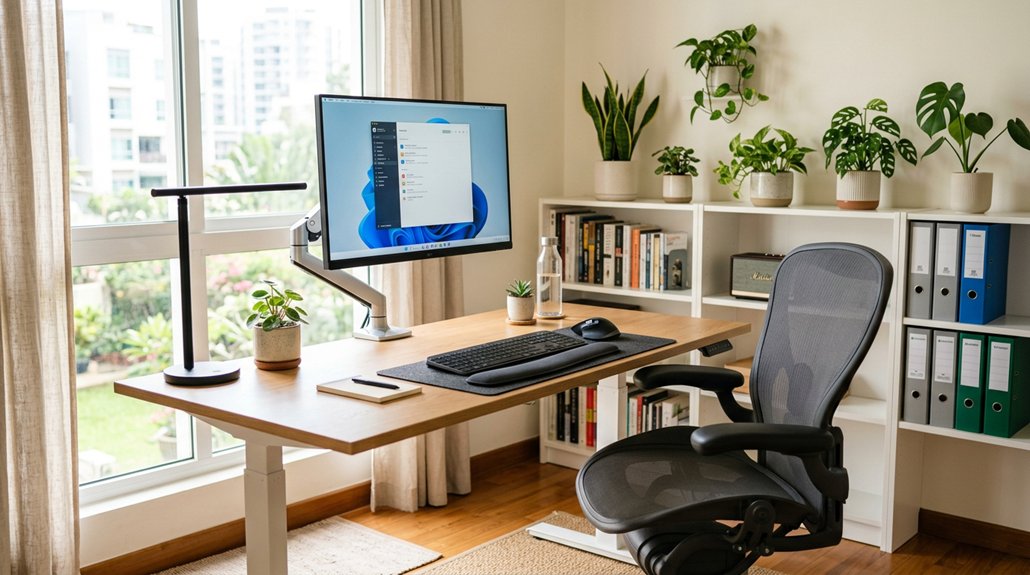
To assess your office posture correctly, start by checking if your ears align over your shoulders and your shoulders sit over your hips, maintaining natural spine curves. Confirm your pelvis is neutral, and your hips and knees form a 90-degree angle while seated. Use tools like a mirror or camera to spot misalignments and watch for habits like slouching or forward head posture. Small adjustments can make a big difference—continue exploring ways to improve your posture for lasting comfort.
How Can You Recognize Your Natural Posture?
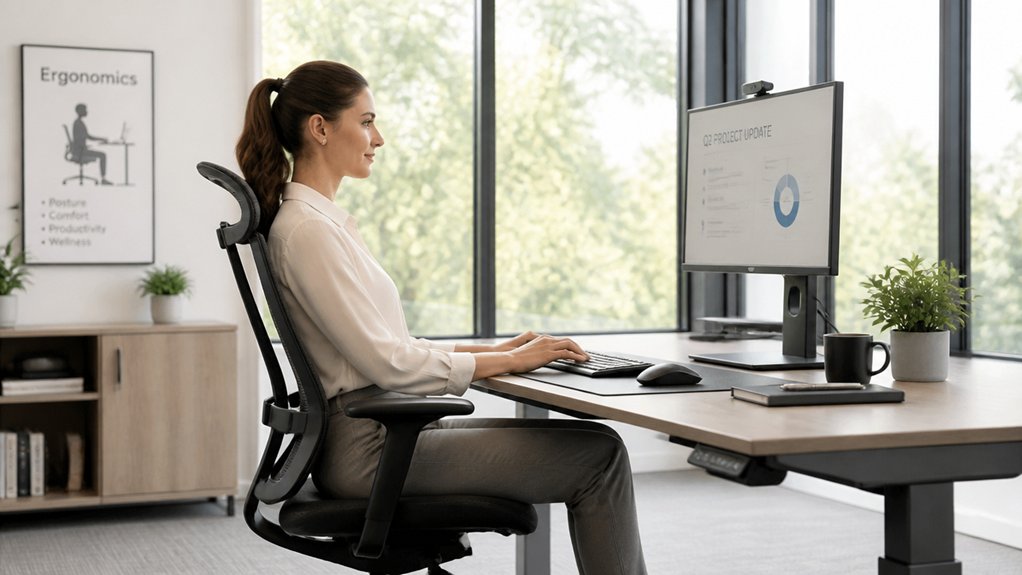
Have you ever wondered if your posture is truly natural? To recognize your natural posture, start by standing or sitting upright, ensuring your ears are aligned over your shoulders, which in turn should be over your hips. This alignment helps maintain the natural curves of your spine.
Focus on feeling your sitz bones under your buttocks; a neutral pelvis sits midway between slouched and tilted forward. Check if your head sits directly above your shoulders, avoiding forward head posture that strains your neck and back.
Make sure your feet are flat on the ground, with weight evenly distributed over both hips. When sitting, keep your knees bent at a 90-degree angle and level with your hips to support a correct sitting posture that respects your body’s natural curves. Incorporating adjustable straps into your posture routine can help maintain optimal alignment throughout the day.
Is Your Pelvic Position in a Neutral Alignment?
To check if your pelvis is in a neutral position, locate your sit bones—the bony points beneath your buttocks—and feel for the pointy contact with your chair. Recognize if your pelvis tilts forward or backward, then work to keep it centered for proper alignment. Maintaining this neutral position helps stabilize your spine and reduces lower back strain during long periods of sitting. Using a supportive coccyx seat cushion can aid in achieving and maintaining this proper pelvic alignment.
Find Your Sit Bones
Wondering how to find your sit bones? Sit on a firm surface and feel beneath your buttocks for two bony prominences — these are your sit bones. They should feel like pointed structures supporting your weight directly.
Achieving a neutral pelvic position means evenly distributing your weight on these sit bones, without pressing on your tailbone or tensing your hips. If your pelvis tilts forward or backward, you’re not in neutral alignment.
To verify, sit comfortably and notice if your sit bones bear the load evenly, keeping your back supported naturally. Proper back support and awareness of your sit bones help maintain this neutral position.
Grounding your sit bones promotes better spinal alignment and reduces lower back strain, ensuring more comfortable long-term sitting. Incorporating ergonomic principles, like proper cushion support and adjustable seating, further encourages this neutral posture for sustained comfort.
Recognize Pelvic Tilts
Recognizing whether your pelvis is in a neutral position involves feeling your sit bones and observing how your pelvis tilts. Your sit bones should feel evenly balanced and pointy, situated beneath your buttocks.
When your pelvis is in a neutral pelvis position, your back maintains its natural curves, especially in the lower back, preventing excessive arching or flattening. A posterior tilt, where the pelvis tilts backward, flattens the lower back, while an anterior tilt, where it tilts forward, causes an exaggerated curve. Proper lumbar support can help maintain this neutral position and reduce strain.
Maintaining a neutral pelvis supports proper spinal alignment, minimizes strain, and promotes better back health. Regularly feeling your sit bones and making small adjustments—such as changing chair height—can help you keep your pelvis in this ideal, balanced position.
Maintain Neutral Position
Ensuring your pelvis is in a neutral position involves actively evaluating how you sit and making adjustments as needed. To find your neutral pelvis, focus on your sitz bones—these are the bony points beneath your buttocks. Sit upright, feeling balanced on both sitz bones without tilting forward or backward. Incorporating a supportive lumbar support cushion can further help maintain the natural spinal curves and promote proper pelvic alignment. Consider these tips:
- Adjust your chair height so your hips and knees are roughly at 90 degrees, supporting neutral pelvis alignment.
- Distribute your weight evenly across both sitz bones, avoiding leaning to one side.
- Keep your feet flat on the floor or a footrest to maintain proper spinal and pelvic posture.
Maintaining a neutral pelvis helps keep your natural spinal curves and prevents lower back strain.
Are Your Ear, Shoulder, and Hip Properly Aligned?
Have you ever noticed whether your ears, shoulders, and hips are in proper alignment? When these points are correctly aligned, your spine maintains its natural curves, reducing strain and preventing discomfort. Misalignment, like your ears jutting forward, shifts your spinal curves and risks pain or injury. To check your posture, make certain that your ears are directly above your shoulders and your shoulders are aligned over your hips. Proper ears, shoulders, and hips alignment supports healthy posture. Incorporating an adjustable headrest can help maintain these correct alignments during prolonged sitting.
Does Your Back Support the Natural Lumbar Curve?
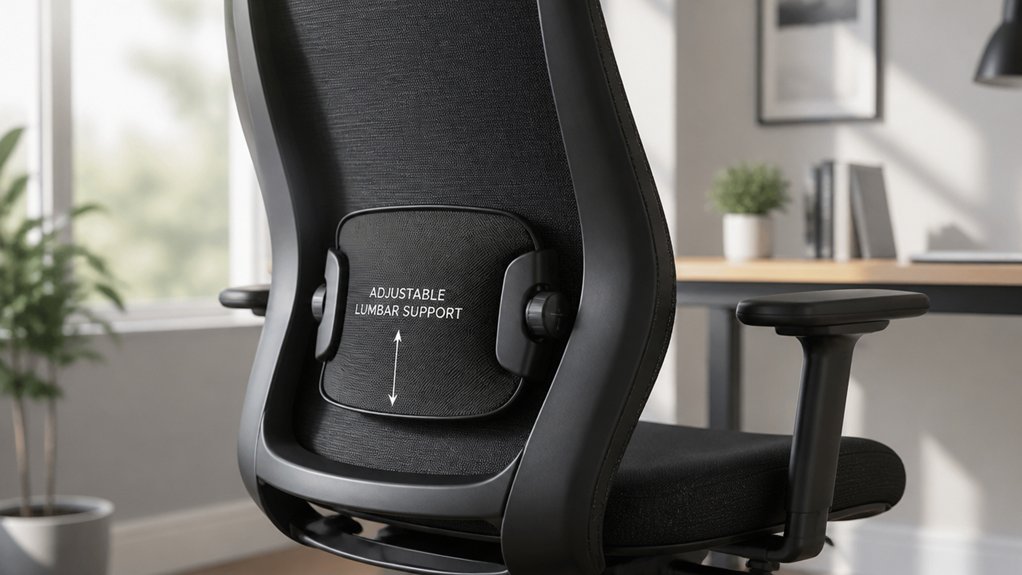
Make sure your chair supports the natural curve of your lower back—this helps prevent slouching and reduces strain. You can use a rolled towel or small pillow to fill any support gaps and keep your spine aligned. Check that the support matches your lower back’s inward bend without pushing your pelvis forward or back. Paying attention to lumbar support mechanisms can ensure you choose or adjust your chair for optimal back health.
Maintaining Lumbar Support
Maintaining proper lumbar support is essential because it helps keep your lower back’s natural inward curve, or lordosis, intact. When your lumbar support is correct, your spine remains aligned, distributing weight evenly and reducing abnormal pressure on spinal ligaments and discs.
To check if you’re on the right track:
- Make certain your chair’s lumbar support fits the curve of your lower spine, whether built-in or added with a towel or pillow.
- Sit fully back in your chair, maintaining contact with the lumbar region for consistent support.
- Notice if your lower back feels supported and relaxed, not strained or hunched, promoting proper posture.
Identifying Support Gaps
To determine if your lower back is properly supported, check whether your lumbar region maintains contact with the chair. If your back arches away from the seat, you likely have a support gap that prevents your lower back from aligning with the chair’s lumbar support. Using adjustable armrests can help fine-tune support and maintain proper posture during extended periods of sitting. Feel for areas where support may be missing, which can cause your lumbar curvature to flatten or round. Filling these gaps with a rolled towel or small pillow can help support your lower back in your chair, maintaining the natural lordotic curve. Chairs with adjustable lumbar support allow you to customize tension and position, ensuring your lower back stays supported. Proper lumbar support reduces strain on spinal ligaments and minimizes the risk of discomfort, sprains, or herniation.
Are Your Hips and Knees at a 90-Degree Angle When Sitting?
Are your hips and knees forming a 90-degree angle while you sit? Ensuring this position helps maintain neutral spine alignment and reduces lower back stress.
To check your posture:
- Adjust your chair height so your knees are level with or slightly below your hips, preventing spinal rounding.
- Sit back enough so your thighs are parallel to the floor, supporting the 90-degree hip-knee angle.
- Use a footrest if your feet aren’t flat on the ground, keeping hips and knees aligned properly.
Maintaining this 90-degree angle avoids stiffness, back pain, and promotes healthy circulation.
Be mindful that knees shouldn’t be higher than hips, as that increases spinal pressure, or too low, which strains the hip flexors.
Proper positioning is key for comfort and posture health.
Are Both Feet Flat on the Ground and Well Supported?
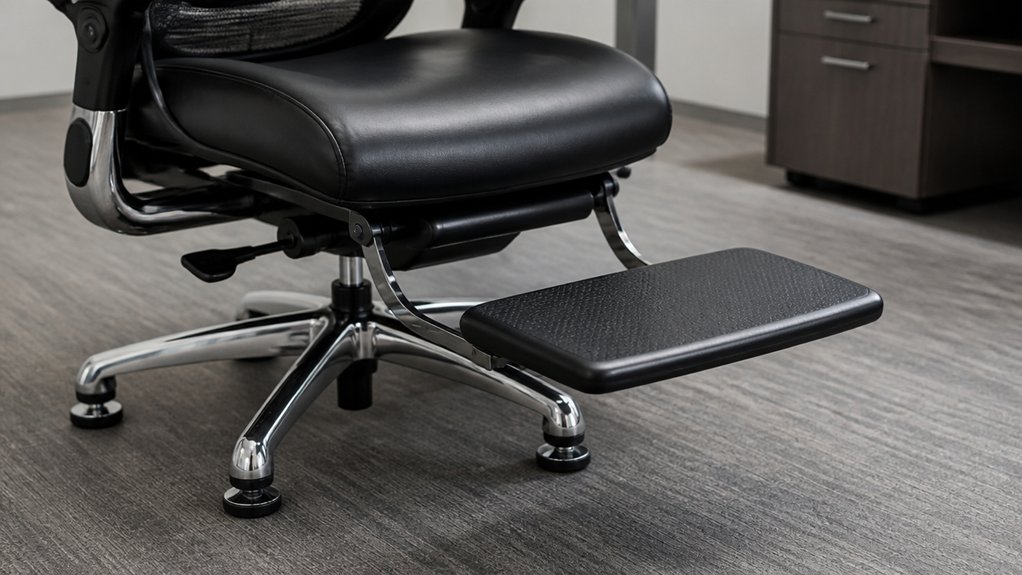
Guaranteeing both feet are flat on the ground or supported by a footrest helps keep your pelvis balanced and supports the natural curve of your lower back. Proper foot placement prevents uneven weight distribution, reducing strain on your hips and lower back. Avoid crossing legs or resting weight on toes, as this can increase pressure and cause pelvic imbalance. If your feet don’t reach the floor comfortably, use a footstool or adjustable footrest to maintain proper posture and circulation. Proper support encourages healthy spine alignment, improves blood flow, and reduces muscle fatigue.
| Feet on the floor | Well supported by a footrest |
|---|---|
| Maintains balance | Prevents lower back strain |
| Guarantees even weight | Promotes spinal health |
| Avoids pelvic tilt | Supports circulation |
| Prevents fatigue | Reduces hip pressure |
| Encourages good posture | Alleviates discomfort |
Are Your Shoulders Relaxed and Your Arms Comfortably Positioned?
Relaxed shoulders are key to maintaining comfort and preventing tension during long hours at your desk.
To assess this, make sure your shoulders stay down and away from your ears, avoiding any hunching or elevation. Keep your arms close to your body to reduce strain and promote proper posture.
Check these points:
- Position your elbows at a 90-120° angle, using armrests or desk height adjustments for support.
- Rest your forearms lightly on the desk or armrests to lessen joint strain.
- Avoid reaching forward or outward for your keyboard or mouse, keeping your shoulders aligned and relaxed.
If your shoulders shrug or your arms feel forced, make necessary adjustments to stay comfortable and maintain good posture throughout the day.
Is Your Head and Neck in a Forward-Free, Upright Posture?
Check if your ears are aligned with your shoulders and hips to guarantee your head is upright and not protruding forward.
Keep your monitor at eye level and avoid leaning or slouching to maintain proper neck position.
Regularly be aware of your head’s placement to prevent strain and promote better posture.
Neck Alignment Check
Is your head sitting directly above your shoulders, free from a forward tilt? To assess your neck alignment, check if your head aligns with your spine without protruding forward.
A forward head posture can cause neck and back pain and strain your muscles. Here are three quick tips:
- Make sure your monitor is at eye level to avoid tilting your head downward or upward.
- Keep your chin parallel to the floor, not jutting forward.
- Periodically take breaks and gently stretch your neck to relieve tension.
If your head leans forward, it increases the load on your cervical spine, leading to discomfort.
Maintaining a neutral neck position helps prevent strain, muscle fatigue, and long-term pain. Proper alignment is key to a healthier, more comfortable workspace.
Head Position Awareness
Maintaining awareness of your head’s position throughout the workday is key to preventing discomfort and long-term strain. With good posture, your head should stay directly above your shoulders, preventing any forward protrusion that can add about 10 pounds of extra force per inch of shift.
Regularly monitor your posture, especially your head, to guarantee it isn’t leaning forward. Keep your neck upright with your chin slightly tucked to support the natural cervical curve and avoid muscle strain or spasms.
Position your monitor so the top is at or just below eye level and about 20-24 inches away, reducing the tendency to tilt or bend your head. Using ergonomic setups like external keyboard and proper chair height also helps maintain a neutral, forward-free head position.
Is Your Weight Evenly Distributed Between Both Hips?
Are you sitting with your weight evenly spread between both hips? Proper sitting posture depends on balanced weight distribution, which maintains pelvic balance and spine alignment.
To check:
- Shift slightly in your seat so your sitz bones (the bony points beneath your buttocks) feel equally engaged against the chair surface.
- Notice if one hip feels more supported or stable than the other—if so, adjust your position.
- Make certain your posture remains relaxed and natural, avoiding leaning to one side, which can cause uneven stress on your pelvis and spine.
Uneven weight distribution can lead to muscle imbalances, chronic back, and hip pain.
Maintaining even support promotes spinal integrity and reduces injury risk during prolonged sitting.
How Flexible Is Your Spine?
To gauge your spinal flexibility, try gentle trunk twists and side bends to see how far you can move without pain.
A healthy spine allows smooth motion in all directions, including forward, backward, and side-to-side.
If you feel stiffness or discomfort, it might indicate limited mobility in your neck or back that needs attention.
Spinal Range of Motion
Evaluating your spinal range of motion involves gently performing movements like neck rotations, side bends, and forward or backward flexion to gauge flexibility without causing pain or discomfort.
If your movement feels limited or painful, it could be a sign of muscle tightness, joint stiffness, or poor posture restricting your mobility. To assess properly:
- Rotate your neck left and right to test cervical rotation.
- Bend sideways to the left and right to check lateral flexion.
- Forward and backward flexion to see how well your spine moves.
A healthy spine allows about 75-90 degrees of cervical rotation and 45 degrees of lateral flexion.
Regularly testing your spinal range of motion helps identify areas needing improvement, supports natural alignment, and reduces strain during long periods of sitting.
Flexibility in Bending
Evaluating your spinal flexibility in bending movements provides valuable insight into your overall mobility and posture health. To do this, perform slow forward and backward bends while keeping your pelvis neutral, noting any pain or stiffness.
Gently rotate your torso side to side to assess spinal mobility and spot tight areas or discomfort. Good flexibility helps maintain natural spinal curves during movement, reducing strain and injury risk.
If your spine feels stiff or limited, it may be due to prolonged poor posture or sedentary habits, common in office ergonomics. Regular gentle stretches and mobility exercises can improve or preserve your spine’s flexibility, supporting a healthy, dynamic posture both sitting and standing.
Keeping your spine flexible is essential for long-term comfort and injury prevention at work.
Neck and Back Mobility
Evaluating your neck and back mobility involves performing gentle, slow movements like neck rotations, forward and backward bends, and side tilts to gauge how smoothly and painlessly your spine moves.
Check if your spinal flexibility allows you to perform these movements without stiffness or discomfort. Focus on maintaining a neutral spine curve—cervical lordosis and lumbar lordosis—without excessive rounding or arching.
Here are steps to assess your mobility:
- Perform seated or standing trunk twists to test spinal flexibility and identify stiffness.
- Observe how easy it’s to extend your spine backward or bend forward, noting any pain or restriction.
- Confirm you can move through a full range of motion with a neutral spine curve, avoiding muscular imbalances.
What Self-Assessment Tools Can Help You Detect Posture Issues?
Wondering if your posture is up to par? Self-assessment tools like posture assessment checklists can help you identify issues. These checklists evaluate key ergonomic aspects such as foot placement, chair height, back support, and arm angles, providing a clear overview of your setup.
You can also perform simple self-checks by looking for symptoms like neck strain or rounded shoulders after sitting for a while. Using a mirror or smartphone camera is particularly effective—capture side and front views to visually check your alignment of ears, shoulders, and hips.
The wall test is another useful method: stand with your back against a wall to verify your natural spinal curve is maintained with heels, buttocks, shoulders, and head touching the wall. These tools make self-assessment straightforward and accessible.
What Common Habits Contribute to Postural Discomfort?
Many common habits during work can greatly contribute to postural discomfort.
First, adopting a slouched position or leaning forward in your chair misaligns your spine, causing neck, shoulder, and back pain from excessive pressure and muscle fatigue.
Second, crossing your legs while sitting increases lower back pressure and creates pelvis imbalance, which may lead to spinal issues over time.
Third, looking down or keeping your head protruding forward while working at a low computer monitor height strains your neck muscles, increasing the risk of spasms and headaches.
Being aware of these habits helps you avoid unnecessary discomfort. Adjusting your sitting posture, keeping your feet flat, and raising your monitor to eye level can make a significant difference and promote better spinal health.
How Can You Spot Poor Posture During Daily Movements?
Noticing how you move throughout the day can reveal signs of poor posture that develop during routine activities. Look for bad sitting habits like slouching or rounded shoulders, which misalign your spine and cause upper back pain. Check if your head juts forward when sitting or walking, adding stress to your neck. Unbalanced weight distribution, like leaning or crossing legs, signals possible pelvis or spine misalignment. Persistent muscle tightness or discomfort after reaching or bending indicates repetitive poor posture habits. Also, observe if your shoulders elevate or round during arm movements—this can limit joint mobility and worsen upper back or shoulder pain. Regularly assess these signs:
| Movement | Posture Sign | Possible Issue |
|---|---|---|
| Sitting | Slouching | Bad sitting habit |
| Walking | Forward head | Neck stress |
| Reaching | Shoulder elevation | Upper back strain |
| Bending | Muscle tightness | Poor movement habits |
| Standing | Uneven weight | Pelvis imbalance |
What Practical Tips Will Help You Maintain Good Posture Over Time?
Maintaining good posture over time requires mindful adjustments to your workspace and habits. Start by setting your chair at the right height so your feet rest flat on the floor or a footrest, with knees at a 90–110° angle.
Keep your monitor at eye level, about 20-24 inches away, with the top slightly below eye height to avoid neck strain. Use your chair’s lumbar support to keep your back straight and avoid leg crossing, which can lead to musculoskeletal issues.
Remember to take a short break every 30 minutes—stand, stretch, or walk for 2–3 minutes—to relieve muscle tension. By staying conscious of your posture and making these small adjustments, you’ll promote spinal health and reduce discomfort over time.
Frequently Asked Questions
What Is the 90-90-90 Rule for Sitting?
The 90-90-90 rule for sitting means you position your hips, knees, and ankles at about 90 degrees, keeping your thighs parallel to the floor, which helps maintain proper posture and reduces strain during long sitting periods.
How to Correct Posture in Office?
You correct your office posture by adjusting your chair to support your lower back, keeping your monitor at eye level, elbows close to your sides, and taking microbreaks to stretch, ensuring comfort and alignment throughout your workday.
Can Posture Affect the Vagus Nerve?
Yes, your posture can affect the vagus nerve. Poor alignment, like forward head or rounded shoulders, can compress or irritate the nerve, disrupting its signals and impacting functions like heart rate, digestion, and breathing.
Can an Osteopath Correct Posture?
Yes, an osteopath can correct your posture by using manual techniques to realign your spine and muscles, providing personalized exercises, and advising on ergonomics, helping you maintain proper alignment and prevent future postural issues effectively.



