
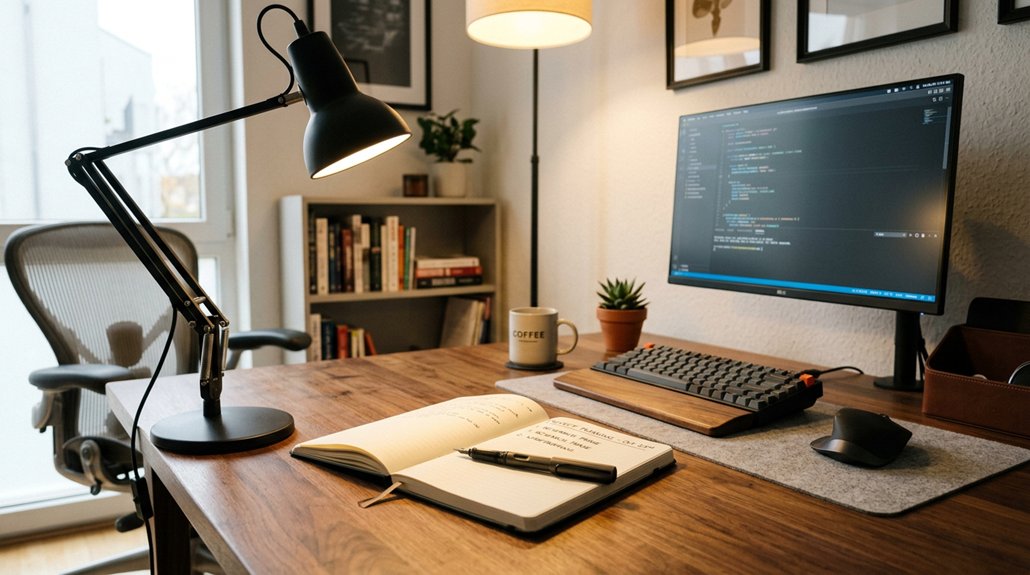
To reduce eye strain, use soft, diffuse overhead lighting that provides even ambient illumination without glare or harsh shadows. Pair it with adjustable task lighting positioned behind and slightly above your workspace, ensuring it’s flicker-free and matches your screen brightness. Control natural light with blinds or curtains, and avoid direct reflections on screens. Balancing these tips creates a comfortable, eye-friendly environment—stay tuned to learn more about creating the perfect lighting setup for your needs.
Why Office Lighting Matters for Your Eye Health
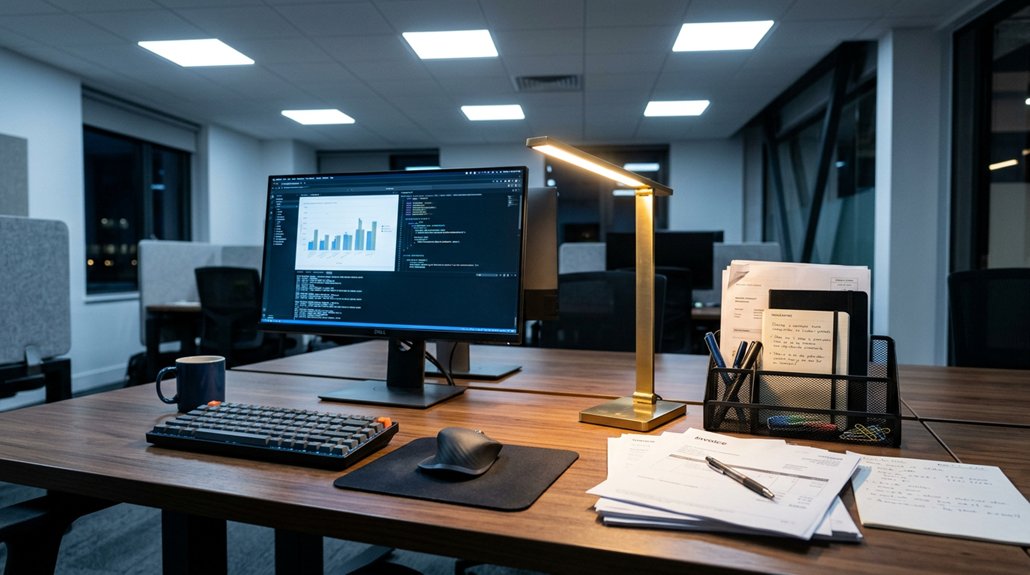
Good lighting in your office isn’t just about visibility; it plays an essential role in protecting your eye health. Poor office lighting, like harsh overhead lighting from fluorescent bulbs, can cause glare and flicker, increasing eye strain during prolonged screen use.
Proper task lighting with adjustable brightness and color temperature (around 4000K–5000K) helps reduce shadows and glare, making focused work easier and less tiring. Balancing soft, indirect overhead lighting with targeted task lights prevents frequent eye adjustments, calming visual fatigue.
Utilizing natural light by positioning your desk near windows also enhances comfort while reducing reliance on artificial light. Incorporating LED lighting with thoughtful placement guarantees consistent brightness and peak color temperature, supporting your eye health and improving overall productivity. Properly flicker-free illumination ensures steady, natural light that minimizes eye discomfort during extended work sessions.
How Overhead Lighting Can Harm Your Eyes
Overhead lighting, especially harsh fluorescent fixtures, can greatly harm your eyes by creating glare and unwanted reflections on your screens.
Harsh overhead lights cause bright reflections, making it harder to see clearly and increasing eye strain. Flickering from fluorescent lights adds to visual discomfort, leading to headaches and fatigue over time.
When overhead lights are positioned directly above or behind monitors, they cause glare and uneven brightness, forcing your eyes to overwork and adjust constantly.
Bright overhead lighting also creates harsh shadows and high contrast areas that make focusing difficult, worsening symptoms like dry eyes and blurred vision.
Continuous exposure to intense overhead lighting can intensify digital eye strain and heighten light sensitivity, ultimately reducing your visual comfort and increasing overall eye discomfort. Full-spectrum LEDs with proper dimming features can help mitigate these issues by providing softer, more natural illumination.
The Benefits of Proper Task Lighting for Comfort
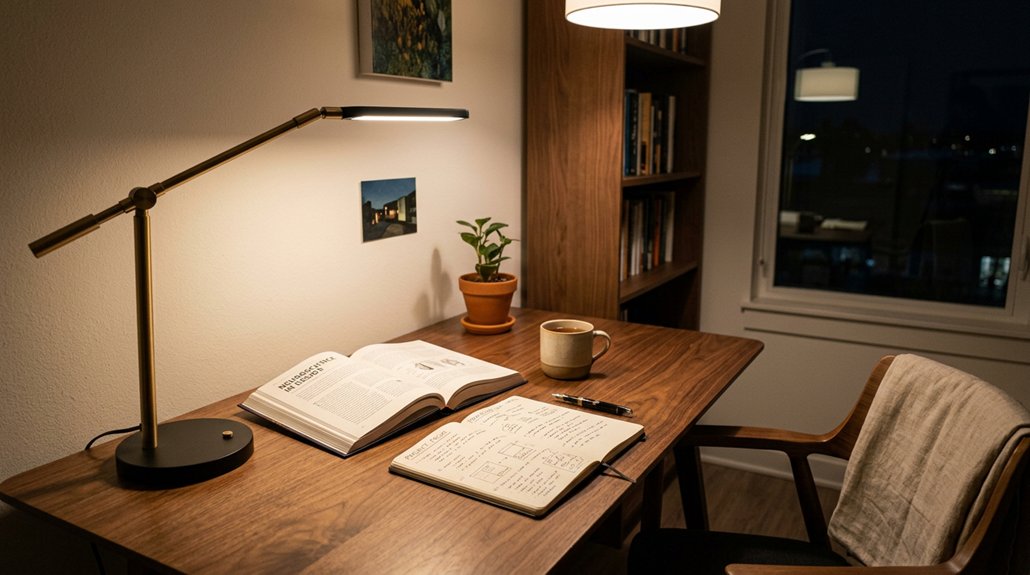
Proper task lighting improves your visual clarity by providing focused, adjustable illumination that reduces glare and shadows. A well-designed setup also minimizes eye strain during extended periods of screen time. This setup helps lessen overall eye strain, making it easier to see detailed work comfortably. When you use the right lighting, your eyes don’t have to work as hard, boosting both comfort and productivity.
Enhances Visual Clarity
When you use targeted task lighting that delivers 500–750 lux directly onto your work surface, you greatly improve visual clarity. Proper task lighting with adjustable brightness and color temperature (3500K–5000K) provides focused illumination that adapts to your needs, reducing eye strain. It works in tandem with ambient lighting, creating balanced brightness and minimizing harsh shadows or glare. Positioning task lamps slightly behind and above your monitor helps reduce direct glare, improving contrast perception on screens. Unlike overhead lighting, focused task lighting offers localized, even illumination, allowing you to see details clearly without squinting or straining your eyes. Ensuring flicker-free lighting with high CRI values further enhances color accuracy, supporting comfortable vision during prolonged use. This setup guarantees consistent lighting that supports comfortable vision, decreases digital eye strain, and enhances overall visual clarity during prolonged tasks.
Reduces Overall Eye Strain
Using targeted task lighting can greatly reduce your overall eye strain by providing focused illumination directly on your work area. When your task lighting has adjustable brightness, you prevent eyes from overworking in dim or overly bright conditions, which helps lower eye fatigue. A well-designed task lighting setup can also help minimize blue-light exposure, further alleviating digital eye strain. Proper task lighting minimizes glare and reflections on screens by directing soft, diffuse light exactly where you need it, unlike overhead lights that can cause discomfort and headaches. Positioning LED task lamps slightly behind and above your screens helps reduce shadows, making detailed work easier and less tiring. Layering this with softer ambient lighting at a color temperature of 4000K–5000K guarantees visual comfort. Together, these lighting strategies reduce eye strain and support healthier, more comfortable viewing throughout your day.
How to Combine Overhead and Task Lighting Effectively
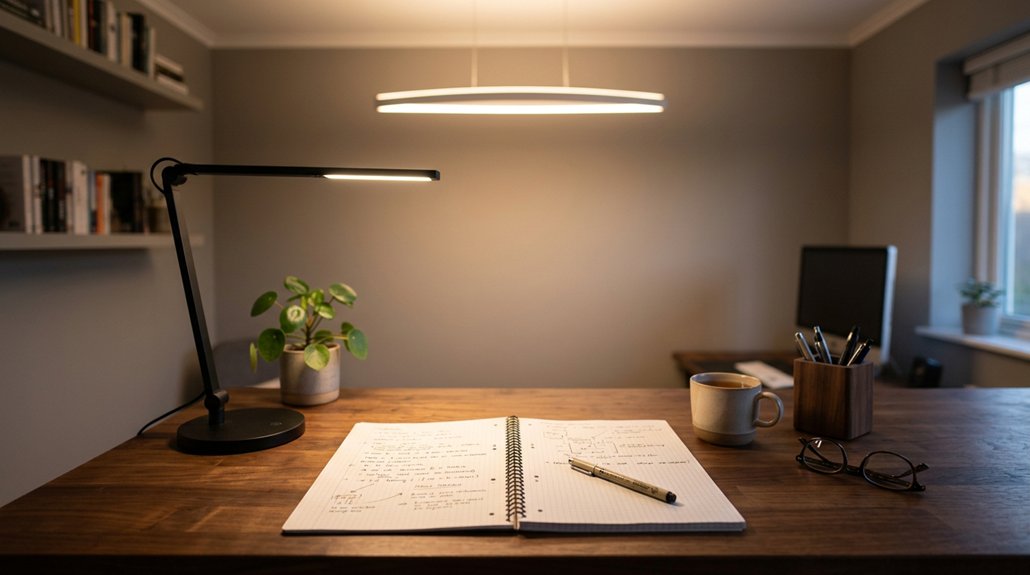
To combine overhead and task lighting effectively, aim for a layered approach that balances general illumination with focused brightness. Use soft, diffused LED overhead lights (around 4000K–5000K) to create even ambient lighting, bouncing light off walls or ceilings. Position adjustable task lamps slightly behind and above your workspace to illuminate detailed activities without glare or reflections. Dimmable overhead lighting combined with adjustable task lamps lets you tailor brightness, maintaining 500–750 lux for focused work. Hardware should be flexible: choose LED fixtures with adjustable features for versatile lighting control. Incorporate natural light with blinds or curtains to avoid conflicts or glare. This setup reduces eye strain while providing sufficient workspace lighting. Additionally, selecting appropriate light spectrum can further enhance visual comfort and reduce fatigue during long work sessions.
Choosing the Best Light Bulbs for Eye-Friendly Illumination
Choosing the right light bulbs plays a crucial role in creating an eye-friendly workspace. Opt for LED bulbs with a color temperature between 4000K and 5000K to mimic natural daylight, reducing eye strain.
Choosing the right LED bulbs with 4000K–5000K reduces eye strain and mimics natural daylight for a comfortable workspace.
Look for flicker-free LED bulbs with a high color rendering index (CRI 80+), ensuring steady, consistent lighting that minimizes headaches and fatigue.
For task lighting, select warm white (3000K–4000K) or neutral white bulbs that are glare-free, providing comfortable, focused illumination for close-up work. Adjustable brightness LED bulbs allow you to tailor light levels to your needs, preventing overexposure and glare.
Avoid fluorescent or harsh cool-white bulbs, as they emit flicker and UV light that can contribute to digital eye strain and long-term vision issues. Flicker-Free Technology can significantly improve comfort during extended periods of work.
Setting Up Your Workspace to Minimize Glare and Shadows
To reduce glare and shadows, position your workspace so natural light comes from the side, not directly in front of or behind your monitor.
Adjust overhead lights and use diffusers to create even, diffuse illumination without harsh spots. Make certain your equipment is placed comfortably, with task lighting aimed to minimize eye strain while avoiding direct reflections. Incorporate privacy screens to further block side views and prevent unintended glare from surrounding light sources.
Manage Natural Light Effectively
Managing natural light effectively starts with positioning your desk correctly relative to windows. Place your desk perpendicular to windows to enjoy soft natural light and avoid direct glare on your screen and work surface.
Use adjustable blinds or sheer curtains to control sunlight intensity and prevent harsh brightness or distracting shadows.
Balance natural light with indirect lighting, such as overhead fixtures or task lamps, to evenly Illuminate your workspace and reduce eye fatigue from high contrast.
Incorporate task lamps with adjustable brightness and flexible arms to target specific areas, preventing shadows on printed materials or keyboards. To minimize screen reflections, avoid placing monitors directly opposite windows.
By managing natural light thoughtfully, you create a comfortable environment that reduces eye strain and promotes focus.
- Position desk perpendicular to windows for ideal natural light
- Use adjustable blinds or sheer curtains to control glare
- Combine natural light with indirect or task lighting
- Adjust task lamps to prevent shadows and screen reflections
- Consider glare reduction techniques like monitor hoods to further improve visual comfort
Position Equipment for Comfort
Positioning your equipment correctly can make a significant difference in minimizing glare and shadows that lead to eye strain.
Start by positioning desks and monitors perpendicular to windows to reduce direct glare and avoid shadows caused by overhead lights. Use adjustable task lighting placed slightly behind and above your screen to illuminate your work without creating screen reflections. Avoid overhead lights shining directly on monitors or glossy surfaces, as this causes harsh glare and increases eye strain.
Guarantee ambient lighting brightness matches your screen brightness to prevent eye muscle fatigue from constant adjustment. Employ curtains or blinds to control natural light intensity and prevent strong contrasts or shadows. Additionally, consider the blue light filtering screens available to further reduce eye strain caused by prolonged screen exposure.
Thoughtful equipment placement helps create a balanced work environment that reduces eye strain and enhances comfort.
Practical Tips for a Comfortable, Eye-Healthy Home Office
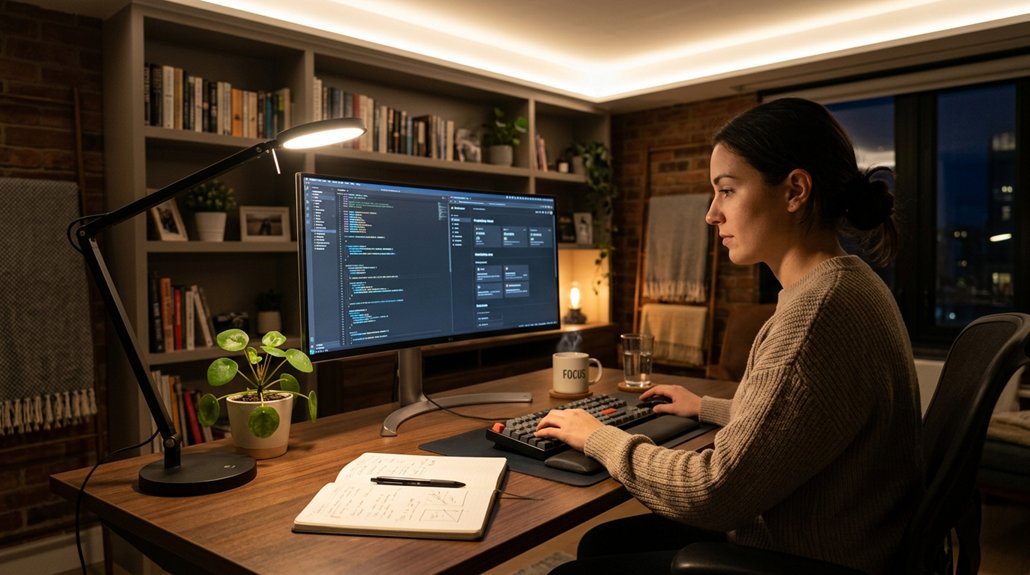
Creating a comfortable, eye-healthy home office involves thoughtful lighting choices that work together to reduce eye strain and enhance focus.
Design your home office with balanced, soft lighting to reduce eye strain and boost focus.
Use soft, indirect overhead lighting with diffuse coverage to prevent harsh shadows and glare, promoting eye comfort.
Incorporate adjustable desk lamps with LED bulbs around 4000K to 5000K color temperature for detailed work without creating screen glare. Position desk lamps slightly behind and above your monitor to avoid reflections and distracting glare.
Balance natural daylight by placing your desk perpendicular to windows and controlling brightness with blinds or curtains. Match the brightness of overhead and task lighting to your screen’s ambient levels for steady illumination.
- Use diffuse overhead lighting for even, glare-free ambient light
- Select adjustable desk lamps with suitable color temperature
- Position lamps to avoid screen reflections and glare
- Balance natural and artificial light to minimize contrasts
Frequently Asked Questions
What Is the Best Lighting to Reduce Eye Strain?
The best lighting to reduce eye strain combines soft, indirect overhead lighting with adjustable task lamps, ideally LED with 4000-5000K color temperature. Position task lights to reduce glare, and avoid harsh, flickering lights for comfort.
Why Does Gen Z Hate Overhead Lighting?
You dislike overhead lighting because it creates glare, flicker, and uneven illumination, causing headaches and eye strain. You prefer softer, adjustable task lighting that mimics natural light, reduces harsh shadows, and offers more control for comfort during long screen use.
What Is the 30 30 30 Rule for Eyes?
The 30-30-30 rule for your eyes suggests taking a 30-second break every 30 minutes, focusing on an object 30 feet away. This practice relaxes eye muscles, reducing strain, headaches, and fatigue during screen use or close work.
What Is the 5’7″ Lighting Rule?
The 5’7″ lighting rule suggests you place task lighting about 5 to 7 feet from your work area, ensuring even, comfortable light that reduces glare, minimizes eye strain, and creates a balanced, eye-friendly environment for productive work.
In Summary
By understanding how to balance overhead and task lighting, you’ll create a workspace that’s healthier for your eyes. Choose the right bulbs, position lights thoughtfully, and minimize glare to reduce strain. With these simple adjustments, you’ll boost your comfort and focus, making your home office a more pleasant, eye-friendly environment. Remember, a well-lit space supports your productivity and eye health — so take these tips to heart and light up your workspace wisely.




Leave a Reply