
To stay comfortable and productive, use wearable devices, app notifications, or calendar reminders to prompt you to check your posture, stand, stretch, and take breaks every 30 to 60 minutes. Incorporate visual cues like sticky notes or avatars and set gentle vibration or sound alerts for discreet yet effective reminders. Combining these tools with ergonomic adjustments and movement routines can considerably improve your long-term posture. Keep exploring for more strategies to optimize your workspace.
Why Are Posture Reminders Crucial for Remote Workers?
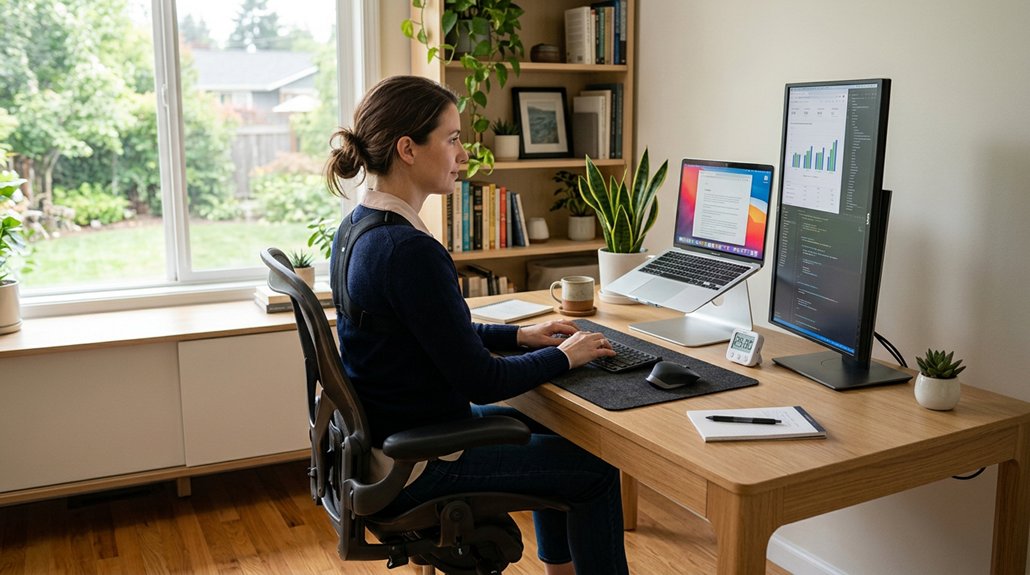
Have you ever noticed how easy it’s to forget to adjust your posture while working from home? That’s where posture reminders become essential. They help you avoid common issues like neck strain, back pain, and fatigue caused by prolonged sitting and poor ergonomics. A biofeedback approach in many devices ensures real-time correction without constant manual adjustment. Regular prompts encourage you to take breaks every 30 to 60 minutes, reducing muscle stiffness and boosting circulation. Timely alerts support maintaining an upright sitting position with a properly aligned spine and neck, preventing long-term injuries. These reminders also promote conscious posture awareness, which can easily slip away without ergonomic supervision. Using smart devices or apps with customizable alerts helps you build healthy habits and track your posture improvements, ultimately keeping you comfortable, pain-free, and more productive during long work hours.
How Can You Recognize Signs That Your Posture Needs Improvement?
Are you aware of the warning signs that indicate your posture needs attention? You might notice back pain, neck strain, or shoulder discomfort during or after work hours. These are key indicators that your posture isn’t supporting you well.
To visualize, consider these signs:
- Slouching or hunching over your workspace, which looks like you’re folding inward.
- Persistent fatigue and muscle tension in your upper back and neck after sitting.
- Headaches that come with neck discomfort or seem linked to how you position your monitor.
- Over time, poor spinal alignment can lead to more serious musculoskeletal issues if not addressed early.
Feeling stiffness or reduced circulation after sitting long periods also signals poor posture. Being mindful of these signs helps you catch issues early and make adjustments before back pain worsens.
What Are the Best Wearable Devices to Track Your Posture?
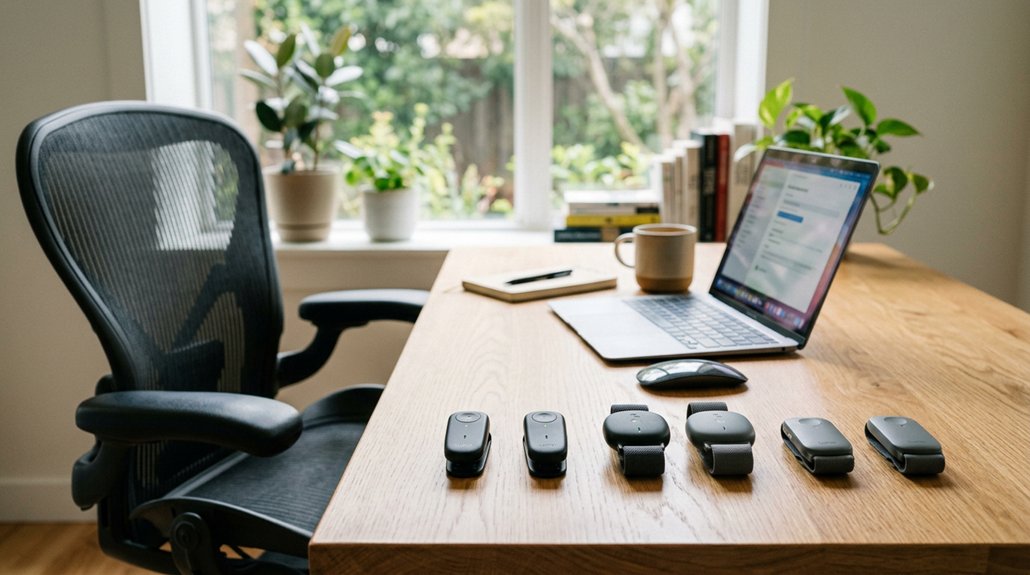
When choosing a wearable device to track your posture, consider how accurately it detects misalignments and how sensitive you can set it to your needs. Customizable alerts like vibrations help remind you to straighten up without being disruptive, and seamless app or device integration makes tracking easier. Also, guarantee the device prioritizes your data privacy while offering useful insights for improving your posture. Additionally, look for models that feature smart feedback systems, which provide real-time guidance and encouragement to help establish better habits.
Detection Accuracy and Sensitivity
Choosing a wearable device with high detection accuracy and customizable sensitivity can greatly improve your posture monitoring. When your tracker accurately detects slouching, you get reliable alerts that keep you mindful without false alarms.
Look for features like:
- Precise detection sensors, such as those in Upright Go devices, that calibrate easily to your unique posture habits.
- Adjustable sensitivity settings, allowing you to sense even small deviations for instant correction.
- Proper placement and user calibration, which are critical for maximizing detection accuracy and minimizing incorrect alerts.
Higher sensitivity helps catch minor slouching trends early, while tailored calibration guarantees you only get alerts when truly needed. Additionally, considering ergonomic support can enhance the effectiveness of your posture tracking by encouraging sustained proper alignment. These factors combine to make your posture tracking both accurate and effective.
Alert Types and Customization
Selecting a wearable device with customizable alert options guarantees you can tailor your posture reminders to fit your comfort and workflow. Many devices, like Upright Go, offer customizable vibration alerts that notify you immediately when slouching occurs. You can set alerts to be continuous or one-off, matching your preferred notification style. Apps integrated with AirPods motion sensors provide silent alerts through vibrations or sounds, adjustable in sensitivity and timing. Apple Watch lets you control posture sessions remotely, making it easy to customize alerts on the go. Ensuring your device provides reliable slouch detection helps maintain proper ergonomic habits throughout your day.
Data Privacy and Integration
Many of the best wearable devices for tracking posture prioritize user privacy by storing data locally on the device rather than in the cloud. This approach guarantees your personal health information stays secure, addressing common data privacy concerns.
Imagine:
- Your posture data safely stored on your device, with no external servers involved.
- Seamless integration with Apple Watch and other devices allows you to control posture sessions directly from your wrist.
- Compatibility with iOS 17+, macOS 14+, and watchOS 10.6+ enables smooth synchronization across your smartphone, tablet, and computer, keeping your data private.
- Some models incorporate wireless connectivity options like Bluetooth 5.2 to ensure quick pairing and reliable tracking without compromising security.
These features give you peace of mind, knowing your sensitive information isn’t shared or stored externally. The focus on data privacy and integration offers a secure, hassle-free experience that combines convenience with confidence in your privacy.
How Do Visual Cues Help You Maintain Good Ergonomics?
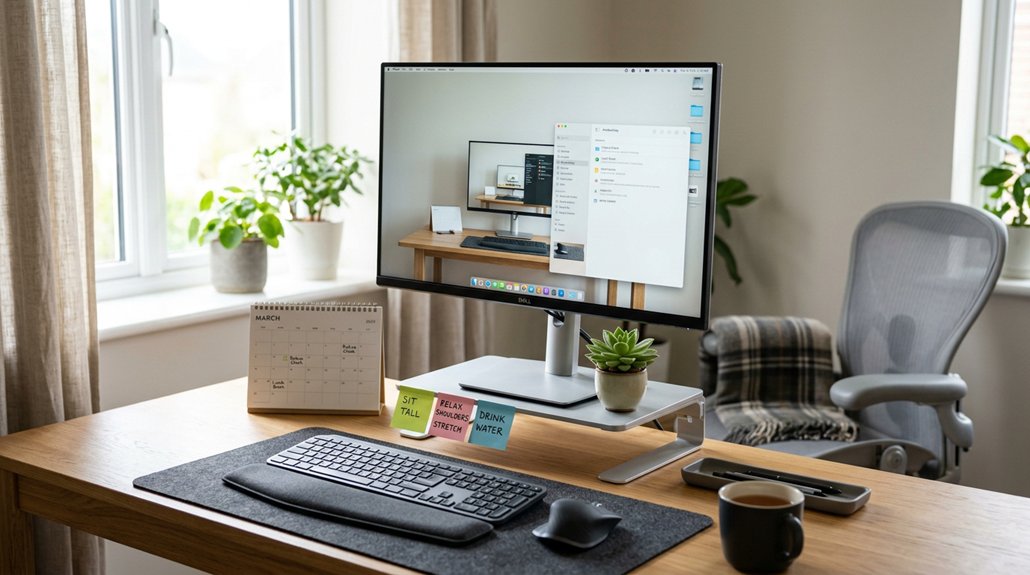
Have you ever noticed how small visual cues can greatly improve your posture habits? They help you monitor your posture by providing constant reminders throughout the day. Sticky notes placed near your workspace serve as quick prompts to check your alignment and make adjustments. A removable cover with quick-release zippers or adjustable straps can make it easier to customize and maintain your visual reminders.
Seeing fun avatars or posture indicators on apps offers real-time feedback, motivating you to maintain ergonomic positions. Visual reminders also combat mindless slouching, prompting regular posture checks that reduce neck and back strain. Placing ergonomic guidelines or posture tips within your sight encourages conscious, consistent habits during long work sessions. When combined with technology alerts, these visual cues create a powerful system that keeps posture awareness high, helping you develop long-term ergonomic habits for better health and comfort while working remotely.
How Can You Set Up Movement Reminders to Take Breaks?
You can easily set up movement reminders by using your phone or computer alarms to prompt you to take breaks every 30 to 60 minutes. Incorporating app notifications or wearable alerts can also nudge you to stretch or change positions regularly. Additionally, scheduling calendar reminders or using reminder apps helps guarantee you don’t forget to move throughout the day. Utilizing adjustable brightness and color temperature features on bias lighting kits can reduce eye strain, making breaks more effective and comfortable.
Use Phone Alerts
Staying mindful of your movement throughout the workday can be challenging, but phone alerts make it easier to stay on track. To set phone alerts effectively, follow these steps: 1. Use built-in reminder apps or third-party wellness apps that allow customization of alert frequency and notifications. 2. Configure alerts to remind you every 30 to 60 minutes to stand, stretch, or walk. 3. Enable vibration or sound notifications for discreet, consistent cues that interrupt prolonged sitting. Incorporate portable fans to keep cool and improve comfort during breaks, making it easier to stay active. Pair these alerts with quick stretching or walking exercises. Consistently following phone alert prompts helps develop a habit of taking regular breaks, reducing stiffness, and preventing discomfort in your neck, back, and shoulders.
Set Calendar Reminders
Setting calendar reminders is an effective way to guarantee you take regular movement breaks throughout your workday. Using calendar alerts, you can schedule recurring events to stand, stretch, or walk every 30 to 60 minutes, reducing stiffness and boosting circulation. Clearly labeling these breaks helps prioritize movement, making it feel natural instead of optional. Syncing calendar alerts with wearable devices or posture apps adds an extra layer of accountability. Customizing the frequency and timing guarantees your breaks align smoothly with your workflow. Here’s a visual to motivate your movement:
| Time Interval | Activity | Reminder Type |
|---|---|---|
| Every 30 mins | Stand and stretch | Calendar alert |
| Hourly | Brief walk around room | Alarm |
| Mid-morning | Posture check | Reminder |
| Afternoon | Quick mobility routine | Alarm |
Incorporating adjustable height footrests into your workspace can further enhance your posture and comfort during these breaks.
Employ App Notifications
Employing app notifications offers a streamlined way to stay mindful of your posture without relying solely on calendar alerts. These notifications can remind you to stand and stretch every 30 to 60 minutes, reducing stiffness and boosting circulation.
You can customize alert types such as vibration, sound, or push notifications, ensuring you notice breaks without disrupting your workflow. To make the most of app notifications, imagine:
- Receiving a gentle vibration on your phone, nudging you to move.
- Hearing a soft sound alert, prompting a quick stretch.
- Seeing a discreet push notification on your screen during a busy task.
Adjust the reminder frequency to suit your schedule, and consider wearable devices or smartwatches for real-time alerts that automatically prompt movement, keeping your posture in check effortlessly.
How Do Vibration and Sound Alerts Correct Slouching?
How do vibration and sound alerts effectively combat slouching? These notifications provide real-time, discreet feedback, gently prompting you to correct your posture before discomfort sets in. Vibration alerts on wearable devices notify you with subtle buzzes, encouraging immediate adjustment without disrupting your workflow. Sound alerts serve as audible cues to sit upright, helping prevent prolonged poor posture. You can customize both alert types to suit your comfort and sensitivity preferences. This personalized approach makes it easier to build muscle memory for maintaining proper posture during long work sessions. Use the table below to compare key features:
| Feature | Vibration Alerts | Sound Alerts |
|---|---|---|
| Feedback Type | Discreet, tactile | Audible reminder |
| Customization | Sensitivity, timing | Volume, tone |
| Effectiveness | Immediate correction | Continuous awareness |
Which Apps Use Sensor Data to Promote Better Posture?
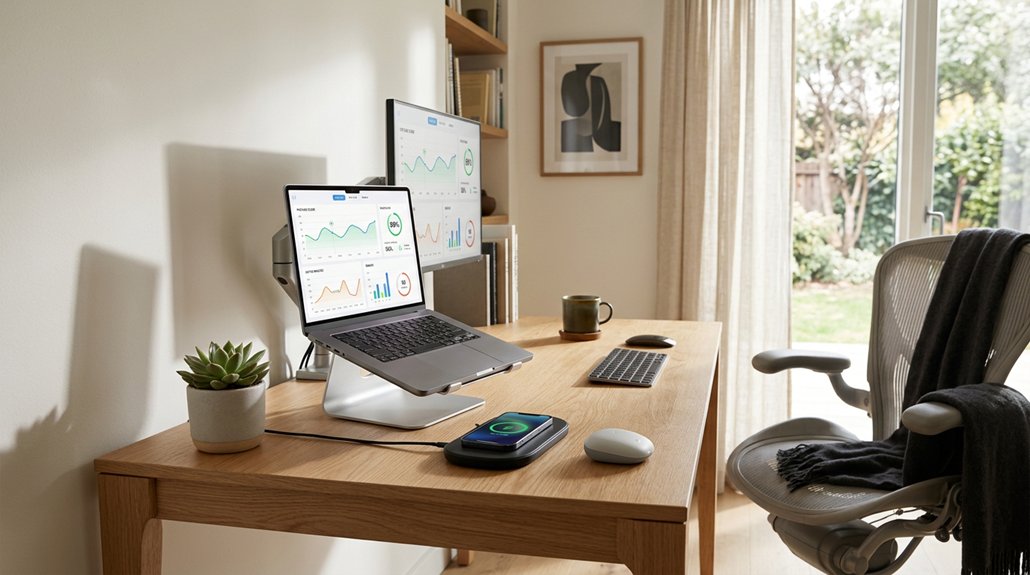
Are you curious about which apps leverage sensor data to help improve your posture? The AirPods Posture Reminder app uses motion sensors in AirPods, Beats Fit Pro, and other devices to detect slouching and send real-time vibration alerts.
Imagine:
- Sensors in your AirPods sensing when you’re slouching.
- Vibrations alerting you to correct your posture instantly.
- Detailed graphs tracking your posture scores over days, weeks, and months.
This app works seamlessly with iOS 17+ and macOS 14+, running quietly in the background. It also integrates with Apple Watch for session control and offers customization—like alert timing, sensitivity, and fun avatars.
Best of all, your posture data stays private, stored securely on your device.
How Can You Set Personal Posture Goals and Track Progress?
To improve your posture, start by setting clear daily goals like maintaining an upright sitting position and taking regular breaks.
Use tracking apps or wearable devices to monitor your progress and get real-time feedback.
Review your posture data regularly to identify patterns and make adjustments, celebrating improvements as you go.
Define Clear Posture Goals
Setting clear posture goals helps you stay focused and motivated to improve your habits. To maintain good posture, identify specific targets, like reducing slouching or always keeping a neutral spine.
Visualize your progress with these steps:
- Aim to increase the time spent in correct posture each day.
- Set reminders to correct slouching before it becomes habitual.
- Track your daily, weekly, and monthly progress to see improvements and adjust goals accordingly.
Using posture tracking apps or wearables can be a game-changer, providing real-time alerts and detailed reports.
Use Tracking Apps Effectively
Using tracking apps effectively starts with customizing them to suit your unique posture habits and comfort levels. Set personalized posture sensitivity and alert timing so reminders feel helpful, not intrusive.
Use baseline calibration features in posture apps to tailor detection accuracy based on your sitting and movement patterns. Regularly review detailed daily, weekly, and monthly posture scores to identify trends and progress.
If you use an Apple Watch, leverage its integration for convenient session control and quick posture checks without disrupting your workflow. Reward your improvements by gradually decreasing alert frequency as your posture habits get better, which boosts motivation and consistency.
Monitor Consistent Improvements
Monitoring your posture progress becomes easier when you set clear, personalized goals and regularly review detailed data from tracking apps and devices.
Using posture tracking apps with customizable sensitivity and extensive graphs helps you see daily, weekly, and monthly trends. To visualize your progress:
- Imagine checking a daily graph that shows improvements or setbacks.
- Picture wearable posture devices vibrating gently to reinforce awareness during work.
- Envision reviewing session history and scores to spot patterns and stay motivated.
These tools let you adjust your goals, set reminders, and reduce prompts as your posture improves.
Integrating devices like the Apple Watch offers instant feedback and effortless session control. Consistently monitoring these details helps you build better habits over time.
How Do Posture Avatars and Gamification Increase Engagement?
Ever wondered how playful elements like posture avatars and gamification can make maintaining good posture more engaging?
Posture avatars, such as giraffes, lions, cats, and pandas, provide real-time visual feedback that reacts to your posture, making correction feel interactive and fun. Adding gamification elements, like rewarding progress by gradually reducing reminder frequency, motivates you through positive reinforcement.
Customizable avatars and sensitivity settings let you personalize your experience, increasing your investment in maintaining good posture. These visual and interactive avatars turn posture improvement into a playful challenge, boosting your motivation and ensuring consistent engagement.
When combined with real-time posture scores and progress graphs, this creates an engaging feedback loop that enhances your awareness and encourages you to stay committed to better posture habits every day.
What Mindfulness Techniques Enhance Posture Awareness?
Practicing body alignment checks helps you stay aware of your posture as you work.
Deep breathing exercises relax muscles and remind you to release tension.
Using visual cues like sticky notes keeps your posture top of mind throughout the day.
Body Alignment Checks
To stay aware of your body alignment during work, incorporating mindfulness techniques can make a significant difference. Regularly checking your back, head, shoulders, and hips helps maintain ergonomic posture.
Try these simple steps for body alignment checks:
- Visualize a straight line from your ear through your shoulder to your hip.
- Pause to scan your back, ensuring it’s straight against the chair.
- Notice if your head is balanced directly over your shoulders rather than jutting forward.
These mindful checks keep you conscious of vertical alignment, preventing muscle tension.
Using reminders like sticky notes or wearable alerts encourages you to pause and correct your posture. Over time, body alignment checks become second nature, supporting your back and overall comfort during long work hours.
Deep Breathing Exercises
Deep breathing exercises are a simple yet effective way to enhance posture awareness during remote work. Practicing mindful deep breathing helps reduce muscle tension and promotes relaxation, making it easier to maintain good posture.
When you focus on controlled breathing, you naturally become more aware of your body alignment, encouraging regular posture checks. Incorporating deep breathing exercises also serves as a natural posture reset, especially during long work sessions, counteracting fatigue and stiffness.
These exercises can lower stress levels, decreasing the tendency to slouch or hold tension in your shoulders and neck. By integrating deep breathing exercises into your daily routine, you reinforce upright sitting habits and stay more conscious of your posture throughout the day, supporting overall ergonomic health.
Visual Reminder Techniques
Making your workspace visually engaging can greatly boost your awareness of good posture. Visual reminders act as cues to prompt regular posture checks and adjustments. You might use:
- Sticky notes placed around your monitor or desk, serving as quick visual prompts to correct your positioning.
- Fun, interactive avatars in posture apps that give real-time feedback, motivating you to stay aligned.
- Desktop or phone wallpapers featuring posture tips, reinforcing posture awareness during your workday.
Color-coded posture charts or graphs displayed nearby can visually track your progress, boosting motivation.
Additionally, incorporating mindfulness prompts into screen notifications gently reminds you to evaluate your posture periodically. These visual reminders create subtle yet effective cues for maintaining proper alignment, ensuring good posture becomes a natural part of your remote work routine.
What Simple Ergonomic Adjustments Reinforce Good Posture Habits?
What small ergonomic adjustments can truly make a difference in reinforcing good posture habits during remote work?
First, adjust your chair height so your feet rest flat on the floor, thighs parallel to the ground, and hips touch the chair back. This promotes a proper posture and keeps your spine neutral.
Position your desk at elbow height so your elbows bend at about 90 degrees, with relaxed shoulders and forearms roughly parallel to the floor.
Place your monitor about an arm’s length away, with the top near or slightly below eye level, preventing neck strain and forward head posture.
Use lumbar cushions or rolled towels to support your lower back’s natural curve and keep your wrists neutral by positioning your keyboard and mouse close, avoiding unnecessary reaching or bending.
How Can You Incorporate Movement and Stretching Into Your Daily Routine?
Are you regularly incorporating movement and stretching into your workday? To keep your body active and prevent stiffness, try these simple steps:
- Imagine standing up every 30 to 60 minutes, reaching out to stretch your arms, tilt your neck gently side to side, and roll your shoulders to boost circulation.
- Picture walking during calls—whether around your space or outside—minimizing long periods of sitting and increasing movement.
- Visualize doing quick stretches into your routine, like wrist rolls or gentle back bends, to relieve tension and cramps.
How Do Technology and Physical Cues Work Together for Long-Term Posture Improvement?
Integrating technology with physical cues creates a powerful system for maintaining long-term posture improvements. Wearable posture devices like Upright Go or apps using AirPods motion sensors give real-time vibration alerts, reminding you to correct slouching and develop better awareness.
Combining these tech alerts with physical cues—such as lumbar cushions and ergonomic chair adjustments—reinforces muscle memory for proper spine alignment over time. Visual reminders like sticky notes or app notifications encourage regular posture checks and break your sitting routine.
Progress tracking features in these devices motivate you to sustain improvements daily and weekly. Additionally, blending mindful breathing exercises and conscious posture alignment with tech alerts helps reduce tension and fosters long-term ergonomic habits, ensuring a healthier, more aligned workspace.
What Are the Key Tips to Educate Yourself About Ergonomics?
Understanding how to optimize your workspace starts with learning the basics of ergonomics. To build an effective ergonomic setup, focus on key tips that improve comfort and reduce strain.
First, make sure your chair supports your lower back and promotes a neutral spine position. Second, adjust your desk height so your elbows rest comfortably at a 90-degree angle, supporting proper arm posture. Third, position your monitor at eye level, about an arm’s length away, to prevent neck strain and keep your head aligned over your shoulders.
Additionally, maintain feet flat on the floor or a footrest, with hips touching the chair back. Incorporate ergonomic tools like lumbar cushions and external keyboards to reinforce good posture. Educating yourself about these fundamentals helps you create an ergonomic setup that promotes health during long remote work sessions.
What Common Mistakes Should You Avoid When Using Posture Reminders?
Have you ever relied solely on posture reminders to fix your sitting habits? While helpful, they shouldn’t replace ergonomic adjustments or conscious effort. Relying only on reminders can lead to overlooked workspace issues. Additionally, don’t ignore breaks; stretch and stand every 30 to 60 minutes to prevent stiffness.
Avoid setting reminder alerts too frequently or overly sensitive, as this can cause annoyance and lead to disabling them. Also, never wear posture correctors or use reminders during sleep; prolonged use may cause muscle dependency or weakness. Finally, don’t neglect mindful posture awareness—reminders work best when combined with active effort to maintain proper alignment.
| Mistake | Consequence |
|---|---|
| Relying solely on reminders | No ergonomic adjustments |
| Ignoring breaks | Increased stiffness |
| Excessive reminder sensitivity | Annoyance or disabling features |
Frequently Asked Questions
How to Improve Posture While Working From Home?
To improve your posture while working from home, set up an ergonomic workspace, take regular breaks to stretch, use lumbar support, position your monitor at eye level, and use posture reminders or apps to stay mindful of your alignment.
Do Posture Reminder Devices Work?
Posture reminder devices do work when you use them consistently; they alert you to slouching, boost awareness, and encourage better habits. Combine these with mindful posture practices for the best results in reducing discomfort.
What Is the 90 90 90 Rule for Ergonomics?
The 90 90 90 rule guides you to sit with hips, knees, and elbows bent at 90 degrees, keeping your feet flat, thighs parallel, and back straight. Adjust your chair and desk for comfortable, neutral alignment.
Can Poor Posture Cause High BP?
Poor posture can indirectly cause high blood pressure by increasing stress, restricting blood flow, and activating your nervous system more aggressively. Maintaining good posture and staying active help regulate your blood pressure and reduce cardiovascular strain.



