
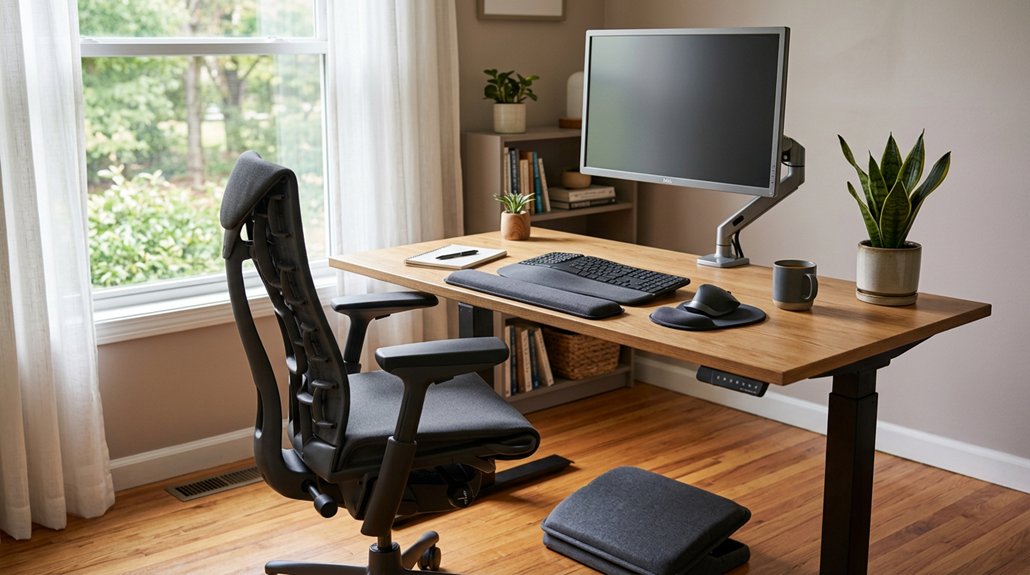
To help prevent migraines, position your monitor directly in front of you at arm’s length, with the top at or slightly below eye level, and keep the screen clean to avoid glare. Use a chair with lumbar support, keep feet flat, and adjust desk height so your elbows are slightly below 90 degrees. Take regular breaks, incorporate natural light, and minimize noise with soundproofing or headphones. Keep exploring to discover more tips for an ergonomic workspace that supports your wellbeing.
How Can You Properly Position Your Monitor to Support Headache Prevention?
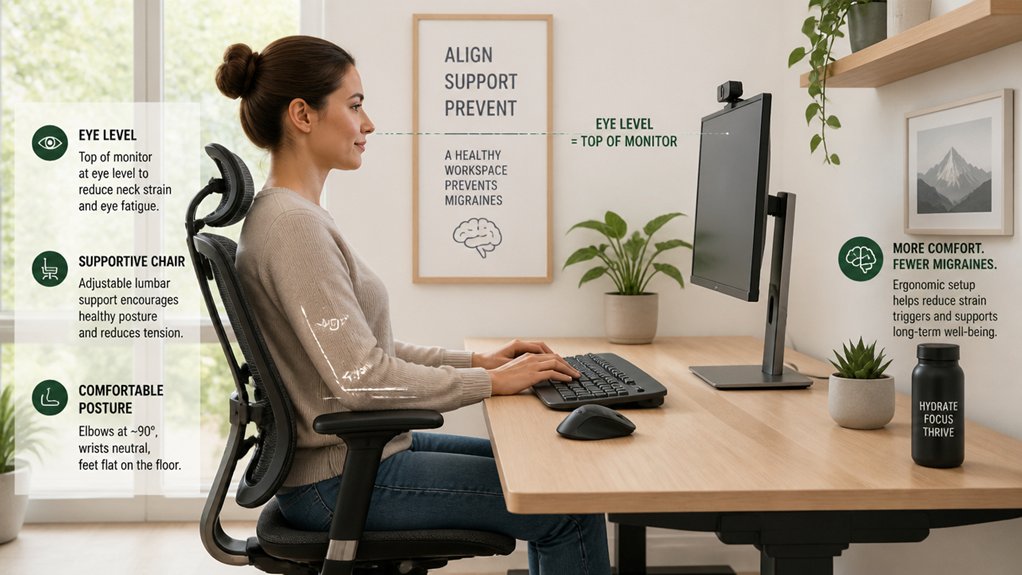
To prevent migraines caused by poor monitor positioning, you should place your computer monitor directly in front of you at arm’s length. This keeps your neck in a neutral position, reducing strain and muscle tension that can trigger headaches.
Place your monitor directly in front at arm’s length to keep your neck neutral and reduce headache risk.
The top of the monitor should be at or slightly below eye level, helping you maintain proper alignment and avoid extreme head flexion or extension, especially if you wear bifocal, trifocal, or progressive lenses.
Make sure the monitor is clean, glare-free, and adjusted for comfortable brightness to minimize eye fatigue. Use medium, natural lighting with the brightest light source positioned to the side. Monitor placement is also crucial for minimizing side glare and maximizing visual comfort.
Proper monitor placement is essential for reducing eye strain and preventing headaches, supporting your overall comfort during prolonged screen use.
What Desk and Chair Setup Promotes Better Posture and Comfort?
Ever wondered how your desk and chair setup can impact your posture and comfort? The right ergonomic setup can greatly reduce neck pain and promote better posture.
Start by positioning your chair so your feet rest flat on the floor or a footrest, with knees level with hips, to keep your spine aligned. Use a chair with lumbar support or add a rolled towel behind your lower back to maintain natural curves and prevent slouching. Pay attention to lumbar support mechanisms to ensure proper lower back support and maintain spinal alignment.
Adjust your desk height so your elbows are at or slightly below a 90-degree angle, easing wrist and shoulder tension. Place your monitor directly in front of you at arm’s length, with the top at or slightly below eye level. Choose a chair that promotes a slight recline for added comfort during long sitting periods.
How Does Good Lighting Reduce Eye Strain and Headaches?
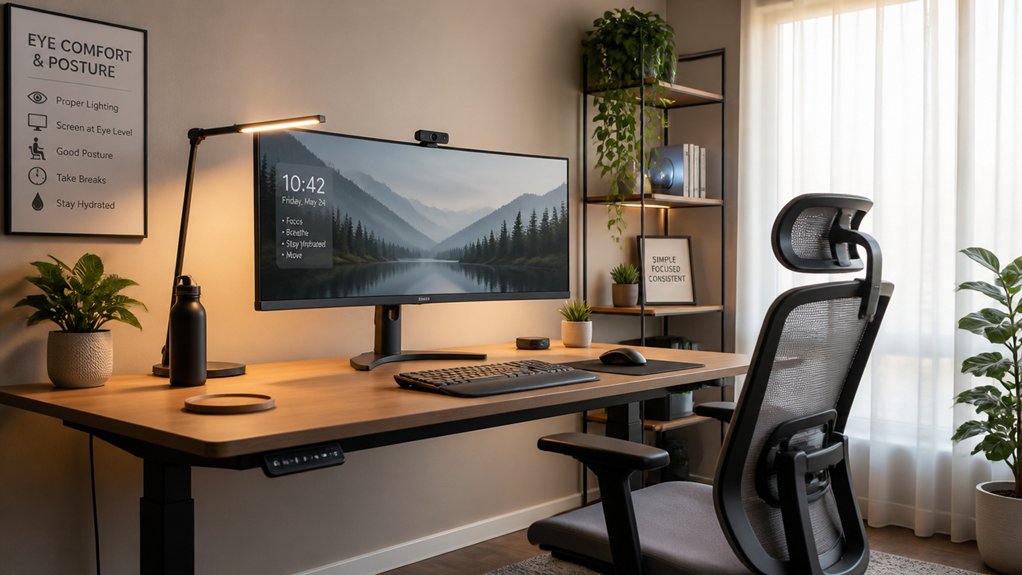
Proper lighting helps prevent eye muscle fatigue by reducing glare and harsh contrasts on your screens. Additionally, flicker-free LEDs produce steady illumination that minimizes eye irritation and headaches.
Optimal Light Placement
Good lighting plays an essential role in reducing eye strain and preventing migraines during long work sessions. Proper light placement helps minimize glare and contrast issues that can worsen light sensitivity and trigger headaches. To achieve this, position overhead lights to the side of your workspace rather than directly above or in front, reducing reflections on your computer screens.
Use medium ambient lighting, preferably from natural sources, to create a balanced environment without intense brightness. Avoid fluorescent ceiling lights and venetian blinds, as flicker and uneven contrast can increase visual stress.
Keep screens and glasses clean to prevent glare from reflections. Adjust your screen brightness to match ambient light levels, lowering contrast strain and helping reduce migraine frequency.
Additionally, flicker-free lighting options can further minimize visual fatigue and headaches.
- Position overhead lights to the side of your workspace
- Use natural light whenever possible
- Avoid flickering fluorescent lights and harsh sunlight
- Keep screens and glasses free of smudges and reflections
- Match screen brightness to ambient light levels
Adjust Screen Brightness
Adjusting your screen brightness to match your ambient lighting can make a noticeable difference in reducing eye strain and preventing migraines. When your screen is too bright or too dim, it forces your eyes to work harder, increasing muscle tension around your neck and head.
Proper lighting minimizes glare and reflections, helping you view content comfortably while lowering migraine triggers. Using medium lighting levels with natural light is ideal, as it creates balanced illumination that soothes your eyes during extended screen time.
Additionally, reducing blue light exposure and avoiding harsh overhead fluorescent lights lessen flicker and shadows that can cause eye discomfort. Keeping your screen adjusted to your environment can greatly reduce eye strain, helping you maintain clearer focus and fewer headaches. Incorporating blue light filtering lenses can also enhance comfort and further decrease digital fatigue during long screen sessions.
Minimize Glare Effects
Minimizing glare effects from lighting sources can greatly reduce eye strain and prevent headaches during extended screen use.
To make sure you avoid triggering migraines while working from home, pay attention to your lighting setup. Position the brightest light source to the side instead of directly in front or behind your screen, preventing unwanted glare. Avoid fluorescent ceiling lights and venetian blinds, as flickering and uneven lighting can make migraines more likely.
Use balanced lighting levels that complement natural daylight, reducing high contrast between your screen and ambient light. Keep your computer screen and glasses clean to minimize reflections. Additionally, choosing anti-glare screen protectors can help further diminish glare and blue-light fatigue, promoting more comfortable viewing conditions.
Finally, adjust your screen brightness to match ambient lighting, helping your eyes stay comfortable and making sure headaches don’t interfere with your workflow.
Why Are Regular Movement Breaks Important for Headache Prevention?
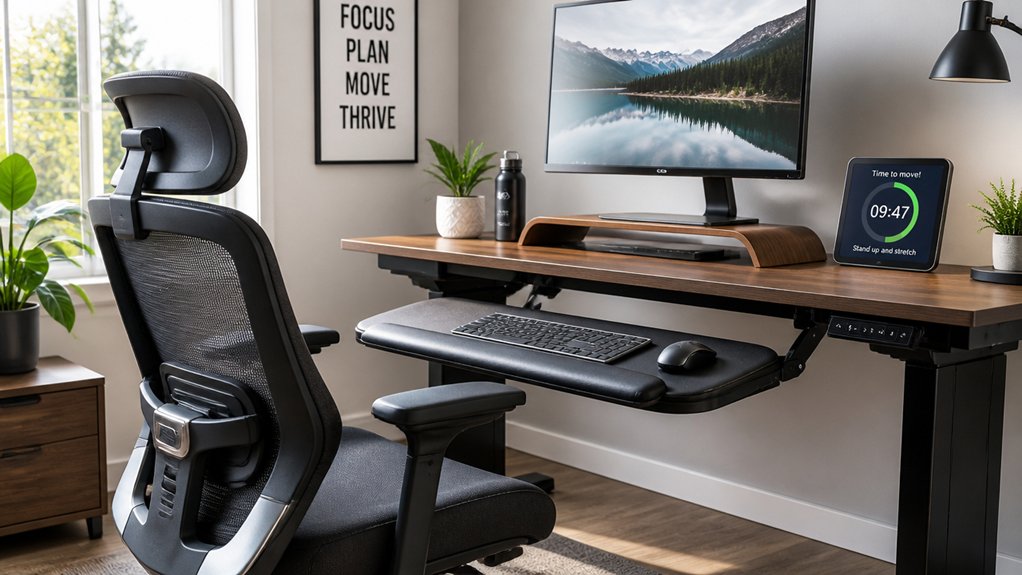
Regular movement breaks are essential because staying in one position for too long can cause muscle tension and neck strain, both of which are closely linked to migraines. Taking breaks throughout the day to stretch or change your position helps prevent poor posture that often develops from extended sitting.
This reduces muscle tension and improves blood circulation, decreasing the likelihood of migraine attacks. Movement exercises like starburst arm swings or squatting refresh your musculoskeletal alignment and alleviate physical stress that can trigger headaches. Additionally, brief activity breaks relieve eye strain by shifting focus away from screens, further preventing screen-induced headaches.
Incorporating regular movement throughout your workday supports better posture and notably lowers both the frequency and severity of migraines caused by desk work.
How Can You Adjust Your Workspace’s Sound Environment to Minimize Triggers?
You can reduce migraine triggers by minimizing background noise in your workspace. Using sound barriers like curtains, installing acoustic panels, or turning on white noise machines can make a big difference. Incorporating soundproofing curtains can significantly improve acoustics and dampen ambient noise further. Taking these steps helps create a calmer environment and lessens your sensitivity to sound triggers.
Reduce Background Noise
Have you ever noticed how sudden loud noises can trigger a migraine? People with migraine often find that managing background sounds helps prevent attacks.
To reduce noise, consider using noise-reducing headphones or headsets with a mute option, ensuring clear communication without strain. Position your workspace away from noisy areas and minimize sounds from fans, printers, or conversations. Soft ambient sounds or white noise machines can mask disruptive noises, helping maintain a calm environment. For a tailored solution, a white noise machine with multiple sound options can effectively block out distractions and create a more serene workspace.
Avoid cradling phones between your ear and shoulder; instead, use speakerphones or headsets to protect your posture and reduce ear strain related to sound sensitivity.
Following medical advice and implementing these tips creates a quieter workspace, decreasing migraine triggers and improving focus.
Use Sound Barriers
To effectively minimize sound-related migraine triggers, adjusting your workspace with sound barriers can make a significant difference. Start by using noise-canceling headphones or high-quality headsets during calls to block out background noise. Position your workspace away from loud appliances, HVAC units, and busy areas to reduce disruptive ambient sounds.
Incorporate sound-absorbing materials like carpets, curtains, or acoustic panels to dampen echo and lower overall noise levels. These barriers help create a quieter environment, minimizing stressors that can trigger migraines.
Additionally, using speakerphone or hands-free devices instead of cradling your phone reduces muscle strain. Mute microphones when not speaking during virtual meetings to prevent unnecessary noise from disturbing your workspace. Sound barriers can be a simple yet effective way to improve your sound environment.
What Are Best Practices for Screen Use and Eye Care?
Are you aware that proper screen positioning and eye care can greatly reduce migraine risk? To make your computer work better for you, keep your monitor an arm’s length away and position the top of the screen at or slightly below eye level. This helps maintain a neutral neck posture and decreases strain.
Use medium ambient lighting, preferably natural light, and place the brightest light to the side to prevent glare and eye discomfort. Make it a habit to follow the 20-20-20 rule: look at something 20 feet away for 20 seconds every 20 minutes to reduce eye fatigue.
Remember to make short breaks often, clean your screen and glasses regularly, and consider blue light blocking glasses or software like f.lux for added eye protection.
- Position monitor at arm’s length, with top at eye level
- Use natural or diffused lighting to reduce glare
- Follow the 20-20-20 rule consistently
- Make short breaks to rest your eyes
- Regularly clean screens and glasses to minimize strain
How Do Indoor Plants and Natural Environment Improve Your Comfort and Wellbeing?
Proper screen positioning and eye care are essential in preventing migraines, but creating a comfortable environment goes beyond just your workspace setup.
Incorporating indoor plants boosts air quality by reducing carbon dioxide and increasing humidity, which can lessen headache frequency and intensity.
Positioning your desk near windows with outdoor greenery offers visual breaks that reduce eye strain and stress, lowering migraine risks. Natural green light from plants and outdoor views has a calming effect on symptoms, supporting green light therapy strategies.
Placing your desk near windows with greenery reduces eye strain and stress, helping prevent migraines naturally.
Regularly stepping outside into natural environments promotes mental health and overall wellbeing, which can help you manage living with migraine better.
Filling your workspace with plants and nature fosters a soothing ambiance that minimizes stress-related triggers, making your environment more comfortable and supportive of migraine prevention.
Frequently Asked Questions
What Are the 5 C’s to Avoid Migraines?
The 5 C’s to avoid migraines are controlling your posture, screen height and distance, lighting, taking regular breaks, and managing your sound environment. Implementing these strategies helps reduce physical and sensory triggers, offering relief from migraine headaches.
What Is the 20 20 20 Rule for Migraines?
The 20-20-20 rule helps prevent migraines by encouraging you to look away from your screen every 20 minutes, focusing on something 20 feet away for at least 20 seconds, reducing eye strain and visual fatigue.
How Do Japanese Treat Migraines?
Japanese treat migraines with a mix of Western medications and traditional therapies like acupuncture and herbal remedies. They focus on preventive care, lifestyle changes, and non-invasive treatments such as nerve blocks and botulinum toxin injections to manage pain effectively.
What Are the 4 C’s to Avoid in Migraines?
You should avoid the 4 C’s to prevent migraines: caffeine, chocolate, cheese, and cold. Cutting back on caffeine and chocolate, limiting aged cheese, and avoiding cold triggers can help reduce your migraine frequency and severity.



