
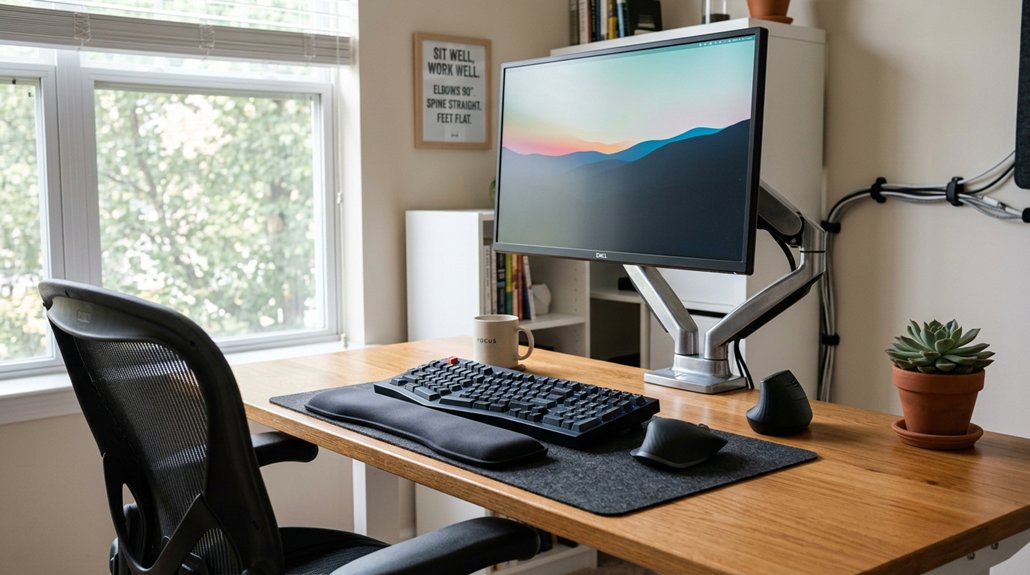
To stop desk strain injuries, make sure your workspace is ergonomically set up. Adjust your chair so your feet are flat and knees are at 90 degrees, and keep your monitor at eye level about an arm’s length away. Keep your keyboard and mouse at elbow height with wrists straight, and take breaks every 20–30 minutes to stretch or rest. Staying hydrated and watching for early signs of discomfort can also prevent long-term issues. Keep going for more helpful tips.
Why Ergonomics Matters for Desk Workers
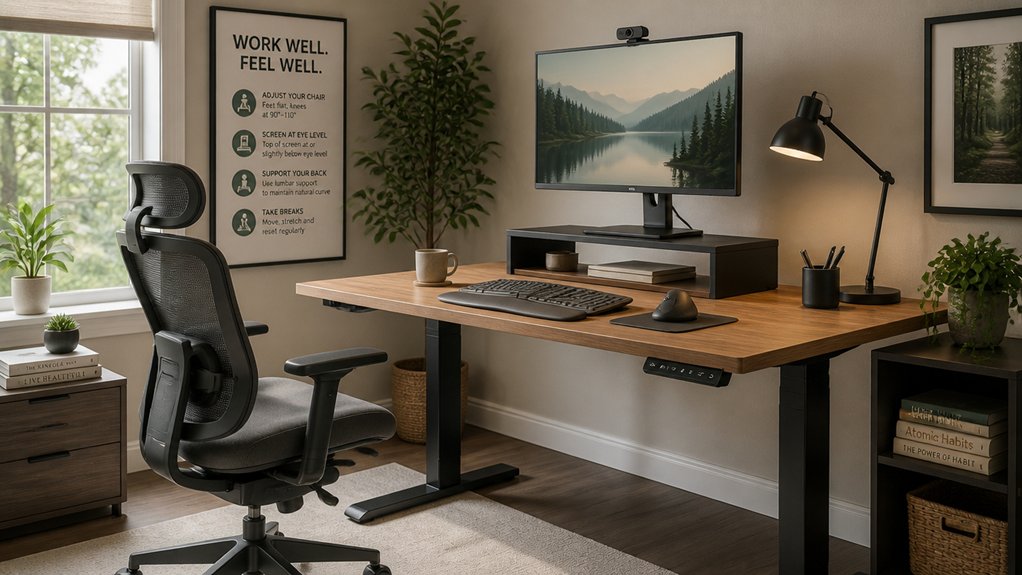
Ergonomics is essential for desk workers because it directly influences comfort and health. When you set up your workspace correctly, you help prevent injury and improve your posture. A properly designed setup can also minimize wrist pressure by ensuring the keyboard and wrist supports work together to maintain neutral wrist angles. Position your keyboard and mouse at elbow height, keeping your wrists straight in a neutral position to reduce wrist strain. Proper ergonomics also involve aligning your monitor at or just below eye level, which prevents awkward neck and shoulder postures that can cause musculoskeletal pain. Using ergonomic chairs with lumbar support and adjusting seat height promotes spinal health and reduces cumulative strain from sitting too long. Additionally, incorporating frequent breaks and wrist supports can lower the risk of repetitive strain injuries.
How to Assess Ergonomic Risks in Your Workspace
Have you ever wondered if your workspace setup is putting you at risk for strain or injury? To assess ergonomic risks, start by evaluating your chair supports and desk height to guarantee your feet rest flat, knees are at 90 degrees, and elbows are also at 90 degrees while typing.
Check that your keyboard and mouse are positioned at or slightly below elbow height with wrists straight to promote proper posture. Your monitor’s top should be aligned at or just below eye level and about an arm’s length away, supporting a neutral neck posture.
Notice your posture throughout the day—avoid slouching or leaning forward. Track repetitive motions and static periods, and incorporate frequent breaks every 20-30 minutes for stretching and movement to reduce strain and enhance ergonomic practices. Additionally, using adjustable armrests can help maintain optimal arm and shoulder positioning, preventing discomfort during prolonged computer use.
Adjust Your Chair and Desk for Comfortable Posture
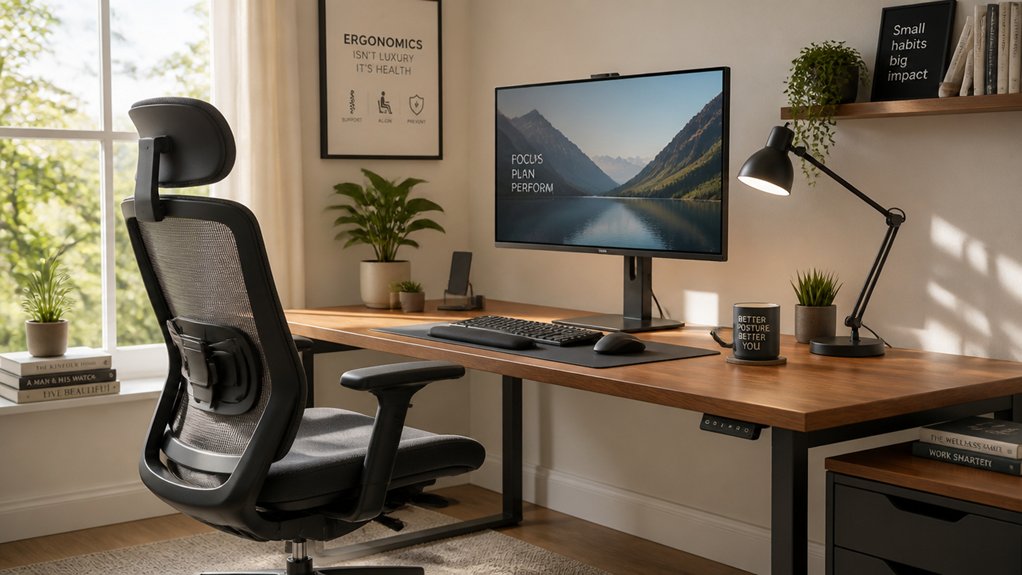
Adjusting your chair and desk properly can make a big difference in reducing strain. Set your chair height so your feet are flat on the floor and your knees are at a 90-degree angle, and make sure your desk height allows your elbows to bend comfortably. A good lumbar support mechanism can further help maintain your spine’s natural alignment and reduce lower back strain. Sitting back fully with good lumbar support and keeping your thighs parallel to the floor helps maintain an ergonomic posture.
Proper Chair Height Adjustment
Setting your chair to the right height is essential for maintaining a comfortable and healthy posture at your desk. Adjust the chair height so your feet are flat on the floor or on a footrest, with knees bent at about a 90-degree angle to promote proper alignment and peak circulation.
Verify the chair supports your lumbar spine to maintain its natural curve, which helps prevent slouching and reduces lower back strain.
Your elbows should rest comfortably at a 90-degree angle when on the desk or armrests, encouraging proper arm alignment and reducing shoulder tension.
When your chair height is correctly set, your thighs should be parallel or slightly angled downward, maintaining a neutral position that promotes healthy blood flow and reduces strain during long periods of sitting.
Correct Desk Positioning
To maintain a comfortable and healthy posture, it’s essential to properly position your chair and desk. Adjust your chair height so your feet sit flat on the floor or on a footrest, with knees bent at a 90-degree angle. Make sure your chair provides lumbar support and allows you to sit fully back, keeping your spine aligned and shoulders relaxed. Incorporate a lumbar support cushion to ensure additional lower back support and reduce strain during long sitting periods. Position your desk so your elbows rest comfortably at a 90-degree angle close to your body, reducing strain on your shoulders and wrists. Keep your proper keyboard at or slightly below elbow height to promote neutral wrist positioning, minimizing repetitive stress. Arrange your monitor so the top is at or slightly below eye level and about an arm’s length away, helping you avoid neck bending and maintaining ergonomic alignment.
Proper Monitor Height: Position Your Screen at Eye Level
Placing your monitor at eye level is essential for maintaining a healthy neck and reducing strain during long work hours. The proper monitor height keeps your screen at or just below eye level, helping you sit with a neutral neck posture. Positioning the monitor about an arm’s length away minimizes eye fatigue and prevents leaning forward. This setup also reduces the risk of forward head posture, which can cause neck, shoulder, and upper back discomfort. Adjust your screen so you look straight ahead without tilting or straining your neck. If you wear bifocal or multifocal lenses, lower the monitor slightly to guarantee a clear view without tilting your head. Incorporating an adjustable monitor stand can ensure optimal height and ergonomics, promoting comfort and helping prevent desk-related injuries.
Keep Your Keyboard and Mouse at Elbow Height for Safety
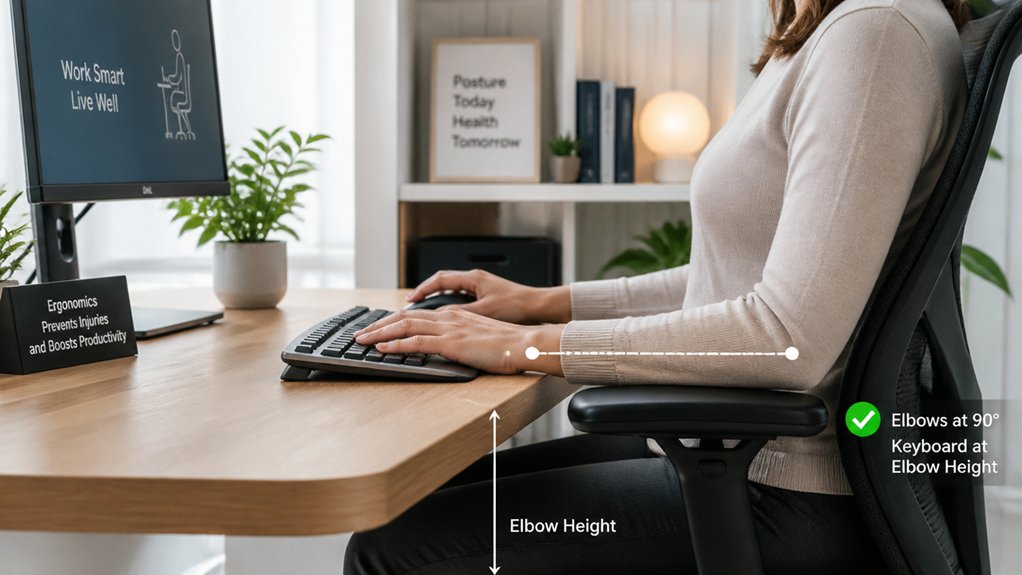
Position your keyboard and mouse at elbow height to keep your wrists straight and avoid strain. This setup helps maintain a comfortable bend in your elbows, reducing fatigue in your arms and shoulders. Additionally, ensuring your keyboard has adjustable tilt features can further promote ergonomic comfort and prevent wrist discomfort.
Proper Keyboard Placement
Maintaining your keyboard and mouse at elbow height is essential for a safe and comfortable workspace. Proper keyboard placement keeps your wrists in a neutral position, preventing stress injuries like carpal tunnel syndrome. Make certain your elbows are bent at approximately a 90-degree angle, which promotes a relaxed posture.
Position the keyboard and mouse close to your body to avoid excessive reaching, which can cause wrist bending and shoulder strain. When your setup is at elbow height, you reduce undue tendon and muscle strain during long typing or mouse use. This alignment minimizes awkward wrist angles, helping you prevent repetitive strain and fatigue. Additionally, choosing an ergonomic mouse with a vertical angle between 57° and 65° can significantly support your wrist’s natural position and reduce strain during extended use.
Keeping your workspace ergonomically correct not only supports comfort but also plays a critical role in avoiding long-term wrist and arm problems.
Ergonomic Mouse Position
To prevent wrist strain and repetitive stress injuries, your mouse should be positioned at the same height as your keyboard—ideally at elbow level. This positioning helps keep your wrist straight and maintains a neutral wrist posture, which reduces strain.
When your mouse is within easy reach at elbow height, you avoid unnecessary arm extension and wrist twisting, lowering the risk of repetitive injuries.
To maximize injury prevention, follow these tips:
- Keep your mouse at the same height as your keyboard to support ergonomic alignment.
- Guarantee your elbows are bent at roughly 90 degrees for peak comfort.
- Regularly check and adjust your mouse placement to maintain consistent ergonomic safety during long sessions.
Additionally, choosing a ergonomic mouse pad with wrist support can further promote proper wrist positioning and reduce discomfort during extended use.
Use Wrist Supports to Reduce Strain While Typing
Using wrist supports while typing can greatly reduce strain and prevent discomfort over long periods. Wrist supports help keep your wrists in a neutral position, reducing awkward bends that cause strain.
With proper finger cushioning and support, you can prevent wrist fatigue and strain on your lower joints. Position your keyboards at or slightly below elbow height to keep your wrists relaxed and aligned during extended typing sessions.
Consistent use of wrist supports cushions joint pressure and lowers the risk of repetitive strain injuries like carpal tunnel syndrome. These supports can also alleviate mild aching, stiffness, and heaviness in your wrists caused by repetitive motions.
Combine wrist supports with ergonomic adjustments and regular breaks for the best protection against long-term wrist strain.
Take Regular Breaks and Do Stretches to Stay Comfortable
Taking regular breaks and stretching throughout your workday can greatly reduce discomfort and prevent strain injuries. Microbreaks help you stay comfortable and address muscle tension before it worsens.
To maximize benefits:
- Take a 2-minute break every 20 minutes to stretch, adjust your posture while working, or rest your hands to prevent wrist strain.
- Do wrist stretches by gently pulling back your fingers for 15-30 seconds, repeating three times to improve flexibility.
- Follow the 20-20-20 rule: every 20 minutes, look at an object 20 feet away for 20 seconds to reduce eye strain and promote movement.
Regular breaks are essential to prevent neck injuries, muscle tension, and eye discomfort.
Incorporate Wrist and Hand Exercises Into Your Daily Routine
Incorporating wrist and hand exercises into your daily routine is a simple yet effective way to prevent discomfort and maintain joint health during long hours at your desk. Regularly doing wrist stretches can improve flexibility and reduce stiffness, making repetitive desk work easier on your joints. Use wrist curls with light weights or resistance bands to strengthen wrist muscles, enhancing resilience against repetitive strain. Practicing wrist circles increases mobility and keeps your joints healthy. Incorporate finger stretches by pressing palms together and spreading your fingers to reduce tension and boost hand dexterity. Consistency is key; these exercises prevent discomfort and improve long-term hand function.
| Exercise | Technique | Benefits |
|---|---|---|
| Wrist stretches | Extend arm, gently pull back fingers | Reduce strain, increase flexibility |
| Wrist curls | Use resistance bands or light weights | Strengthen wrist muscles |
| Finger stretches | Press palms together, spread fingers | Improve dexterity, relieve tension |
Hydrate and Adopt Healthy Habits for Long-Term Wellbeing
Staying hydrated and maintaining healthy habits are essential for long-term desk job wellbeing. Proper hydration supports muscle function and circulation, helping reduce stiffness caused by long hours at your desk.
To minimize strain, incorporate regular microbreaks to stretch and move, preventing stiffness from static postures and repetitive movements. Good posture—sitting upright with relaxed shoulders—promotes long-term orthopedic health and avoids injury.
Here are three key habits to adopt:
- Hydrate frequently to keep muscles flexible and prevent discomfort.
- Take microbreaks every 30–60 minutes to stretch and reset your posture.
- Prioritize quality sleep to enhance muscle recovery and resilience.
How to Recognize Early Signs of Overuse and When to See a Specialist
Recognizing early signs of overuse is essential to prevent long-term damage from repetitive desk work. Look out for early signs like mild aching, stiffness, tingling, numbness, or heaviness in your hand and wrist, especially after prolonged computer use.
Monitoring symptoms such as persistent pain, numbness, swelling, or decreased grip strength helps catch issues early. These signs often stem from poor posture, incorrect wrist positioning, an inadequate desk setup, or continuous typing without breaks, leading to increased muscle tension.
If discomfort lasts beyond a few days or begins to interfere with your daily routine, it’s time to see a specialist. Prompt consultation can help diagnose overuse injuries early and prevent chronic pain or long-term damage, ensuring your hand and wrist stay healthy.
Frequently Asked Questions
How to Prevent Strain Injuries at Work?
To prevent strain injuries at work, you should set up your workstation ergonomically, take microbreaks every 20 minutes, incorporate wrist exercises, and use supportive tools like wrist rests and adjustable monitors to maintain proper posture.
What Is Desk Neck Syndrome?
Desk Neck Syndrome is a musculoskeletal issue caused by keeping your neck in a forward, poor alignment position during work. You might experience pain, stiffness, and headaches, especially if your monitor isn’t positioned at eye level.
What Are the Common Desk Job Injuries?
You frequently experience injuries like carpal tunnel syndrome, tendonitis, neck and shoulder pain, lower back strain, and eye fatigue because of repetitive movements, poor posture, static positions, and extended screen time during your desk job.
What Is Computer Wrist Syndrome?
Computer Wrist Syndrome, or RSI of the wrist, happens when you do repetitive movements like typing and mouse use for too long. It causes pain, stiffness, and numbness; adjusting your ergonomics and taking breaks can help prevent it.



