
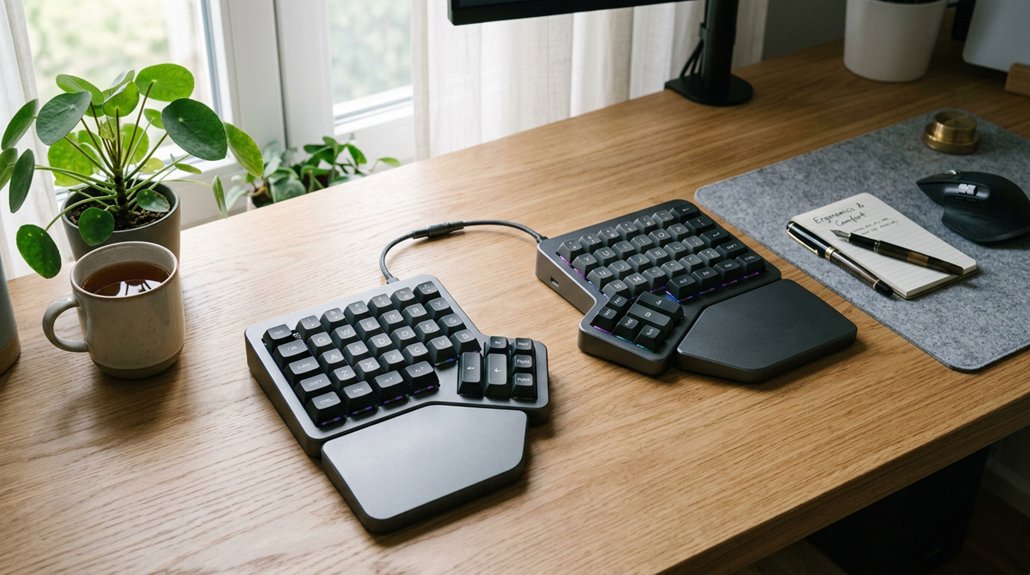
Split keyboards help reduce neck pain by promoting natural arm, wrist, and shoulder positions that prevent strain and support good posture. They encourage you to keep your elbows shoulder-width apart, maintain neutral wrist angles, and stay upright, which lessens forward head tilt and neck tension. Adjustable features like tenting and tilt further enhance comfort and proper alignment. Curious how these ergonomic benefits can make a difference for your neck? Keep exploring to learn more.
How Split Keyboards Support Neck Health and Posture
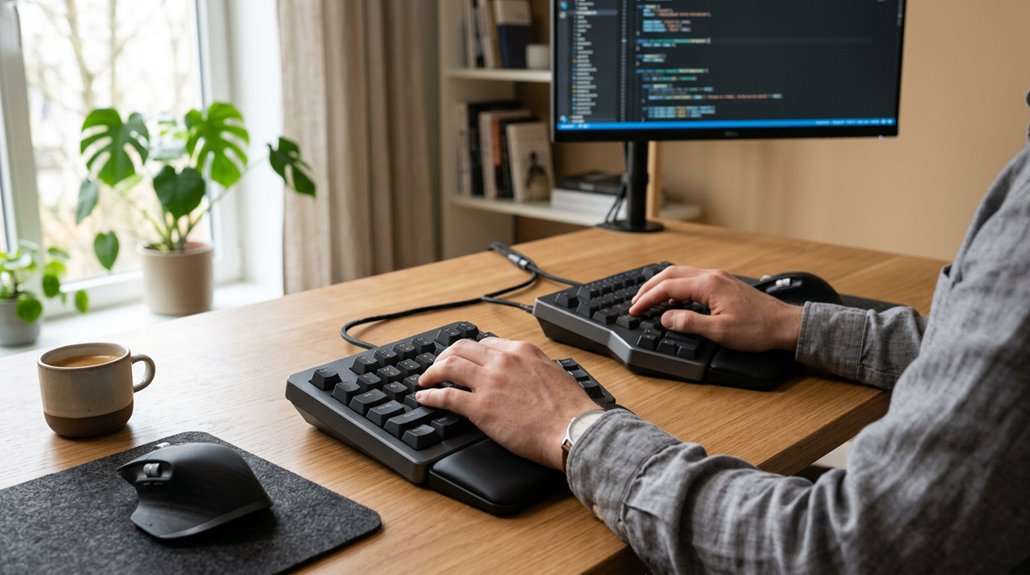
Split keyboards support neck health and posture by naturally aligning your hands and arms, reducing strain on your neck muscles. Unlike traditional layouts, split keyboards allow your hands to rest shoulder-width apart, decreasing inward elbow rotation and preventing forward shoulder and neck slouching that contribute to neck pain.
These ergonomic keyboards enable your elbows and wrists to stay in a neutral position, with a slight tented angle, promoting upright posture. By encouraging this neutral alignment, split keyboards help minimize forward head tilt, which often strains neck muscles.
The wider layout also lets you position your mouse closer to the center, reducing asymmetrical tension. Supporting your elbows and maintaining proper back retraction, split keyboards foster a healthier overall posture, easing tension and decreasing neck discomfort during long working hours.
Why Proper Arm and Posture Alignment Prevent Neck Pain
When your arms are positioned correctly, your shoulders stay relaxed, and your neck doesn’t have to strain to compensate. Maintaining proper posture helps keep your spine aligned, reducing tension and discomfort. Using ergonomic strategies, like split keyboards, makes it easier to keep these ideal positions, preventing neck pain. Additionally, adjustable tilt and split design features further promote proper arm alignment, enhancing overall comfort during extended typing sessions.
Biomechanics of Arm Alignment
Proper arm and posture alignment are essential for preventing neck pain, as they influence the stress placed on your cervical spine. Split keyboards help achieve ideal arm alignment by allowing your elbows to open naturally to shoulder width, reducing inward rotation that can lead to forward shoulder posture and neck strain.
Maintaining neutral wrist positions and relaxed shoulders minimizes shoulder muscle tension, decreasing fatigue and discomfort. By supporting the arms and elbows in a comfortable, relaxed position, split keyboards promote an upright back posture, lowering forward head tilt and reducing cervical spine stress.
Additionally, best arm alignment encourages postural changes that prevent prolonged neck extension or flexion, helping you avoid chronic neck discomfort. Proper biomechanics of arm alignment are key to long-term neck health. Using ergonomic features such as adjustable tilt and split layout further enhances these benefits by ensuring your neutral hand posture is maintained naturally.
Impact of Posture on Neck
Good posture plays an essential role in preventing neck pain because it guarantees your spine remains aligned and reduces unnecessary strain. Using a split keyboard promotes proper arm and elbow positioning, supporting an ergonomic posture that keeps your back upright and maintains natural cervical spine curvature. This alignment minimizes neck tension and shoulder pain often caused by poor posture. A well-designed split keyboard can also encourage neutral wrist angles, further alleviating stress on your neck and shoulders. By positioning your mouse closer to your body’s centerline, split keyboards prevent inward shoulder rotation and arm flare, reducing muscle stress in your neck and shoulders. Additionally, an improved posture encourages dynamic movement and frequent adjustments, stopping sustained forward head positions that lead to chronic neck discomfort. Investing in an ergonomic setup with a split keyboard helps you sustain healthier posture, ultimately reducing neck pain and enhancing comfort during your workdays.
Ergonomic Positioning Strategies
Maintaining correct arm and posture alignment is essential for preventing neck pain, as it directly influences muscle tension and spinal health.
A split keyboard helps you position your hands and wrists naturally with separated halves, reducing internal shoulder pull and lowering neck muscle tension. An ergonomic board promotes upright back posture with lumbar support, preventing a forward head and neck stance that shifts your center of mass.
Additionally, a neutral, slightly tilted wrist position minimizes wrist pain and reduces compensatory upper back and neck muscle strain caused by poor keyboard posture.
- Use a split keyboard to keep your elbows supported and shoulders relaxed.
- Tented setups encourage natural arm positioning and reduce wrist pronation.
- Keep the keyboard close to the centerline to prevent leaning and asymmetry.
- Adjustability range features in modern ergonomic keyboards allow personalized setups, further promoting proper posture.
How Tented and Adjustable Split Designs Enhance Comfort
Tented and adjustable split keyboard designs directly address common ergonomic issues by allowing you to customize the angle and position of each half. With a tented split, the keyboard halves elevate at the inner edges, encouraging a neutral “handshake” wrist position that reduces forearm pronation and diminishes neck and shoulder muscle tension. An adjustable design further enables precise positioning to support ergonomic arm supports, promoting proper alignment during extended use.
Adjustable split keyboards let you position each half at shoulder-width, promoting relaxed elbows and preventing inward shoulder rotation, which can cause neck strain. By minimizing wrist and arm twisting, these features support an upright posture with a retracted mid-back, alleviating forward head posture linked to neck pain. The ability to fine-tune the keyboard’s angle and tenting height also encourages frequent postural changes, reducing muscle fatigue in your neck and upper back during long typing sessions.
Comparing Standard and Split Keyboards: Which Is Better for Your Neck?
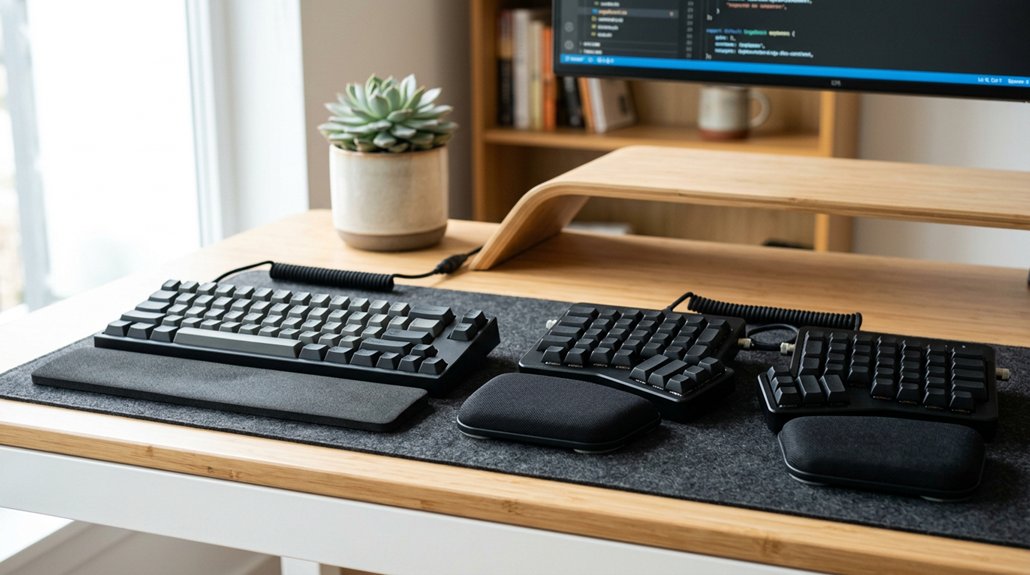
While adjustable and tented split keyboards help optimize ergonomics, choosing between a standard and a split design greatly impacts neck comfort. Standard keyboards often force your hands close together, leading to wrist pronation and inward shoulder pull, which can cause neck discomfort.
Choosing a split design promotes better neck comfort and reduces muscle strain compared to standard keyboards.
In contrast, split ergonomic keyboards promote a better typing position by allowing elbows to open and maintaining a tented angle, reducing muscle tension in your neck and upper back. Their wider layout positions the mouse closer to your center, minimizing body lean and neck strain from compensatory postures.
Additionally, split keyboards support improved posture by encouraging upright sitting, aligning mid-back, and reducing forward head posture. Overall, split ergonomic keyboards offer better support for healthier neck and overall ergonomic posture. Proper adjustability features in these keyboards further enhance comfort and help maintain proper alignment during extended use.
- Better wrist and arm positioning
- Reduced muscle tension and neck discomfort
- Improved alignment and posture
Tips for Setting Up Your Split Keyboard to Reduce Neck Strain
Position your split keyboard so the halves are shoulder-width apart and slightly tented to keep your wrists neutral and elbows open, which helps prevent neck tension.
Adjust the height so your forearms stay parallel to the floor, supported by armrests, promoting good posture. Fine-tune the tilt and angle to reduce wrist strain and encourage a more upright back, easing neck and shoulder stress.
Additionally, consider adjustability features such as tilt and height adjustments available on many models, to customize your setup for optimal comfort and support.
Proper Keyboard Positioning
Ever wonder how to set up your split keyboard to minimize neck strain? Proper keyboard positioning is key. Start by positioning the split keyboard halves shoulder-width apart, allowing your elbows to open naturally. This helps reduce inward shoulder pull and eases neck muscle tension.
Use the tenting and negative tilt features on your split keyboard to promote neutral wrist alignment, which encourages an upright neck and head posture. Keep the keyboard closer to your body with the keyboard halves spaced correctly; this prevents forward leaning and shifting your head’s center of mass.
Supporting your elbows with the right position encourages an upright back with lumbar support, further alleviating neck strain. Additionally, choosing a well-designed stand or mounting solution can ensure your keyboard remains stable and easy to adjust during use.
Optimal Tenting Angles
Adjusting the tenting angle of your split keyboard can greatly impact your neck comfort. Ideal tenting angles typically range from 5° to 15°, promoting a neutral wrist and forearm position that reduces shoulder and neck tension. Proper tenting lifts the keyboard halves’ inner edges, encouraging a natural “handshake” posture that minimizes inward wrist deviation and neck strain. To support an ergonomic setup, align your elbows under your shoulders by adjusting tenting angles accordingly. Incorporate armrests for added support, decreasing shoulder elevation and muscle fatigue. Small, frequent adjustments during use prevent static postures that cause neck pain. Additionally, considering ergonomic angle adjustability can help customize your setup for optimal comfort. This table summarizes key tenting considerations:
| Tenting Angle | Effect | Benefit |
|---|---|---|
| 5°-15° | Neutral wrist | Reduces neck tension |
| Inner edge elevation | Natural handshake | Minimize strain |
| Adjust during use | Dynamic positioning | Prevents discomfort |
Is a Split Keyboard Right for You? Signs and Considerations
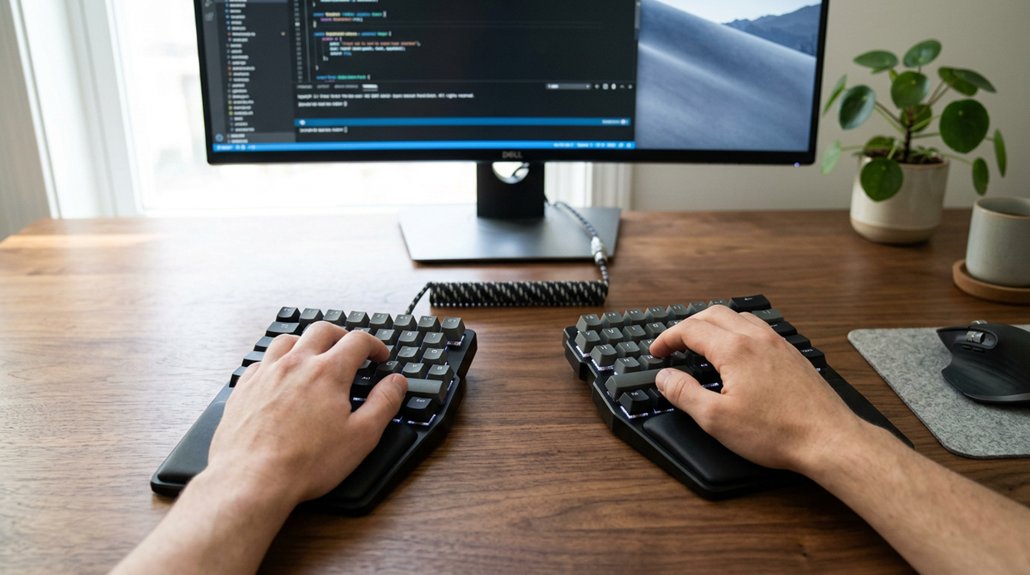
Wondering if a split keyboard is right for you? If you experience pain, shoulder tension, or forward head posture from typing, a split keyboard might help by promoting a more ergonomic, neutral arm and wrist position. It’s especially beneficial if you have carpal tunnel syndrome or discomfort from awkward positions on a standard keyboard.
Consider trying a split keyboard if you notice yourself leaning to one side or rotating your shoulders inward because of key placement. Spending hours typing daily with discomfort? The ergonomic features like adjustable halves and tenting can reduce strain and improve posture.
Keep in mind, adapting to a split setup involves a learning curve and may temporarily slow your speed, but it often leads to long-term pain relief and better posture.
Frequently Asked Questions
Are Split Keyboards Actually More Ergonomic?
Yes, split keyboards are more ergonomic because they align your hands, wrists, and forearms naturally, reducing strain and tension. This promotes better posture, minimizes muscle fatigue, and supports healthier typing habits, ultimately lowering your risk of discomfort or injury.
Do Split Keyboards Help With Shoulder Pain?
Yes, split keyboards help with shoulder pain by allowing your elbows to stay relaxed and open, reducing muscular tension. They promote natural arm positioning, prevent inward shoulder pull, and support a healthier posture, easing overall shoulder discomfort.
What Type of Keyboard Is Best for Arthritis?
You should choose a lightweight, adjustable split keyboard with tenting features and thumb clusters. It promotes neutral wrist positions, reduces joint stress, and minimizes repetitive movements, helping alleviate arthritis symptoms and improve overall comfort during long typing sessions.
What Is the Ergonomic Split Key Keyboard?
An ergonomic split keyboard is divided into two halves, aligning with your shoulders to keep your hands, wrists, and forearms straight. It reduces strain, promotes a natural posture, and supports comfortable, pain-free typing.
In Summary
Switching to a split keyboard can really help reduce neck pain by encouraging better posture and proper alignment. Its adjustable and ergonomic design allows you to customize your setup for maximum comfort. If you often experience neck strain, trying a split keyboard might be a smart move. Pay attention to your body’s signals, and if it feels right, make the switch—you could be on your way to a more comfortable, pain-free workday.




Leave a Reply