
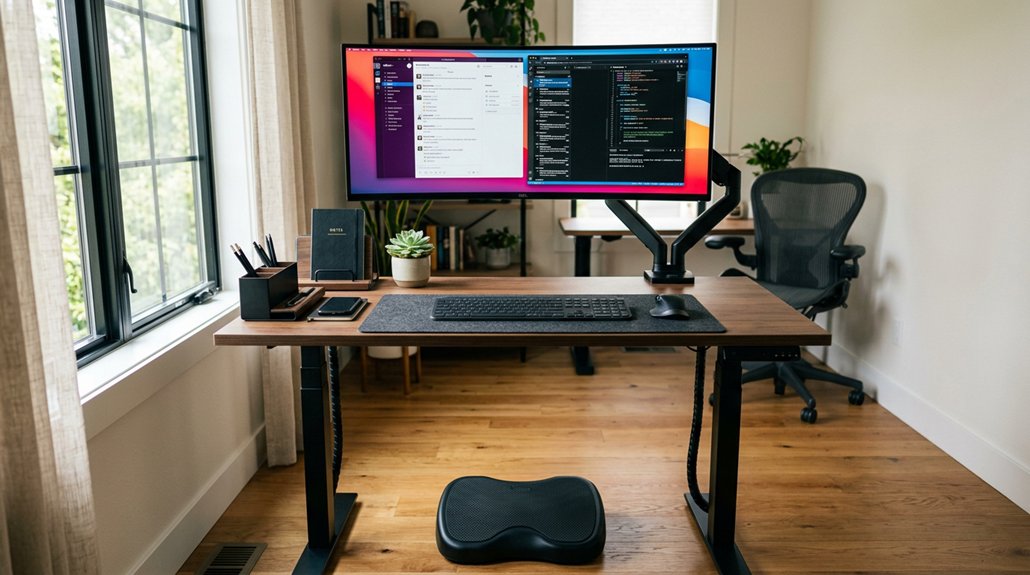
To create a comfortable standing desk setup, focus on adjustable items like a desk with a wide height range and memory presets, and monitor arms or risers to align your screen at eye level. Add an anti-fatigue mat and footrest for circulation, and choose ergonomic keyboard and mouse options to support neutral wrists. Incorporate accessories such as balance boards and organizer solutions to boost movement and keep your workspace tidy. Keep exploring to discover more ways to optimize your standing workstation.
What Are the Key Components of an Ergonomic Standing Desk Setup?
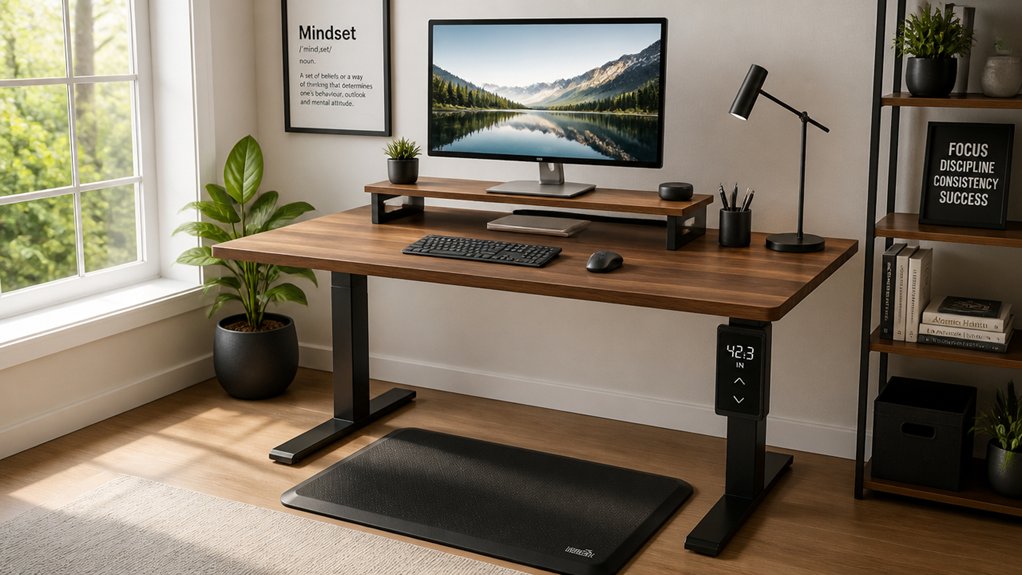
What’re the essential parts that make a standing desk setup ergonomic? First, adjust your desk height so your elbows form a relaxed 90-degree angle, keeping your shoulders relaxed to prevent tension. Using monitor arms or risers allows you to raise your monitor or laptop to eye level, reducing neck strain and supporting neutral spine alignment. Sturdy and adjustable monitor risers enhance ergonomic benefits by providing customizable height options and stability. A keyboard stand, like the KT3, helps you lower your keyboard independently, maintaining wrist neutrality and easing shoulder tension while standing. To combat fatigue, anti-fatigue mats provide cushioning and encourage subtle leg movements, improving circulation. Proper cable management also plays a vital role by preventing clutter and ensuring that your keyboard and monitor stands are properly aligned, creating a comfortable and efficient workspace that minimizes strain.
How Do I Choose the Right Desk Height and Surface?
Choosing the right desk height and surface is essential for comfortable, ergonomic standing work. Your standing desk should position the desktop surface so that your elbows are bent at about 90 degrees, with your shoulders relaxed, reducing strain.
The depth of the desk is just as important; a surface of 28 to 30 inches helps accommodate dual monitors, keyboard, mouse, and accessories without causing eye strain or clutter. An adjustable standing desk is ideal, especially if arm length, footwear, or monitor height vary; these features allow you to find the perfect height quickly.
Additionally, consider the desk surface materials and their durability, as sturdiness and stability at full height are crucial for safety and long-term usability. Avoid narrow or unstable desks with flimsy supports. For multi-monitor setups, opt for a larger desktop, like 60 to 70 inches wide, with reinforced framing to guarantee stability and ample workspace.
How Should I Position My Monitor for Comfort?

To keep your neck comfortable, position the top third of your monitor just below eye level. Place the screen about 20 to 30 inches away to lessen eye strain. Using an adjustable riser or arm makes it easy to find the perfect height and angle for your view. Additionally, choosing a stand with reliable adjustability features ensures you can easily modify the monitor’s position to suit your ergonomic needs.
Eye Level Alignment
Ever wonder how to position your monitor for maximum comfort at a standing desk? The key is eye level alignment. Position the top third of your monitor screen at eye level to maintain a neutral neck posture and prevent strain. Using a monitor riser or adjustable arm can help achieve this precise height, aligning the screen naturally with your line of sight. Keep the monitor about an arm’s length away to avoid eye strain caused by viewing too closely. Proper eye level alignment also prevents forward head posture and reduces upper back and neck tension during long periods at your standing desk. To maximize ergonomic benefits, guarantee your monitor height complements your keyboard height so your wrists stay neutral and elbows stay at approximately 90 degrees. Monitor arms with full range of motion can facilitate easy adjustments for optimal positioning.
Proper Screen Distance
Positioning your monitor at the right distance is key to reducing eye strain and maintaining comfort during long periods at your standing desk. Using a monitor stand or riser allows you to set the proper screen distance, which should be about 20 to 30 inches from your eyes—roughly an arm’s length.
Place the top third of your screen at or slightly below eye level to keep your neck in a neutral position and prevent strain. A deeper desk surface of 28–30 inches helps create space to separate your keyboard and monitor, promoting ergonomic benefits without awkward positioning.
Additionally, adjustable monitor arms provide flexible positioning to ensure your screen remains within the optimal viewing zone as your posture or task changes, supporting better height adjustment.
Avoid placing the monitor too close or too far, as it causes eye strain or encourages you to lean forward. Aim for a comfortable viewing zone where the entire screen is easy to see without excessive neck movement.
Which Are the Best Ergonomic Keyboard and Mouse Options?
Are you selecting the right ergonomic keyboard and mouse to maximize comfort at your standing desk? Using a separate, ergonomic keyboard and mouse helps improve hand positioning and reduces wrist strain compared to laptop setups.
An ergonomic keyboard stand like the KT3 can lower your keyboard to elbow height, ensuring a neutral wrist position and relaxed shoulders. Position your keyboard and mouse at about 90-degree elbow bend to prevent raised shoulders, bent wrists, and upper-back fatigue.
Wireless and split ergonomic keyboards promote natural hand positions, easing repetitive strain. Pairing an ergonomic keyboard with a responsive, ergonomically shaped mouse encourages a relaxed grip and precise control, minimizing tension in your forearms and shoulders.
Choosing well-designed options can greatly enhance your comfort and support during long standing periods. Incorporating features like tilt adjustment and memory foam wrist rests can further optimize your workspace for lasting comfort and reduce the risk of wrist pain.
What Support Accessories Can Improve My Standing Experience?
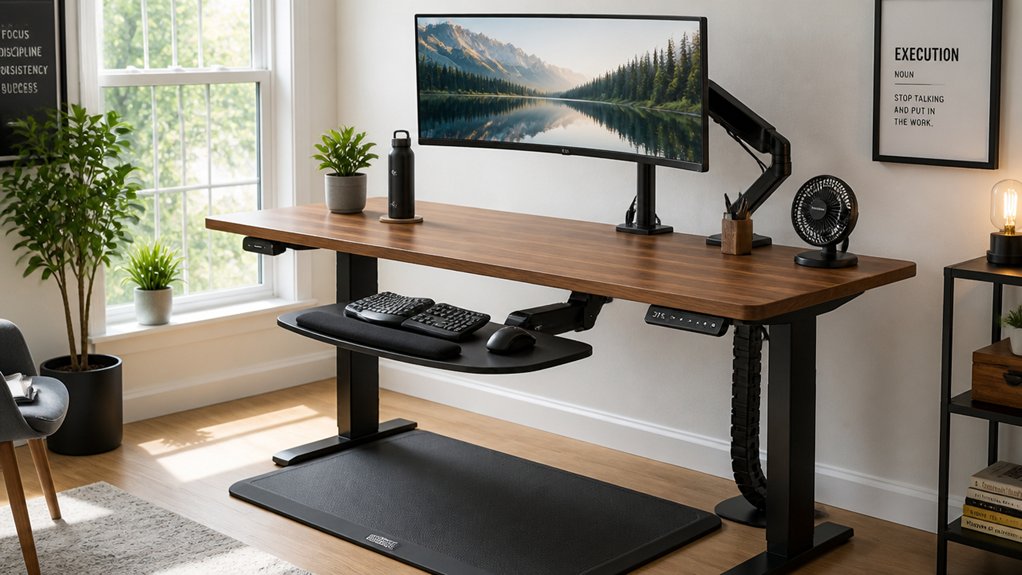
Adding support accessories can make your standing desk far more comfortable and sustainable over long periods. Ergonomic keyboards, monitor risers, and anti-fatigue mats help reduce strain, improve posture, and boost circulation. Incorporating items with durable non-slip bottom material ensures safety and stability during extended use. These tools are essential for creating a healthier, more efficient workspace.
Ergonomic Keyboard and Mouse
Using a separate ergonomic keyboard and mouse can make a significant difference in your standing desk setup by improving hand positioning and reducing wrist strain. These standing desk accessories help maintain proper posture, preventing discomfort during long periods of standing. A keyboard stand like the KT3 allows you to adjust the keyboard independently from the desk height, guaranteeing neutral wrist posture and easing shoulder tension. Proper placement guarantees your elbows stay at about 90 degrees, preventing upper-back fatigue. To optimize comfort, consider: 1. Placing the mouse close to your keyboard to avoid reaching. 2. Using a keyboard stand that positions the keyboard below monitor height. 3. Making certain your wrists remain neutral, avoiding extended or flexed positions. Additionally, selecting a tray with smooth sliding mechanisms ensures effortless repositioning and minimizes movement fatigue during work. These accessories support a balanced, ergonomic setup that promotes health and productivity.
Anti-Fatigue Mat Benefits
Standing comfortably at your desk isn’t just about proper posture and ergonomic accessories; it also relies on supportive surfaces that can make prolonged standing more practical. Anti-fatigue mats cushion and support your feet during long periods, greatly reducing fatigue in your legs, feet, and lower back.
They improve stability by encouraging subtle micro-movements, which boost circulation and help maintain good posture. Using an anti-fatigue mat early on and throughout your standing desk routine is essential to prevent discomfort and muscle strain.
Eco-friendly options like B+Ground™ offer plush yet supportive surfaces, combining ergonomic comfort with sustainability. Incorporating an anti-fatigue mat not only enhances your standing experience but also allows you to stand longer comfortably, maximizing the health benefits of your standing desk setup.
How Do I Balance Stability and Flexibility in My Desk Setup?
- Opt for a multi-motor lifting system for smooth, stable shifts.
- Choose a deeper, wider surface for added rigidity.
- Implement modular storage that adapts to your workflow.
How Can I Personalize My Standing Desk for Long-Term Comfort?
To make your standing desk truly comfortable for the long haul, start by adjusting its height so your forearms are parallel to the ground and your shoulders stay relaxed.
Consider adding accessories like a keyboard stand or monitor riser to support proper posture, and use anti-fatigue mats or balance boards to stay comfortable during extended periods.
Also, choose footwear and posture habits that keep you supported and aligned as you switch between sitting and standing.
Ergonomic Adjustments
Achieving long-term comfort at your desk requires customizing it to fit your body and workflow. Proper ergonomic adjustments are essential for preventing strain and promoting efficiency in standing desks.
First, set your desk height to match your floor-to-forearms measurement with elbows bent at about 90 degrees, considering personal factors like arm length and footwear.
Second, use adjustable desks with wide height ranges and memory presets to easily switch between sitting and standing, maintaining proper positioning.
Third, elevate your monitors to eye level using risers or arms so the top third aligns with your line of sight. This keeps your neck relaxed and reduces craning.
Incorporating these ergonomic adjustments guarantees your standing desk supports comfort and long-term health.
Personal Accessory Choices
Personalizing your standing desk setup enhances long-term comfort by allowing you to tailor accessories to your specific needs.
A balance board encourages micro-movements, engages your core, and reduces fatigue by promoting active standing. Anti-fatigue mats, like the eco-friendly B+Ground™ mat, support prolonged standing by cushioning your feet and boosting circulation, helping you maintain comfort longer.
Personalizing footwear choices also plays a significant role; supportive, comfortable shoes reduce foot discomfort and prevent fatigue during extended periods on your feet.
Combining these accessories creates a customizable environment that encourages better posture, reduces strain, and enhances overall comfort over time. Tailoring your setup with these personal accessories helps you stand more comfortably and sustainably through your workday.
Footwear and Posture
Selecting the right footwear plays a key role in making your standing desk setup comfortable for the long haul. Proper footwear supports better posture, reducing strain on your feet, legs, and back during prolonged sitting and standing.
When choosing shoes, focus on:
- Supportive soles and arch support to provide stability.
- Low heels or flat shoes to maintain natural foot alignment.
- Cushioning that absorbs shock and minimizes foot fatigue.
Your footwear choice directly influences your ideal desk height since shoes affect your effective standing height and posture alignment.
Combining supportive shoes with anti-fatigue mats or balance boards further enhances comfort by cushioning your feet and encouraging micro-movements, helping you stay comfortable and maintain neutral wrist, elbow, and shoulder positions during those long work sessions.
What Storage Solutions Keep My Workspace Organized and Flexible?
Looking for storage solutions that keep your standing desk workspace both organized and adaptable? Modular storage options, like under-desk mounted drawers, hanging cubbies, and mobile file cabinets, let you customize your setup to fit your work style and project needs.
Under-desk mounted drawers that move with your desk height adjustment keep your frequently used supplies within easy reach, whether sitting or standing. Mobile storage caddies with casters offer versatile placement, helping you store larger or less-used items such as bags and shoes without cluttering your workspace.
Desktop organizers, in bright colors or natural materials like bamboo, keep essentials tidy and easily accessible. Combining these storage options promotes a clean, ergonomic, and flexible workspace, supporting your productivity throughout the day.
How Do I Maintain Good Posture and Prevent Fatigue?
Ever wonder how to stay comfortable and avoid fatigue when using a standing desk? Maintaining good posture is key.
First, adjust your standing desk height so your elbows are at a 90-degree angle with relaxed shoulders, and your wrists stay neutral.
Second, use a keyboard stand like KT3 to lower the keyboard independently, preventing shoulder shrugging and wrist strain.
Third, position your monitor so the top third is at eye level using a riser or arm, keeping your neck and spine aligned.
Incorporate anti-fatigue mats or balance boards to encourage slight leg movements, boost circulation, and reduce lower back tension.
Finally, alternate between standing and sitting every 15-30 minutes, keeping dynamic movements to sustain an ergonomic posture and prevent muscle fatigue on your active desk.
How Can I Adjust My Setup for Shared or Small Workspaces?
How can you make the most of limited or shared workspaces? Focus on modular, space-saving solutions like under-desk drawers and hanging cubbies that move with your standing desk without disrupting ergonomics. Use adjustable desk height presets to quickly switch between users and keep personalized settings. Opt for slim desktops, about 28–30 inches deep, to fit dual monitors and accessories comfortably, leaving room for movement. Incorporate multifunctional accessories such as keyboard stands and monitor risers to maximize surface area. Also, prioritize cable management to reduce clutter, making flexible reorganization easier in shared or small spaces.
| Storage solution | Desk size | Accessories |
|---|---|---|
| Under-desk drawers | 28–30 inches deep | Keyboard stands like KT3 |
| Hanging cubbies | Slim desktops for dual monitors | Monitor risers |
| Modular accessories | Compact, customizable setups | Cable management systems |
| Adjustable presets | Multiple users efficiently | Ergonomic adjustments |
What Accessories Help Support Movement and Circulation?
Incorporating accessories that support movement can make a significant difference in maintaining comfort and promoting healthy circulation during long periods of standing. Using dynamic standing accessories encourages gentle activity, reduces fatigue, and improves posture.
Items like:
- Balance boards — promote micro-movements that engage your core and leg muscles, boosting circulation.
- Anti-fatigue mats — such as B+Ground™ or UPmat, provide cushioned support that reduces foot, leg, and back fatigue while encouraging subtle leg movements.
- Footrests — enable slight shifts and repositioning, keeping blood flowing and preventing stiffness.
These accessories not only support continuous motion but also help prevent circulation issues and muscle strain, enhancing overall comfort and health during your standing work sessions.
How Do I Make My Standing Desk More Comfortable Over Time?
Looking for ways to make your standing desk more comfortable over time? Incorporate anti-fatigue mats to cushion your feet, reducing leg and back fatigue during long periods of standing.
Use a separate keyboard stand, like the KT3, to maintain ergonomic wrist and shoulder alignment by lowering the keyboard independently of your monitor. Regularly adjust your monitor height with a riser or arm so the top third of the screen aligns with your eye level, helping preserve neutral neck and spine posture.
To further improve comfort, alternate standing with short sitting breaks using a stool, relieving lower limb strain. You can also experiment with supportive footwear, balance boards, or footrests to promote micro-movements and reduce static muscle strain, making your standing desk setup more comfortable over time.
What Tips Support Long-Term Ergonomics and Health?
Maintaining long-term ergonomics and health with a standing desk requires consistent adjustments and mindful practices. To support this, focus on creating an ergonomic standing desk setup that promotes proper posture.
First, guarantee your desk height allows your elbows to bend at 90 degrees with relaxed shoulders; consider using a separate keyboard stand like the KT3 to reduce shoulder and wrist strain.
Second, use anti-fatigue mats and balance boards—they encourage subtle leg movements, improve circulation, and cushion your feet during extended standing sessions.
Finally, position your monitor so the top third of the screen is at eye level, maintaining neck neutrality.
Regularly alternating between sitting and standing, and prioritizing movement, helps sustain health benefits over time.
Frequently Asked Questions
What Accessories for a Standing Desk?
You need anti-fatigue mats to cushion your feet, a keyboard stand like KT3 for ergonomic positioning, monitor stands or arms to keep screens eye level, balance boards for core engagement, and cable management tools to stay organized.
Is Standing Desk Better for a Herniated Disc?
Yes, a standing desk can be better for your herniated disc when you use it properly. You’ll need to alternate sitting and standing, maintain correct posture, and include accessories like monitor risers to reduce strain and promote comfort.
What Is the Best Setting for a Standing Desk?
The best standing desk setting keeps your elbows at about 90 degrees with relaxed shoulders and neutral wrists. Make sure your monitor is eye level, use ergonomic accessories, and adjust the height for comfort and personalized support.
Does Standing Desk Help With Sciatica?
Standing desks can help with sciatica by encouraging movement, reducing pressure on your nerve, and promoting better posture. You should alternate sitting and standing, personalize your setup, and incorporate movement to effectively manage your symptoms.



