
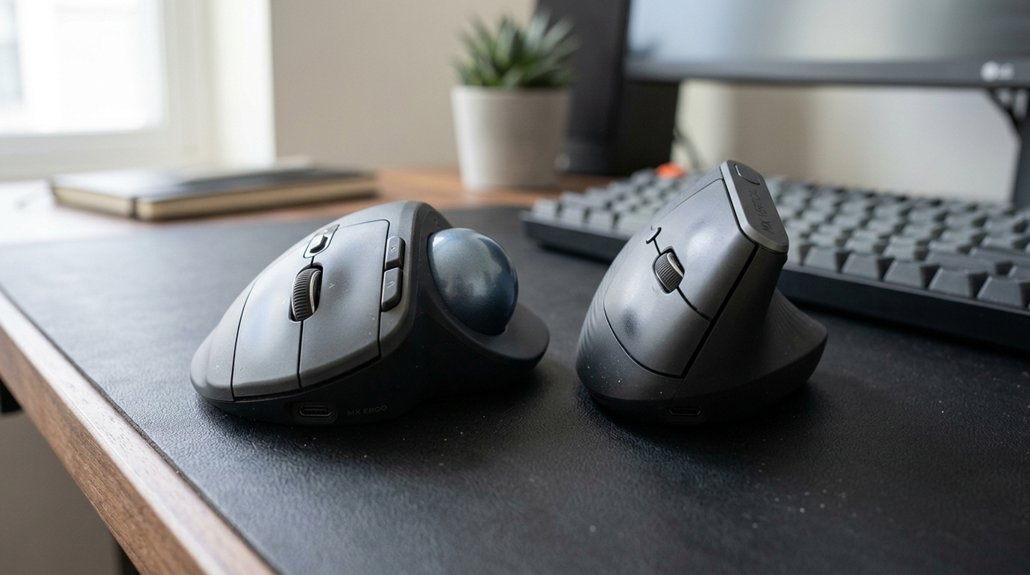
Choosing between a trackball and an ergonomic mouse depends on your comfort, workspace, and tasks. Trackballs are great for precision and limited desk space, while ergonomic mice promote natural hand postures and ease wrist strain during long hours. If you prefer a device that’s easy to adapt to daily, ergonomic mice are ideal. To find the best fit for your needs and learn how each could improve your workflow, keep exploring your options.
How Do Trackball and Ergonomic Mice Differ?
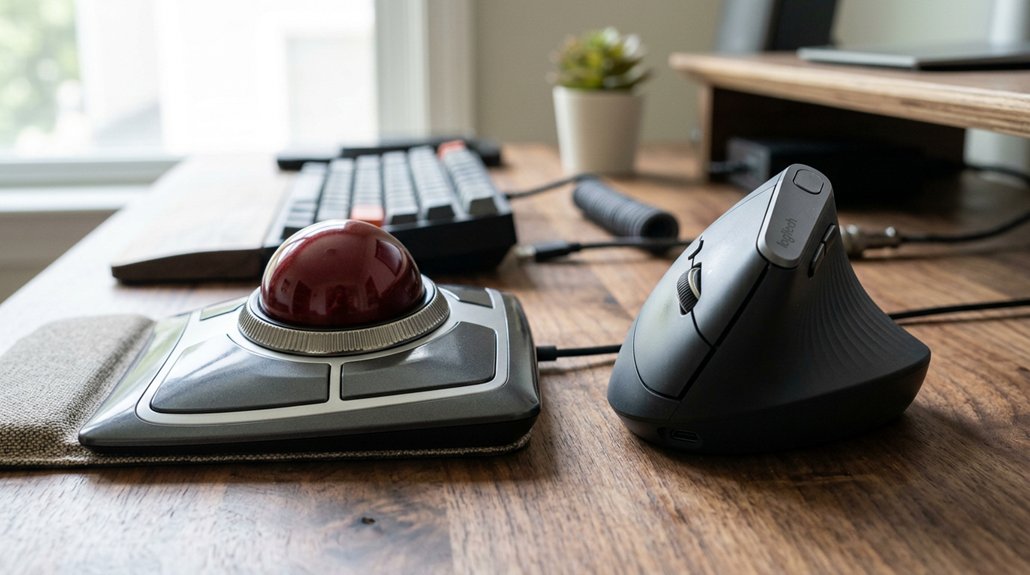
How do trackball and ergonomic mice differ in design and movement? A trackball mouse features a stationary device with a rolling ball, controlled by your thumb or fingers. This design eliminates wrist movement and keeps your arm still, reducing repetitive strain injuries. Additionally, some ergonomic mice incorporate contoured or concave wrist rests to promote proper hand and wrist alignment.
In contrast, ergonomic (vertical) mice change grip orientation to a neutral “handshake” position, aligning your wrist and forearm naturally. With a trackball mouse, you often face a steeper learning curve, as you need to relearn fine motor skills for precise cursor control. Ergonomic mice tend to be more intuitive, with users adjusting quickly within hours or days.
While the trackball mouse minimizes arm movements, the ergonomic mouse encourages sweeping arm motions, making each suitable for different workspace needs and comfort preferences.
How Do These Mice Help Reduce Wrist and Arm Strain?
Both trackball and ergonomic mice help reduce wrist and arm strain by keeping your hand in a neutral position, minimizing twisting and awkward postures. They also lower the need for extensive movements, which decreases muscular effort over time. As a result, these designs promote long-term comfort and help prevent repetitive strain injuries. Additionally, features like adjustable ergonomic angles allow users to fine-tune their device’s tilt, further enhancing wrist and arm alignment for personalized comfort.
Neutral Hand Positioning
Vertical mice keep your arm in a natural “handshake” position, aligning the wrist and forearm without twisting, which reduces strain caused by pronation. This ergonomic design promotes neutral hand positioning, helping you maintain a relaxed and comfortable posture during long hours.
With a vertical mouse, pressure shifts away from the bottom of your wrist to the padded palm area, further easing tension. Trackball mice support neutral hand positioning by allowing you to navigate with your thumb or fingers, keeping your wrist and arm stationary. This minimizes unnecessary movement and helps prevent repetitive strain injuries.
Both mice work to keep your wrist and forearm in a natural position, reducing strain and promoting long-term comfort during extended computer use. Additionally, adjustable DPI settings enable users to fine-tune cursor speed, minimizing excessive wrist movement during detailed tasks.
Reduced Movement Needs
Trackball mice help reduce wrist and arm strain by keeping the device stationary and allowing you to control the cursor through ball manipulation. This minimizes movement, decreasing wrist and arm effort and lowering the risk of wrist pain. Unlike traditional mice, you don’t move your wrist or shoulder much, which benefits users with side pain or mobility issues. Additionally, the ergonomic design of vertical mice encourages a neutral hand posture, further reducing strain during prolonged use. While users often adapt quickly to ergonomic mice, trackballs may require retraining for fine motor control. Both options lower overall wrist and arm movement, making them valuable tools for reducing strain during prolonged use.
Minimized Muscular Strain
Because of their design, these mice help minimize muscular strain by promoting a more natural arm and wrist position. A vertical mouse keeps your wrist in a neutral “handshake” stance, reducing forearm twisting and pressure on the wrist, which can help prevent carpal tunnel issues.
A thumb-operated trackball, on the other hand, stays stationary, eliminating the need for repetitive arm and wrist movements, lowering overuse injuries. Users often notice relief quickly when switching to either device, thanks to improved ergonomic support.
- Verticals maintain a natural wrist posture for extended use
- Trackball might reduce overall arm movement, alleviating shoulder strain
- Both devices diminish repetitive motion, lowering injury risks
- Suitable for users with wrist pain or limited desk space
Furthermore, some models support customizable ergonomic features, allowing users to tailor their setup for enhanced comfort and reduced strain.
Which Mouse Is Easier to Use Every Day?
Which mouse is easier to use every day often depends on your familiarity and comfort with different types of devices. Vertical ergonomic mice have a gentle learning curve, with users feeling comfortable within hours, making hand movement smooth and natural. They mimic traditional mouse movements, so switching is intuitive for most office tasks. In contrast, trackballs require days to weeks to master because of the need to retrain muscle memory and control the thumb or finger ball precisely. Also, ergonomic support plays a crucial role in reducing strain during prolonged use.
Which Mouse Works Best for Office Tasks, Creative Work, or Gaming?
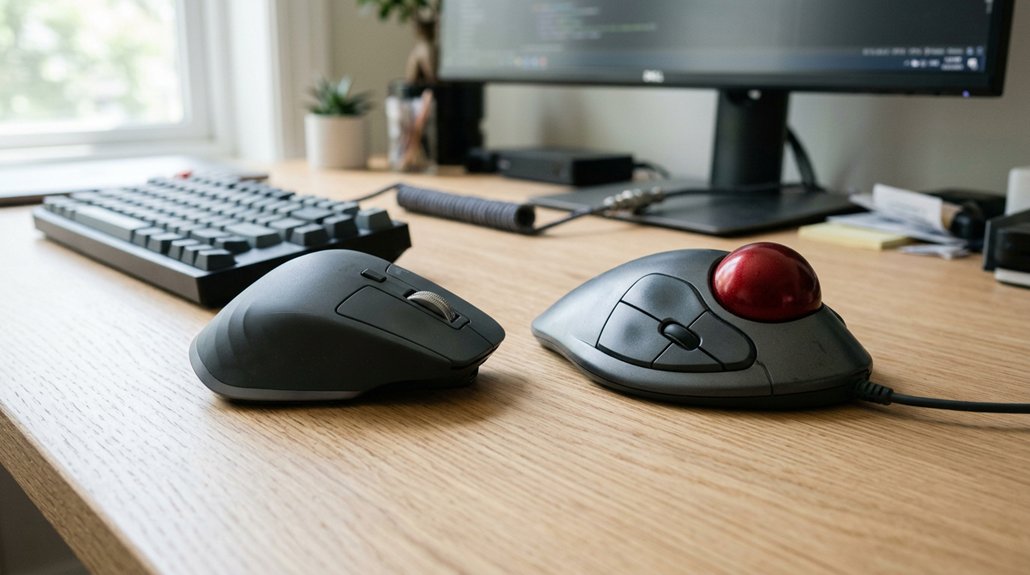
When choosing the right mouse for different tasks, consider how precision, comfort, and response speed impact your workflow. A new mouse should also support multiple adjustability features to accommodate various ergonomic needs and help prevent strain during extended use. Office work benefits from ergonomic mice with programmable buttons, while creative tasks may require smooth navigation or fine control. Gamers need fast, responsive mice with high DPI, making each option suited for specific needs.
Precision Requirements for Tasks
Choosing the right mouse depends on the specific precision needs of your tasks. If you require fine cursor control, a trackball offers superior precision with minimal arm movement. It’s ideal for creative work that demands accuracy using programmable buttons and horizontal scrolling. Additionally, ergonomic grip designs can help reduce hand fatigue during extended use, particularly for those with repetitive strain issues.
For office tasks involving extensive scrolling and multitasking, a vertical ergonomic mouse enhances comfort and scroll wheel functionality. When gaming, high DPI settings and polling rates from traditional ergonomic or vertical mice like Logitech MX Master 3S outperform most trackballs in responsiveness.
Consider these points:
- Trackball mice excel in precision and fine control
- Scroll wheel effectiveness varies by design
- Programmable buttons enhance workflow efficiency
- Horizontal scrolling benefits creative projects
Choose based on whether your focus is detailed craftsmanship or general productivity.
Ergonomic Comfort Preferences
Selecting the right mouse for comfort depends largely on your specific tasks and preferences. If you want ergonomic comfort that reduces wrist strain, vertical mice like the Logitech Lift or Evoluent VerticalMouse 4 are ideal, supporting a natural “handshake” grip. Wireless options add convenience for office work, minimizing clutter and allowing easy movement.
Trackball mice, such as the Logitech MX ERGO, limit hand movement, making them suitable if you experience wrist or shoulder pain or have limited desk space. Creative professionals often prefer vertical mice for smooth cursor control, while trackballs offer fine finger or thumb control for detailed tasks.
Gamers tend to favor vertical mice for responsiveness, whereas trackballs usually provide slower, more deliberate movements. Your choice should center on which mouse aligns best with your ergonomic comfort and workflow.
Response Speed for Gaming
Have you ever wondered which mouse delivers the fastest response for gaming versus office tasks or creative work? For response speed for gaming, ergonomic vertical mice like the Logitech MX ERGO offer high quality performance with lower latency and smooth cursor control.
In contrast, trackball mice tend to have slower response times and higher click latencies, making them less suitable for fast-paced gaming. Vertical ergonomic mice often feature adjustable DPI settings and high polling rates, enhancing rapid reactions.
- Ergonomic vertical mice excel in response speed with high polling rates.
- Adjustable DPI settings allow precise control during intense gameplay.
- Trackballs favor prolonged office tasks but lag in quick reactions.
- High-quality ergonomic mice outperform trackballs for speed-intensive gaming sessions.
- Proper adjustability range and control features in ergonomic mice contribute significantly to their responsiveness.
What Factors Should You Consider Before Choosing?
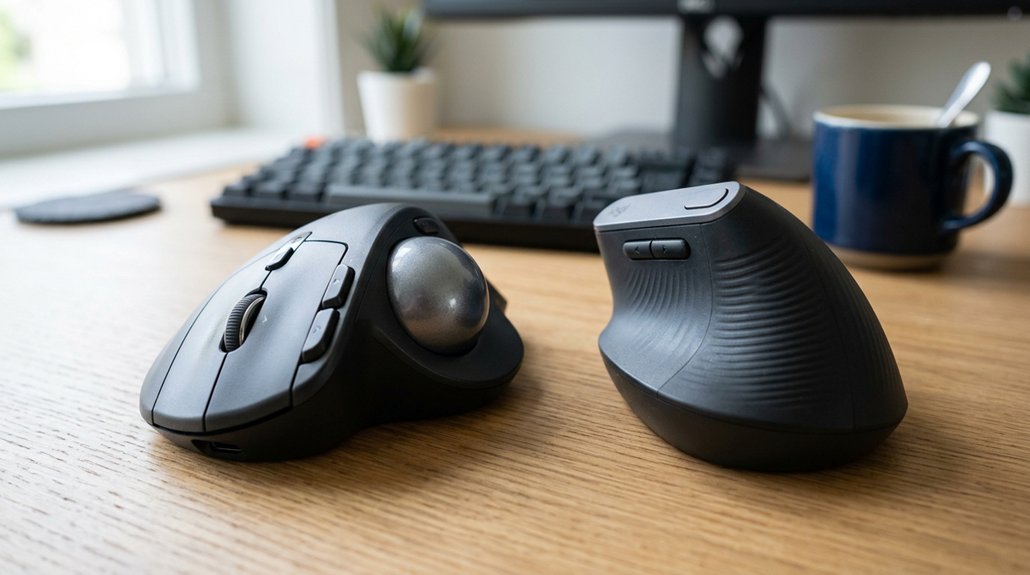
When deciding between a trackball and an ergonomic mouse, several practical factors can influence your choice. First, consider your workspace size; if space is limited, a trackball’s stationary design saves room, while ergonomic mice need space for hand movement. Think about your primary tasks: vertical mice suit sweeping arm motions, whereas trackballs excel at precision work. Also, evaluate learning curves: vertical mice may require hours to days to adapt, while trackballs can take weeks. If you experience wrist or shoulder pain, a vertical mouse might reduce strain, but a trackball can prevent unnecessary hand movement altogether. Additionally, adjustable tilt angles in ergonomic mice can be customized to support healthier wrist positioning.
Does Your Workspace or Hand Size Affect the Best Mouse for You?
Is your workspace size and your hand dimensions influencing which mouse works best for you? Your hand size plays a vital role in selecting the best trackball or ergonomic mouse.
Workspace and hand size are key factors in choosing the ideal ergonomic mouse for comfort and control.
For medium to large hands, a compact trackball like the Kensington Expert Wireless or the ELECOM HUGE offers better control and comfort. If you have a smaller desk or need portability, lightweight options like the Logitech Lift vertical mouse or a compact trackball are ideal.
Vertical ergonomic mice, such as the Evoluent Vertical Mouse 4, require more room for hand movement and are better suited for larger spaces. Ambidextrous designs like the Kensington Expert accommodate both left- and right-handed users, making workspace and hand size considerations essential for proper ergonomic fit.
- Hand size determines comfort and control needs
- Compact trackball models suit small desks and portability requirements
- Vertical ergonomic mice need more space for effective use
- Ambidextrous options benefit both hand preferences
Which Mouse Offers Long-Term Comfort and Efficiency?
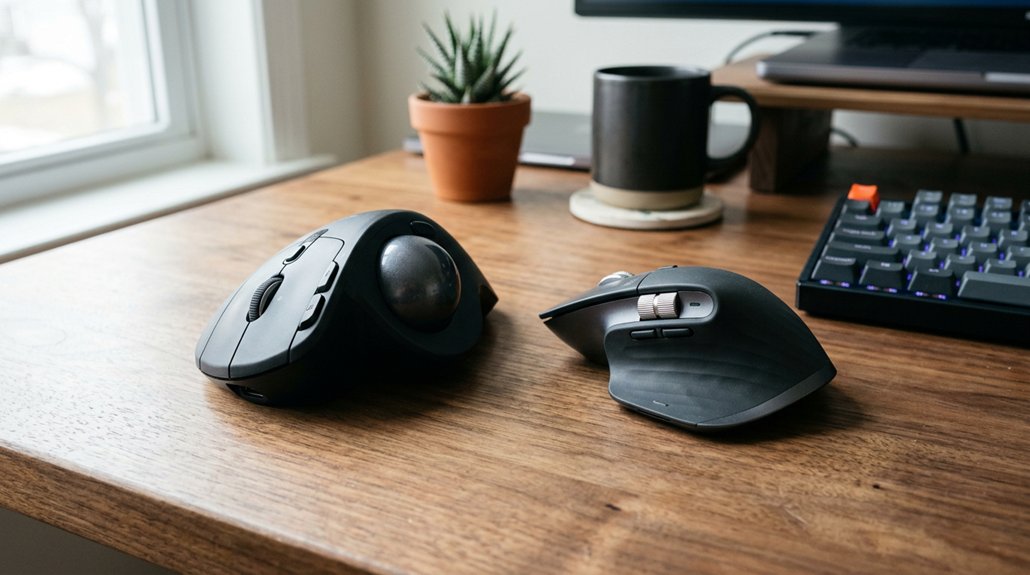
Considering long-term comfort and efficiency, vertical ergonomic mice often come out ahead for sustained use. These mice promote a natural “handshake” posture, reducing wrist strain and minimizing forearm twisting, making them ideal for prolonged office or programming tasks.
Vertical ergonomic mice, like those connected wirelessly via Bluetooth or with devices like Kensington Orbit, enable smooth hand movement and easier wrist pressure relief.
Trackball mice eliminate extensive arm movement by letting you control the cursor with a thumb or finger on a stationary ball, which is beneficial if you experience wrist or shoulder pain or have limited desk space. However, they require a higher skill adaptation period and may initially cause thumb fatigue.
Frequently Asked Questions
Are Trackballs or Ergonomic Mice More Durable Over Time?
You’ll find that trackballs tend to be more durable over time since their design reduces wear on moving parts, whereas ergonomic mice may wear out faster due to their mechanical components and frequent use. Choose based on longevity needs.
Can I Switch Between Trackball and Ergonomic Mice Easily?
Yes, you can switch easily between a trackball and an ergonomic mouse. Both are designed for comfort and control, so adjusting to each device won’t be difficult, especially if you give yourself some time to adapt.
Which Mouse Type Is More Suitable for Left-Handed Users?
A trackball is more suitable if you’re left-handed, as many models are designed for ambidextrous use, allowing comfortable control without repositioning. Ergonomic mice may require specific left-handed versions, but trackballs often provide easier customization for ambidextrous users.
Do Trackballs or Ergonomic Mice Require Special Cleaning or Maintenance?
You need to clean your trackball regularly by removing it and wiping off dust and debris, while ergonomic mice require cleaning of buttons and scroll wheels. Both need occasional maintenance to keep them functioning smoothly and extend their lifespan.
Are There Specific Brands That Excel in Ergonomic or Trackball Designs?
Yes, brands like Logitech, Kensington, and Anker excel in ergonomic and trackball designs. You’ll find their products offer innovative features, comfortable shapes, and durable build quality, making them excellent choices for your ergonomic or trackball mouse needs.
In Summary
Choosing between a trackball and an ergonomic mouse depends on your specific needs and workspace. Consider your hand size, the types of tasks you do, and long-term comfort. If you want precision and less wrist movement, a trackball might be ideal. For easy daily use and versatile tasks, an ergonomic mouse could be better. Whatever you pick, prioritize comfort to boost productivity and prevent strain over time. Your perfect mouse is the one that feels right for you.



