

To position your wrist rest correctly, align its top with the front edge of your keyboard, not the keytops, and support your palm heel lightly while keeping a small gap between your wrist and the rest to prevent nerve compression. Keep your wrists straight and level, with forearms flat and elbows bent at about 90 degrees. Support your palms lightly without resting wrists directly on the rest during typing. For more tips, you’ll discover how ideal support can improve comfort and prevent pain.
Why Proper Wrist Rest Positioning Matters for Your Health
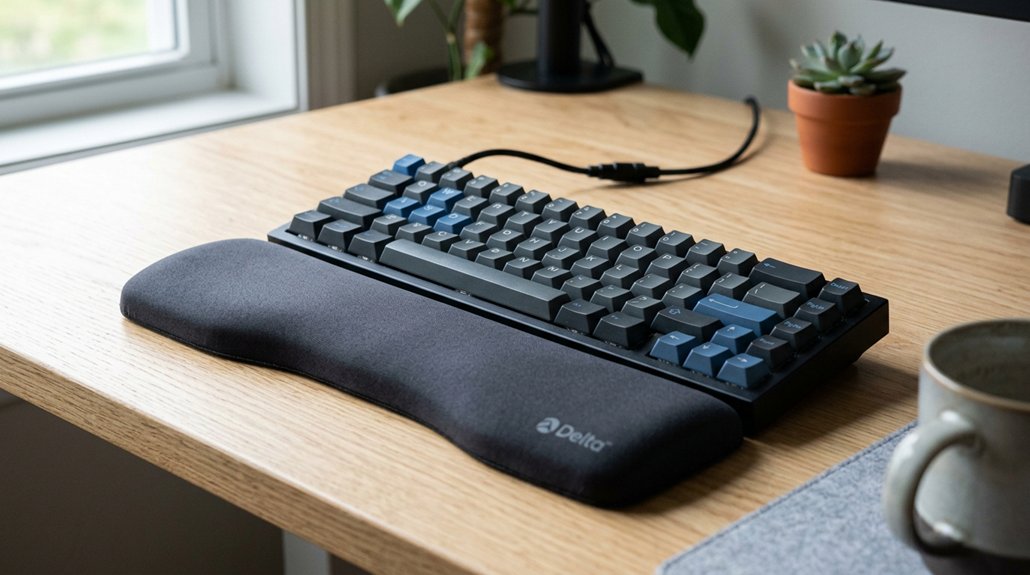
Proper wrist rest positioning is essential because it directly impacts your comfort and long-term health. When you place your wrist rest correctly, it helps keep your wrists in a neutral position, which minimizes strain and reduces pressure on tendons and the median nerve.
For example, positioning the wrist rest under your palm, rather than directly on the wrist joint, creates a 3cm gap that lessens contact stress and nerve compression. This setup can prevent developing conditions like Carpal Tunnel Syndrome.
Conversely, incorrect placement, such as resting your wrist on the support, increases internal pressure and worsens repetitive strain injuries. Keeping your wrist rest level with the keyboard’s front edge maintains ergonomic safety, decreases wrist bending angles by 10-15 degrees, and reduces discomfort during extended typing or mouse use. Proper material and shape considerations of wrist rests play a critical role in achieving optimal support.
How to Find Your Neutral Wrist Position Correctly
To find your neutral wrist position, start by resting your forearm flat on a surface, like your desk, with your elbow bent at about 90 degrees.
Rest your forearm flat on the desk with a 90-degree elbow bend to find your neutral wrist position.
Your goal is to keep your wrist aligned straight with your hand and forearm, avoiding any bending upward (extension), downward (flexion), or sideways (deviation). Use a mirror or take a side photo to check that your wrist forms a straight line, with no noticeable curves.
When typing, keep your wrists level and supported by a supportive surface or support, but avoid pressing down or resting heavily on your wrist rest.
Guarantee your chair and keyboard height promote close-to-your-body elbows and parallel forearms to maintain this neutral wrist posture naturally and comfortably. Additionally, choosing an ergonomic wrist rest with proper memory foam thickness can help prevent strain and maintain the correct wrist elevation.
Should Your Palms or Wrists Touch the Rest?
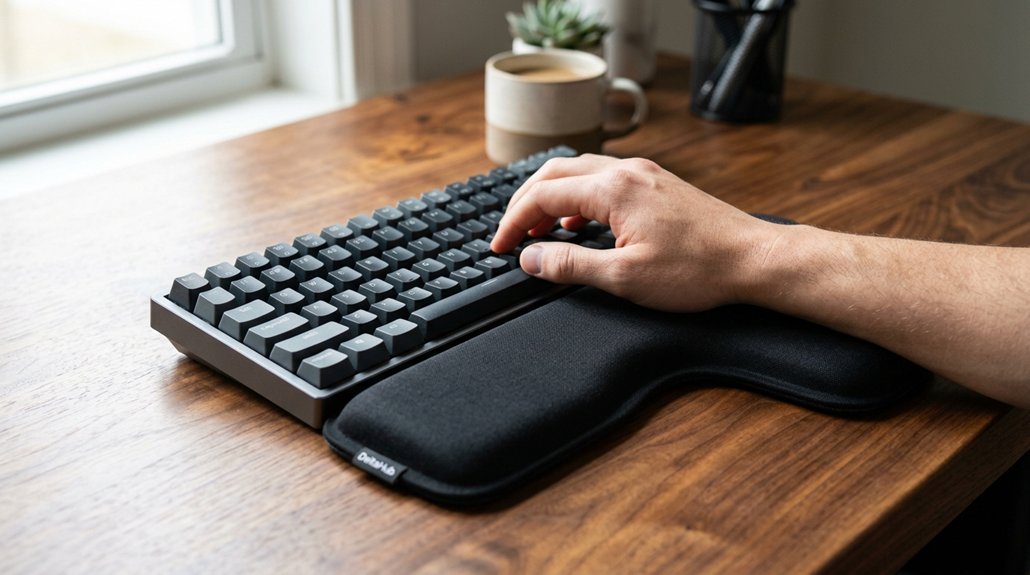
Your palms should rest lightly on the wrist rest, with only minimal contact, to keep your wrists in a neutral position. Avoid letting your wrists touch the rest directly, as this can cause nerve compression and discomfort. Using your wrist rest properly helps prevent strain and supports healthy typing posture. Ensuring the wrist rest is contoured or angled appropriately can enhance ergonomic benefits and reduce wrist pressure.
Palm Versus Wrist Contact
To prevent this, keep your wrist slightly above the keyboard and let only your palms intermittently contact the rest during breaks. A triangular design can help guide your fingers into natural, relaxed positions, reducing overall strain. This setup cushions your hand, reduces strain on tendons, and avoids nerve compression. Continuous wrist contact hampers movement and could cause strain. – Support palms, not the wrist joint – Keep wrists slightly elevated – Use the palm rest to cushion your hand – Avoid prolonged contact with the rest – Maintain neutral wrist posture
Minimal Contact Benefits
Maintaining minimal contact between your palms or the heel of your hand and the wrist rest helps keep your wrists in a neutral position, which is essential for reducing strain. When you use a wrist rest while typing, avoid letting your wrists rest fully on it; instead, keep them hovering just above. This prevents unnecessary pressure on the median nerve and reduces the risk of compression. Frequent or continuous contact with the rest increases pressure and contact stress, aggravating tendons and nerves inside the carpal tunnel. By keeping the contact light and brief, you promote proper hand placement and reduce strain during long typing sessions. Properly managing this minimal contact supports a neutral wrist position, helping you avoid discomfort and potential injury over time. Additionally, choosing supports with high-density memory foam and non-slip bases can enhance stability and comfort, further reducing the risk of strain.
Proper Support Technique
Using your wrist rest properly involves supporting your palms or the heel of your hands rather than directly resting the wrist joint itself. This approach helps maintain ideal wrist alignment and minimizes nerve pressure. Incorporating a supportive ergonomic design can further enhance comfort and reduce strain during long typing sessions.
To do this effectively:
- Position the wrist rest under your palms or heel, not the wrist joint.
- Keep wrists slightly above the keyboard during typing, using the rest only during pauses.
- Resting the palms on soft, rounded palm rests promotes neutral wrist alignment.
- Avoid applying pressure directly on the wrist joint, which can cause strain.
- Use palm rests aligned with the keyboard’s front edge to support natural hand posture.
Setting Up Your Desk, Chair, and Rest for the Best Ergonomics
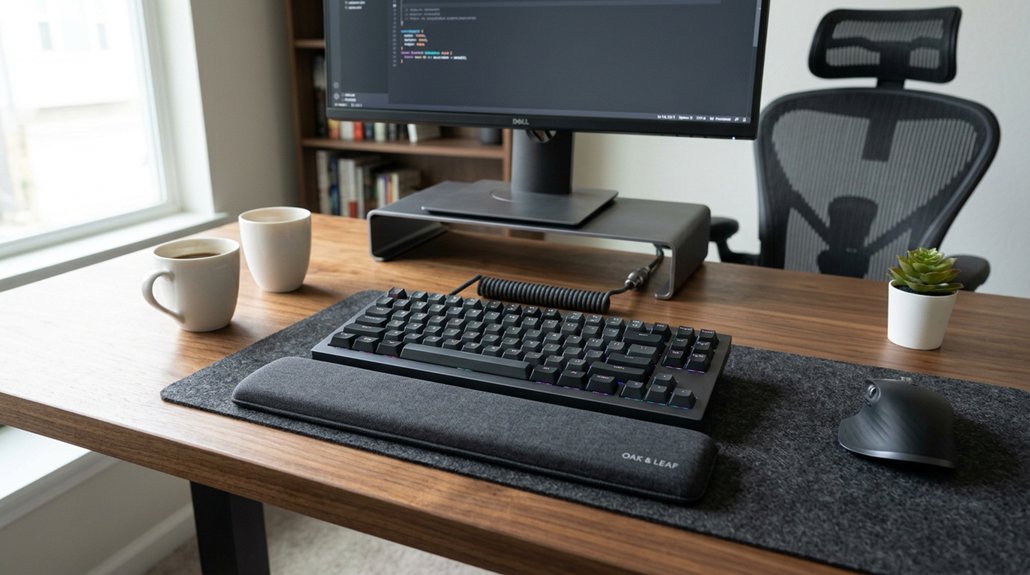
Creating an ergonomic workspace starts with properly adjusting your desk, chair, and wrist rests to support your body’s natural alignment. For the ergonomic setup, set your chair height so your feet rest flat on the floor and your knees form about a 90-degree angle. Your elbows should sit comfortably at your sides without shrugging.
Position your desk so your forearms are parallel to the floor, with wrists aligned in a straight line with your forearms for proper use. Make certain your wrist rest height matches the front of your keyboard, supporting the heel of your palm and leaving a small gap to reduce pressure on your carpal tunnel.
Keep your keyboard flat without tilt, and align your workspace components to avoid awkward wrist movements, promoting comfort and proper ergonomic support. Ensuring your wrist rest is adjustable and compatible with your keyboard can further optimize your wrist support and reduce strain during long typing sessions.
How to Place Your Wrist Rest for Optimal Support
Proper placement of your wrist rest can make a significant difference in reducing strain during long typing sessions. To optimize ergonomic wrist support, position the rest under the palm heel, not directly beneath the wrist joint, to keep your wrist in a neutral alignment and avoid pressure on the carpal tunnel.
Make sure it aligns flush with the keyboard’s front edge, supporting natural hand movement. Leave a small gap between your wrist joint and the desk, gently resting your palm on the wrist support to reduce contact stress. Alternatively, place the wrist rest further up on your forearm if prolonged pressure causes discomfort.
Use the wrist support intermittently during pauses, keeping your wrists slightly elevated and hands hovering above the keyboard — essential for maintaining an effective typing technique. Non-slip bases ensure the pad stays securely in place during use, further enhancing ergonomic comfort.
Adjusting Your Wrist Rest Height and Distance for Comfort
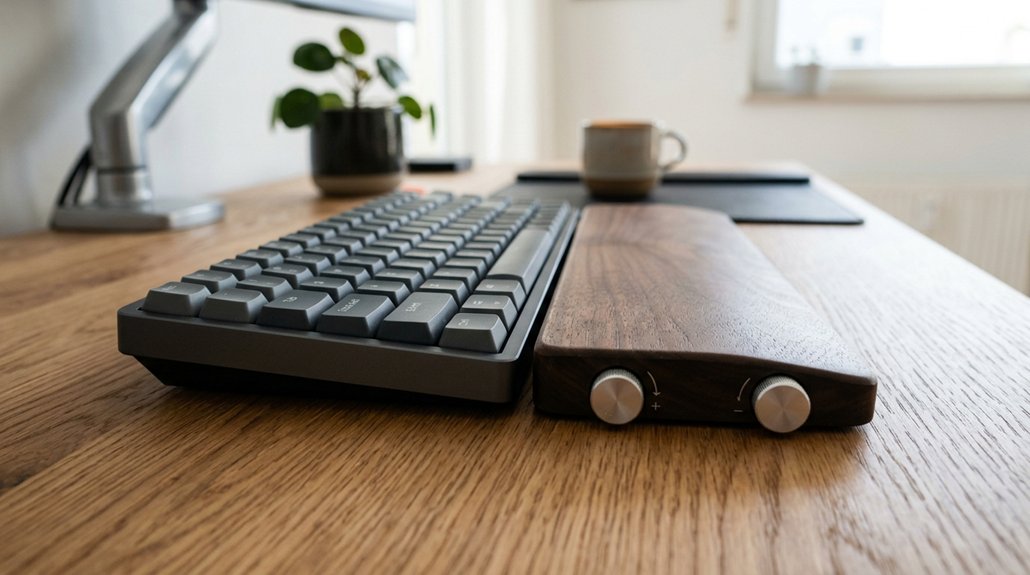
Have you adjusted your wrist rest height and distance recently to guarantee maximum comfort? Proper adjustment guarantees your wrist remains neutral, reducing strain. Keep the wrist rest top aligned with the keyboard’s front edge, not the keytops, to maintain a comfortable wrist position. When typing, lightly rest your palm heel on the wrist rest and keep your fingers floating over the keys. Leave a slight gap between your wrist and the rest or desk, preventing nerve compression. Adjust the distance so your hands reach the keyboard comfortably, with elbows at 90 degrees and forearms parallel to the floor. Incorporating ergonomic design principles ensures sustained comfort and reduces the risk of repetitive strain injuries.
Common Mistakes That Cause Strain and How to Avoid Them
Many common mistakes with wrist rest placement can lead to unnecessary strain and discomfort.
One mistake is placing the wrist rest directly under the wrist joint, which puts constant pressure on the median nerve and increases the risk of Carpal Tunnel Syndrome. Resting your wrists for long periods without breaks prevents natural movement and can cause tendon irritation.
Placing the wrist rest under the wrist joint can cause nerve pressure and increase injury risk.
Using a wrist rest that’s too high or too low forces your wrist into uncomfortable extension or flexion, defeating neutral positioning. Applying firm pressure on the wrist rest while typing encourages harmful bending, increasing strain.
To avoid this, make certain your wrist rest is positioned under the palm or further up the forearm, leaving the wrist joint free for natural motion. Proper placement helps in reducing strain and maintaining comfort during work. Additionally, choosing an ergonomic wrist rest designed with breathable and supportive materials can enhance long-term comfort and reduce heat buildup.
Tips for Maintaining Good Wrist Posture During Long Work Sessions
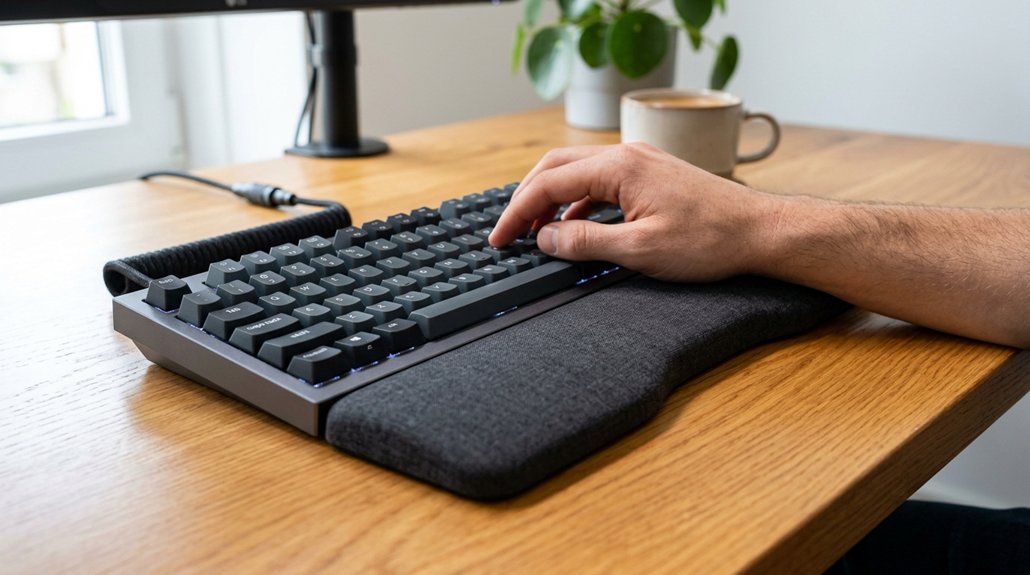
Maintaining good wrist posture during long work sessions is essential for preventing discomfort and injury. Keep your wrist rest properly positioned—under your palm, not the joint—to support a neutral alignment and reduce pressure on the carpal tunnel. During typing, keep your wrists slightly elevated above the wrist rest to avoid continuous strain and allow natural motion. Guarantee the wrist rest height is flush with the front edge of your ergonomic keyboard for easy hand movement without bending. Use the wrist rest sparingly during breaks to rest your palms briefly, avoiding prolonged contact. Regularly adjust your chair, desk, and keyboard height to keep your elbows at about 90 degrees and forearms parallel to the floor.
| Tip | How to Apply |
|---|---|
| Palm Position | Rest palm under the wrist rest |
| Wrist Elevation | Keep wrists slightly above rest during typing |
| Height Alignment | Match wrist rest with keyboard front edge |
| Rest Frequency | Use sparingly during breaks |
| Posture Adjustment | Frequently adjust chair and desk height |
When and How to Use Your Rest Effectively Throughout the Day
Use your wrist rest mainly during short breaks to give your palms a rest, not while actively typing.
Position it so your palms rest slightly ahead of your wrists, keeping your wrists neutral and floating above the keyboard. Remember, avoid resting your wrists on the support for long periods to prevent strain and nerve compression.
Use During Breaks
While typing, it’s best to reserve wrist rest use for short breaks rather than resting your wrists continuously. During breaks, use your rest to give your palms a cushioned place to relax, but avoid leaning heavily on it.
Position the wrist rest under the palm heel, not directly under the wrist joint, to prevent pressure on the carpal tunnel. Remember to lift your hands and wrists often to maintain mobility.
Incorporate gentle stretches during breaks to realign your wrists into a neutral position, reducing strain.
To maximize benefits:
- Use wrist rests briefly during breaks
- Avoid sustained leaning on the rest
- Lift hands regularly for mobility
- Stretch wrists gently
- Keep rests positioned correctly during breaks
Maintain Proper Hand Position
To guarantee your wrists stay in a neutral position throughout the day, position your wrist rest under the palm of your hand rather than directly under the wrist joint. This placement helps keep your wrist in a natural, relaxed alignment and prevents pressure on the carpal tunnel.
When typing, keep your wrists slightly elevated above the wrist rest, allowing your hands to hover and reducing bending or extension. Use your wrist rest intermittently during breaks, not continuously, to avoid tendon irritation and nerve compression. Rest the heel of your palm lightly on the support to cushion your hand without forcing wrist contact.
Retrain your technique to rely more on arm movements, using the wrist rest for brief pauses to maintain proper hand position comfortably.
Avoid Prolonged Resting
Limiting the amount of time your wrists rest on your wrist rest helps prevent strain and discomfort. Use your wrist rest intermittently during typing breaks to support your palms briefly, avoiding continuous pressure on your wrist joint.
To maximize safety, keep your wrists slightly elevated and hover over the keyboard during active typing, reducing tendon and nerve strain. Avoid prolonged resting on the support, as extended pressure can lead to issues like Carpal Tunnel Syndrome.
Instead, retrain your typing habits to rely on your forearms and larger muscles rather than resting your wrists on the pad. Incorporate frequent short breaks and stretches throughout the day to decrease wrist contact stress and keep your joints healthy.
Remember, proper use of your wrist rest prevents discomfort and promotes better long-term ergonomics.
- Use temporarily during breaks
- Keep wrists slightly elevated
- Avoid continuous pressure
- Rely on forearm movement
- Take regular breaks and stretch
Essential Tools and Accessories to Improve Wrist Rest Support
Choosing the right tools and accessories can greatly enhance your wrist rest support and overall ergonomic setup. Select a wrist rest that matches your keyboard’s width, height, and slope, typically 13-17 inches long and 0.5-1 inch thick, for ideal alignment.
Use supportive materials like gel or memory foam with at least 3.8 cm (1.5 inches) of cushioning to reduce pressure and boost comfort. Position the wrist rest beneath your palm heel, not directly under your wrist joint, to avoid compressing the carpal tunnel. Guarantee there’s a slight gap between your wrist and the desk surface, either under the palm or further up on your forearm, to prevent nerve compression.
Combining these accessories with adjustable trays and proper chair placement maximizes ergonomic support and comfort.
Troubleshooting Wrist Pain: Is Your Rest Setup Working?
Ever wonder if your wrist rest setup is actually helping or causing more harm? If you’re experiencing wrist pain or numbness, your setup might be the issue.
To troubleshoot, check if your wrist rest provides proper comfort and support without putting pressure on the median nerve. Make certain it’s positioned under your palm, not directly under the wrist joint. Confirm the height aligns with the keyboard’s front edge to keep your wrists neutral.
Remember, avoid resting your wrists constantly on the rest—use it only during breaks. Also, keep your hands hovering slightly above the rest, with only the heel touching, to maintain natural alignment.
- Resting wrists continuously on the rest
- Incorrect height alignment
- Resting on the median nerve area
- Flat wrist posture during typing
- Ignoring finger numbness or tingling
Frequently Asked Questions
What Is the Best Position to Rest Your Wrist?
You should rest your wrist on the palm or heel, not directly on the joint. Keep a small gap between your wrist and desk, slightly elevate your wrists, and only use the rest briefly to avoid strain.
Do Wrist Rests Really Help?
Wrist rests really help by reducing discomfort and wrist extension, protecting you from nerve issues like Carpal Tunnel Syndrome. Use them properly under your palm or forearm, and avoid resting your wrist directly on the support for best benefits.
Can Wrist Support Help With Arthritis?
Yes, wrist supports can help with arthritis by cushioning your joints, reducing pressure, and maintaining a neutral wrist posture. Use soft, padded rests sporadically during work to alleviate pain and prevent further joint strain effectively.
Are Wrist Rests Bad for Carpal Tunnel?
Wrist rests aren’t inherently bad for Carpal Tunnel Syndrome if you position them correctly. Use them to support your palms, avoid resting your wrists continuously, and hover during typing to prevent nerve compression and tendon irritation.
In Summary
Now that you know how to position your wrist rest properly, you can prevent discomfort and improve your overall ergonomics. Remember to keep your wrists in a neutral posture, adjust your setup as needed, and listen to your body’s signals. Regularly assess and tweak your workspace to stay comfortable during long hours. With these easy tips, you’ll support your wrist health and maintain productivity without unnecessary strain. Keep practicing good habits for lasting ergonomic comfort.



