

Cable management is essential for keeping your home office safe, tidy, and efficient. Proper organization reduces tripping hazards, prevents cable damage, and improves airflow to keep devices cool. It also saves you time by making it easier to find and access cords. With good cable management, your workspace looks professional and functions smoothly. If you want to learn how to set up an effective system, continue exploring the best tips and tools to upgrade your workspace.
What Is Cable Management and Why Is It Important in Your Home Office?
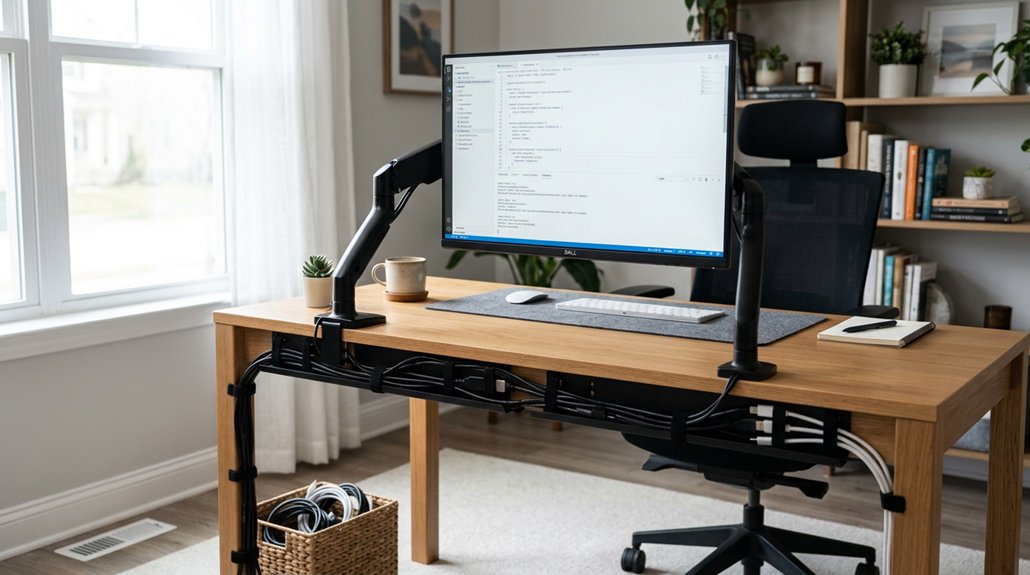
Ever wondered why cluttered cables can be more than just an eyesore? Cable management is all about organizing and securing your cables to keep your home office tidy and safe. A well-chosen cable management kit can make a significant difference in maintaining a clean and efficient workspace. Proper cable management reduces tripping hazards caused by loose or tangled cables, making your workspace safer. It also prevents tangled cables from bending, twisting, or wearing out prematurely, which helps extend their lifespan and minimizes costly replacements. With well-organized cables, you can quickly find and access what you need, saving time and boosting productivity. Additionally, neat cables create a more professional environment, especially during video calls and remote meetings. Ultimately, good cable management enhances both safety and aesthetics, turning your home office into a more efficient, distraction-free workspace.
Risks of Poor Cable Organization and How It Affects Your Workflow
Poor cable organization can create tripping hazards that threaten safety for everyone in your home, especially kids and pets.
Tangled cables also slow down your work since you spend extra time searching for or untangling wires.
Additionally, disorganized cables can cause equipment damage, leading to more downtime and decreased productivity.
Using cable clips and organizers helps prevent these issues by keeping cords neat and securely in place.
Increased Tripping Hazards
If cables are left loose or tangled, they create a serious tripping hazard that can jeopardize your safety and damage your equipment. This is why cable management important, especially in a home office.
Tangled cords and loose cables can easily cause you to stumble, risking personal injury and potentially knocking over expensive electronics. The risk isn’t limited to just adults—children and pets are particularly vulnerable to tripping or chewing on improperly managed cables.
Frequent trips over cables reduce your workflow efficiency and lead to frustration. Securing or organizing cables, such as using cable clips or under-desk routing, minimizes these hazards.
Proper cable management not only enhances safety but also creates a cleaner, more organized workspace that’s easier to navigate.
Disrupted Workflow Efficiency
When cables are left tangled or disorganized, it can greatly disrupt your workflow. Tangled and cluttered cables waste time as you search to find the right one or untangle knots, directly lowering your workflow efficiency. Cables that are disorganized on or under your desk can also distract you, pulling focus away from your tasks and reducing productivity. Inefficient cable setups often cause frequent disruptions when cables accidentally unplug or become damaged, interrupting your work. Disordered cables also complicate troubleshooting or replacing devices, leading to longer downtimes and delayed project completion. Additionally, excessive cable sprawl limits your available desk and floor space, creating workflow bottlenecks and decreasing ergonomic comfort. Implementing cable management solutions can help prevent such issues and keep your workspace clear, ensuring a smoother, uninterrupted workflow.
Benefits of Investing in Quality Cable Management Solutions

Investing in quality cable management solutions offers numerous practical benefits that enhance your home office setup. Proper cable management guarantees your workspace stays organized, making it easier to find and connect devices quickly.
It also prolongs cable lifespan by preventing unnecessary wear from tangling and bending. Well-designed cable organizers reduce clutter, creating a safer environment by minimizing tripping hazards for household members and pets. Additionally, high-quality solutions simplify cleaning and maintenance, improving workspace hygiene and professionalism.
When you choose the right cable management solutions, you support a more ergonomic and aesthetic setup that promotes comfort and visual appeal. Using flame-retardant and pet-safe materials can further ensure a safe workspace, reducing risks related to heat or pet damage.
Essential Cable Management Products for a Tidy Desk Setup
To achieve a neat and organized desk setup, selecting the right cable management products is essential. Desk cable management solutions like cable management trays and baskets mounted under your desk effectively hold power strips and excess cables, keeping them off the floor and out of sight.
Using clamp mounts, such as those compatible with heavy-duty C-clamps or under-desk supports, can help secure cables along the edges of your desk, ensuring stability and preventing accidental tugging. Cable clips and clamps are perfect for organizing individual charging cables on your desk, preventing tangles and making devices easier to access. Cable spines offer an affordable, simple way to bundle multiple cables together, especially useful for standing desks with movable parts.
Additionally, wire management boxes secure power adapters and cable bundles underneath your desk, reducing clutter and protecting cables from pets and children. Using Velcro ties or cable sleeves also helps bundle cables neatly while allowing adjustable grouping without damaging their integrity.
How to Choose the Right Cable Management Tools for Your Home Office
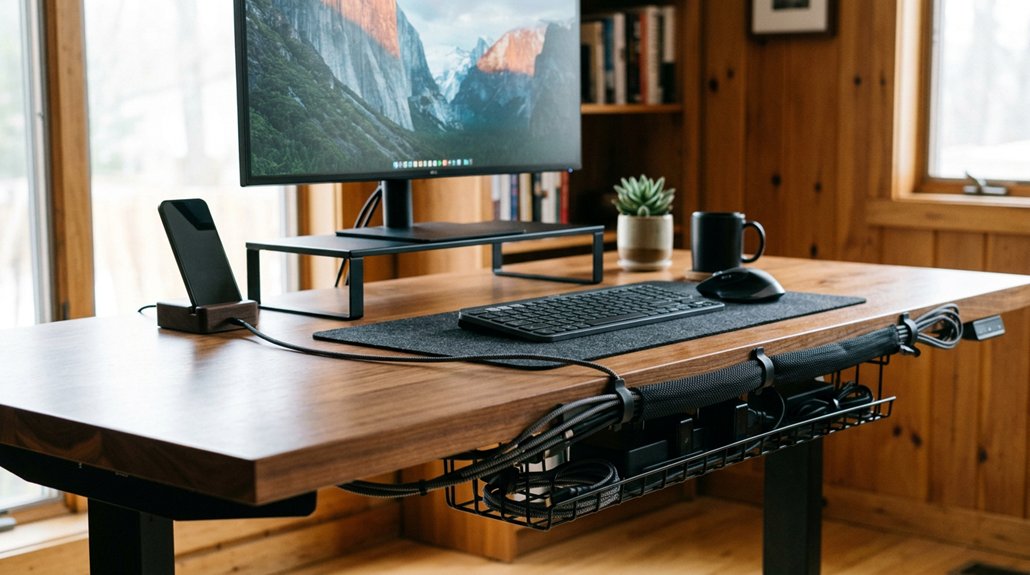
Choosing the right cable management tools for your home office depends on evaluating the types and quantities of cables you use daily. To guarantee a tidy setup, pick solutions that match your cables’ variety and volume. Using ergonomic hub designs that allow easy port access can further reduce clutter and improve workspace comfort.
- Use cable trays or spines if you manage many cables, as they guarantee easy organization and access.
- Opt for cable covers or under-desk trays to keep cords off the floor, enhancing safety and protecting against pets or accidents.
- Select versatile clips or fasteners for organizing individual cables, making adjustments simple without damaging cords.
Matching your cable management system guarantees your space looks clean and professional, with options available in finishes like black, silver, or translucent. Prioritize ease of installation and adaptability for a seamless, efficient setup.
Easy Ways to Hide Cables on a Standing Desk
Hiding cables on a standing desk is simple when you use cable trays to keep cords out of sight and off the floor. Incorporating flexible cable spines guides multiple cords neatly from your surface to the ground, reducing clutter around the legs. Utilizing cable management solutions such as clips, channels, and integrated clips in monitor arms can further enhance organization and safety. Proper placement and securing cables with clips and ties guarantee safety and prevent damage when adjusting the desk height.
Conceal With Cable Trays
Mounting cable trays under a standing desk is an effective way to keep your workspace tidy and safe. They conceal power strips and cables, preventing clutter and protecting them from wear. Implementing cable routing channels in your setup enhances organization and accessibility for maintenance or adjustments. Installing cable trays guarantees cables stay off the floor and away from moving parts, reducing tripping hazards. With a durable, minimalist design, cable trays support efficient cable routing and allow easy access for maintenance or adjustments. To maximize organization, consider combining cable trays with cable spines or clips. This setup simplifies cable management and maintains a professional look on your standing desk.
Use Cable Spines
Using cable spines is an easy and effective way to keep your standing desk area tidy. These cable spines serve as flexible, vertical channels that conceal and bundle multiple cables from your desk to the floor, improving cable management and aesthetics. They adapt as your desk height changes, preventing tangling or cable damage near moving parts, which enhances safety. Additionally, many cable spines feature adjustable components that allow for quick resizing and repositioning to suit your setup. Available in finishes like translucent, black, or silver, cable spines blend seamlessly with various desk styles. Installation is simple—you just clip or snap them alongside the desk leg to keep cords secure without restricting movement.
Proper Placement Strategies
Effective placement of cables is key to maintaining a tidy standing desk setup. To implement effective cable management plans, focus on strategic cable routing. Use cable trays or baskets attached under the desk to hide power strips and excess cords, reducing clutter. These trays keep cables out of sight and organized. Incorporate cable spines to feed multiple cables vertically along the desk frame, preventing tangling. Position cables away from moving parts of the desk to avoid damage and guarantee smooth height adjustments. Secure charging cables with clips near the surface for easy access and to keep cords untangled. Properly bundling and routing cables along the desk edges not only improves aesthetics but also minimizes tripping hazards, creating a cleaner, safer workspace. A variety of adjustable desk models, such as those with lockable casters and adjustable heights, make it easier to access and conceal cables effectively.
Organizing Charging Cables and Multiple Devices Effectively
Keeping charging cables organized prevents clutter and confusion on your desk, making it easier to find and connect devices quickly. Effective cable management involves grouping charging cables with cable ties or sleeves, which reduces desk clutter and simplifies identification.
Positioning cable clips near charging devices keeps individual charging cables secure, preventing tangling and ensuring quick access. Labeled clips or holders enhance accessibility, allowing you to connect or disconnect devices efficiently without untangling cords.
Using cable management trays or baskets under the desk hides excess cables and power strips, maintaining a neat workspace. Properly organized charging cables also prevent unnecessary wear and tear by avoiding repeated bending and pulling, which helps extend the lifespan of chargers and your devices.
Common Cable Management Mistakes : And How to Fix Them
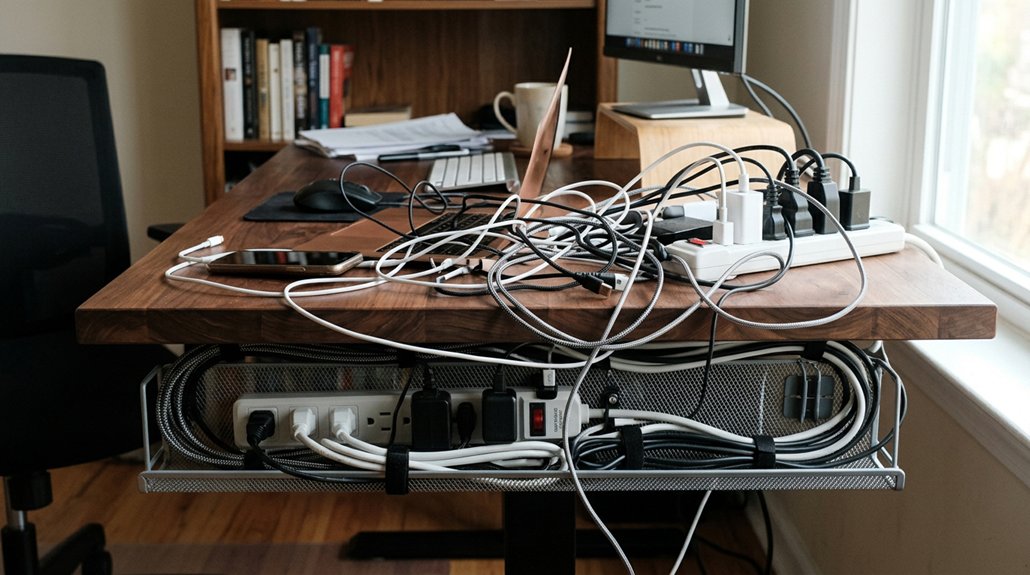
Many common cable management mistakes stem from overlooking simple best practices, which can lead to damage, clutter, and safety hazards. For example, overstuffing cable trays can cause cable damage and make access difficult.
Over-tightening cables ties risks damaging internal wiring; using adjustable or reusable Velcro ties is a safer option. Neglecting to label cables complicates future troubleshooting and device swaps, wasting your time.
To fix these issues, avoid overloading trays, guarantee ties are snug but not tight, and label cables clearly.
- Over-tightening cable ties can damage wires
- Using inadequate or inflexible cable solutions adds to mess
- Forgetting to respect capacity limits leads to clutter and hazards
Step-by-Step Guide to Setting Up a Safe and Clean Power Cable System
Start by planning your cable layout to keep cords organized and accessible.
Secure cables using clips and under-desk trays, making sure they stay in place and are easy to reach.
Label and bundle cables properly to prevent tangles and simplify troubleshooting.
Planning Your Cable Layout
Have you considered how to map out your cables before plugging everything in? Planning your cable layout is essential for a safe and tidy workspace. Start by identifying all power cables and devices to understand your cable management plan and avoid excess clutter.
- Map out your planning cable routes to keep cords off the floor and away from foot traffic, reducing tripping hazards and cable wear.
- Use under-desk trays and cable clips to secure cables along desk edges or beneath surfaces, maintaining a neat cable organization.
- Label each cable at both ends for quick identification during troubleshooting or device swaps.
Regularly review your cable layout to guarantee cables stay intact and avoid overloading power strips, maintaining a safe, organized environment.
Securing Cables Properly
Guaranteeing your cables are properly secured is essential for creating a safe and organized home office. Use cable trays or under-desk baskets to keep power cables and strips off the floor, reducing tripping hazards and preventing damage. Employ cable clips or clamps along desk edges or legs to hold cables firmly in place, avoiding loose cords near foot traffic or moving parts. Bundle excess cable length with reusable Velcro ties to prevent tangling and reduce strain on connectors. Label each cable near the device or plug for quick identification and troubleshooting. Regularly inspect cables for wear or damage, replacing frayed cords to maintain safety.
| Cable Management Step | Visual Outcome |
|---|---|
| Use cable trays | Clean, off-floor workspace |
| Attach cable clips | No dangling or tripping hazards |
| Bundle with Velcro ties | Tangle-free cords |
| Label cables | Faster troubleshooting |
| Check for damage | Safe, fire-resistant workspace |
How Proper Cable Management Improves Airflow and Protects Your Equipment

Proper cable management plays a crucial role in improving airflow around your home office equipment, preventing cables from blocking ventilation areas. When cables are organized, air can circulate freely, helping to prevent overheating.
Tangled or compressed wires trap heat near power adapters and network gear, increasing the risk of malfunction. By keeping cables neat and elevated with trays or spines, you promote proper airflow, which cools devices like routers, monitors, and PCs.
This reduces heat buildup, extends equipment lifespan, and enhances reliability. Efficient cable management guarantees your home office equipment operates within safe temperatures, minimizing the chance of hardware failure.
With well-routed cables, you’ll experience fewer hardware issues and a more stable, reliable setup overall.
Tips and Tricks for Effective Cable Management in Small Home Offices
Effective cable management is especially important in small home offices where space is limited and clutter can quickly become overwhelming.
To achieve effective cable management, secure charging cables with cable clips and small adhesive mounts near your workstation. This tidycable approach prevents tangling and makes cables easily accessible.
Use cable spines under standing desks to bundle multiple cords neatly, reducing visible clutter and enhancing safety around moving parts. Compact under-desk cable trays or wire management boxes can hold power strips and excess cable length without overcrowding your small space.
Gather long cables with reusable Velcro ties and route them along desk edges to avoid crossing or snagging. Label your cables with color-coded tags or simple labels for quick identification, saving time and lowering the increased risk of tripping.
Maintaining and Upgrading Your Cable Management System Over Time
As your home office evolves, regularly maintaining and upgrading your cable management system keeps everything organized and safe. By inspecting and replacing worn or damaged cables, you prevent safety hazards and equipment malfunctions.
Updating your system as new devices are added guarantees ongoing order and prevents clutter that can hamper productivity. Incorporating adjustable and reusable cable ties or sleeves allows for easy reconfiguration during upgrades or office rearrangements.
- Regularly inspect and replace worn cables to prevent safety hazards
- Update your cable management system as new devices are added
- Use reusable ties and labels for easy reconfiguration and clarity
Maintaining your cable setup not only keeps your workspace tidy but also improves airflow and safety over time.
Frequently Asked Questions
Why Is Cable Management Important?
Cable management is important because it keeps your workspace safe, organized, and professional-looking. It prevents accidents, extends your cords’ life, boosts your focus, and makes setting up or cleaning easier for you.
How to Do Cable Management for Work From Home Desk?
You can manage cables by using trays or spines under your desk, securing charging cords with clips, bundling long cables with ties, labeling connections with tags, and regularly inspecting cords to keep your workspace safe, organized, and clutter-free.
Does Cable Management Really Matter?
Yes, cable management really matters because it keeps your home office safe by preventing tripping hazards, improves your workspace’s appearance, boosts productivity, extends cable lifespan, and creates a more comfortable, stress-free environment for you during work.
What Are the Common Cable Management Mistakes?
You often overstuff baskets, skip labeling, or tighten ties too much, leading to damage. You might leave cables tangled, loose, or dangling near foot traffic, creating hazards and complicating troubleshooting during future adjustments.



