

To hide office desk cables effectively, position your devices close to outlets and use cable management accessories like clips, sleeves, and cord covers to keep cords neat and out of sight. Mount power strips underneath your desk and bundle excess cables with Velcro straps. Incorporate wireless tech, such as wireless keyboards and chargers, to reduce clutter. If you want to discover more tips on achieving a tidy workspace, keep exploring for helpful ideas.
Assess Your Desk and Device Placement for Better Cable Concealment
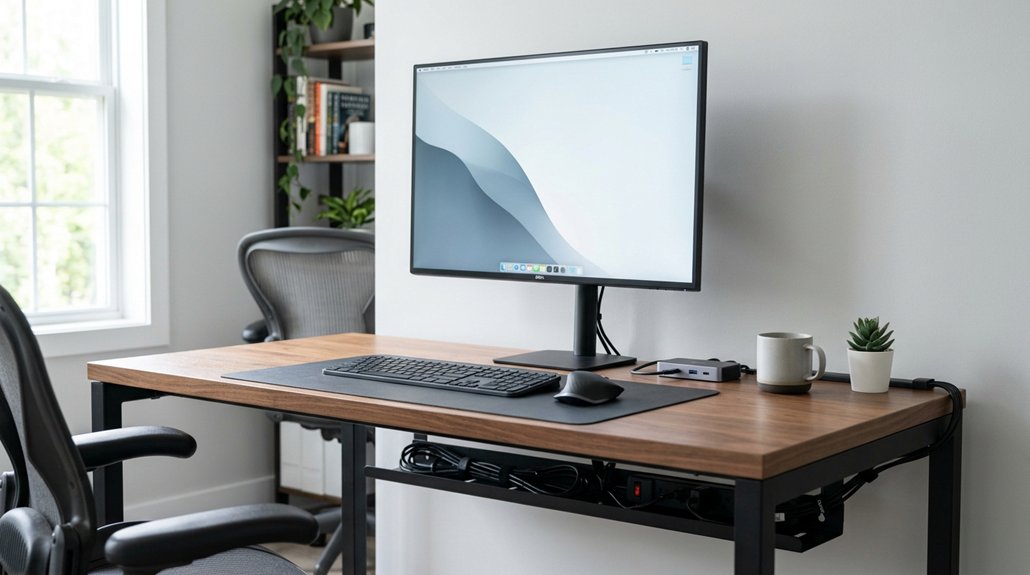
Have you considered how the placement of your desk and devices can improve cable concealment? Positioning your desk near a power outlet, preferably against a wall or corner, helps reduce the length and visibility of cords, minimizing cord clutter. Using cable management kits such as cable clips and cable sleeves to hide cords along the desk surface and underneath it. Built-in features like grommets, drawers, or shelves also assist in channeling cables discreetly. Conduct a quick test of your setup to guarantee both comfort and practical cable hiding before finalizing your layout.
Choose the Best Power Strips and Cable Accessories for a Clutter-Free Desk
To achieve a clutter-free desk, selecting the right power strips and accessories is essential. Opt for a high-capacity power strip with multiple outlets and built-in USB chargers, preferably with an on-off switch for easy power control.
Mount it under your desk using pre-marked screw holes and a screw bumper to prevent movement and guarantee safety. Use Velcro straps and zip ties to bundle multiple cables and manage cords efficiently.
Incorporate cord covers or adhesive cable clips to route cables neatly and hide power sources. Choose flat power cords and position them through small rug slits or cord protectors to minimize floor visibility and tripping hazards. Cable management features in modern power strips make organizing your workspace more straightforward and effective.
Use Practical Routing Techniques to Hide Office Wires Effectively
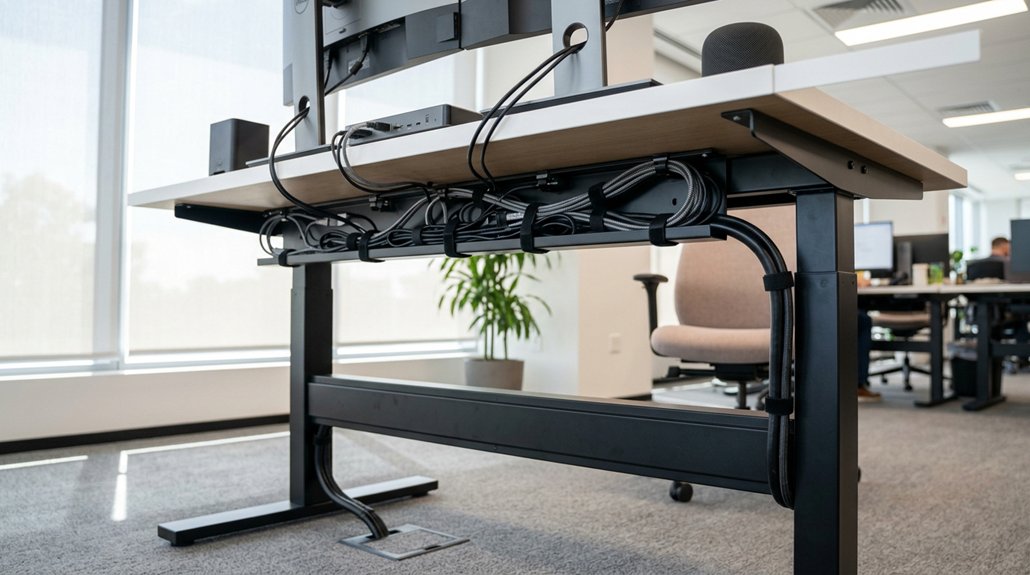
Effective wire routing is key to keeping your workspace tidy, and there are simple techniques that make a big difference. Use cable ties to bundle excess cable length and secure them underneath the desk to reduce clutter and prevent tangled wires. Mount small adhesive cable clips or Command hooks behind the desk to route individual wires neatly out of sight, maintaining an organized desk setup. Cutting a slit in a floor rug or carpet near the desk allows you to feed cables through, hiding wires on the floor and minimizing tripping hazards. Position your desk close to power outlets and route cables along the shortest path for a cleaner look. Choosing durable clips can ensure long-term organization without frequent replacements. These practical routing techniques help keep your office neat and guarantee safety by preventing cable clutter.
Leverage Desk Features and Accessories to Keep Cables Out of Sight
Utilizing your desk’s built-in features and carefully chosen accessories can greatly reduce visible cables and create a cleaner workspace. Cables can make a mess of wires, but mounting a high-capacity power strip with multiple outlets and USB ports on the underside of your desk keeps them off the floor and easily accessible. Small adhesive cable clips or Command hooks flow cords neatly toward the power source, preventing tangles. Velcro cable ties bundle excess length, while cord sleeves or trays conceal grouped cables under the desk, helping to make it work smoothly. Desk surface accessories like acrylic document organizers or decor pieces strategically placed near cables help obscure wires without drilling holes. The use of ergonomic hub placement and dedicated cable management features can further enhance the overall tidiness and accessibility of your setup. These simple steps make a valuable desk look organized, whether you add or remove devices.
Incorporate Wireless Devices and Smart Solutions to Minimize Cable Clutter

Incorporating wireless devices and smart solutions can dramatically cut down cable clutter on your desk. By using cable-free options like wireless keyboards and mice, you eliminate the need for USB or power cords.
Wireless charging pads with multiple zones keep your smartphones and devices powered without extra cables cluttering your surface. Smart power strips with Bluetooth or Wi-Fi enable remote control, reducing the number of cords running to outlets.
Bluetooth-enabled monitors and wireless display dongles allow you to connect screens without traditional HDMI or DisplayPort cables. Combining desk grommets with wireless hubs offers a clean install, enabling minimal cable pass-through and wireless device charging.
Utilizing connectivity protocols like Wi-Fi and Bluetooth helps ensure reliable, seamless control of your smart office devices, further streamlining your workspace.
Frequently Asked Questions
How Do Interior Designers Hide Cords?
Interior designers hide cords by mounting power strips under desks, routing cables through hidden clips, cutting slits in rugs, bundling excess cords with ties, and positioning wires behind furniture. They focus on safety and visual concealment throughout.
How to Hide Cords With a Stand up Desk?
You can hide cords with a standing desk by mounting a power strip underneath, routing cables with adhesive clips, bundling excess with Velcro ties, and cutting small rug slits to feed cords through, keeping everything tidy and accessible.
How to Sort Out Cables in a Small Office Space?
You should bundle excess cables with Velcro or zip ties, route them using adhesive clips or hooks, and mount a power strip under your desk. Create small rug slits for flat cords, keeping your small office space organized and safe.
How to Hide a Bunch of Cables?
You should bundle cables with Velcro ties, route them under the desk with Command hooks, and hide power strips with screw mounts. Use a slit in the rug for floor cables and secure cords behind furniture for a neat look.



