
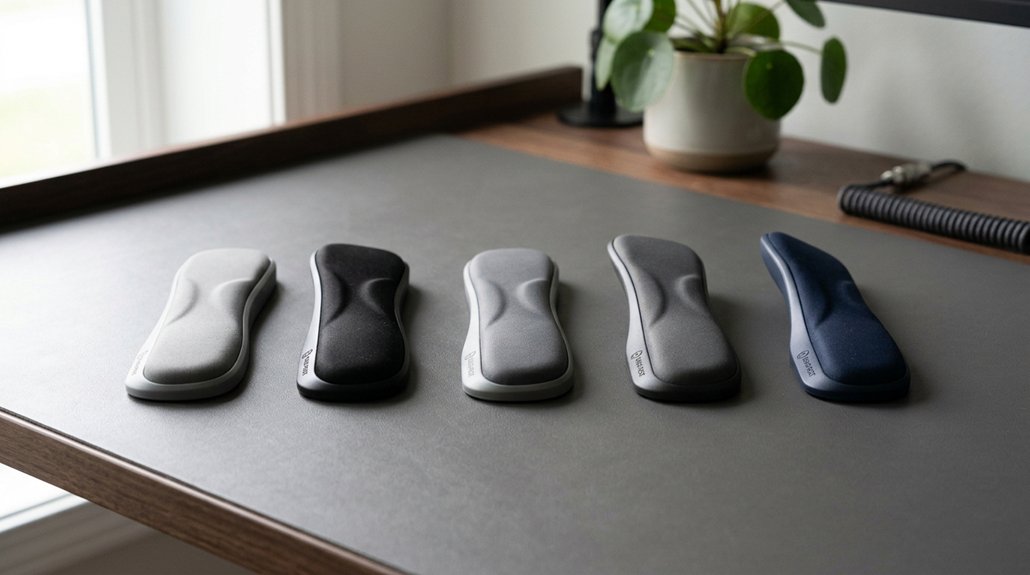
To prevent carpal tunnel, keep your wrists in a neutral position, aligned with your forearms, avoiding bending up, down, or sideways. Maintain a straight wrist angle while typing and using your mouse, with your forearms parallel to the floor and elbows bent at about 90 degrees. Use ergonomic supports, adjust your chair and desk height, and avoid prolonged awkward postures. If you want to learn more about maintaining healthy wrist angles, keep exploring these tips.
How Proper Wrist Angles Prevent Carpal Tunnel
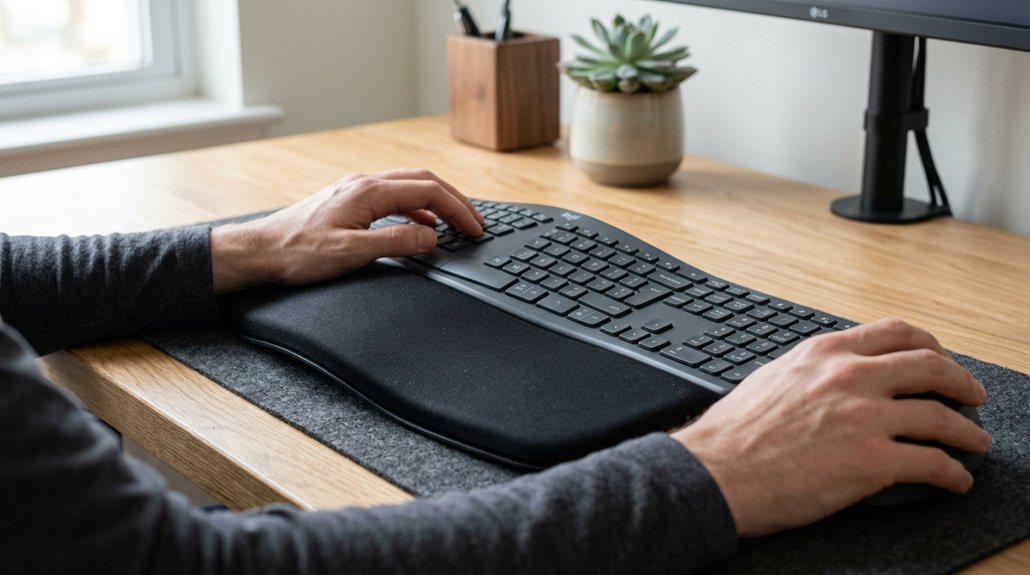
Maintaining proper wrist angles is essential for preventing carpal tunnel syndrome because it reduces pressure on the median nerve inside the wrist. When your wrist stays in a neutral position, it aligns straight with your forearm, avoiding bending up, down, or sideways. This position helps keep the pressure on the median nerve low and prevents nerve compression. Using a memory foam wrist support can further help maintain the correct wrist angle and reduce strain. Keeping your wrists straight and maintaining wrist alignment during repetitive motions minimizes unnecessary tension on tendons and nerves. An ergonomic setup, with the keyboard and mouse at the same height and forearms parallel to the floor, supports healthy wrist angles. Testing wrist alignment with a pen across the back of your hand can help you spot unwanted bending, making it easier to adjust and prevent carpal tunnel issues.
What Are the Best Wrist Positions for Typing and Using a Mouse?
The most effective wrist positions for typing and using a mouse involve keeping your wrists in a neutral, straight alignment with your forearms. You want a neutral wrist, where your wrists stay straight without bending up, down, or sideways.
Maintain your forearms parallel to the floor with elbows bent at about 90 degrees, promoting an optimal typing posture. Your mouse position should keep your wrists straight, avoiding wrist deviation to reduce pressure on the median nerve.
Using ergonomic keyboards and a vertical mouse helps maintain this natural, neutral angle. An ideal workstation setup places your keyboard and mouse at the same height and close to your body. This setup supports keeping your wrists neutral while typing or steering, ultimately minimizing strain and lowering the risk of carpal tunnel syndrome.
Adjust Your Desk and Chair to Keep Your Wrists Neutral

To keep your wrists in a neutral position while working, adjust your chair height so your elbows bend at about 90 degrees and your forearms stay parallel to the floor. This helps maintain a neutral wrist position, reducing wrist extension and flexion. Using ergonomic contour wrist rests can further support wrist alignment and comfort during long typing sessions. Set your desk height so your keyboard and mouse rest at the same level, preventing harmful bending angles. Use wrist rests if needed, but make certain your wrists stay aligned with your forearms and aren’t bent sideways. Keep your shoulders relaxed and close to your body to support proper posture. An adjustable chair and desk setup help achieve these angles easily, allowing your wrists to stay neutral, which reduces strain and helps prevent carpal tunnel syndrome.
Common Mistakes That Lead to Unhealthy Wrist Angles
Excessive wrist bending, whether upward (extension) or downward (flexion), puts increased pressure on the median nerve inside the carpal tunnel, raising your risk of developing carpal tunnel syndrome.
Avoid common mistakes like:
- Bending the wrist during repetitive tasks, leading to sustained awkward postures
- Using keyboard tilt feet, which cause wrist cocking and non-neutral angles
- Deviating sideways (ulnar or radial deviation) during forceful movements
- Gripping tools too tightly, amplifying strain on tendons and nerves
- Maintaining extended or flexed wrist positions for long periods without breaks
- Ignoring ergonomic support features that promote proper wrist alignment during extended use
Making these errors, especially during repetitive or forceful actions, increases pressure inside the carpal tunnel.
Staying aware of wrist positions and avoiding sustained awkward postures helps reduce your risk of nerve compression.
Simple Ways to Keep Your Wrists Neutral All Day
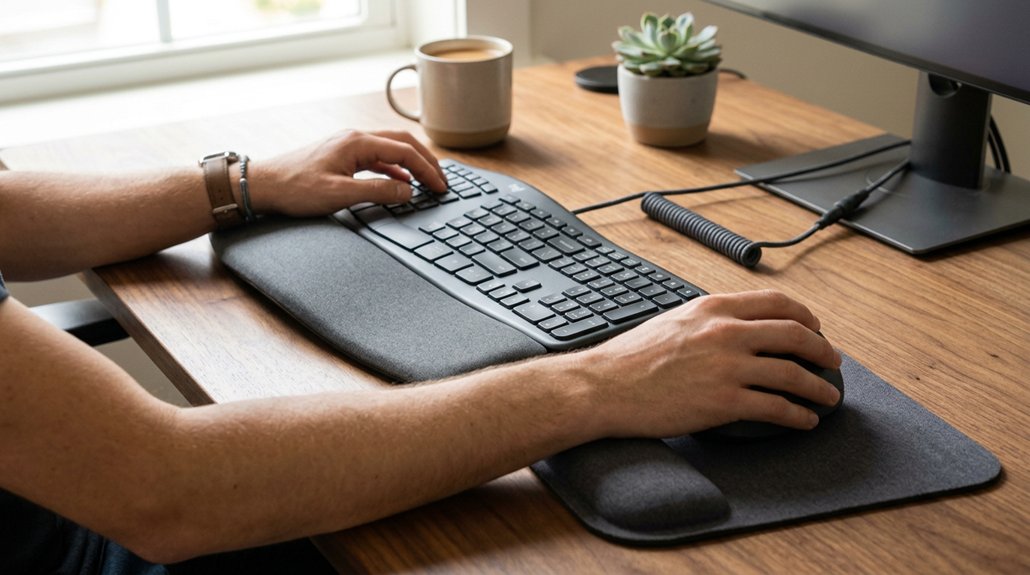
Maintaining neutral wrist positions throughout the day is essential to prevent strain and reduce the risk of carpal tunnel syndrome. To keep your wrists in a neutral wrist angle, guarantee wrist alignment with your forearms by avoiding bending up, down, or sideways. Position your keyboard and mouse at the same height as your elbows, which should be bent at 90 degrees. Use ergonomic tools like vertical mice or thumb trackballs that promote a natural handshake, minimizing wrist deviation. Adjustable ergonomic angles on your devices can further help fine-tune your posture for maximum comfort.
Frequently Asked Questions
What Is the Best Position for Wrists to Prevent Carpal Tunnel?
You should keep your wrists neutral, aligned straight with your forearms, avoiding bend or deviation. Maintain wrist parallel to the floor, with elbows at a 90-degree angle, and use ergonomic tools to support proper positioning and reduce pressure.
What Time of Day Is Carpal Tunnel the Worst?
Carpal tunnel symptoms are worst at night because wrist positions during sleep increase pressure on the median nerve. You may notice numbness, tingling, and pain intensify, especially after a day of repetitive hand movements, disrupting your rest and comfort.
How to Strengthen Wrists to Avoid Carpal Tunnel?
You can strengthen your wrists by doing light resistance exercises like wrist curls, tendon gliding, and isometric holds. These improve muscle support, flexibility, and stability, reducing nerve pressure and lowering your risk of developing carpal tunnel syndrome.
What Fruit Helps With Carpal Tunnel?
You should include bananas in your diet because they’re rich in Vitamin B6, which may help reduce nerve inflammation, swelling, and discomfort associated with carpal tunnel syndrome, supporting your wrist health effectively.
In Summary
Keeping your wrists in the right position is essential for prevention. By maintaining neutral angles while typing or using a mouse, adjusting your workspace properly, and avoiding common mistakes, you can greatly reduce the risk of carpal tunnel syndrome. Make small, consistent changes to stay comfortable and protect your wrists throughout the day. Remember, a little awareness and proper setup go a long way in preventing long-term discomfort or injury. Stay mindful, stay healthy.



