

You’ll feel most comfortable when your standing desk sits between 40.5 in and 43.5 in (103‑110 cm) high with the shoes you’ll wear at work, giving you a 90°‑110° elbow angle and forearms parallel to the floor. Keep the monitor top at eye level and about 20‑30 in (50‑75 cm) away, and adjust the chair so your knees stay at a 90° angle. A height‑adjustable desk with a wide travel range lets you fine‑tune these positions, and the right accessories—like an ergonomic arm‑rest and anti‑fatigue mat—will keep you in a neutral posture all day. If you explore the details, you’ll discover how to pick the best desk, set it up, and maintain it for lasting comfort.
Ideal Desk Height for Tall Users – Quick Answer
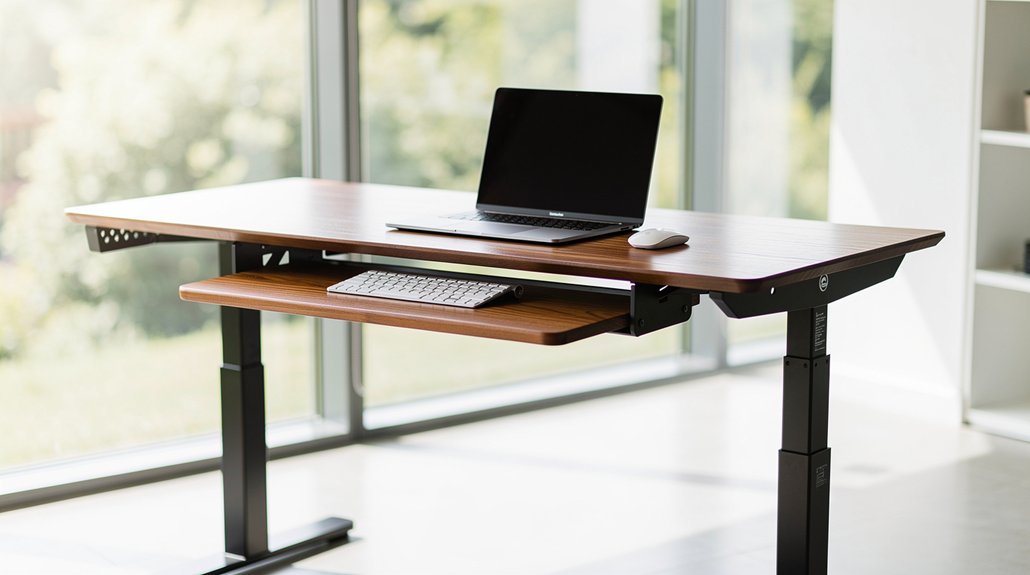
Where should a tall person set their desk?
Aim for a standing desk height that lets your elbows rest at a 90°–110° angle, with forearms parallel to the floor. For most tall users, that means a surface around 40.5–43.5 inches (103–110 cm) when you’re wearing shoes. Adjust the monitor height so the top of the screen aligns with your eye level, keeping the top third of the display visible.
If you switch to a seated setup, target a desk height near 101–114 cm (39.8–44.5 inches) based on leg length and chair. Use the formula 0.4739 × height − 6.678 to 0.5538 × height − 9.4270 inches for a quick estimate, then fine‑tune for comfort.
How to Measure Your Height Correctly (Including Shoes)
First, put on the shoes you’ll wear at your desk, because heel thickness adds to your standing height. Measure yourself from head to floor, then use that number in inches as your baseline. This lets you calculate a desk height range that accounts for your footwear and keeps your wrists neutral.
Measure Height With Shoes
Ever wonder how to get an accurate height measurement for your desk setup? First, put on the shoes you’ll wear while working. Stand straight, let your arms relax at your sides, and have a friend or a wall-mounted measuring tape record your height in footwear. This number becomes the baseline for your standing desk height, ensuring your elbow height aligns with an ergonomic desk setup.
Since heel or sole thickness can add a few centimeters, use this adjusted figure instead of your barefoot height when applying the 40.5‑to‑43.5‑inch range for a 5‑ft‑7‑in tall person. By factoring in height in footwear, you’ll achieve tall person comfort, keeping your wrists neutral and your posture relaxed throughout the day.
Include Footwear Thickness
Wondering how to get a truly accurate standing‑desk height? First, put on the shoes you’ll wear while working and note the added sole height. Measure your total height in inches with those shoes on; this becomes the baseline for your standing desk height. If your footwear thickness adds a half‑inch to an inch, shift the desk upward by the same amount to keep your elbows at a 90‑degree angle and your wrists neutral. Adjust the monitor height so the screen’s top third stays at eye level, using the adjustable desk’s range. For thicker soles, you may need to lower the monitor a bit or raise the desk a touch more. This fine‑tuning ensures comfort and proper ergonomics throughout the day.
Ideal Standing Desk Height Range for Tall Users
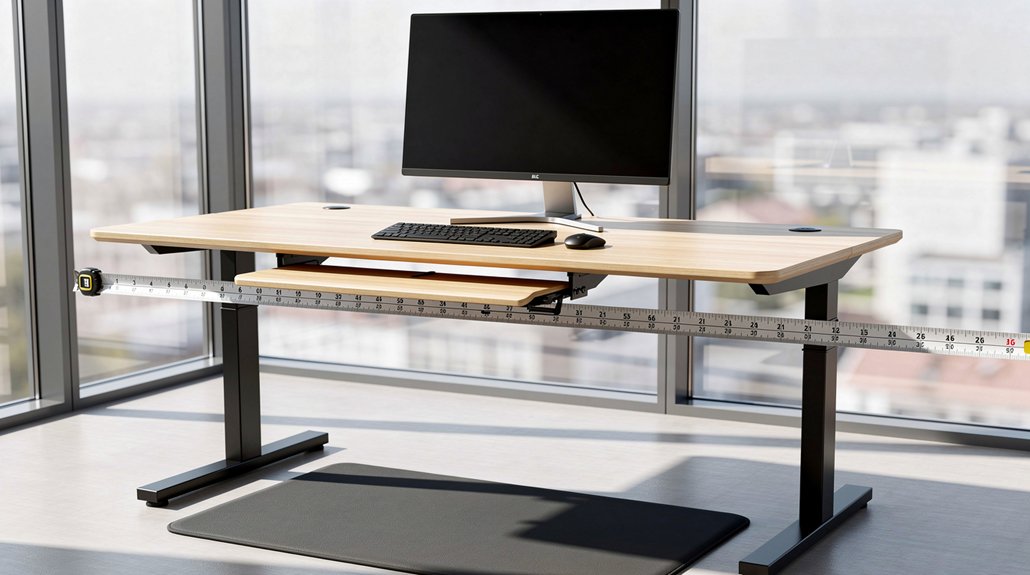
Where should your standing desk sit to keep you comfortable? For tall users, aim for a standing desk height that lets your forearms rest parallel to the floor, elbows at a 90°–110° angle. Start around 40.5–43.5 inches (103–110 cm) if you’re roughly 5 ft 7 in with shoes, then adjust until the monitor top aligns with your eye level. Keep the screen 20–30 inches away to reduce neck strain. A height‑adjustable desk gives you the freedom to fine‑tune this setup and accommodates the full range of motion tall individuals need.
Set desk height so elbows form a comfortable 90° angle, with monitor eye‑level and 20‑30 inches away.
- Set desk height so elbows form a comfortable 90° angle.
- Position monitor top at or just below eye level.
- Keep monitor 20–30 inches from your face.
- Choose a desk with a travel range up to 50 inches for full extension.
- Use a height‑adjustable desk to tweak arm and eye alignment throughout the day.
Pick the Best Adjustable Desk for 6 ft+ Users
Looking for a desk that truly accommodates your 6‑ft‑plus frame? Choose a standing desk with an adjustable height range that stretches from about 64 cm to 129 cm (25–51 in) so you can reach full extension without hitting the top stop. Look for models built for tall users that lift smoothly, stay stable at maximum height, and support a neutral typing posture—elbows at 90‑110° and wrists flat. Pair the desk with a monitor arm to achieve perfect monitor alignment at eye level, keeping the screen 50‑75 cm (20‑30 in) away. Add a footrest if needed for extra comfort. This combination gives you a reliable ergonomic setup that adapts as you sit or stand.
Set Desk Height for a Neutral Elbow Angle (Tall Desk Height)
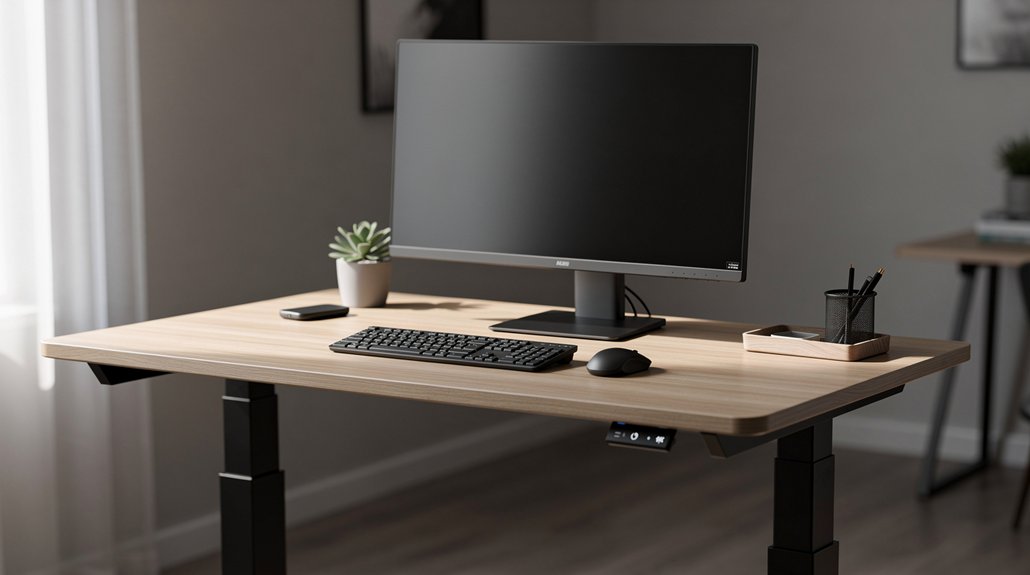
How can you set your desk height so your elbows stay in that sweet 90°‑110° zone? As a tall user, start by measuring a standing desk height of roughly 40.5–43.5 inches (103–110 cm). Adjust until your forearms lie flat, parallel to the floor, with upper arms close to your body. Then align your monitor so its top sits at or just below eye level, keeping the neck neutral while preserving the elbow angle. Check that your posture feels balanced, and fine‑tune if needed.
Tall users: set desk at 40.5–43.5 in, forearms flat, elbows 90°‑110°, monitor at eye level for neutral posture.
- Position the desk so elbows form a 90°‑110° angle while typing.
- Keep shoulders relaxed and wrists straight for neutral posture.
- Ensure the monitor top aligns with eye level to avoid neck strain.
- Verify that forearms rest flat without lifting shoulders.
- Reassess after a few minutes of work to confirm comfort.
Adjust Chair Height and Footrest to Complement a Tall Desk
Ever wondered how to match your chair to a tall desk without compromising comfort? Start by raising the chair height until your knees form a 90‑degree angle and your thighs sit parallel to the floor—typically 16.5–18 inches for tall users. Check that your forearms stay fore to the desk surface while typing; this ensures proper desk clearance and reduces shoulder strain. If the chair still can’t lift high enough, add a footrest to keep your feet flat and ankles neutral. Adjust the footrest so your knee angle stays within 90–110°, allowing a smooth transition between seated and standing positions. Maintaining these alignments keeps your wrists neutral, elbows comfortable, and overall posture ergonomic.
Position Monitor for Tall Desk Height at Eye Level

Where can you place a monitor on a tall desk so your neck stays relaxed? Position the screen so the top third aligns with your eye level when you look straight ahead. Keep the monitor about an arm’s length away—roughly 20‑30 inches—to avoid leaning forward. Use a monitor arm or adjustable stand on a standing desk to raise the display, ensuring the center sits just below eye line. Align dual monitors at the same height to prevent constant head turning. Tilt the screen 10‑20 degrees for a neutral neck posture while keeping the top third of the screen visible.
Place the monitor so its top third aligns with eye level, 20‑30 inches away, tilted 10‑20°.
- Set monitor height to match eye level
- Maintain 20‑30 inch viewing distance
- Employ a monitor arm on a standing desk
- Align dual screens at equal height
- Tilt 10‑20 degrees for optimal neck posture
Keyboard and Mouse Placement for a Tall Ergonomic Setup
You’ll want your desk set so your elbows stay at a 90‑110 degree angle, keeping your forearms parallel to the surface. Position the keyboard home row at a height where your wrists stay neutral and you don’t have to reach forward.
Align the mouse on the same plane, so your arm extension remains comfortable and your shoulders stay relaxed.
Height Height Desk
How high should your desk be to keep your elbows at a comfortable 90‑110° while typing? For a tall ergonomic setup, aim for a standing desk height of 40.5–43.5 inches, which lets your forearms stay parallel to the floor and your elbow angle within the ideal range. When you sit, adjust chair height so the desk curb sits around 25–27.5 inches, then bring the monitor to eye level to avoid neck strain. Keep the keyboard and mouse at the same height as your elbows, and maintain a 50–75 cm distance from your eyes to the screen. These adjustments create a balanced posture and reduce shoulder shrug.
- Set standing desk height between 40.5–43.5 inches
- Adjust chair height to 25–27.5 inches for sitting
- Align monitor top with eye level
- Keep keyboard/mouse at elbow height
- Maintain 20–30 inches screen‑to‑eye distance
Elbow Angle Alignment
Why settle for awkward shoulders when a simple elbow‑angle tweak can transform your tall ergonomic setup? Aim for a 90°–110° elbow angle while your forearms stay parallel to the desk surface. Adjust the desk height so the keyboard sits at or just below elbow level, letting your wrists stay neutral and avoiding upward or downward bends. If the desk is too high, your elbows flex and shoulders rise, straining neck and upper back. Use an adjustable desk or a keyboard tray to keep forearms straight and reduce reaching. Position the monitor so the top third of the screen aligns with your eyes, maintaining the same elbow angle throughout typing and mouse work. This alignment promotes comfort, reduces fatigue, and supports long‑term posture health.
Fix Common Desk‑Height Mistakes for Tall Users

Ever notice how a desk that’s too short forces you to hunch forward and stretch your arms, while one that’s too tall makes your shoulders shrug and your wrists bend? For tall users, the fix starts with a standing desk height that spans 64–129 cm, letting you switch between sit and stand without compromising posture. Pair it with an ergonomic chair that supports a neutral spine and keep the monitor at eye level to avoid chin tucking. Aim for an elbow angle 90–110° and, if the desk stays high, add footrest support to achieve a 90° knee angle and flat feet.
- Adjust the desk until elbows rest comfortably at 90–110°
- Use a chair with adjustable lumbar support and seat depth
- Position the monitor’s top third at eye level, 50–75 cm away
- Add a footrest when the desk is too high for a relaxed knee angle
- Re‑evaluate posture after any height change to ensure neutral wrists and shoulders
Using the Desk Height Calculator for Your Setup
Curious about getting the perfect fit? You start by entering your total height—including heel or sole—into the Desk height calculator. The tool first asks whether you’ll be sitting or standing, then spits out a standing desk height range, typically 40.5–43.5 inches for someone around 5 ft 7 in with shoes. Use those numbers as a baseline, then tweak the desk until your forearms rest at a neutral wrist position and your elbows stay close to 90 degrees. Align the monitor top with your eye level so you avoid neck strain. If the initial suggestion feels off, adjust for personal comfort or footwear variations; the calculator’s flexibility lets you fine‑tune each component of your ergonomic setup.
Should Tall Users Choose Fixed or Adjustable Desks?
After you’ve used the desk‑height calculator to pinpoint a comfortable range, the next decision is whether a fixed or adjustable desk will keep you within that zone throughout the day.
After using the desk‑height calculator, choose adjustable over fixed to stay within your ergonomic range all day.
As a tall user, you’ll notice that adjustable desks let you fine‑tune the ergonomic height for sitting and standing, preserving neutral wrist, elbow, and neck postures.
Fixed desks, by contrast, lock you into one level, often forcing slouching or shoulder shrugging to hit monitor eye level.
If you switch tasks or share the space, the flexibility of an adjustable sit‑stand model maintains proper forearm and thigh geometry, reducing neck and lower‑back strain.
- Wide travel range accommodates 40.5–43.5 inches seated height
- Quick height changes keep monitor eye level consistent
- Supports 90–110° elbow angles in both positions
- Reduces chronic compensations common with fixed desks
- Enables ergonomic adjustments for different tasks and chairs
Tall‑User‑Specific Accessories: Arm Rests, Anti‑Fatigue Mats, and More
What accessories can keep you comfortable while you work at a tall‑user desk? Adjustable arm rests let you keep your elbows at a 90° angle when the standing desk height is set for tall users, preventing shoulder shrug and wrist strain. Pair them with monitor arms that lift the screen to eye level, aligning the top third of the display and sparing your neck. When you stand, place an anti‑fatigue mat under your feet; it cushions hard floors and eases lower‑body fatigue at elevated heights. If your chair can’t rise enough, a footrest adds support, keeping your thighs horizontal and your posture neutral. Together, these accessories create a ergonomic ergonomic workflow for tall‑, tall.
Maintenance Tips to Keep Your Adjustable Desk Performing Smoothly
You should regularly lubricate the lift mechanism and gears to keep movements quiet and smooth.
Periodically tighten all fasteners and cable‑management components so nothing rattles or binds as you adjust height.
Lubate Mechanism Regularly
How often should you grease the moving parts of your height‑adjustable desk? You should lubricate the mechanism every 3–6 months, or sooner if you hear squeaks. Proper lubrication keeps your adjustable desk moving smoothly, supports tall posture, and preserves sit‑stand ergonomics. Follow a simple maintenance schedule: clean dust, apply the right lubricant, cycle the desk, and inspect for wear.
- Wipe dust and debris from telescoping tubes, gears, and screw drives.
- Use manufacturer‑recommended silicone or PTFE spray for metal and plastic surfaces.
- Apply a thin coat to each moving component, avoiding excess.
- Move the desk through its full height range 5–10 times to spread the lubricant.
- Record the date and any observations in a maintenance log.
Tighten Fasteners Periodically
Keeping your desk’s fasteners tight is as important as regular lubrication for smooth height changes. You should check every adjustment knob, screw, and grommet on the frame and keyboard tray at least once a month. If you notice any wobble, tighten the fasteners to the torque specifications listed in the manual. Record each maintenance session so you can track when re‑tightening is due. Inspect gas springs, pneumatic lifts, or motorized actuators every 1–3 months; replace worn parts to prevent sudden drops. Secure cable‑management clamps, ensuring they don’t strain moving components. By staying on top of fastener torque and regular checks, you’ll keep your desk’s adjustment reliable and free of wobble.
Clean and Lubricate Gears
Ever wonder why your desk’s lift feels jerky after a few months? You can restore smooth operation with a quick lubrication routine. First, wipe the exposed gears and posts using a mild, non‑abrasive cleaner to clear dust and grit. Then, apply a lightweight silicone spray or grease to all moving joints and glide rails. Re‑apply lubricant every 3–6 months, especially after heavy use or long inactivity, to keep desk height adjustments fluid. Before you finish, tighten any loose bolts, brackets, or screws to prevent misalignment that could hinder movement. Finally, place a protective mat under the base to limit dust ingress and preserve your gear maintenance.
- Clean gears with a gentle cleaner.
- Apply silicone spray or grease to joints.
- Re‑lubricate every 3–6 months.
- Tighten mounting hardware before re‑lubricating.
- Use a mat to keep dust out.
Quick Reference Table: Desk, Chair, and Monitor Heights by Height Range
Looking for a quick way to match your desk, chair, and monitor to your height? This height guide gives you a compact reference table that aligns standing desk height, monitor height, and chair height with your body measurements, ensuring ergonomic posture without guesswork.
For a 5’6”–5’7” tall, set the seated desk around 96.5 cm (38 in) and the chair at 16.5–18 in so your knees form a 90–110° angle. Adjust the monitor so the top third sits at eye level, typically 20–30 in (50–75 cm) away.
Taller users (6’3”–6’6”) benefit from a desk height of 117–124.5 cm (46–49 in) and a chair within the same range, while the monitor stays at the same eye‑level distance. Use these ranges as a quick reference to fine‑tune your workspace.
Frequently Asked Questions
What Desk Height Is Best for Tall People?
You’ll find a height around 41‑44 inches works best, but adjust it using the formula 0.4739 × your height − 6.678 to 0.5538 × your height − 9.427 inches for personalized comfort.
How Tall Should a Desk Be for a 6’3″ Person?
You should aim for a desk around 112–117 cm (44–46 in) high when seated, and a standing height near 115–120 cm (45–47 in) to keep elbows at 90‑110 degrees and wrists neutral.
What Is the 20/8-2 Rule for Standing Desks?
You follow the 20/8‑2 rule by setting your monitor eye‑level at the top third of the screen, keeping it about arm’s length (20‑30 inches) away, and adjusting your desk height so your elbows stay roughly 90° when you type.
How High Should My Desk Be if I’m 5’7″?
Your desk should sit around 40.5‑43.5 inches high; adjust within that range until your elbows form roughly a 90° angle, keeping forearms parallel to the surface and wrists neutral.
In Summary
By matching your desk to your height, you’ll keep elbows at a comfortable 90‑degree angle, reduce strain, and stay productive. Adjustable models give you the flexibility to switch between sitting and standing, while ergonomic accessories fine‑tune the setup. Stick to the recommended height ranges, check your posture regularly, and maintain the desk’s mechanisms. With the right height and a few tweaks, you’ll enjoy a healthier, more comfortable workspace every day.




Leave a Reply