
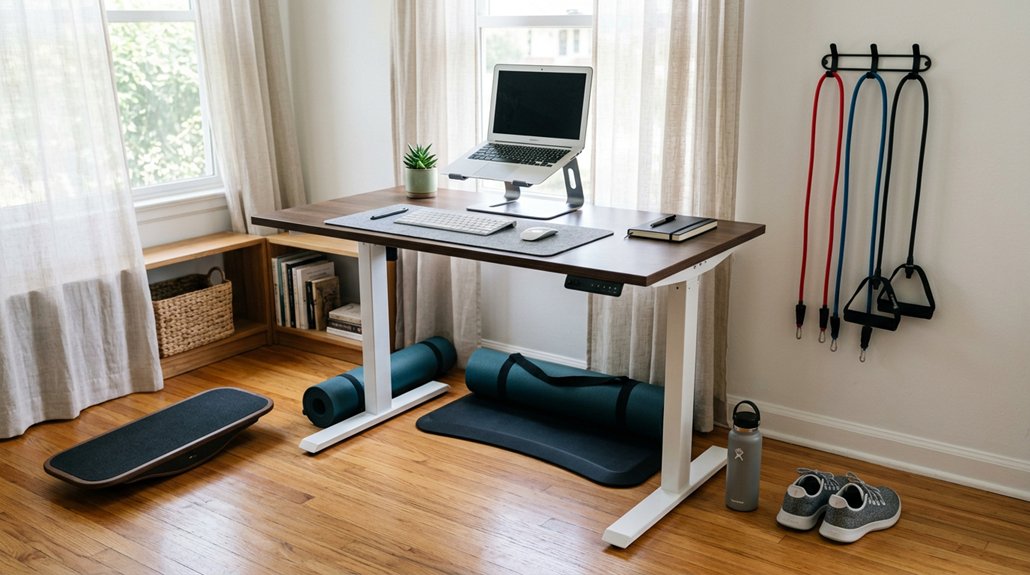
To switch from sitting effectively, alternate between sitting and standing every 30 minutes, using an adjustable sit-stand desk for easy changes. Take short movement breaks to stretch and walk around each hour, and listen to your body for signs of discomfort. Use supportive footwear and anti-fatigue mats to ease standing, and position your monitor at eye level to avoid strain. Incorporate active seating and track your progress for sustainable habits that boost comfort and health as you continue to explore more tips.
Understanding Why a Balance of Sitting and Standing Supports Your Health
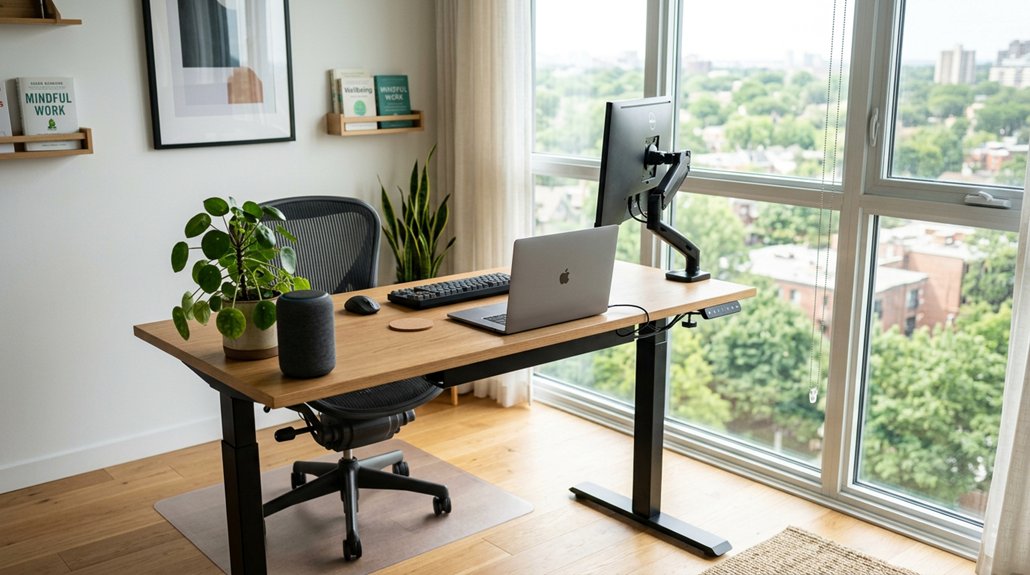
Maintaining a balance between sitting and standing is essential for supporting overall health. When you alternate between sitting and standing, you promote better circulation and encourage movement, which benefits your energy and posture.
While sitting too long can increase risks of obesity, diabetes, and heart disease, standing excessively may cause joint pain and fatigue. To avoid these issues, you should gradually increase your standing periods, aiming for 2-4 hours scattered throughout your day.
This approach helps your core muscles, along with leg muscles, strengthen and engage without overloading them. Finding the right mix of sitting and standing keeps your body active, reduces discomfort, and supports your long-term health. A balanced routine helps you stay energized and less restless during your workday.
Additionally, using an electric standing desk with adjustable height features can make transitioning between sitting and standing smoother and more convenient.
Start With Short Standing Periods to Avoid Discomfort
Starting with short standing periods helps your body adjust gradually and minimizes discomfort. If you sit all day, jumping into long standing sessions can cause joint pain, muscular fatigue, or inflammation.
Starting with short standing periods reduces discomfort and helps your body adapt gradually.
To prevent this, start by standing for 20 to 30 minutes daily, then gradually increase your standing time by about one hour each week. Spread these intervals throughout your workday to avoid tiredness and promote adaptation.
Using an adjustable sit-stand desk can make the shift easier and more comfortable. Remember, gradual increases are key to building endurance without strain. Incorporating multiple height settings allows you to find the most comfortable and ergonomic position as you transition.
This approach helps you reach 2 to 4 hours of standing daily, reducing risks linked to prolonged sitting, while keeping discomfort at bay and supporting sustainable movement habits.
- Begin with 20-30 minutes a day
- Increase standing time weekly
- Use adjustable desks for comfort
- Spread standing periods evenly
- Focus on gradual adaptation
Set Up Your Desk Ergonomically for Comfortable Standing
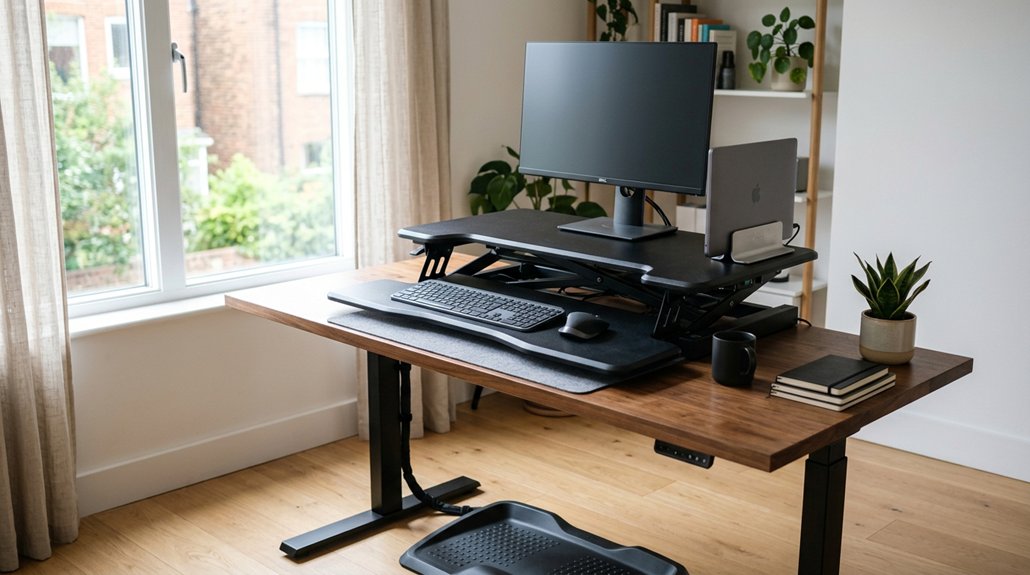
To set up your desk comfortably for standing, start by adjusting your monitor so it’s at or just below eye level, which helps reduce neck strain. Keep your keyboard and mouse at a height that lets your elbows bend at about 90 degrees with straight wrists to lower joint stress. Also, position your monitor about an arm’s length away to prevent eye fatigue and maintain focus. Proper ventilation and cooling design features in your setup can prevent heat buildup and ensure your devices operate efficiently during long standing sessions.
Adjust Monitor Height
Adjusting your monitor to the correct height is essential for a comfortable standing workspace. When you adjust monitor height properly, it helps reduce neck pain and prevents strain on your neck and upper back.
Keep the monitor screen at or just below eye level so you can view without tilting your head up or down. Position the monitor about 20-40 inches (50-100 cm) away—roughly an arm’s length— for comfortable viewing.
Using monitor mounts like Josie Single, Percy Dual, or Josie Triple makes it easy to customize height and angle, promoting an ergonomic posture.
Make certain the monitor is directly in front of you to avoid twisting your neck or torso. Also, minimize glare by positioning the monitor away from windows and overhead lights for added comfort and reduced eye strain. Additionally, consider the adjustable monitor stands that support VESA compatibility to easily modify monitor height and positioning.
Optimize Desk Position
Are you setting up your desk to guarantee maximum comfort and efficiency when standing? Start with a sit-stand desk or adjustable-height desks like Josie Single or Percy Dual to easily switch between sitting and standing.
Position your monitor about 20-40 inches away, at or just below eye level, to reduce neck strain and maintain visual comfort. Keep frequently used items within arm’s reach to prevent overreaching and maintain ergonomic posture.
Your keyboard and mouse should be adjusted to keep your elbows close to 90 degrees with wrists straight, whether standing or sitting. Proper desk setup promotes better posture and minimizes discomfort.
Take the time to customize your station, making standing a more natural and comfortable part of your work routine. Incorporate adjustable desk converters into your setup to easily switch between sitting and standing positions.
Choose Supportive Footwear and Anti-Fatigue Mats for Extended Standing
Choosing the right footwear and anti-fatigue mats makes a significant difference when standing for long periods. Supportive shoes with proper arch support and cushioning help prevent foot pain and circulation issues.
Anti-fatigue mats reduce pressure on your legs and back. Together, they boost comfort and allow you to stand longer without discomfort. Incorporating mats with non-slip backing and textured surface ensures safety and stability during extended standing sessions.
Importance of Proper Footwear
Wearing supportive footwear with good arch support and cushioning is essential to prevent foot pain and fatigue during extended standing.
Shoes without proper support can increase strain on your feet, legs, and lower back, making prolonged standing uncomfortable. To improve comfort, consider the following:
- Choose supportive footwear with quality arch support and cushioning
- Avoid shoes without support, such as certain flats or unsupportive heels
- Use a footrest to reduce pressure on your feet during breaks
- Rotate between different types of supportive shoes to prevent fatigue
- Combine wearing supportive shoes with anti-fatigue mats for added relief
Benefits of Anti-Fatigue Mats
Anti-fatigue mats provide essential cushioning that helps reduce leg and back strain during long periods of standing. They absorb pressure on your feet, preventing muscle fatigue and discomfort while standing all day.
When combined with supportive footwear, anti-fatigue mats maximize comfort by enhancing arch support and shock absorption, keeping your muscles less strained. These mats also promote subtle movements in your calves and leg muscles, which boosts circulation and diminishes stiffness and inflammation.
Research shows that standing on cushioned mats improves endurance and cuts down tiredness, making extended standing more manageable. For the best results, use anti-fatigue mats alongside ergonomic strategies such as alternating postures and wearing supportive shoes. This combined approach helps you stand longer without unnecessary pain.
Use an Adjustable Sit-Stand Desk to Switch Easily Between Positions

An adjustable sit-stand desk makes it easy to switch between sitting and standing positions throughout your workday. With electric motors or manual levers, you can effortlessly adjust the height at the push of a button, making it simple to switch from sitting to standing without interrupting your workflow. Incorporating adjustable lumbar support can further enhance comfort and support during both sitting and standing periods.
These desks allow you to customize your workspace for ergonomic comfort, maintaining proper monitor and keyboard levels in both positions. Gradually increasing standing time—starting with 30 minutes and building up to several hours—helps you develop endurance without discomfort.
Using an adjustable sit-stand desk promotes healthier habits, reduces sedentary behavior, and helps prevent postural issues.
Incorporate Movement Breaks and Stretching Every Hour
Incorporating movement breaks and stretching into your daily routine can greatly enhance the benefits of a sit-stand desk. Moving around every hour helps reduce health risks from prolonged sitting, keeping your muscles active and circulation flowing. During these breaks, stretch your legs, arms, and back to decrease muscle stiffness and fatigue. Regular movement also boosts your energy and focus, preventing mental and physical fatigue. Making it easy, set reminders to stand or walk briefly throughout your workday. Here’s a visual of simple movements:
| Time | Activity | Benefits |
|---|---|---|
| Hour | Walk around | Refreshes your mind |
| Hour | Stretch arms | Increases circulation |
| Hour | Stand up | Eases muscle tension |
| Hour | Twist torso | Improves posture |
| Hour | Flex legs | Boosts energy |
Position Monitors and Lighting to Minimize Eye and Neck Strain
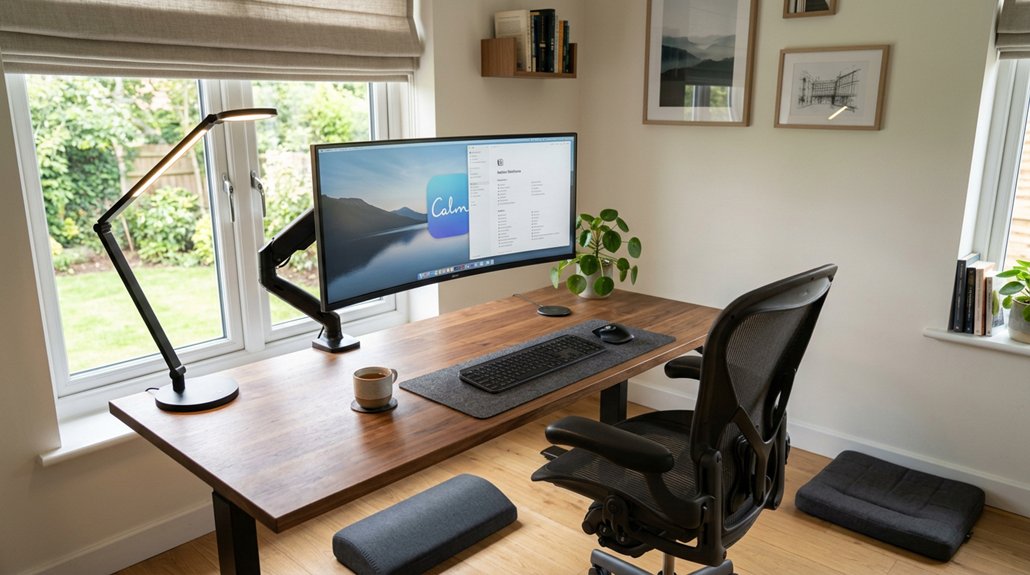
Adjusting your monitor and lighting setup can greatly reduce eye and neck strain during long work hours. To position monitors effectively, keep the top of the screen at or just below eye level to improve posture and prevent neck discomfort. Keep the monitor 20-40 inches away, roughly an arm’s length, to minimize eye strain. Use adjustable monitor mounts like Josie Single, Percy Dual, or Josie Triple to customize height and angle for the best view. Remember the 20-20-20 rule: look at something 20 feet away for 20 seconds every 20 minutes, reducing fatigue. Proper monitor placement and lighting, with anti-glare screen protectors, are key to staying comfortable and preventing strain during long screen sessions.
Listen to Your Body to Prevent Discomfort and Guide Your Routine
Pay attention to signs of fatigue or discomfort, as they tell you when to shift your posture or take a break. Adjust your position or stretch when you notice stiffness or ache, preventing strain. Listening to your body helps you stay comfortable and avoid injuries during your routine. Incorporating non-slip features can improve stability, ensuring safer posture changes throughout the day.
Recognize Signs of Fatigue
Your body often gives early signals when it’s time to change position or take a break, so it’s important to stay attentive. Recognize signs of fatigue like aching muscles, joint discomfort, or increased restlessness, which indicate you need movement.
Prolonged sitting or standing can cause muscular fatigue, inflammation, and back pain that may persist all day if ignored. Make sure to listen for subtle cues, such as shifting weight, fidgeting, or tension in your neck and back, as these are signs it’s time to switch. Incorporating biofeedback devices can help reinforce proper posture and alert you before discomfort develops.
If you feel tired, sore, or heaviness in your legs, stop standing and gradually return to sitting to avoid overuse injuries. Regularly check in with your body, and adjust your routine to prevent discomfort, aiming to balance movement and rest effectively.
Adjust Posture Accordingly
To prevent discomfort and keep your routine balanced, listen carefully to your body’s signals and modify your posture accordingly. When standing, shift your weight between legs and avoid locking your knees to maintain circulation and reduce muscle fatigue. Adjust your posture as needed to avoid pain or fatigue, and don’t hesitate to take small movements or shifts to stay comfortable. When changing from sitting, take three deep breaths to relax muscles and reduce tension. Keep your head, neck, and spine aligned, avoiding leaning forward to prevent strain. Using movement and slight adjustments helps prevent prolonged pressure on joints and muscles. Remember, listening to your body guides you to stand safely and comfortably throughout the day.
| Signal | Adjustment | Action |
|---|---|---|
| Fatigue | Shift weight between legs | Adjust posture accordingly to stay comfortable |
| Pain | Change position or stretch | Move slightly to relieve tension |
| Discomfort | Stand taller or straighten spine | Realign head, neck, and spine |
| Tension | Take deep breaths | Relax muscles and reduce tension |
| Locking knees | Unbend knees and shift stance | Promote circulation and reduce strain |
Enhance Your Sitting and Standing Routine With Active Seating Options
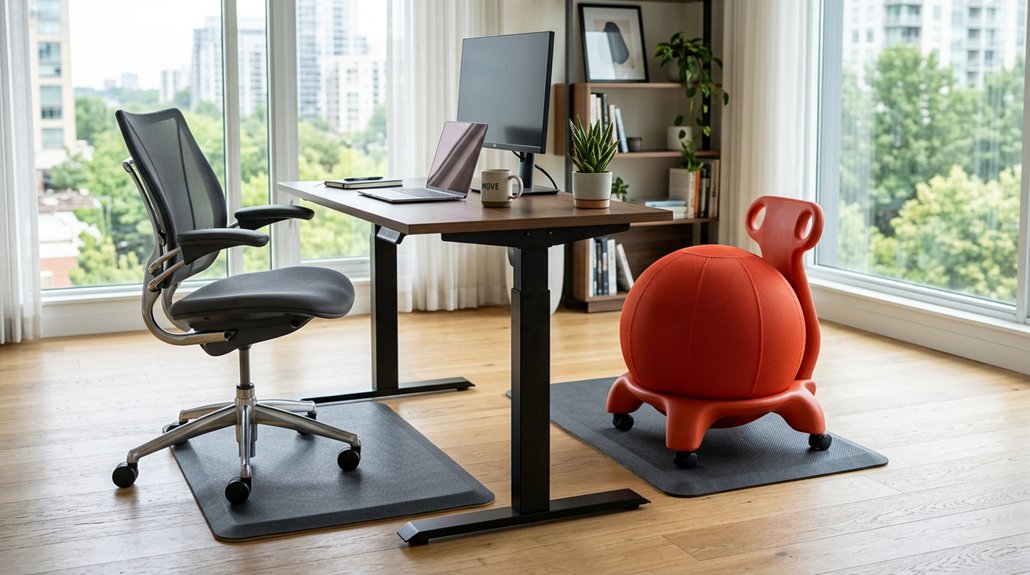
Incorporating active seating into your routine can make a significant difference in how you move between sitting and standing. Using active chairs helps promote natural posture shifts and keeps you engaged while seated.
They encourage subtle movements, which reduce sedentary strain and improve circulation. To get started, try:
- Using active chairs for 1-2 hours daily, then gradually increasing.
- Pairing active seating with sit-stand desks for seamless shifts.
- Engaging core muscles through movement during prolonged sitting.
- Focusing on maintaining proper posture with active chairs.
- Strengthening muscles used during standing for smoother changes.
Active seating complements sit-stand desks perfectly, reducing fatigue and musculoskeletal discomfort. Over time, these options help your muscles adapt, making changes between sitting and standing more comfortable and sustainable.
Track Your Progress and Adjust Your Habits for Lasting Benefits
Tracking your progress is essential for making lasting changes to your sitting and standing habits. By monitoring your daily standing duration, you can gradually increase your standing time from 20-30 minutes towards 2-4 hours, spreading it throughout the day. Use reminders or apps to schedule regular posture changes and 3-5 minute walks each hour, fostering gradual behavior change. Record movement breaks and standing meetings to stay motivated and involve coworkers for support. Adjust your setup based on comfort—alter footwear, add anti-fatigue mats, or change desk height to prevent strain. For clarity, here’s a quick overview:
| Goal | Tool/Strategy | Adjustment Tips |
|---|---|---|
| Track daily standing | Reminders/apps | Adjust based on comfort |
| Increase standing | Gradual behavior change | Use ergonomic modifications |
| Maintain motivation | Record breaks and meetings | Get support from coworkers |
Frequently Asked Questions
What Is the 90-90-90 Rule for Sitting?
The 90-90-90 rule for sitting means keeping your hips, knees, and ankles at a 90-degree angle, ensuring your feet are flat. This posture helps reduce strain, supports proper alignment, and minimizes musculoskeletal issues during long periods of sitting.
What Should I Do Instead of Sitting?
Instead of sitting, you can alternate between standing and moving with a sit-stand desk, take frequent active breaks, use dynamic chairs, and incorporate standing meetings or gentle bouncing to stay active and reduce sedentary time effectively.
How to Reverse the Effects of Sitting All Day?
To reverse sitting effects, you should incorporate regular movement, like short walks and stretching, use active seating, stand intermittently, and optimize your ergonomic setup to improve posture, boost circulation, and reduce musculoskeletal strain throughout your day.
What Are Alternatives to Sitting?
You can stand with adjustable sit-stand desks, use stability balls or active chairs, hold standing meetings, take regular walking breaks, and wear supportive footwear on anti-fatigue mats, all helping you avoid prolonged sitting and stay active.
In Summary
Switching between sitting and standing can boost your comfort and health. Start gradually, set up your workspace ergonomically, and listen to your body’s signals. Use supportive footwear and active seating to stay comfortable. Keep track of your habits and make adjustments as needed to enjoy the benefits long-term. With a little effort and mindfulness, you’ll find a balanced routine that keeps you energized and pain-free throughout your day.



