
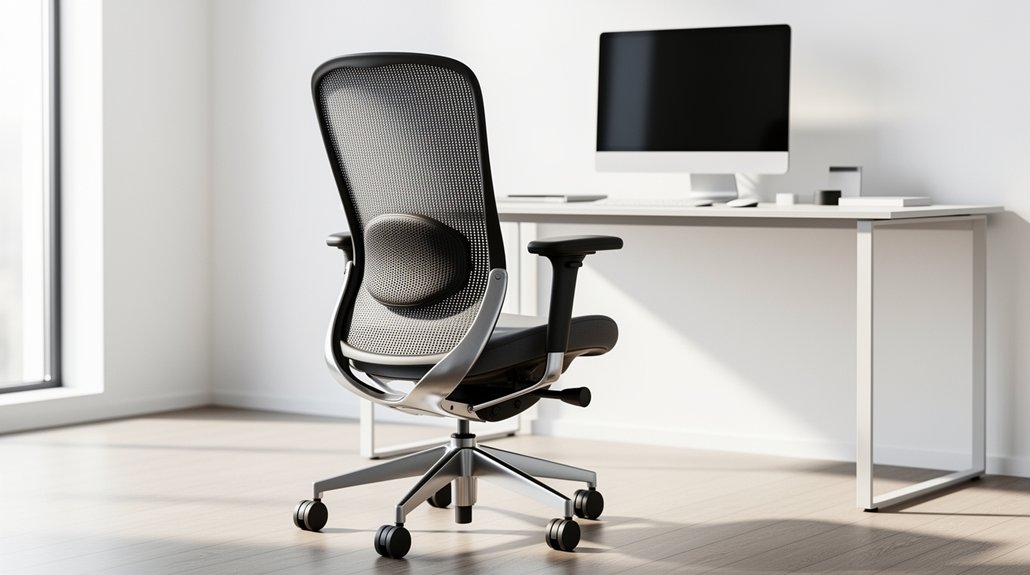
You should pick a chair that offers adjustable lumbar height to match your spine’s natural curve, a backrest that reclines at least 15° with tension control, and a waterfall‑edge seat pan that supports three‑quarters of your thigh while keeping knees clear. Look for a five‑leg base with sturdy casters, armrests that keep elbows at a relaxed 90°, and a full‑range pneumatic height adjustment. When you follow these ten standards, you’ll protect your back and boost productivity—more details await if you keep exploring.
Why Ergonomic Office Chairs Matter for Spinal Health

Why does your spine need proper support at work? You spend hours seated, and without adequate lumbar support your lower back endures constant strain. A well‑designed backrest cradles your mid‑ and upper‑back, keeping elbows clear and allowing at least 15 degrees of recline for dynamic sitting. Adjustable lumbar bars, like those on Ergohuman chairs, let you match the natural lordotic curve, reducing disc and nerve pressure.
Certified models (e.g., BS 5459) guarantee 24‑hour durability and often come with ten‑year warranties, confirming their reliability. When you pair ergonomic chairs with posture training, you lower the risk of musculoskeletal disorders and promote lasting spinal health throughout the workday.
How to Choose an Ergonomic Office Chair With Adjustable Lumbar Support
You’ll want a chair that lets you raise or lower the lumbar pad so it sits right at your mid‑lower back, and you should also be able to adjust the seat depth to keep your knees at a comfortable angle. Make sure the lumbar height and seat‑depth controls move smoothly and lock securely, because any slip can throw your posture off. With those adjustments you’ll maintain a neutral spine and reduce strain during long work sessions.
Adjustable Lumbar Height
Curious how a chair can truly support your lower back? Start by checking the lumbar height adjustment mechanism. It should let you slide the support up or down until it lines up with the natural curve of your spine. Look for backrest compatibility: the lumbar pad must move in sync with the backrest, especially when you recline, so the support stays in the right spot. Durability matters, too—choose a chair with sturdy, tested components that won’t wear out after months of use. Easy‑to‑use controls, preferably a lever or dial, let you fine‑tune the position without hassle. By aligning the support precisely, you’ll keep your lower back from flattening or over‑arching, promoting healthier posture throughout the workday.
Seatand Depth Control
While the lumbar pad’s height lets you align support with your spine’s curve, the seat’s depth and width determine how comfortably your thighs and hips sit. Choose a chair with adjustable seat pan depth that lets you support at least three‑quarters of your thigh length while leaving a 0.5‑inch gap between the front edge and the back of your knees. Look for a waterfall front and contoured edge to spread weight evenly and prevent thigh or buttock compression.
Guarantee the seat pan width exceeds your hip width by at least an inch for unrestricted movement. A pneumatic height adjustment within easy reach lets you fine‑tune the chair for any task, while swivel capability adds mobility during typing and reach..
Seat Depth and Pan Design for Optimal Thigh and Hip Support

You’ll want an adjustable seat depth so the pan can support three‑quarters of your thigh without pressing on the back of your knees. A waterfall‑edge design spreads weight evenly and a 0.5‑inch clearance gap keeps circulation flowing.
Make sure the pan width exceeds your hip width by at least an inch for comfortable, compression‑free sitting.
Adjustable Seat Depth
How can you guarantee your chair supports your thighs without compromising lumbar comfort? You need adjustable seat depth that lets you sit with three‑quarters of your thigh on the pan while keeping knees clear and lumbar support intact. A simple lever or knob lets you slide the seat forward or back, matching both tall and short users. The mechanism should lock securely, preserving posture without wobble. Width that exceeds hip measurement by at least an inch gives extra room, and a swivel pan adds mobility for reaching tasks.
| Feature | Benefit | Typical Range |
|---|---|---|
| Seat depth adjustability | Aligns thigh support, avoids knee pressure | 15–20 in |
| Pan width | Provides hip clearance, maintains thigh support | Hip +1 in |
| Swivel pan | Enhances reach, preserves lumbar alignment | 360° rotation |
Waterfall Edge Design
Ever wonder how a waterfall‑edge seat pan can keep your thighs supported without crushing your knees? The smooth, contoured waterfall edge spreads pressure evenly, preventing the dreaded “knee crush” that occurs with sharp front edges.
By pairing this edge with an adjustable seat pan depth, you can set the pan to cover at least three‑quarters of your thigh length while keeping your knees clear of the seat.
The pan’s width should exceed your hip and thigh width by at least an inch, giving you generous room for hip movement.
This design preserves lumbar support because the pelvis stays properly aligned, and the soft edge avoids thigh and buttock compression during long work sessions.
Swivel‑compatible, depth‑adjustable chairs let you fine‑tune the fit for any body type.
Thigh Clearance Gap
The waterfall‑edge pan you just explored sets the stage for the next key factor: the thigh clearance gap. You’ll want a seat pan depth that supports at least three‑quarters of your thigh length while leaving a 0.5‑inch knee clearance between the front edge and the back of your knees. A contoured, waterfall‑edge design spreads weight evenly, preventing thigh and buttock compression and preserving that clearance. Make sure the pan width exceeds your hip/thigh width by at least an inch, giving your hips room and stopping inner‑thigh contact. Adjustable seat pan depth lets both shorter and taller users keep the knee clearance comfortable, while avoiding overly long pans that would push against the knees and misalign lumbar support. This balance maximizes thigh clearance and overall comfort.
Adjusting Armrests to Keep Shoulders Relaxed and Elbows at 90
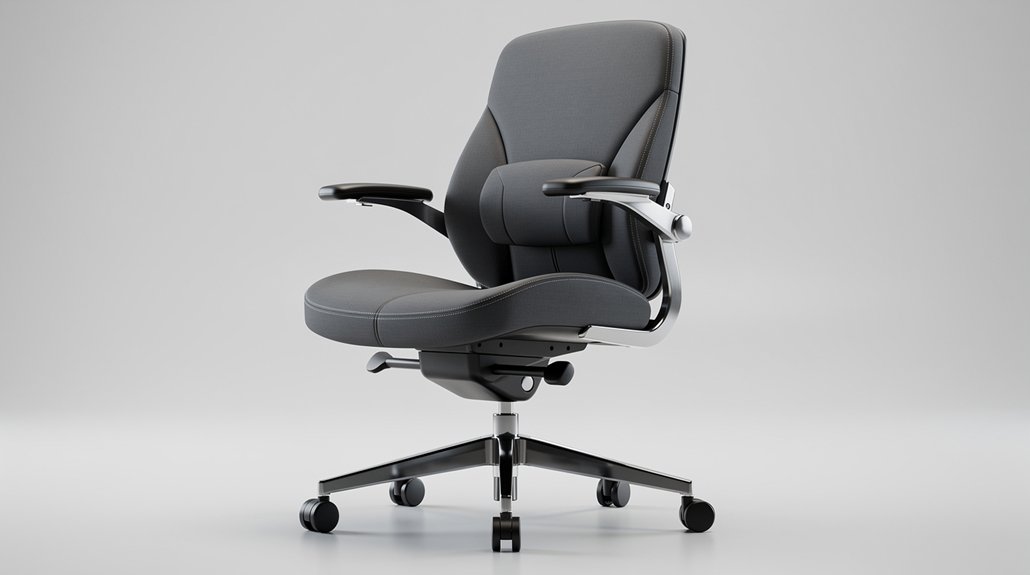
Ever wonder why your shoulders feel tense after a few hours at the desk? Adjust your armrests so they support your lower arms while keeping your upper arms close to your body. When the armrests are tall enough, your shoulders stay relaxed and avoid hunching; when they’re low enough, you prevent trapezius strain during typing or mousing. Set the width to match your torso, allowing a natural 90‑degree elbow angle and unobstructed keyboard access. Choose cushioned, rounded‑edge armrests to reduce forearm pressure and nerve irritation. Remember that armrests work with lumbar support to maintain overall posture, so when you lift or swing them out of the way, your shoulders stay loose and your elbows stay at a comfortable right angle.
Five‑Leg Base and Caster Selection for Stability and Mobility
How often do you consider the chair’s base when you sit down? A five‑leg base gives you stability that a four‑leg design can’t match, lowering tipping risk as you shift weight. When you pick casters, match them to your floor—hard‑court wheels glide on carpet, while rubber‑tread models protect polished surfaces. Proper caster selection reduces the effort needed to glide, so you avoid extra reaching or bending that strains muscles. The even weight distribution of a five‑leg base supports a neutral posture, especially when your desk sits close or far away. By aligning base design with flooring and workspace layout, you keep movement smooth, maintain stability, and protect your musculoskeletal health.
Pneumatic Height Adjustment That Fits All User Ranges
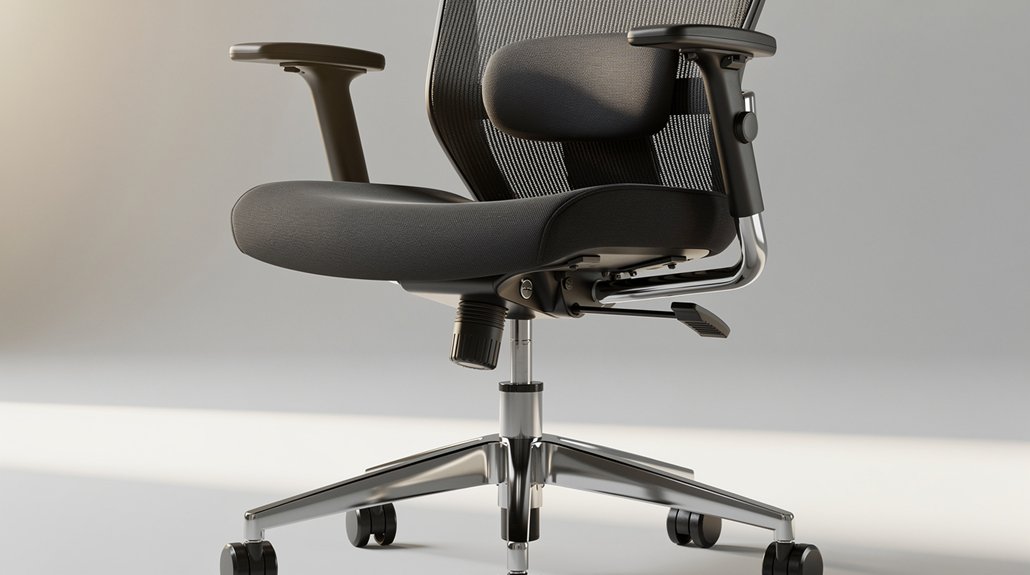
Ever wondered how a single lever can keep your workstation comfortable for every body type? With pneumatic height adjustment, you’ll fine‑tune the seat without tools, keeping the lumbar support aligned as you move. The lever stays within arm’s reach, so you can raise or lower the chair while seated, ensuring your knees stay level or just below the hips. A broad adjustable chair height range accommodates short and tall users, eliminating the need for a footrest. Smooth, controlled vertical motion helps maintain neutral posture during sit‑to‑stand transitionS. By selecting a pneumatic system that spans the full spectrum of user heights, you guarantee consistent comfort, proper foot placement, and optimal lumbar support for everyone who sits in the chair.
Backrest Recline Angle and Tension Control for Neutral Posture
Pneumatic height adjustment lets you fine‑tune seat level, and once the seat is set, the backrest’s recline angle and tension become the next key to maintaining a neutral posture. You should be able to tilt the backrest at least 15 degrees from vertical, letting your spine follow its natural curve without slumping. The tension control lets you set how easily the backrest moves, so you can keep a steady, supportive recline while you type or read. Adjustable lumbar support works with this motion, staying aligned with your lower back as you shift. A built‑in flex in the lumbar system adapts to subtle movements, reducing fatigue during long tasks. Together, these features lock in a comfortable, neutral posture that protects spinal discs and nerves.
Soft, Contoured “Waterfall” Edge to Prevent Pressure Points
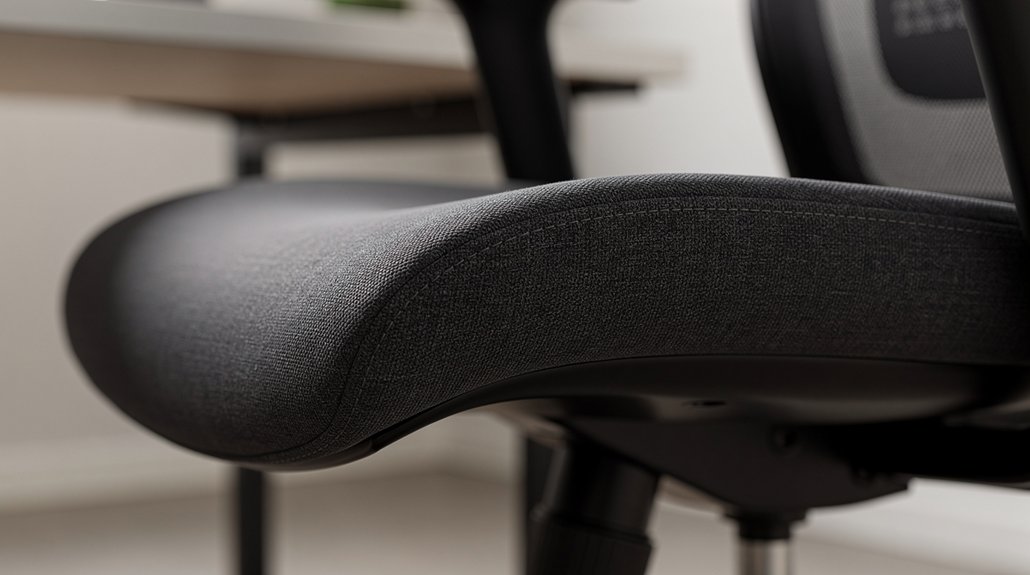
Ever notice how a hard seat edge can dig into the back of your knees after hours of work? A soft, contoured waterfall edge spreads your weight, keeping pressure points at bay. It follows the natural curve of your thighs, easing compression and boosting circulation. When paired with lumbar support, the design maintains a neutral spine while the seat pan cradles you comfortably. Adjustable depth works hand‑in‑hand with the waterfall edge, ensuring the edge never bites into your legs, even during marathon sessions.
| Feature | Benefit | Interaction |
|---|---|---|
| Soft waterfall edge | Reduces thigh compression | Complements lumbar support |
| Contoured shape | Matches thigh anatomy | Prevents pressure points |
| Adjustable seat depth | Fine‑tunes fit | Enhances edge comfort |
| Integrated lumbar support | Keeps spine neutral | Supports edge effectiveness |
| Ergonomic guideline | Minimizes numbness | Aligns with overall posture |
Aligning Chair Height With Monitor, Keyboard, and Desk Ergonomics
You’ll set the monitor so its top is at eye level, keeping your neck neutral while you work.
Position the keyboard tray so your elbows stay close to 90 degrees and your wrists stay straight.
Make sure the desk surface clears your thighs comfortably, allowing your feet to rest flat on the floor.
Monitor Monitor Height Alignment
How can you keep your neck neutral while working? Adjust the monitor height so the screen’s top sits at or just below eye level; this prevents neck flexion and supports a neutral posture.
First, set your chair height so your feet rest flat, thighs parallel, and knees at about 90 degrees. Then, raise or lower the monitor until your gaze falls comfortably on the upper third of the display. Align the keyboard so your forearms stay parallel to the floor and wrists remain neutral, reducing tendon stress. Keep the mouse within easy reach to avoid overreaching and shoulder strain. With proper lumbar support and a correctly positioned monitor, you maintain natural spinal alignment and minimize musculoskeletal discomfort.
Keyboard Tray Position
What’s the key to a comfortable typing posture? Align the keyboard tray with your elbows while your shoulders stay relaxed, and you’ll keep wrists straight and forearms parallel to the floor. Adjust seat height so your feet rest flat, then tilt the tray to match that height. This coordination preserves lumbar support and prevents slouching. Regularly check the alignment as tasks change; a small tweak can maintain neutral neck and wrist postures.
| Aspect | Desired Position | Benefit |
|---|---|---|
| Seat height | Feet flat, knees 90° | Stable lumbar support |
| Elbow height | Tray at elbow level | Neutral wrist angle |
| Forearm | Parallel to floor | Reduced strain |
| Wrist | Straight, not bent | Comfort |
| Monitor | Eye level | Neck alignment |
Desk Surface Clearance
Keeping the keyboard tray at elbow height already gives you a solid base; now make sure the chair’s seat height lets your feet rest flat and your knees form a 90‑degree angle. Adjust the seat height—ideally with a pneumatic lever—until your thighs are supported without pressing the back of your knees, and the front edge stays level. This position aligns your lumbar support with the natural curve of your spine, reducing lower‑back strain. Position the monitor so its top sits at or just below eye level, and keep the keyboard directly in front of you to avoid reaching. Proper desk clearance means your elbows stay close to your body, forearms rest on armrests without hindering keyboard access, and you maintain a neutral wrist posture throughout the workday.
Maintaining Your Ergonomic Chair: Cleaning, Inspection, and Employee Training
Why should you prioritize regular upkeep of your ergonomic chair? Ergonomic chair maintenance protects lumbar support, extends lifespan, and guarantees safety. Start by wiping removable armrests and seat pans with manufacturer‑approved cleaners to eliminate dust and skin oils that degrade upholstery and foam. Schedule a weekly chair inspection: tighten loose screws, examine casters for wear, and look for cracks in the backrest or base. Train employees to run a quick daily check before sitting—verify seat height, backrest tension, and armrest adjustability. Include short training modules that teach proper adjustments, posture, and how to spot early signs of wear. Consistent cleaning, systematic inspection, and informed users keep the chair performing at its ergonomic best.
Frequently Asked Questions
What Is the 90-90-90 Rule in Ergonomics?
You keep your hips, knees, and ankles at roughly ninety degrees while seated, ensuring thighs stay parallel to the floor and feet flat, which promotes neutral posture, reduces lower‑back strain, and improves circulation.
What Are the Ergonomic Standards for Office Chairs?
You should choose a chair that lets you keep your feet flat, knees at a 90‑degree angle, and elbows close to 90 degrees, with adjustable lumbar support, backrest height, and a stable five‑leg base.
What Is the Best Ergonomic Office Chair for Lumbar Support?
You should choose the Mirus Elite; its height‑adjustable backrest, lumbar tension control, forward/back tilt, and depth‑adjustable seat pan give you precise lumbar support and lasting comfort.
Where Should the Lumbar Support Be on an Office Chair?
You should position the lumbar support at the level of your lower back, roughly where your spine curves naturally, and adjust it up or down so it aligns with your lumbar spine without pressing too high or low.
In Summary
By following these ten ergonomic standards, you’ll keep your spine aligned, reduce fatigue, and boost productivity. Adjust the lumbar support, seat depth, armrests, and recline to fit your body, and choose a stable base with smooth casters. Keep the chair clean and inspect it regularly, and train employees on proper use. A well‑tuned chair protects your back and supports a healthier, more comfortable workday.



