
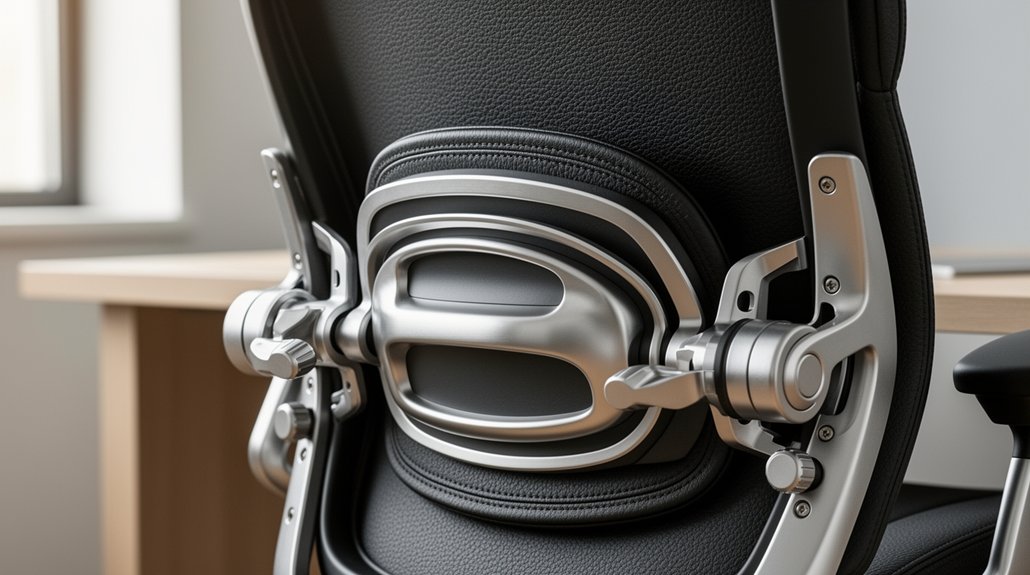
You’ll find that lumbar support fills the gap between your back and the seat, preserving the natural lordotic curve and cutting lower‑back strain. Adjust the height so the pad aligns just above your belt line, then set the depth to barely touch your spine and tune the tension to match your weight. Dynamic flex lets the backrest move while keeping alignment, and one‑, two‑, three‑, or four‑lever systems give you independent control over seat height, tilt, and depth. Keep adjusting these mechanisms and you’ll discover even more ways to stay comfortable all day.
What Is Lumbar Support and Why You Need It in an Office Chair

Ever wondered why your back aches after hours at the desk? You’re probably missing proper lumbar support. A good backrest fills the gap between your lower back and the seat, keeping the natural curve and easing tension. In an ergonomic chair, the contoured cushion or adjustable lumbar support aligns your spine, reducing lower back pain and promoting mindful sitting.
When the support is absent or mis‑aligned, the lumbar curve flattens or reverses, stressing discs and muscles. Certified models like Ergohuman or Mirus Elite meet BS 5459 standards, proving durability for 24‑hour use. By choosing a chair with adjustable lumbar support, you protect your spine, improve posture, and stay comfortable throughout long workdays.
Lumbar Support Anatomy: The Lumbar Spine and Natural Lordosis
Where does the natural curve of your lower back come from, and why does it matter when you sit? Your lumbar spine houses five vertebrae that arc inward, creating the natural lordosis that distributes weight and stabilizes posture. When you sit, a well‑designed lumbar support fills the gap between your back and the chair, preserving that back curvature and preventing the spine from flattening or slumping. Without proper support, prolonged sitting can erode the lordotic curve, stressing discs and nerves. An adjustable lumbar mechanism lets you tweak height, width, or even inflate a cushion to match your unique spinal shape, keeping the lumbar spine aligned and comfortable throughout the workday.
Setting Lumbar Height: Align the Support With Your Belt Line

How do you know you’ve hit the right spot for lumbar support? You’ll feel the back support snugly filling the gap between your spine and the chair, with no pressure on the hips.
Set the lumbar height so the pad aligns with your belt line; this position mirrors your natural spine curvature and keeps the lumbar curve intact.
Use the side knob or pump on the adjustable backrest to raise or lower the pad until it rests just above the belt line. If you notice slouching or pelvis rotation, tweak the height a millimeter at a time.
Proper alignment reduces disc stress, eases nerve strain, and promotes lasting comfort throughout the workday.
Adjusting Lumbar Depth and Tension for Your Weight and Comfort
Wondering how to fine‑tune your chair’s lumbar support for your body? Start by setting lumbar depth so the pad fills the gap between your lower back and the seat, matching your natural curve. Slide the depth lever until the support barely touches the curve—this prevents excessive pressure while keeping the lower back support snug.
Next, adjust lumbar tension to correspond with your weight. Turn the tension knob clockwise for a firmer feel if you’re heavier, or counter‑clockwise for lighter resistance. A proper weight adjustment ensures consistent resistance as you shift, maintaining spinal alignment.
Dynamic Lumbar Flex Mechanisms: Built‑In Movement for Active Sitting
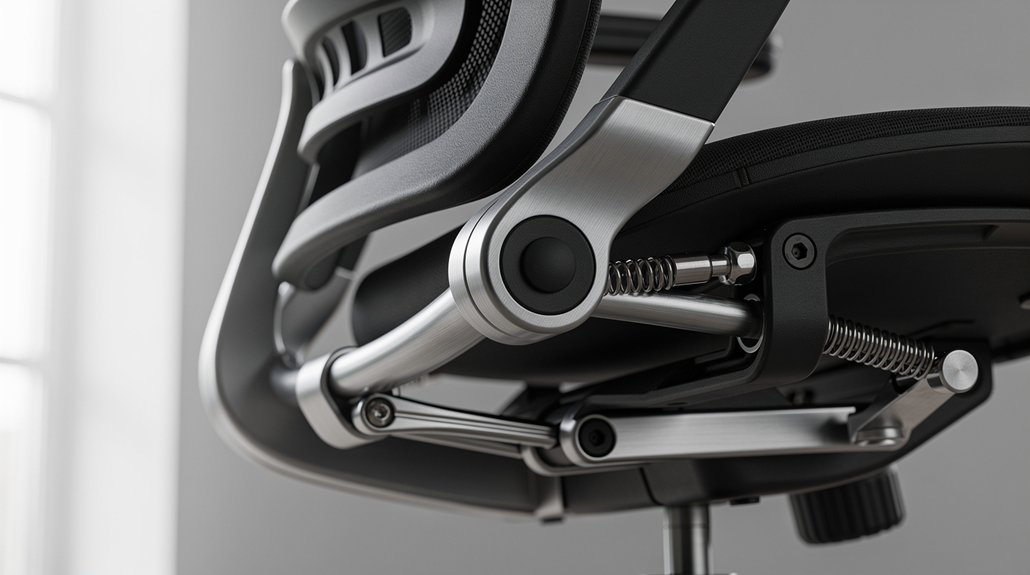
Ever notice how a static lumbar pad can feel stiff after a few hours? The built‑in flex mechanism in your chair’s lumbar support lets the backrest move with you, turning ordinary sitting into dynamic sitting. As you lean or shift, the mechanism adjusts tension, preserving lower back alignment and the spine’s natural curve. You can fine‑tune the adjustable tension to match your weight and comfort, so the support stays active without feeling rigid. This continuous adaptation eases pressure on discs and nerves, keeping you upright and reducing fatigue throughout the workday.
| Feature | Benefit |
|---|---|
| Flex mechanism | Mirrors user movement |
| Height‑adjustable backrest | Aligns with spine curve |
| Adjustable tension | Personalizes support |
| Continuous lower back alignment | Reduces disc pressure |
Use a One‑Lever Lumbar System for Quick Height and Tilt Lock
You’ll find that a single lever lets you raise or lower the seat and lock the back‑tilt in one smooth motion.
By pulling the lever up or down you adjust height, then sliding it in or out engages the tilt lock for instant posture changes.
This simple one‑lever operation keeps the lumbar bar aligned with your spine and cuts down on back strain.
Height Adjustment Lever
How does a single lever simplify both seat height and back‑tilt adjustments? You pull the lever down to raise the seat, then push it up to lower it, all while the same mechanism locks or releases the back tilt. This height adjustment lever integrates lumbar support and back‑tilt control, so you can keep your feet flat and knees at a 90–100‑degree angle without juggling separate knobs. The lever’s smooth travel lets you fine‑tune the seat height in seconds, preserving ergonomic alignment and the spine’s natural curve. When you set the lever, the chair’s back‑tilt either locks for a firm posture or stays free for a relaxed recline. giving you a streamlined, one‑hand adjustment experience.
Tilt Lock Functionality
The single lever that raised your seat now also locks the back‑tilt, letting you fine‑tune lumbar support without juggling extra knobs. With a one‑lever system, you pull the lever upward to raise the lumbar bar, then push it forward to engage tilt lock, securing the backrest tilt in place. This action prevents unwanted movement, so your lumbar support stays aligned with your spine’s natural curve even when you lean back.
Because the same control manages height and tilt lock, you can switch between tasks or share the adjustable chair without hunting for separate knobs. The result is consistent posture, reduced slouching, and a smoother workflow across the day.
Simple One‑Lever Operation
Ever wondered how a single lever can streamline both seat‑height tweaks and back‑tilt lock? With a one‑lever lumbar adjustment, you lift the lever to raise the seat height, then push or pull it to lock the back tilt at your desired angle. This synchronized mechanism lets you modify height and tilt without juggling multiple controls, keeping the natural lumbar curve supported.
When you lower the lever, the seat drops smoothly; when you move it outward, the back tilt engages and holds firmly. Chairs like the Konfurb Harmony and Mondo Soho/Gené/Buro Orbit Mid Back 5 Star Base use this simple system, eliminating complexity while maintaining proper posture throughout the workday.
Two‑Lever Designs: Independent Seat Height and Lumbar Tension
You’ll find that a two‑lever chair lets you raise or lower the seat while keeping the lumbar tension completely separate. By pulling the lumbar lever, you can tighten or loosen the lower‑back support without moving the seat at all.
This independent control helps you keep a proper leg angle and a natural spinal curve simultaneously.
Height Adjustment
How does a two‑lever chair let you fine‑tune both seat height and lumbar tension without one affecting the other? The seat height lever moves the cushion up or down, letting you set a knee bend of 90–100 degrees for optimal circulation. Meanwhile, the lumbar tension adjustment works on an independent backrest, so you can firm or soften lower‑back support without shifting your seat. This separation means you can raise the chair for taller desks while keeping lumbar support constant, or lower it for a deeper seat without losing back curvature. By using each lever independently, you maintain proper weight distribution, reduce strain, and keep the natural lumbar curve aligned with your posture.
Lumbar Tension Control
After setting the seat height for a comfortable knee angle, you can fine‑tune the lumbar tension without moving the cushion. The independent lever lets you increase or decrease how firmly the backrest presses into your lower back, preserving spine alignment while you work. Heavier users usually raise the tension for stronger lumbar support; lighter users lower it to avoid excessive pressure. Adjusting the tension correctly keeps the natural inward curve of the lumbar spine, reducing strain during long sessions.
| Lever | Effect |
|---|---|
| Seat Height | Aligns knees 90‑100° |
| Lumbar Tension | Controls backrest pressure |
| Lower Back | Maintains lordotic curve |
| Spine Alignment | Prevents slouching |
| Comfort | Tailors support to weight |
Three‑Lever Chairs: Separate Seat Tilt, Back Tilt, and Lumbar Control

A three‑lever chair gives you independent control over seat height, seat tilt, and back‑rest tilt, plus an optional extra lever for finer adjustments. With three‑lever chairs you can set lumbar control, seat tilt, and back tilt to match your spine’s natural curve, achieving ergonomic adjustment without compromise. The separate levers let you tilt the seat forward for active sitting while keeping the back‑rest upright, or vice‑versa, so you maintain proper pelvic alignment. An additional lever, when present, refines the lumbar support angle for extra comfort during long sessions. Compared with one‑ or two‑lever designs, this system delivers granular movement control, letting you fine‑tune each component to your body’s needs.
Four‑Lever Setups: Add Seat‑Depth Adjustment for Pelvic Alignment
You’ll notice that adding a seat‑depth slider lets you fine‑tune the distance between the seat edge and your knees, which directly improves pelvic alignment.
By adjusting that gap to a comfortable 2–3 finger width, you reduce pressure on the underside of your thighs and promote better circulation.
The four‑lever system still gives you independent control over seat tilt, back tilt, and height, so you can customize lumbar support for any task.
Seat Depth Adjustment
Ever wondered how a simple seat‑depth slider can transform your sitting posture? When you pull the lever, you move the seat forward or back, creating a precise seat depth that aligns your thigh and pelvic alignment with the chair’s backrest.
Aim for a 2–3 finger gap between the seat edge and your popliteal area; this reduces knee pressure and keeps circulation flowing. Proper depth ensures the backrest contacts the lumbar region without forcing you to slouch or sit too far forward. Adjust until the back of your knees hover just above the seat edge, preventing discomfort during long sessions.
In four‑lever setups, this adjustment works with independent seat tilt, back tilt, and fixed height for a balanced, ergonomic sit.
Pelvic Alignment Optimization
How does adding a seat‑depth slider to a four‑lever chair sharpen pelvic alignment? By letting you match the seat to your thigh length and hip depth, the slider positions your pelvis so the lumbar spine stays naturally curved. This fine‑tuning works alongside seat‑height, seat‑tilt, and back‑tilt controls, preserving independent back‑tilt freedom while boosting lumbar support. You’ll feel less pressure under the thighs, better circulation, and reduced fatigue during long sessions.
- Align pelvis with thigh length using seat depth adjustment.
- Keep lumbar support intact via four‑lever mechanism.
- Preserve back tilt independence for dynamic movement.
- Reduce static loading and improve overall posture.
Fine‑Tune Lumbar Mechanisms for Optimal Posture and Comfort
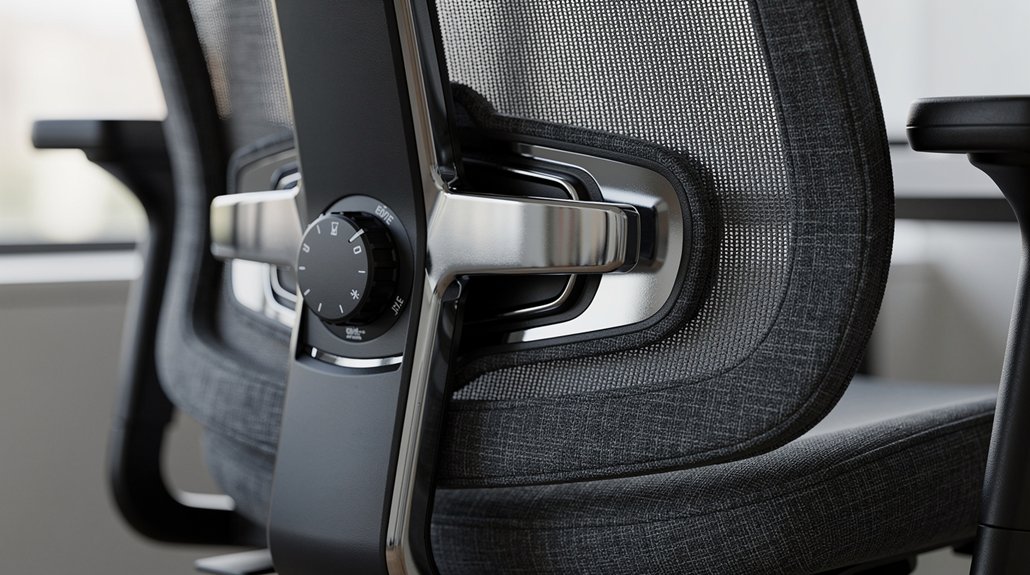
Where should you position the lumbar mechanism to keep your spine’s natural curve? Align the lumbar support with your belt line, letting the adjustable backrest fill the gap between your spine and chair. Slide it up or down until you feel a gentle curve that matches your lower back.
If you have an inflatable lumbar, pump it until the cushion hugs your natural curvature without pressing hard.
Tighten or loosen the depth control to relieve tension and improve posture. Test the fit by sitting upright; your shoulders should relax and your hips stay level. A well‑tuned lumbar reduces lower back pain, encourages proper alignment, and keeps you comfortable through long work sessions.
Frequently Asked Questions
What Do the Different Levers on an Office Chair Mean?
You’ll see one lever for seat height, another for back tilt, a third for seat tilt, and a fourth for seat depth. Each lever lets you adjust those positions independently, giving you customized comfort.
How to Properly Adjust Lumbar Support in Chair?
Adjust the lumbar bar so it aligns with your lower back’s curve, then tighten the lever or pump until the support fills the gap without digging. Test by sitting upright; you should feel gentle, consistent pressure.
What Chair Is Good for Fibromyalgia?
You’ll love the Herman Miller Aeron with its adjustable lumbar pad, breathable mesh, and independent seat‑tilt; it lets you fine‑tune pressure, supports micro‑movements, and eases fibromyalgia discomfort.
How Does the Office Chair Mechanism Work?
You pull the lever or press the button, and the built‑in mechanism shifts the lumbar pad up, down, or inflates it, letting you fine‑tune pressure so your lower back stays supported.
In Summary
By mastering each adjustment—height, depth, tension, and dynamic movement—you’ll keep your spine in its natural curve, reduce fatigue, and stay comfortable all day. Whether your chair uses two, three, or four levers, fine‑tuning those mechanisms gives you the support you need for active, healthy sitting. Keep the lumbar support aligned with your belt line, and let the chair’s design work for you, not against you.




Leave a Reply