
Set your monitor so the top is at eye level or just below, letting your gaze point slightly down to keep your neck neutral and reduce suboccipital tension. Keep the screen about an arm’s length away (20‑30 inches) and angled to avoid glare, which eases eye strain and prevents head tilt. Finally, use an adjustable chair with proper lumbar support and ergonomic lighting to maintain relaxed shoulders and a steady posture. Keep going to discover more details.
Headache Relief: Set Monitor at Eye Level – Quick Guide
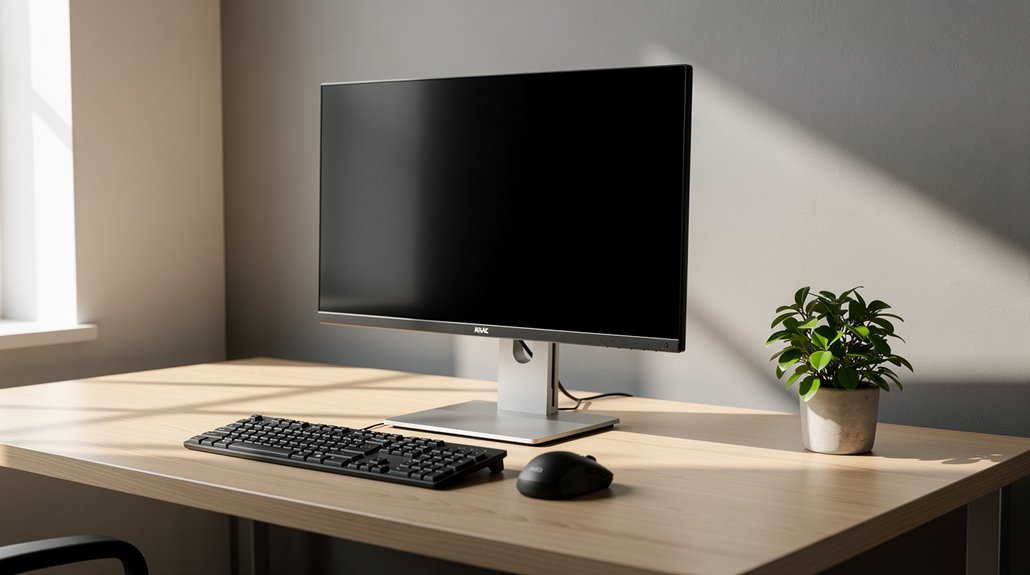
Ever wonder why a simple screen adjustment can ease a pounding headache? You can fix monitor height in seconds, and the relief shows up fast. Position the top of the screen at eye level or just below, so your gaze naturally points slightly down. This keeps your neck in a neutral posture, eases suboccipital muscle tension, and cuts down on neck strain that sparks tension headaches. Sit upright, shoulders relaxed, and use an adjustable chair to avoid forward‑head posture. If you have multiple displays, place the primary monitor directly in front of you to prevent twisting. By aligning eye level with monitor height, you protect your neck, improve posture, and reduce the frequency of those pounding, tension‑type headaches.
Headache Relief: Adjust Viewing Distance & Angle to Reduce Strain
Why does a simple tweak to how far and at what angle you look at your screen make such a big difference for headaches? You get headache relief by setting the top of your screen at or just below eye level, which eases neck strain.
Setting your screen just below eye level eases neck strain and reduces headaches.
Keep a viewing distance of roughly an arm’s length—20 to 30 inches—so you don’t lean forward and tense neck muscles.
Adjust the screen angle to cut glare and avoid tilting your head sideways; this supports a neutral posture and reduces the pressure on the cervical spine.
Sit in a chair with solid back support, relax your shoulders, and align your head over your spine.
Take brief breaks every 20–30 minutes to stretch, reset alignment, and maintain comfort throughout the day.
Headache Relief: Choose Ergonomic Stands, Arms & Lighting

How can a well‑chosen stand, arm support, and lighting transform a painful workday into a comfortable one? You’ll notice instant relief when you pick ergonomic stands that raise your monitor to eye level, keeping your neck tension low and posture upright.
Pair that with a forearm rest that lets elbows stay close to your body, preventing shoulder strain while you type.
Adjust lighting to a soft, diffused glow; avoid glare and harsh shadows that cause eye strain and trigger headaches.
Position the screen 20–28 inches away and directly in front of you, so you don’t tilt your head sideways.
Take micro‑breaks every 20 minutes to stretch neck and shoulders, and keep light levels steady throughout the session.
This simple setup cuts fatigue, improves posture, and eases migraine‑prone days.
Frequently Asked Questions
What Is the Best Position to Relieve a Headache?
Lie back with a pillow under your knees, keep your head slightly elevated, tuck your chin gently, and relax your shoulders; this alignment eases neck strain and lets blood flow, reducing headache pain.
What Are the 5 C’s of Headaches?
You’ve got five C’s: caffeine, cold/heat, cortical relaxation, circulation, and classification. Each one guides non‑pharmacologic relief—adjust caffeine, apply temperature therapy, relax muscles, boost blood flow, and correctly identify the headache type.
Can Cortisol Give You a Headache?
Yes, cortisol can trigger a headache. When stress spikes cortisol, it can inflame vessels and nerves, raising pressure and pain sensitivity. Managing stress, sleeping well, and staying active can keep cortisol—and headaches—in check.
What Is the Chinese Trick for Headaches?
You’ll find no single “Chinese trick” in mainstream guidance; instead, try acupressure on LI‑4 and GB‑20 points, gentle neck stretches, and balanced hydration, which many report eases headache pain.
In Summary
By keeping your monitor at eye level, you cut down neck strain and prevent tension headaches. Maintaining a comfortable viewing distance and angle reduces eye fatigue, while ergonomic stands, arms, and proper lighting keep your posture aligned. Implementing these three tweaks will make your workspace healthier, so you can stay focused and headache‑free throughout the day.




Leave a Reply